

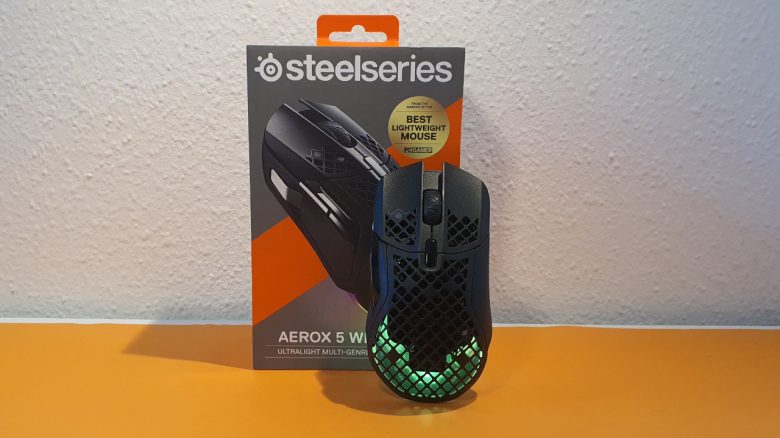
With the Aerox 5 Wireless, SteelSeries has introduced a wireless alternative to the Rival 5. Is an upgrade to the lighter wireless version worth it? MeinMMO editor Benedikt Schlotmann was able to test the mouse extensively.
SteelSeries already introduced a great mouse with the Rival 5, which not only convinced me with its functionality but also with its great design. With the Aerox series, SteelSeries also has particularly light mice in its portfolio.
Now the Aerox 5 Wireless is also included: At first glance, it seems to be a wireless and lighter version of the Rival 5, as the layout and button arrangement are identical. Compared to the Rival 5, only details change:
- The Aerox 5 Wireless is wireless and features larger feet on the underside.
- The Aerox 5 Wireless is also lighter at 74 grams than the Rival 5 (85 grams) and even the G502 X Lightspeed.
The Aerox 5 Wireless, like the Rival 5, is an all-rounder: It is aimed at gamers who play many genres and do not want to commit to a single game. However, the market for all-rounders in the wireless sector is highly competitive.
Alongside the Razer Basilisk Ultimate and the Logitech G502 X Lightspeed, there are two very good gaming mice that are also looking for buyers. Additionally, Roccat introduced a wireless version with the Kone XP Air recently.
But how does the SteelSeries Aerox 5 Wireless perform in tests? I was able to try out the mouse and also extensively compare it with the in-house Rival 5 and the competition from Logitech and Razer. In the following article, you can read why I consider the mouse to be one of the best wireless representatives currently available, but also what the competition does better in my opinion.
Who tested it?
I have a passion for gaming mice and now own over 20 gaming mice privately. For MeinMMO, I have been testing hardware for our readers since 2019. Mice are among my absolute favorites, alongside gaming headsets and keyboards when it comes to peripherals for PC and console, and I am accordingly knowledgeable about them.
SteelSeries provided me with the Aerox 5 Wireless for testing.

Benedikt Schlotmann
Hardware Editor MeinMMO
Features and technical details:
| Sensor | TrueMove Air, |
| Resolution | Up to 18,000 DPI |
| Switches | Golden Micro IP54, 80 million clicks |
| Buttons | 9 buttons with a total of 5 profiles in memory |
| Design | Black, white, or semi-transparent mouse, RGB lighting, asymmetric right-handed mouse |
| Gliding Feet | 3 |
| Cable | Detachable 2.0 m USB-C cable |
| Weight | 74 grams |
| Price (RRP) | 149.99 Euro |
Oops, unfortunately this affiliate widget is no longer available. |
Included Items, Design and Construction
What does the included items consist of? In the box, there is a USB-A to C cable, an extension adapter, and a USB-C wireless dongle. A manual is also included in the box. The mouse relies on an internally built battery that is non-removable.
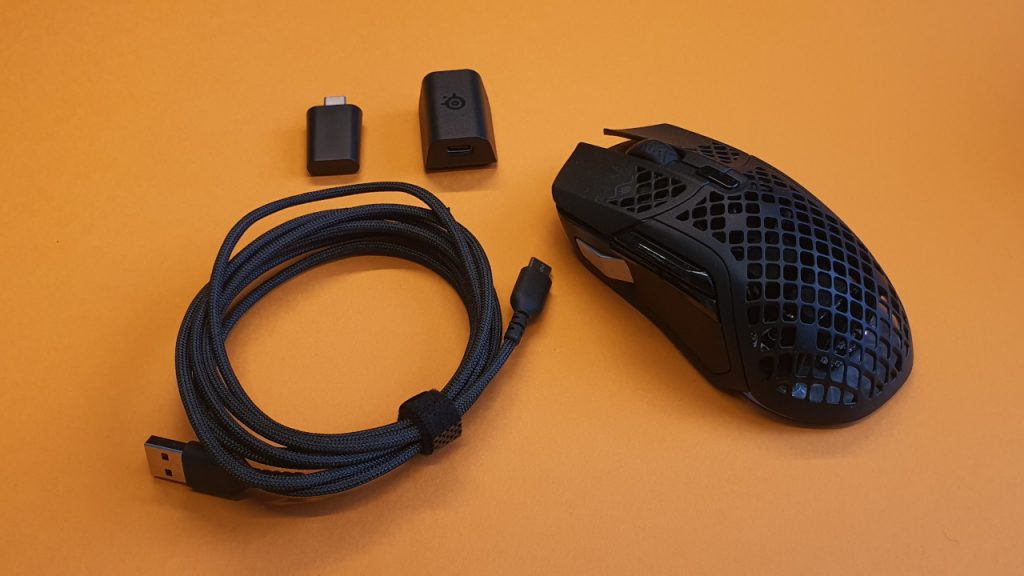
How is the mouse constructed? The Aerox 5 Wireless is available in black, white, and a ghost design. In the latter, the mouse appears slightly transparent. The different colors do not offer any advantages.
- On the top of the mouse are the main buttons. Between them is a 2-way mouse wheel, and in front of it is a small switch. One allows you to change the DPI level.
- On the left side are 4 additional buttons. Three are directly in the thumb area, the fourth button is far in the front, which is the so-called “sniper button”, for quick DPI switching.
- The mouse does not have a thumb rest or a rubberized side surface. It also uses a honeycomb pattern and is permeable.
SteelSeries also relies on a subtle RGB lighting for the Aerox 5 Wireless, which only comes into play at the back of the mouse. With the “ghost” color, the mouse casing also glows stronger from within. However, the design is much more restrained than with the Rival 5 and is by no means as striking as with the Roccat Burst, which MeinMMO also tested.
The honeycomb pattern of the mouse has a downside besides the reduced weight: The cavity quickly attracts dirt and especially pet hair. And the casing cannot be removed for cleaning the mouse.
The Aerox 5 Wireless is an ergonomic right-handed mouse.

Build Quality
The Aerox 5 Wireless is well built. In the pressure and shake test, nothing rattles, and everything stays where it should. The cable is soft and flexible and resembles the PhantomFlex cable used by Roccat.
It is practical that the USB-C port of the mouse is designed so that I can also use other cables to charge it. If the original cable breaks, I do not necessarily have to buy a new one from SteelSeries.
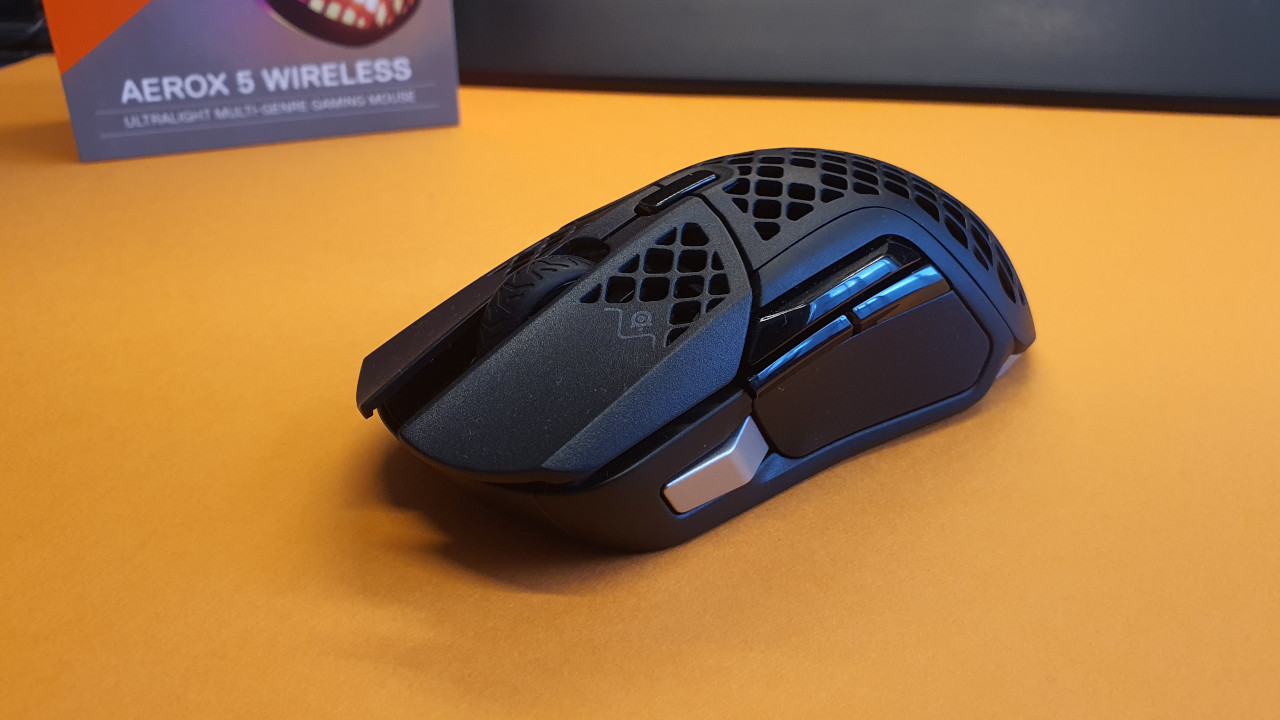
However, it is unfortunate that the wireless dongle cannot be transported inside the mouse. So I always have to carry the dongle and adapter externally or, at best, leave them plugged into the computer or laptop.
Under the mouse buttons, there are supposed to be durable next-generation switches (Golden Micro IP54). They are said to be more durable than the switches from the competition. However, I could not verify this.
Software
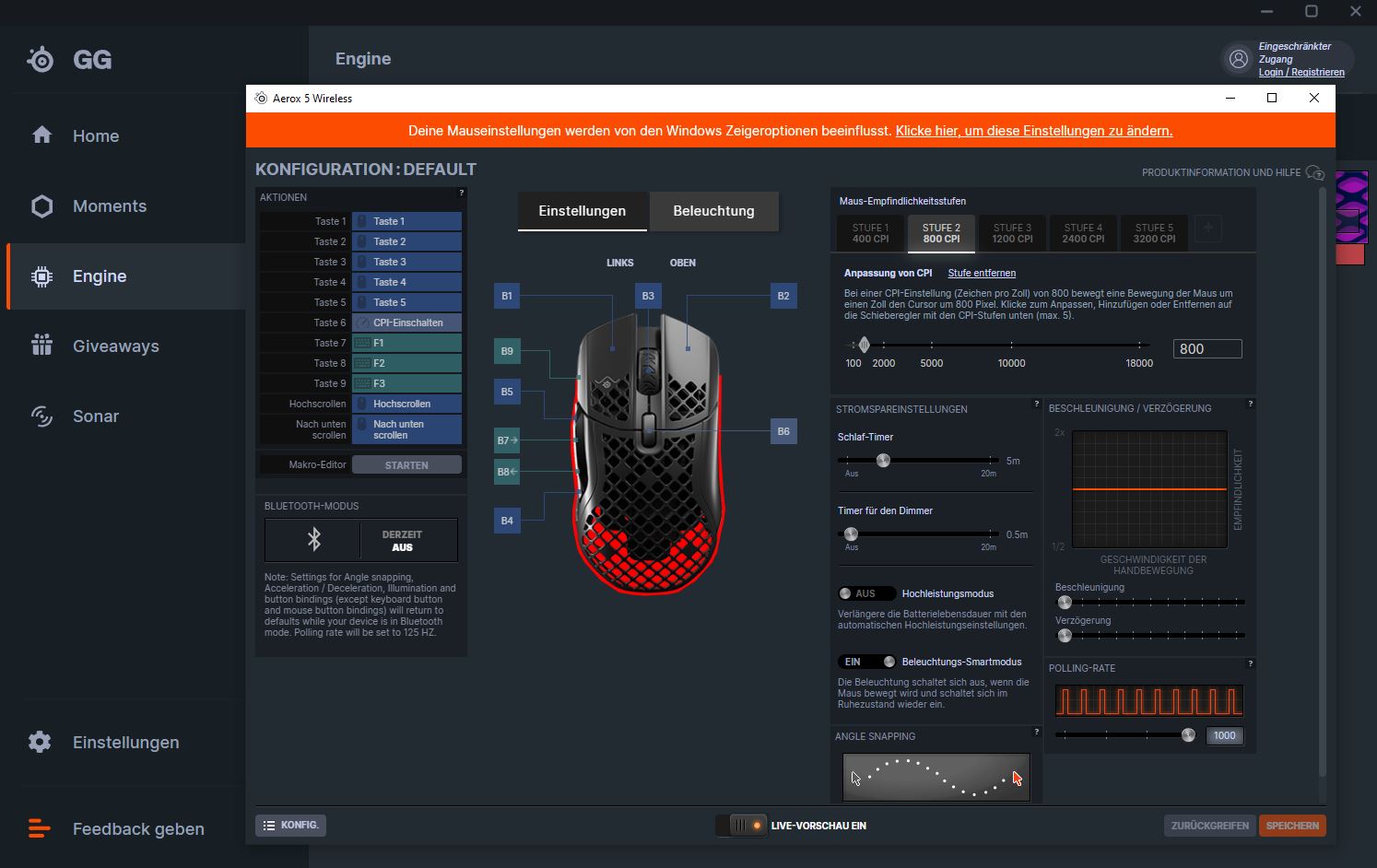
The mouse uses the “SteelSeries Engine” as software. At first glance, the software seems a bit bloated because it offers a lot of functions that I, as an average gamer, do not need, such as streaming or various giveaways.
Once you navigate through the menus, you can quickly make all important mouse settings in a small window. This is quick and convenient, and it is also clearer than with Roccat Swarm, for example. Especially important macros are easy to configure; afterwards, I rarely touch the settings again.
On the next page, you will find my assessment of the weight, ergonomics, and battery life of the wireless gaming mouse. In the concluding summary, I will also explain to you for whom the mouse is worthwhile and what (still) might speak against purchasing it.

Your opinion is important to us!
Do you like the article? Then let us know!