Overall, the functionality of the keypad is rather limited. Because besides the nice lighting and the usual keyboard function, the device offers no special features.
Is the keypad suitable for you?
Are you looking for an alternative to your controller on the PlayStation or just want more space on your desk? Then check out the keypad from RedThunder.
For me, the keypad definitely represented an interesting alternative to the standard keyboard. Once I finished my work, I pushed the keyboard back and picked up the keypad instead. This way, I suddenly had an enormous amount of space on the desk that I was not used to.
| Preview | Product | Rating | Price | |
|---|---|---|---|---|

|
RedThunder Einhand-Gaming-Tastatur mit RGB-Hintergrundbeleuchtung und 35 Tasten Tragbare Mini... | Zu Amazon |
*Affiliate-Links. Wir erhalten bei einem Kauf eine kleine Provision von Amazon. Vielen Dank für Eure Unterstützung!
Gaming is enjoyable and the keypad provides the essentials for a game of Overwatch and Co. Movement and all important functions such as special abilities are directly at hand on my keypad. However, if you suddenly feel the need to engage in textual disputes with your opponents in the middle of the game, the keypad limits you.
For which games is the keypad suitable? Particularly for fast games like shooters or action RPGs, the keypad is definitely suitable. For building and strategy games like Anno 1800, where I have many commands spread across the keyboard, I would still prefer the “proper” keyboard. Also, MMO players who use their numeric keypad will likely not be happy.
If you are considering buying the keypad for your game console, you should check beforehand whether your game on the PlayStation 4 supports external keyboards at all.
You can also read on MeinMMO which keyboard I would most recommend for gaming and home office:
Why Roccats Vulcan 121 is the best keyboard for gaming and home office for me
You want more space on your desk or are looking for a comfortable alternative to play on the PS4? MeinMMO author Benedikt Schlotmann has now bought a one-handed keyboard. And suddenly there is again space on the desk, and gaming has somehow changed. He shares his impressions in this article.
Usually, I prefer to work and game with a full-size keyboard. However, for gaming, I hardly need many parts of the keyboard. I hardly ever use the numeric keypad and many special keys never come into play, as my left hand is usually always in the WASD area of the keyboard.
This led me to consider getting a keypad. Keypads are additional input keyboards for PCs. They are smaller than a standard keyboard and also smaller than tenkeyless models (TKL). TKL models do not have a numeric keypad.
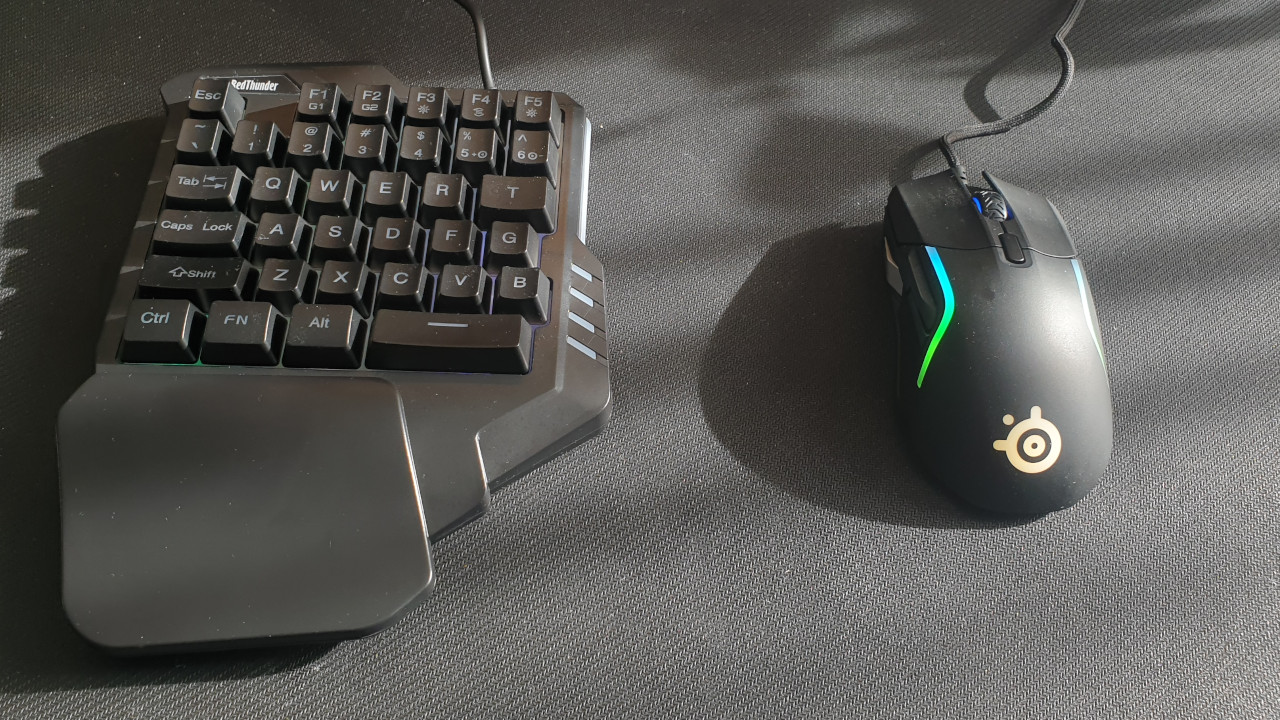
The keypad is limited to the absolutely necessary keys. Often, at the center of the keyboard, at the height of T, G, and B, it ends. But I usually don’t need more when I’m playing Overwatch or Apex Legends.
This is how I went about it: I looked at various keypads on Amazon and at my trusted electronics store. I value a pleasant haptic feedback just as much as proper lighting, as I also like to game in low light.
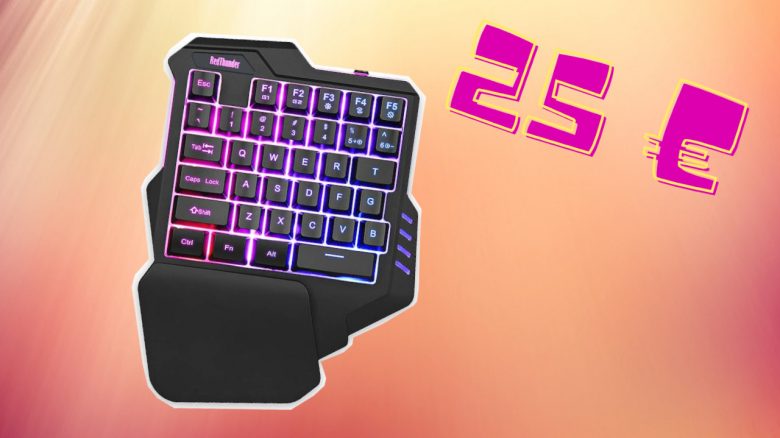
This is the product I decided on: Finally, I chose the one-handed keyboard from the manufacturer RedThunder. Compared to “real” keyboards, which can easily cost 100 euros, this one-handed keyboard cost around 25 euros.
The device is equipped with membrane keys (Rubber Dome). These keys are quieter than conventional mechanical keys, but they are not as durable. However, due to the price, I opted for the cheaper membrane variant.
| Preview | Product | Rating | Price | |
|---|---|---|---|---|
|
|
RedThunder Einhand-Gaming-Tastatur mit RGB-Hintergrundbeleuchtung und 35 Tasten Tragbare Mini... | Zu Amazon |
*Affiliate-Links. Wir erhalten bei einem Kauf eine kleine Provision von Amazon. Vielen Dank für Eure Unterstützung!
I have never had so much space on my desk as with this keypad
These are the advantages: The device can be easily connected to the PC or PlayStation 4 via USB cable. There is no software for special functions. The lighting and its brightness are controlled directly via the macro keys.
The lighting of the keys is decent and bright enough to play in the dark. However, you should not expect extensive lighting or options like those in the Roccat Pyro tested by MeinMMO from a 25-euro keypad.
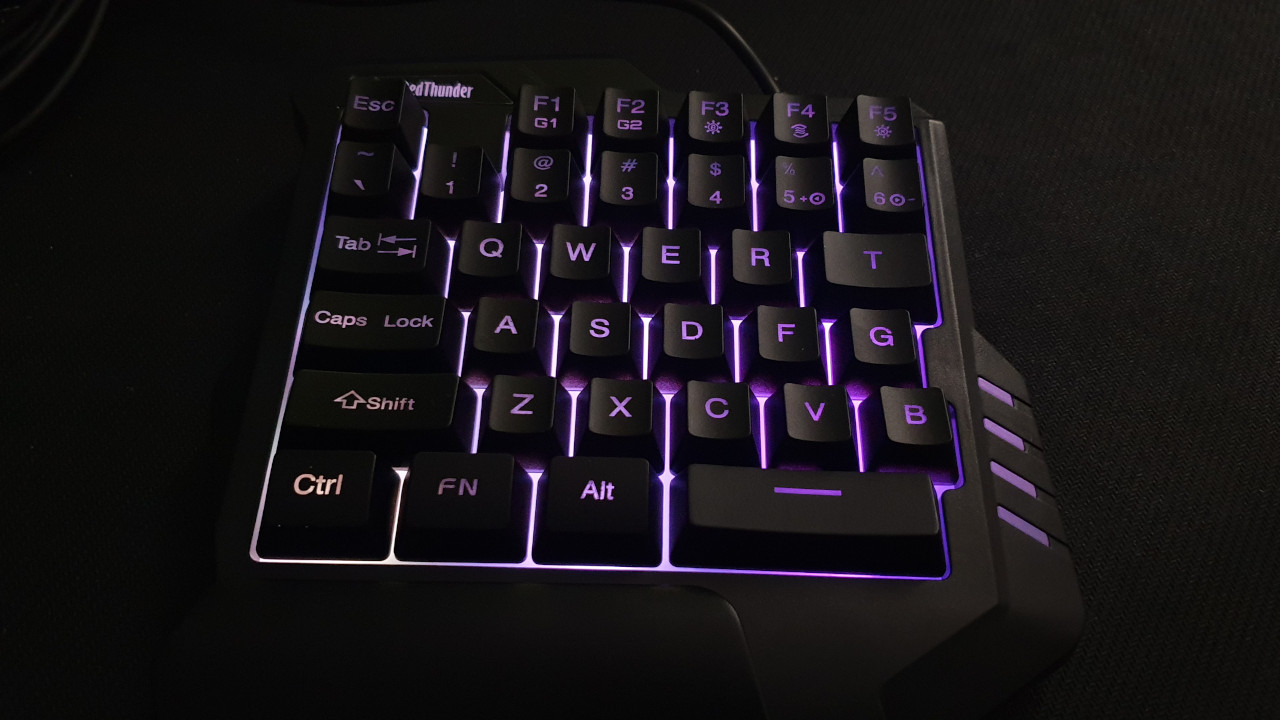
The operation is, unsurprisingly, not particularly complicated. The one-handed keyboard only covers the left half of the keyboard and relies on a significantly shortened space bar.
The keys offer a pleasant pressure point and respond well to inputs, even though the membrane keys are no comparison to mechanical keys. They are quiet and hardly audible. The keycaps also provide a decent haptic feedback and feel good under the fingers.
The device also remains non-slip on the desk, even when things get hectic and I need to hit several keys quickly.
In the first round of Overwatch, it feels strange that I have both hands much closer together since the one-handed keyboard takes up hardly any space on my desk. However, I quickly get used to the situation.
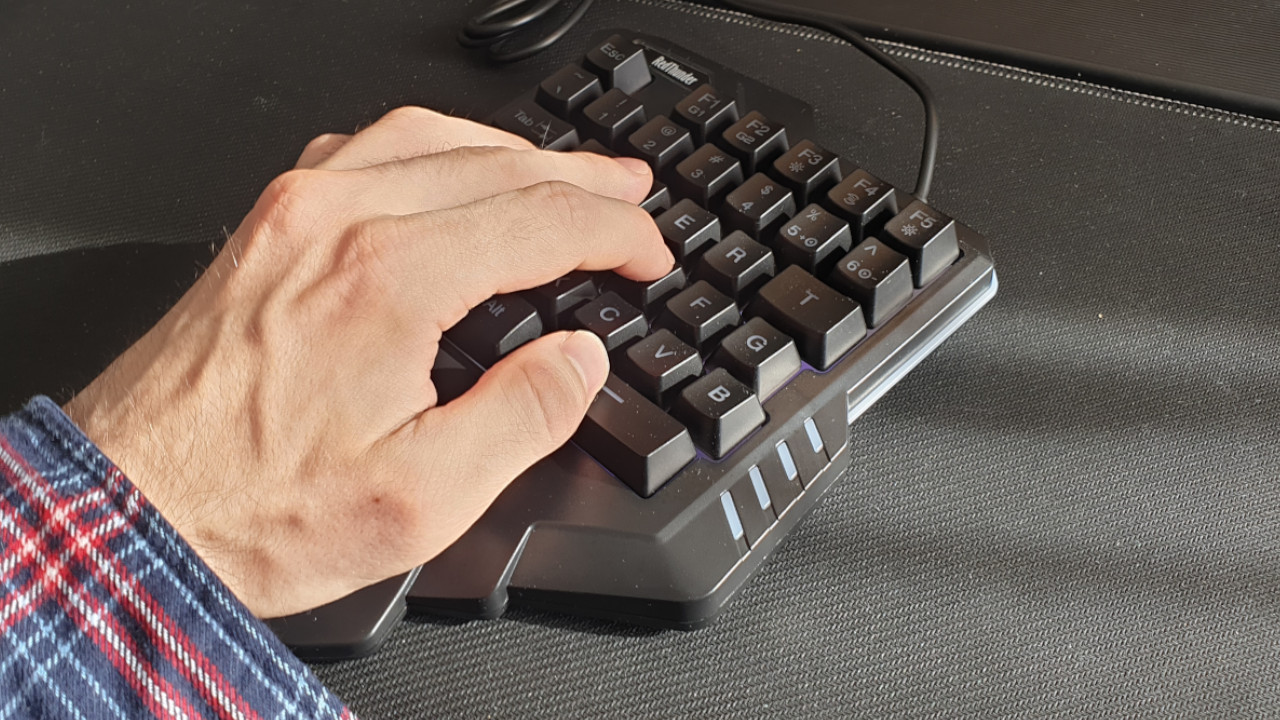
I also almost never feel like I’m missing any keys. Only the M is missing from the keyboard for the map function in various games, but there is the option for macro keys.
How does the device work on the PlayStation 4? The keypad is generally recognized without any problems as an external keyboard on the PlayStation 4, allowing typing and limited navigation through menus. However, whether the keypad works with PS4 games depends entirely on the game and not on the hardware. Games that support external keyboards on the PS4 include
- Black Ops Cold War
- Fortnite
- Overwatch
and some other games. My current favorite shooter Apex Legends does not support my keypad, just as Genshin Impact does not. Just quickly connecting the keypad to the PS4 does not suffice.
These are the disadvantages: Basically, I could assign the macro keys G1 (F1) and G2 (F2) on the keypad with macros. However, it works sometimes more, sometimes less.
I would like to assign the “M” to one macro key, as I need it for the map in Apex Legends or Genshin Impact. To do this, I begin with the macro recording and press “M” on my other keyboard.
However, it doesn’t all work right away and causes a lot of frustration, as the device does not tell me how to proceed. Sometimes the assignment works when I am in-game, other times I have to be outside the game in the desktop view. Frustrated, I then assigned the map function to one of my thumb keys on the mouse.
Overall, the functionality of the keypad is rather limited. Because besides the nice lighting and the usual keyboard function, the device offers no special features.
Is the keypad suitable for you?
Are you looking for an alternative to your controller on the PlayStation or just want more space on your desk? Then check out the keypad from RedThunder.
For me, the keypad definitely represented an interesting alternative to the standard keyboard. Once I finished my work, I pushed the keyboard back and picked up the keypad instead. This way, I suddenly had an enormous amount of space on the desk that I was not used to.
| Preview | Product | Rating | Price | |
|---|---|---|---|---|
|
|
RedThunder Einhand-Gaming-Tastatur mit RGB-Hintergrundbeleuchtung und 35 Tasten Tragbare Mini... | Zu Amazon |
*Affiliate-Links. Wir erhalten bei einem Kauf eine kleine Provision von Amazon. Vielen Dank für Eure Unterstützung!
Gaming is enjoyable and the keypad provides the essentials for a game of Overwatch and Co. Movement and all important functions such as special abilities are directly at hand on my keypad. However, if you suddenly feel the need to engage in textual disputes with your opponents in the middle of the game, the keypad limits you.
For which games is the keypad suitable? Particularly for fast games like shooters or action RPGs, the keypad is definitely suitable. For building and strategy games like Anno 1800, where I have many commands spread across the keyboard, I would still prefer the “proper” keyboard. Also, MMO players who use their numeric keypad will likely not be happy.
If you are considering buying the keypad for your game console, you should check beforehand whether your game on the PlayStation 4 supports external keyboards at all.
You can also read on MeinMMO which keyboard I would most recommend for gaming and home office:
Why Roccats Vulcan 121 is the best keyboard for gaming and home office for me