

Most of the time in Diablo 4, you spend fighting. Sometimes, it’s difficult to move freely there and you interact with enemies or items. With a small change in your settings, you can also move freely in the wildest combat situations, says MeinMMO author Nicole.

Everyone among us probably knows it. You walk across the map or through a dungeon, get caught in a horde of enemies, and fight them. You get frozen or slowed down, something explodes, you want to run away and attack more enemies instead of running.
Additionally, you pick up all items that get in your way. Not only can’t you escape the situation – you also unintentionally clutter your inventory.
A small change in your keybindings can help you move more freely in fights and not unnecessarily get killed or use potion after potion because you keep losing health.
I changed a keybinding to be able to move in every situation and now I die much less often.
With the help of potions, you can level up faster. Here you see a trick if you regularly forget to use them:
Force movement with a click
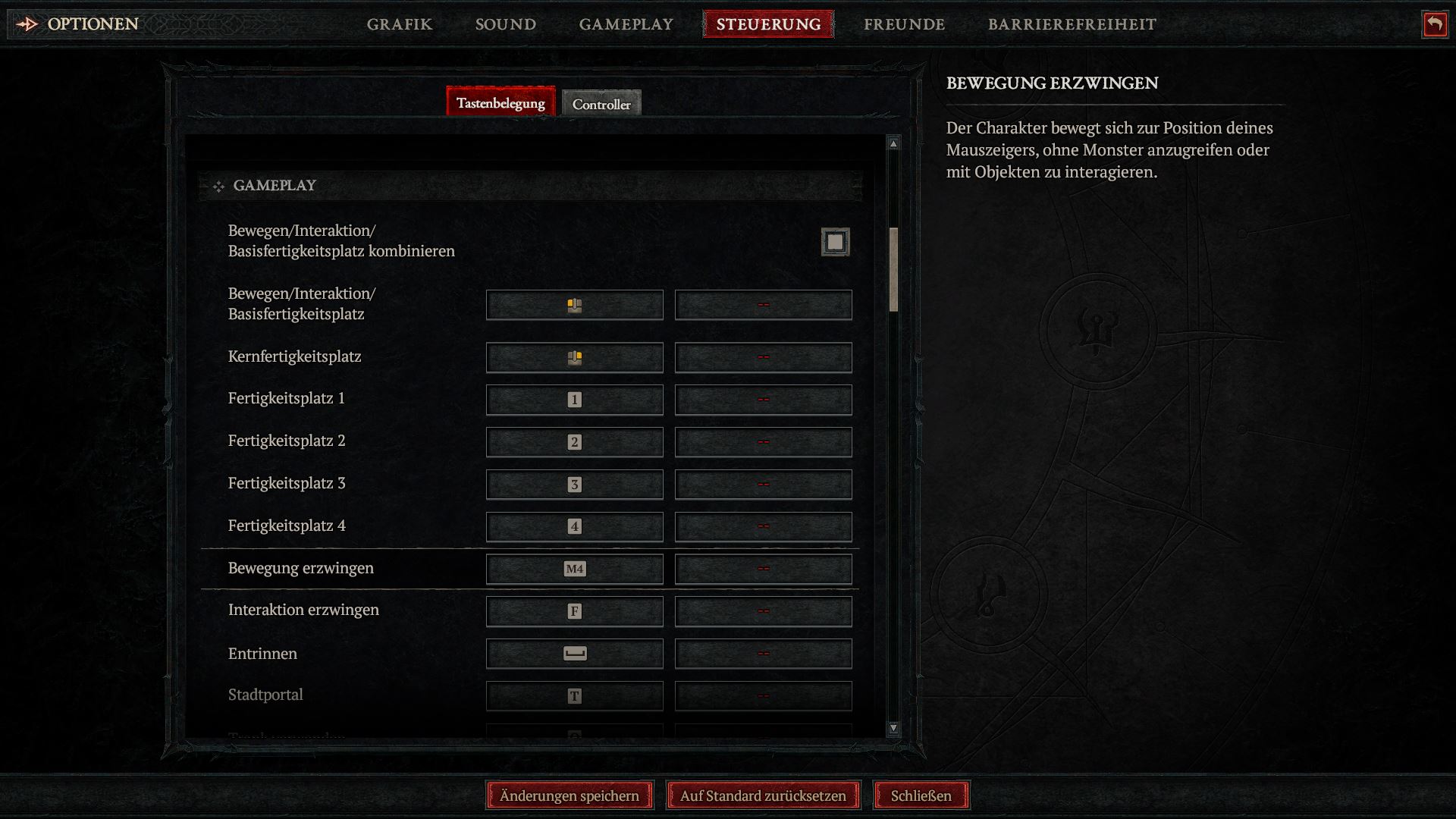
Which change in the keybindings concerns this? In Diablo 4, there is the option to force a movement. The keybinding is called the same in the options in German.
You access the option via the menu – Options – Controls. You scroll down to Gameplay and can adjust the binding there.
Set “Force movement” to the thumb button far left on your gaming mouse – or to another free key of your choice that you can easily reach.
Are you still looking for a good gaming mouse? We can help:

This makes it possible to run freely in fights or escape without interacting with enemies, chests, or items.
You can now freely move through enemy hordes with the thumb button “Mouse4” – as long as you are not suffering from negative status effects that slow you down, freeze you, or otherwise.
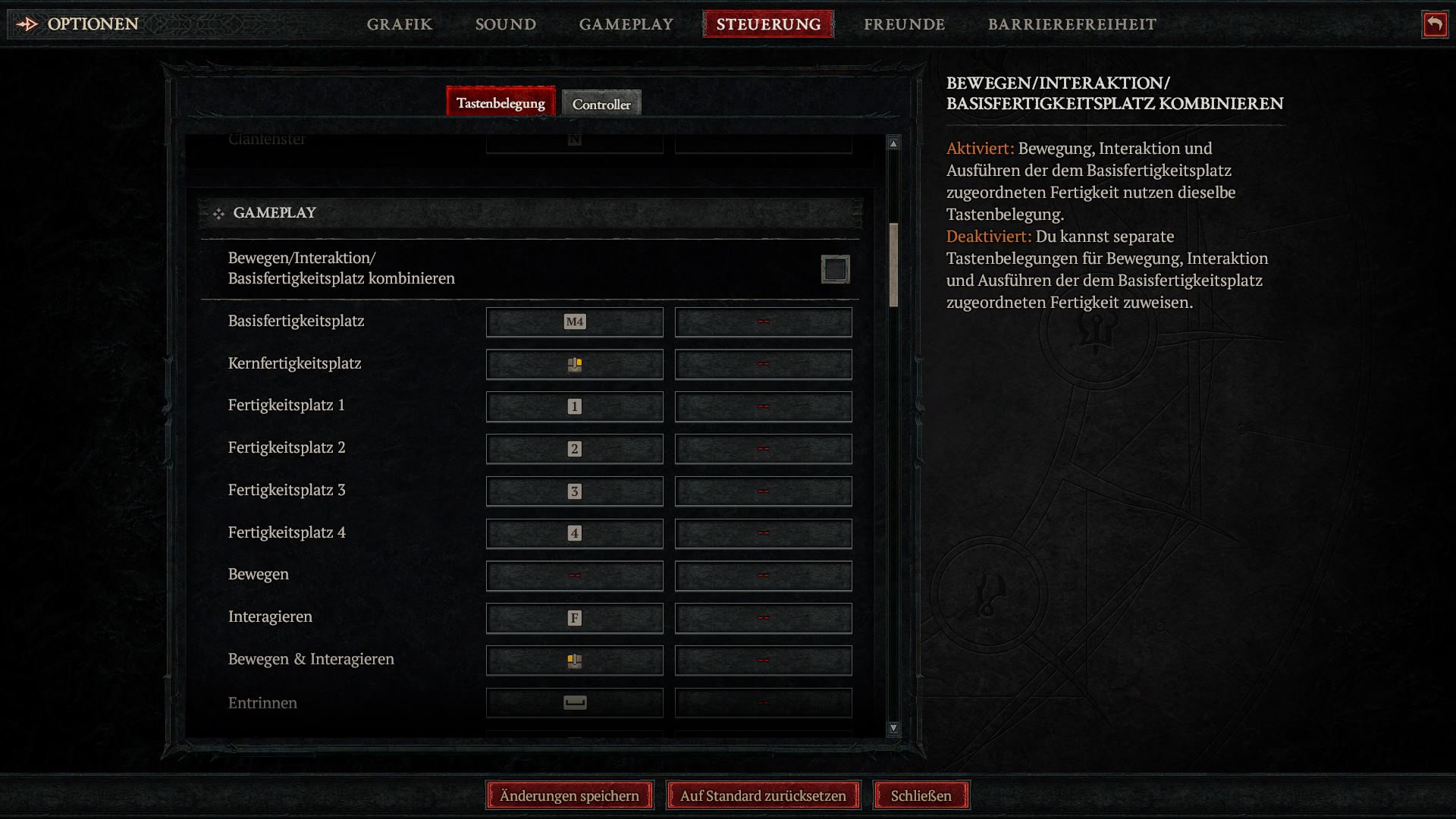
Another option would be to uncheck “Move/Interaction/Basic Skill Slot Combine” and assign individual keys to the actions as suggested by 3DJuegos.
They mention 3 possible combinations:
- Recommendation 1:
- left mouse button: movement and interaction
- space bar: dodge
- side button of the mouse: basic ability
- Recommendation 2:
- left mouse button: basic ability
- space bar: movement and interaction
- side button of the mouse: dodge
- Recommendation 3:
- left mouse button: movement and interaction
- space bar: basic ability
- side button of the mouse: dodge
We recommend trying out a few options and finding out which works best for your playstyle. With another adjustment, a feature in Diablo 4 will become a powerful tool.

Your opinion is important to us!
Do you like the article? Then let us know!