Complete patch notes for the release of Patch 3 for Hytale in German
Here you can find the complete overview of the patch notes for the third update of Hytale. Since the patch notes are currently only available in English, we have translated them into German for you:
Headline features
Animal Taming
– Early version of taming added! Some of the friendlier animals you encounter on your adventures can now be tamed – provided you have their favorite food with you.
– Tamed animals can be petted with an empty hand and occasionally fed – some of them can also be milked, sheared, or ridden.
– Tamed animals no longer run away from players (unless attacked) and will occasionally greet them.
Player-placed map markers
– Create custom markers anywhere on the map with freely choosable names, icons, and colors.
– Markers can be shared in multiplayer with other players.
– New gameplay settings to toggle markers on and off on the map and compass.
– Markers can be deleted from the map’s context menu.
Localization
– Brazilian Portuguese and Russian have been added as the first new in-game languages and mark the start of our localization phase. A big thank you to our community translators who made this possible! More languages will follow in the coming weeks.
Avatar presets
– Edit, save, and switch between up to 5 avatar configurations.
Sickles
– Sickles added that can harvest multiple plants in one swing.
Overhaul of climbing
– Climbing has been overhauled to allow for lateral movement, controlled rappelling, and turning around ropes.
Fire spread system & Goblin flamethrower
– New system for fire spread (fluid ticker) and the Goblin flamethrower added.
– Can be used to ignite nearby enemies.
– Currently only available in creative mode.
Grass spread
– Random block ticking and grass spreading added.
Anchor UI system
– New anchor UI system that allows server plugins to insert UI elements into client sides (e.g., the world map).
– Allows modders to place content at predefined points that we will gradually extend.
Avatar & Cosmetics
New clothing & accessories:
– New hat: Tweed Hat
– New top: Wizard Shirt
– New shoes: Styled Flats, Wedge Shoes, Shaped Sneakers
– New color variants for Fashionable Shoes
– Hard Hat added
– Studded Armbands
– Headband
– 2 new skirts (Plaid and Punk)
– New black and red iron color variants for metals
Hair & Face:
– 6 new hairstyles: Spiky Mohawk, Magical Pigtails, Double Braided Ponytail, Long Braided Ponytail, Puffy Bubble Braids, and another new hairstyle
– Revised look of the “Morning” hairstyle
– 4 new beard styles: Split-Moustache, Pinstripe-Moustache, Anchor-Beard, Viking Beard
– 2 additional eye shapes
– 2 new makeup variants (Blush and Eyeliner)
Miscellaneous:
– “Overpants” are now called “Legwear”
Combat & Items
Weapon adjustments & fixes:
– Damage values and upgrade differences adjusted for some weapon tiers
– Incorrect stamina costs for blocking on certain drop weapons fixed
– All spear types now stack consistently up to 5 and are throwable
– Ballistics while aiming with ranged weapons revised
– Improved accuracy
– Added random hitbox deviations
– VisAiming debug flag added
– Short bows and crossbows now use ammunition directly from the backpack
Improvements to the Necromancy Grimoire:
– Summoned units no longer take damage from their summoner (and vice versa)
– Summoned units now react when the player is attacked – not just on their own attack
– Summoned units are faster and more aggressive
– More variety in skeleton summons, including a ranged variant
NPC & enemy changes:
– Attacks from the Rhino Frog overhauled
– Target switching behavior improved for several NPCs
Miscellaneous:
– Improved positioning of bars and sticks in hand
Gameplay
Map & Navigation:
– Marker icons on the map revised and presentation improved
– Player names are now always displayed on the map and are more readable when zooming in
– The compass now shows different symbols depending on the height difference (above/below you)
– Teleport option on markers in adventure mode hidden
– Player, spawn, and home symbols updated
– Improved readability of marker texts on the world map
Inventory & Interaction:
– Sort button now works in player inventory
– “Take all” function added for output slots of workbenches
– Shift-drag now transfers items faster between inventories
– Quick selection in the utility wheel revised and inactive slots added
Crafting & Workbenches:
– Farming Bench level for the chicken coop reduced from 5 to 3
– Requirements for Farmers Benches adjusted:
– Level 4 now requires Drywood Logs instead of Redwood Logs
– Level 6 now requires Redwood Logs instead of Drywood Logs
– Crafting times for earlier items adjusted:
– Primitive ammunition, weapons, and tools are now crafted instantly
– Building Bench: reduced from 3 to 2 seconds
– Chicken Coop: reduced from 4 to 2 seconds
– Dough is now crafted with refillable cans
– Cans are now crafted via the Farming Bench
World & Entities:
– Doors no longer close when players or entities are in the way
– Teleporters now require a short distance before they can be used again
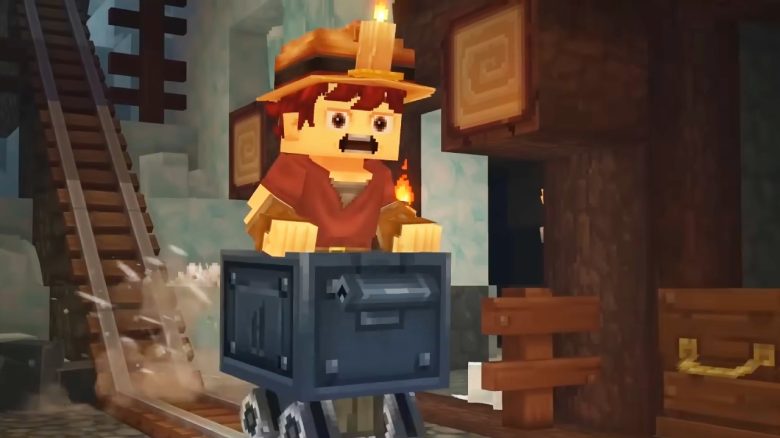
– Carts no longer move when they get stuck
– Large Kweebec chests now allow for blocks to be placed on top
– Fixed issue where NPCs would be transformed into other NPCs in the chicken coop
– Fixed issue where dead NPCs could be captured with the capture box
– Meatball trader no longer trades in signs
– Ophidiophobia mode now replaces the Hatworm with the Larva_Silk model
Systems:
– Fluid, mount, and crafting systems improved
– Improvements made to several modules: Teleporter, NPCReputation, NPCObjectives, Farming, Memories, Camera, and Bed
Blocks & World
New blocks & variants:
– Glowing volcanic rock block added again
– New block textures and variants:
– Thorium Cracks
– Basalt Cracks
– Magma Cracks
– Dry Mud Cracks
– Crack variants for 4 ore blocks revised
– New Limestone block variants:
– Limestone Gravel
– Limestone
– Limestone Debris
– Medium Limestone Debris
– Limestone Stalactites (large & small)
Textures:
– Cobalt texture revised
Weather & World settings:
– Default_Flat and Default_Void weather configurations added for respective worlds
Contents & Encounters
Environments & Regions:
– More complex spawn locations added in the Taiga region, especially along riverbanks
– Weather VFX for Zone 1 improved
– New Outlander village integrated
– Encounters in all zones revised
– New encounter environments added:
– Zone 3 Trork
– Zone 4 Village & Forest
– Zone 4 Non-Forest and Non-Swamp biomes
– Deactivation range of spawn markers standardized to 150
NPCs & Creatures:
– Green variant of the Rhino Frog added
– Several prefabs revised (removed workbenches and chicken coops)
Furnaces:
– T2 Furnace added (new model, textures & animations)
– Look of T1 Furnaces revised
Audio
– Sword swing and hit sounds revised
– Separation between stereo headphone and HRTF headphone mode implemented
– Output modes expanded: Speakers (stereo), Headphones (stereo), Headphones (3D audio)
– Maximum instances for furnace opening sounds increased
UI & Quality of Life
– Sleep notifications for beds added
– Notifications and SFX for sleep attempts by other players
– Window size option added in video settings
– Display of key binding in containers better positioned
– Tooltips for chests/workbenches updated when key bindings are missing
– Clearer texts for the connection range of workbench chests
– Feedback interface revised (bug reports separated)
– Warps in teleporter UI sorted alphabetically
– Background transparency in context menu reduced
– Texts cleaned up & death messages updated
– HideFromTooltip implemented in EntityStatType
– Confirmation dialog when switching avatar presets with unsaved changes
– Counter for avatar presets on the “Add Preset” button
– Navigation of long server lists improved
– Scrollbar added for users with many mods
– Font fallback support added (incl. Noto Sans for Cyrillic characters)
– Item tooltips revised for localization
– UI elements enlarged for better localization support
Modding & Tools
Mod management:
– Mods can now be enabled/disabled via UserData/Saves/<save>/mods
– Server version checks for plugins and asset packs added
– Newly created asset packs are enabled by default
– Option to skip mod validation in single-player mode
– Mod validation issues block server startup (unless explicitly allowed)
– Warning when loading worlds with missing mods
– Warnings for duplicate plugins
Creative tools:
– Creative Hub is now called “Crossroads”
– “Back to the Crossroads” button on the world map (creative worlds)
– /layer command added
– Paste tool revised (undo/redo, smoother movement)
– Design brush changed from cube to sphere
– Entities now rotate and render correctly in selection mode
– Option added to replace empty block materials
Machinima:
– Old debug commands removed and validation improved
– Playback speed in machinima tool adjustable
Debug & Visualization:
– 3D audio source visualization added
– NPC sensor and sight debug views
– New debug flags: VisLeashPosition, VisFlock
World generation
– Exact rotation support for materials
– Bound PositionProvider for spawn meshes
– YSampled-Density-Node added
– Performance optimizations for WorldGen V2
– Configurable spawn positions for portal biomes
Performance, Stability & Bugfixes
Security:
– Directory traversal vulnerabilities fixed
– Exploit prevented that allowed users to execute commands on behalf of others
Performance:
– Performance of world generation improved
– Client asset sizes optimized
– World map and chunk updates now use their own streams
Stability:
– Reliability of world configuration improved
– Atomic file saving
– Backup system revised
– Warnings for corrupted worlds
Crash fixes, world, mount, gameplay, UI, audio & modding fixes:
– Numerous crashes, display, audio, and system errors fixed
– Memory leaks fixed
– Grammar and typographical errors corrected
- 1
- 2