

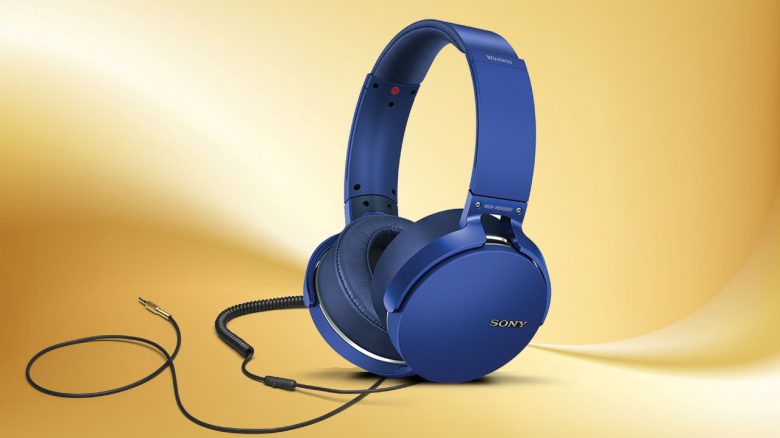
Many gaming headsets break at the cable, as they are subjected to most stresses like movement or abrasion. MeinMMO presents tips on how headsets break and how you can avoid cable breaks in the future.
Gamers either opt for a gaming headset with a microphone or a combination of headphones and microphone.
What can you find in this article? We at MeinMMO want to introduce you to the causes of broken headphones or cables. We also want to give you tips on how to handle your cables and devices carefully and how to prevent cable breaks in the future. This way, you will save money in the long run.
- How can headphones break?
- How to repair headphone cable breaks – what to do?
- How to prevent headphone cable breaks – how to protect your headset
- What can be done against a cable break?
- Recommendations: Headsets with detachable cables and wireless headsets
How can headphones break?
There can be various reasons why headphones and headsets can break. The reasons include
- lack of care
- incorrect transport
- normal signs of wear.
What you shouldn’t do with your headphones:
- You should never randomly stuff cables or headphones into your handbag or backpack. This can quickly lead to faulty connections that are hard to fix. Also, you shouldn’t carelessly shove in-ear headphones into your pocket.
- Avoid frequent and tight rolling unless necessary.
- Do not expose your headphones to fluctuating environmental influences. These include moisture, high heat, or cold. If it is very cold outside, you should preferably keep your expensive headphones packed and use cheaper in-ear headphones that you can also wear under a jacket or scarf.
- If the cables do get tangled, proceed gently. If you pull too hard on the cables, you could damage the internal wiring. This also increases the risk of a cable break.
Prevent headphone cable breaks – How to protect your headset
With a few simple tricks, you can extend the life of your devices in the long run. If you also handle your technology carefully, you can save money and will not have to buy replacements regularly.
In addition to a few general notes, we also present you with a few product recommendations that you can take a look at.
What can be done against a cable break?: In principle, you should always handle your technology carefully. A high price or high-quality construction is no guarantee that your headset will continue to function if you throw it on the desk every evening.
How to protect headphones while transporting: If you are frequently on the go or do not use your device constantly, it may be worth investing in a protective case. On Amazon, there are well-known manufacturers like Elegiant or Hama that offer recommendable protective cases for around 10 euros. In these, you can store your headset along with cables or similar items.
An inexpensive and quick alternative could also be a plastic or cling film box, which you can regularly find in supermarkets and discounters. This way, headphones can survive the trip to school or work without getting crumpled in your bag or pocket.
How to easily protect your cable: For the simplest trick, you only need an old ballpoint pen that you no longer need.
- Unscrew the ballpoint pen and remove the spring inside.
- Place the spring on the vulnerable spot so that it can wrap around the cable. Vulnerable spots are areas that are often bent. This primarily includes the upper and lower ends of the cable.
- Make sure that the spring is located exactly on the problematic area, otherwise the cable break will shift to the edge of the spring, and you won’t gain anything.
If you don’t have a broken ballpoint pen on hand or don’t want to sacrifice one for your cable, you can get so-called compression springs for about 10 euros, for example on Amazon:
The headset cable always twists
Many headphone owners may be familiar with the problem: After a while, the cable of the device begins to twist. This applies to both thin jack cables and thicker, fabric-coated cables. As a result, the cables can only be unwound with difficulty and ultimately damage the internal technology.
How to untangle the headset cable: Hold the headset by the cable and let it hang by its own weight. Ideally, the headset should be resting on the floor or a surface, so that the cable is not stressed too much by the weight of the headset. The headset should now untwist itself. Any knots and loops should be carefully removed from the cable beforehand.
How to prevent twisting cables:
- Hang the headset or headphones up and let the cable hang loosely. This way, the cable has no chance to twist or become autonomous in other ways. The simplest option is to hammer a nail into the wall and hang the headset on it.
- Always lay your headset on the same side. With each additional rotation around its own axis, the cable gets more room to twist again.
- If you can remove the cable from your headphones, do so and store it in a storage bag.
- If your cable is already twisted, it helps to pull the cable out of the PC and let it ‘untwist’ again.
Headphone cable break repair – What to do?
If it has happened and your cable is broken, you have several options on how you can proceed.
That’s why you should first ask the manufacturer: First, you should contact the official manufacturer of your headset or headphones, as this has several advantages.
Many manufacturers offer repairs or replacement parts for little money, even if the warranty has already expired. Manufacturers of particularly expensive devices often also offer repairs during the warranty period.
Additionally, the rule is: The more expensive the cable or device, the more worthwhile a repair, as you save yourself from buying a new one.
Can the headset cable be replaced? Some manufacturers also offer replacement cables at cost on their website. This way, a detachable cable can be quickly replaced by yourself. However, this is not possible with fixed cables.
How to repair the cable break yourself: Another option is to repair the cable break yourself by dealing with the cable. However, this is not advisable for every device, and you should also be careful and have some skilled hands.
- Once you have identified the cable break, you can cut the casing with a sharp knife. You should not damage the internal wires.
- Then, you need to connect the like-colored wire ends together. If you have a soldering iron at hand, the whole job will hold even better.
- After that, you should cover the opened spot again with electrical tape. It may not look nice, but the cable should work again.
Recommendations: Headset with detachable cable under 100 Euros
Are you looking for a headset from which you can detach the cables for easier transport or because they otherwise bother you? Then we present you with two headsets in the price range of around 100 euros.
Are you looking for comprehensive advice? You can find extensive purchasing advice on gaming headsets here on MeinMMO. We present to you the best headsets that you can currently buy and explain what to look for when purchasing.
Cooler Master MH751 Gaming Headset
Wireless: No | Design: Over-Ear/Closed | Frequencies: 20Hz-20KHz | Special Features: Transport bag, detachable microphone and cable | Compatibility: PC, PS4, Xbox, Nintendo Switch, Smartphone | Price Range (according to Geizhals): 78.89 – 123.69 €
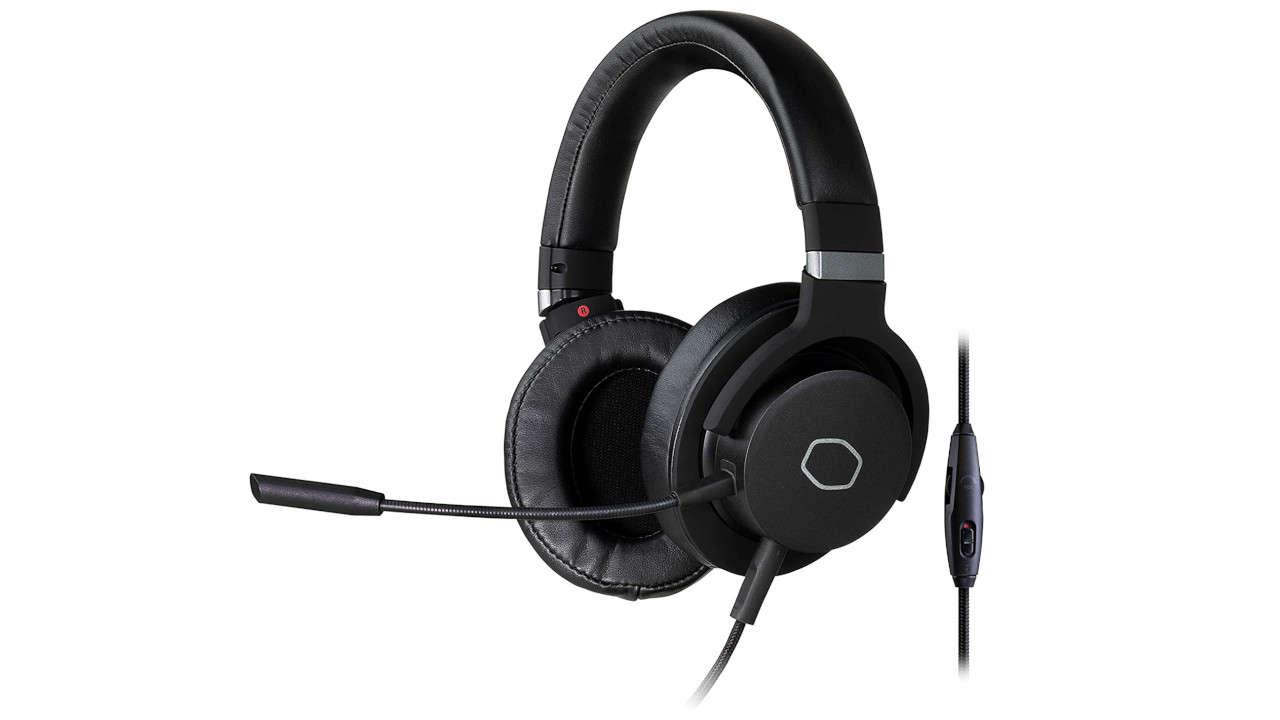
Who is this headset suitable for? For less than 100 euros, you get a well-manufactured headset with plenty of comfort. If you are looking for a headset where you can detach everything (cables and microphone) and which is also very light (280 grams), then you should take a look at the device from Cooler Master.
Logitech G Pro X
Wireless: No | Design: Over-Ear/Closed | Frequencies: 20Hz-20KHz | Special Features: detachable microphone, connection via 3.5mm jack or USB cable | Compatibility: PC, PS4, Xbox One, Nintendo Switch | Price Range (according to Geizhals): 93 – 176 Euro
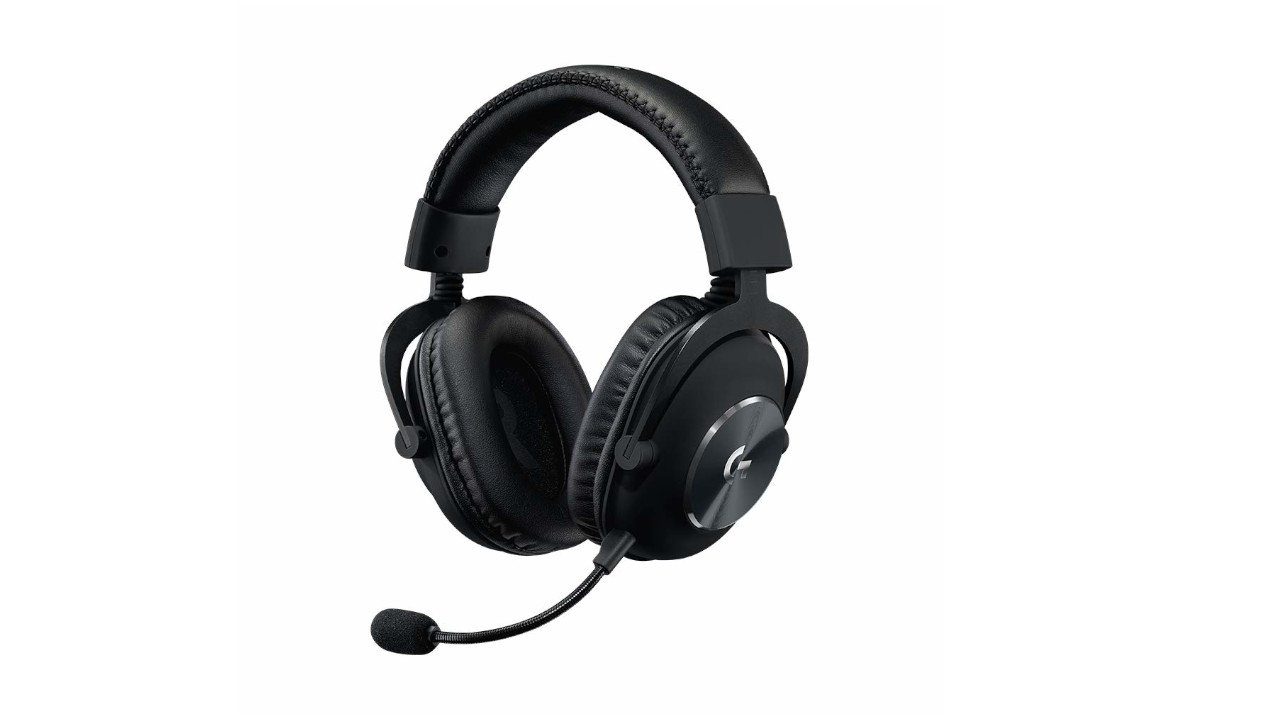
Who is this headset suitable for? With the Logitech G Pro X, you get a well-manufactured headset where you can remove both the microphone and the cable. The package also includes several cables. There are no volume or microphone controls on the headset. With the G Hub software, there are also plenty of options to further adjust the sound or the microphone.
Recommendations: Wireless Headsets
If you want to completely do without a cable and prefer to use wireless, Bluetooth or other wireless standards, we present you with two gaming headsets that we can recommend.
Wireless headsets are also recommended if you are very active and like to jump up during the game, often forgetting that you have a wired device on your head. With a wireless headset, not much can go wrong.
While the Razer Kaira Pro is primarily aimed at PC and Xbox players, the SteelSeries Arctis 7 uses a dongle and can also be paired with the PlayStation.
Best Wireless Gaming Headset – SteelSeries Arctis 7
Wireless: Yes (Proprietary Technology) | Design: Over-Ear/Closed | Frequencies: 20Hz-20KHz | Special Features: SteelSeries Engine software for the headset, retractable microphone, ski-goggle headband for optimal positioning | Compatibility: PC, PS4, Nintendo Switch | Price range (according to Geizhals): 145 – 212 Euro
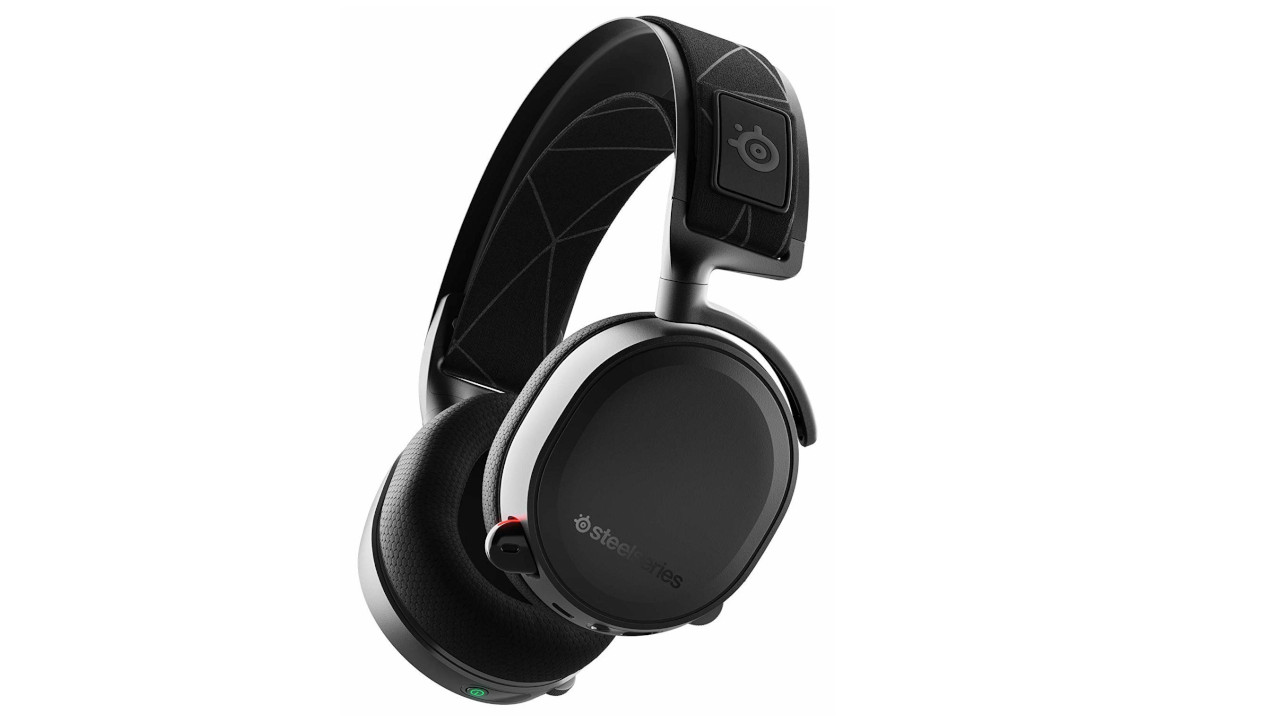
Who is this headset suitable for? The SteelSeries Arctis 7 is an alternative if you prefer to use 2.4 GHz wireless technology instead of Bluetooth or Xbox Wireless. Thanks to the dongle, the headset works with both PC and PlayStation 4 and 5. Additionally, the device also offers high comfort and a strong battery.
Razer Kaira Pro
Wireless: Yes (Proprietary Technology) | Design: Over-Ear/Closed | Frequencies: 20Hz-20KHz | Special Features: detachable microphone, both Bluetooth and Xbox Wireless | Compatibility: PC, Smartphone, Xbox Series X|S | Price range (according to Geizhals): 164 – 188 Euro
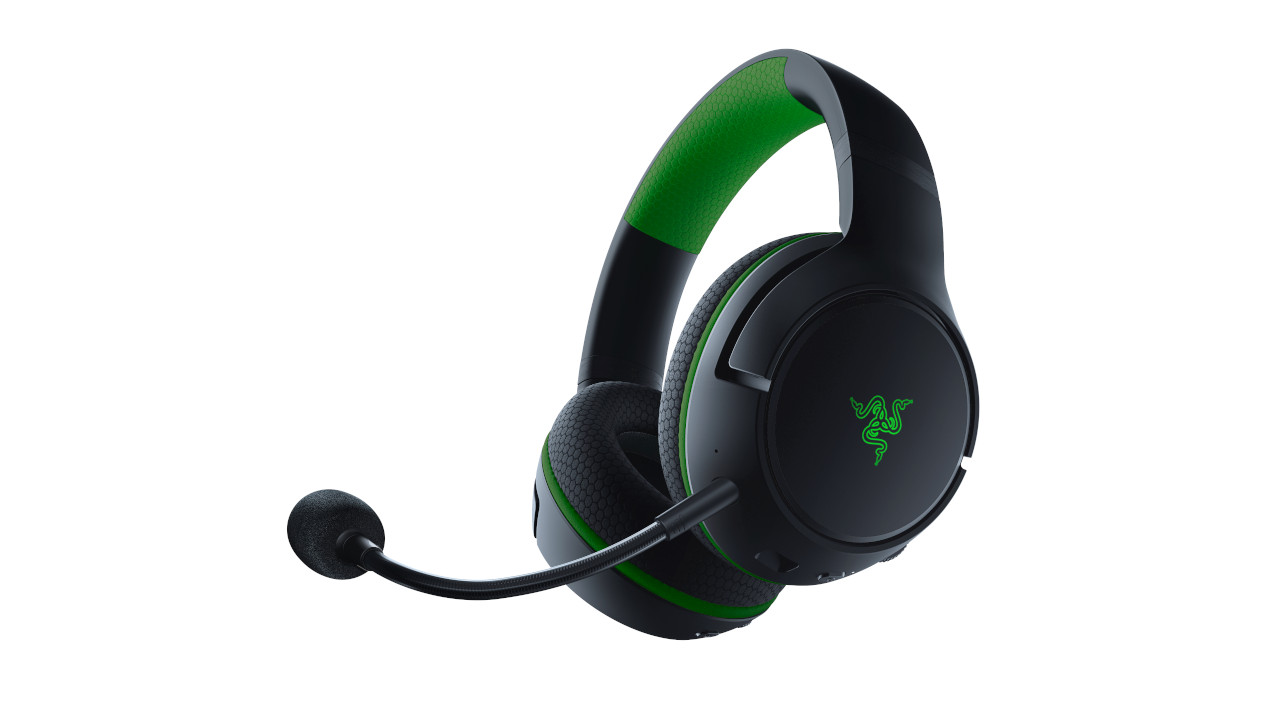
Who is this device suitable for? At the end of 2020, Razer introduced two new headsets for the Xbox Series X|S. While the Kaira Pro offers both Bluetooth and Xbox Wireless, the Kaira only has Xbox Wireless. If you only play on PC and Xbox, the Kaira Pro is a good recommendation.
You can read in the MeinMMO review of the Kaira Pro how well the headset performs in practice. In our test, we praised especially the high wearing comfort (also for glasses wearers) and the balanced sound profile of the green headset.

Your opinion is important to us!
Do you like the article? Then let us know!