The PlayStation 5 combines powerful technology with modern design. However, due to the design of the PS5, it is not entirely clear how to properly insert a CD into the drive. MeinMMO clarifies the issue and shows which side is the top and which side is the bottom – for versions with and without a drive.
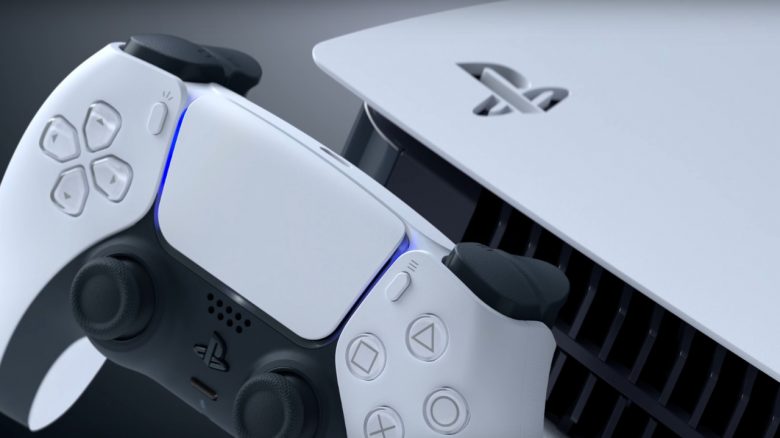
PS5: How do you insert the CD? Look at your PS5 and find the cut-out PlayStation symbol in one of the corners. The side with the symbol indicates the top side.
Accordingly, the side with the drive is the bottom side. The printed side of a CD must face towards the black front.

This can be quite confusing if you always have the PS5 standing vertically.
Even if you place the console horizontally, the drive should face down. Otherwise, the stand cannot be installed correctly. Even high-ranking employees at Sony get confused about that.
What the manufacturer says about placing it horizontally or vertically, you can find here:
What happens if I insert the CD the wrong way? You don’t need to worry that it will cause any damage.
The PS5 will try to read the disk for a while and then give a message that the CD was not recognized:

Is the side with the PlayStation symbol always on top? Yes, without exception. You can remove the side plates, but they can only be reattached in the correct position.
In the PS5 version with a drive, this is more obvious: The CD drive has a cut-out for the slot to insert.
However, in the digital version without a drive, the side plates are very similar. However, the plates can also only be reattached as intended.
The cut-out PS symbol is always the top side. Under the side without the symbol, the drives are installed.
With unofficial side plates: If you have side plates without the PlayStation symbol, you can also take a look at the back of the console.
Above the HDMI input, it says “HDMI” in small text. If the text is the right way up, so is the console.
If you have encountered a bit too much dust while handling the PS5, then check this out: How to clean the fan of your PS5 without jeopardizing the warranty