

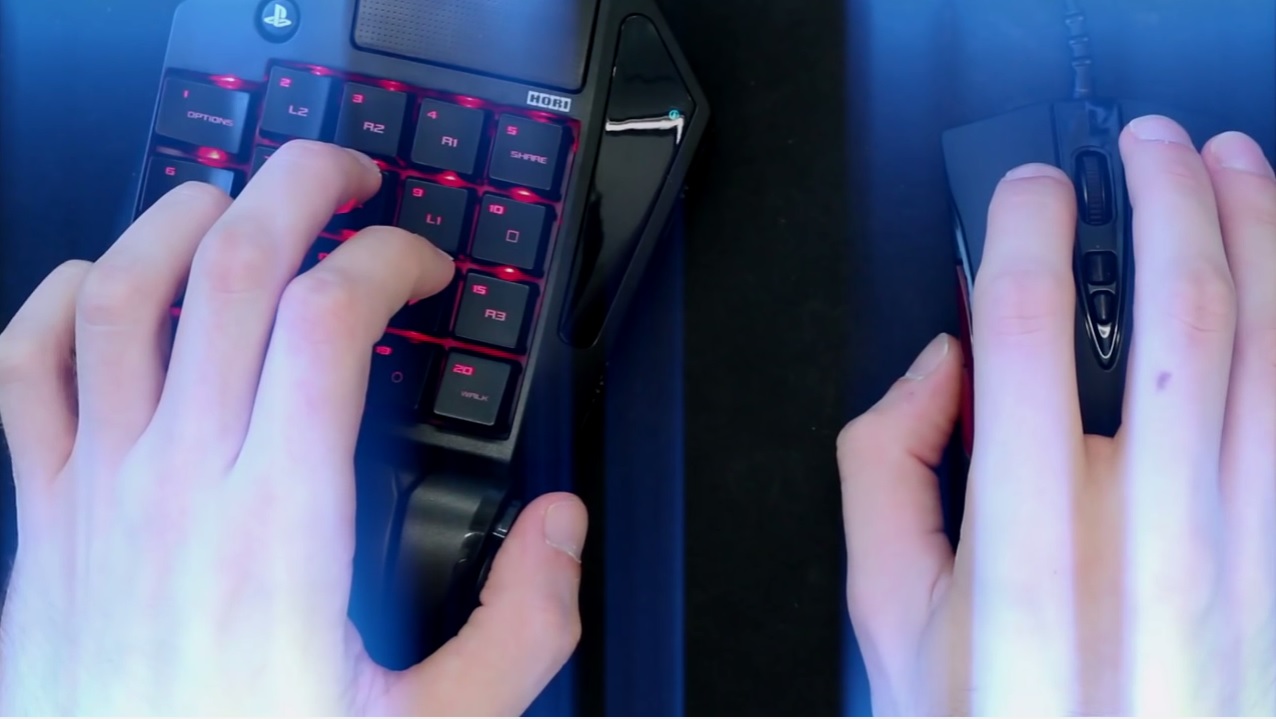
Since early November, Hori TAC Pro has been on the market, the slightly different “controller” for the PlayStation 4. We took a closer look at the licensed set consisting of a keyboard and mouse.
The “PC Master Race” likes to brag that their platform is superior to consoles, especially in FPS shooters. And the “console gamers” have no choice but to admit: Yes, controlling with a mouse and keyboard simply has advantages in shooters. You can react faster, aim more precisely, and move quicker. The controller cannot match this aim precision.
Appropriately for the shooter season of 2016, a product has now emerged that aims to address this injustice: An officially licensed set of keyboard and mouse for PS4 and PS3 – the “Tactical Assault Commander Pro”, or simply: TAC Pro.
This special “controller”, designed by Hori (Japan), boasts that it has been developed for “FPS Domination” and enables PC control on the PS4. But does the TAC Pro live up to its promises?
What is Hori TAC Pro?
With the TAC Pro, all PlayStation games can be easily operated. It consists of two components:
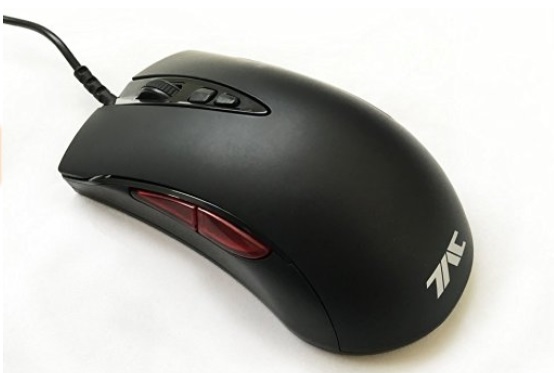
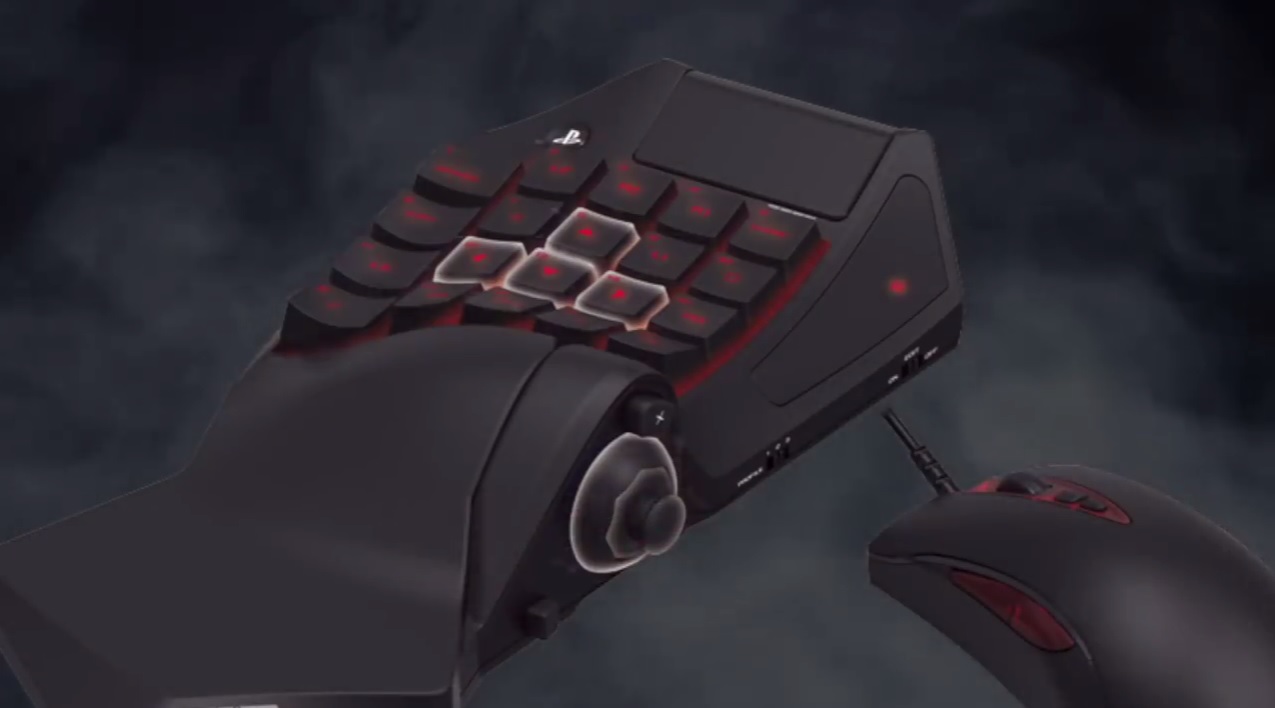
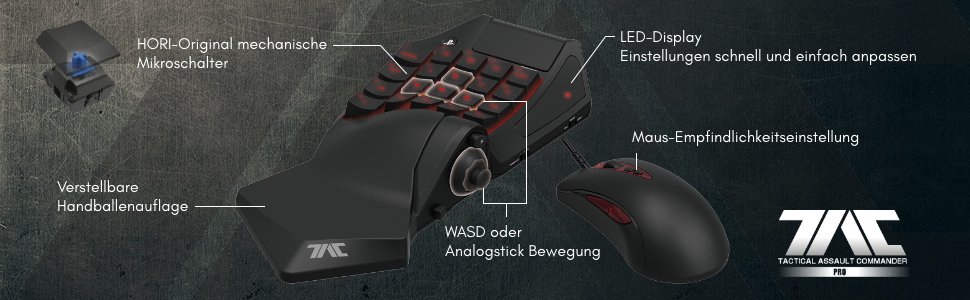
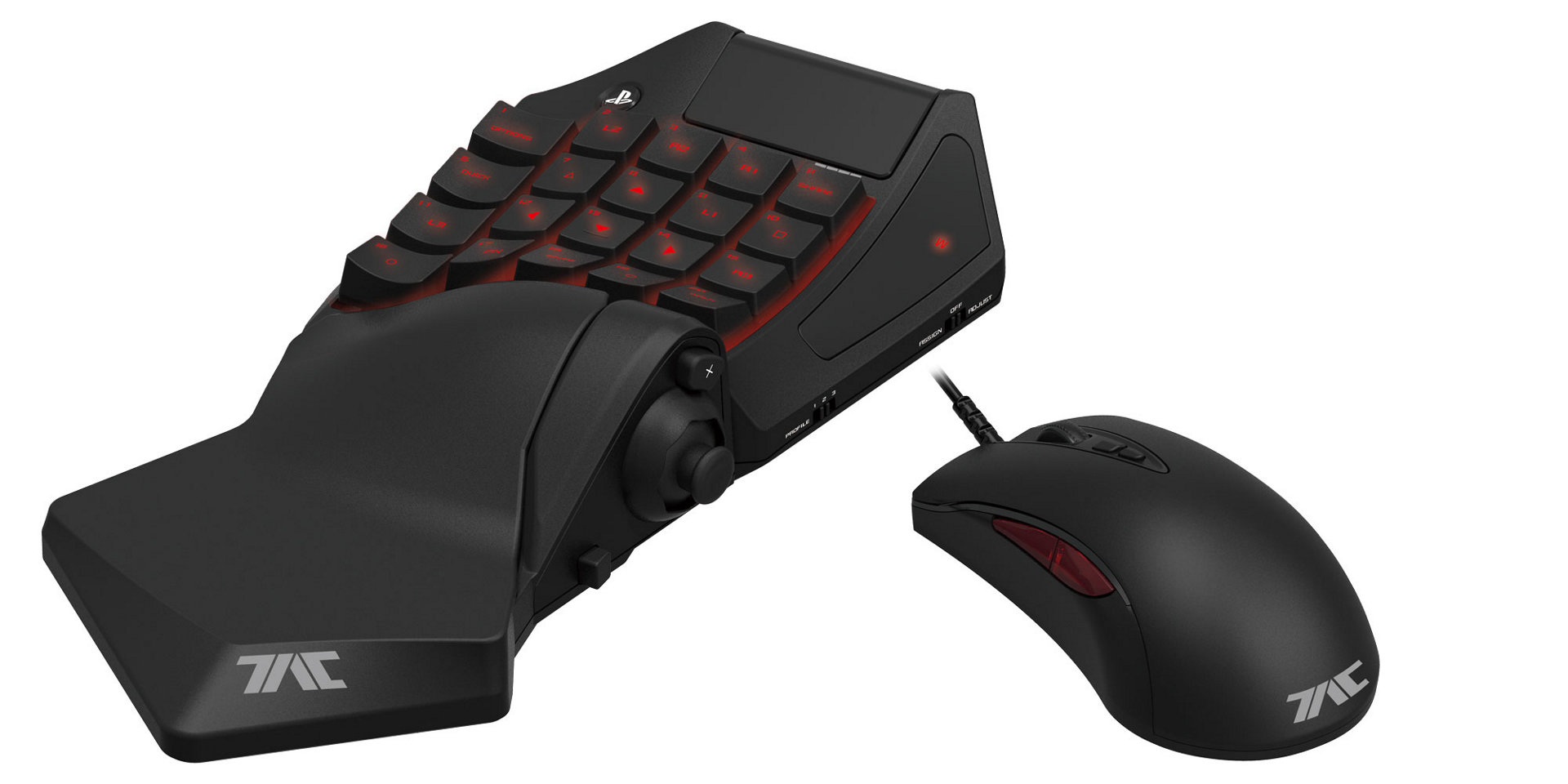
- A keyboard with 20 mechanical keys: These keys are predominantly labeled with the symbols of a Dualshock controller, such as Square, Circle, L1, Options, and the Share button. Additionally, there is a PlayStation button and a touchpad built-in – just like you would find on a standard PS4 controller. On the left side of the keyboard, a headset can be plugged in, and on the right side, there is a stick, above it is the X button and an LED backlight display. Furthermore, several toggle switches for configuration are available. The wrist rest is adjustable.
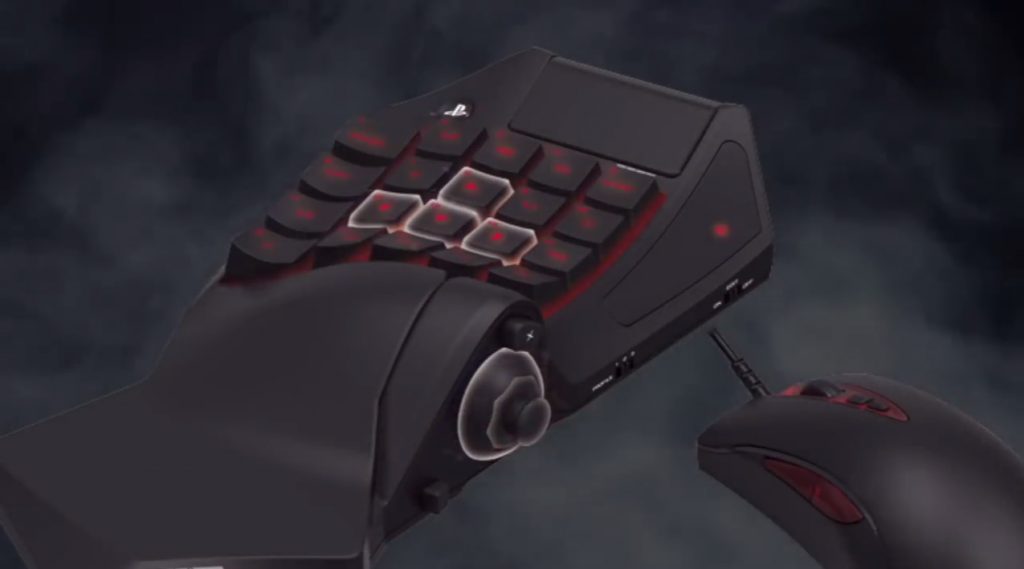
- An optical gaming mouse with 3200 DPI: The sensitivity can be adjusted with 8 levels (from 400 to 3200 DPI). The mouse has an angled cable, a scroll wheel, two sensitivity adjustment buttons, and two side buttons that correspond to L1 and R1. The left mouse button corresponds to R2 (fire), and the right mouse button corresponds to L2.
What features does the TAC Pro have?
- The set is fully programmable. You can customize the keys and create up to three user profiles. These profiles store the key settings and sensitivity settings. To switch seamlessly between profiles, simply move a switch on the right side of the keyboard to 1, 2, or 3.
- Snipe button: This decreases mouse sensitivity to increase precision.
- Quick button: Increases mouse sensitivity for quick movements.
- Walk button: Decreases movement speed. This aims to achieve a similar effect as when you slightly press the left stick on the controller in one direction.
With these three special buttons, you can influence the sensitivity during a game at the push of a button, without complicated configurations.
How is the installation and setup?
The installation is easy, even though the numerous keys and settings may initially be daunting. Plug the keyboard into the PlayStation 4 via the USB cable, plug the mouse into the keyboard via USB cable, and the hardware installation is complete.

Configuring the keys and mouse sensitivity is more complicated, but the manual clearly explains everything in German. On the right side of the keyboard, there is a switch that you can set to Off (for gaming), Assign or Adjust. With Assign, you allocate the keys; with Adjust, you set the sensitivities. Using the LED display and the stick on the keyboard, you can make the adjustments.
The first steps with the TAC Pro
I was able to test the TAC Pro for some time. I played Destiny, Battlefield 1, and Titanfall 2 on the PS4. It is indeed possible to play all other games with it that are not related to FPS. I even played a match in FIFA 17 – which is not recommended.
When I first unpacked the TAC Pro in front of me, doubts arose. At first glance, the device looks frighteningly complex – quite the opposite of my familiar PS4 controller. However, the installation, as described above, was child’s play, which quickly dispelled the initial concerns.
The second impression … was also not better. Without making any further adjustments, I dove into Destiny. The controls with the keyboard are not a problem after a brief acclimatization phase. The keys feel good and are pleasantly responsive. However: The mouse control was shockingly bad: it was sluggish, imprecise – simply terrible.
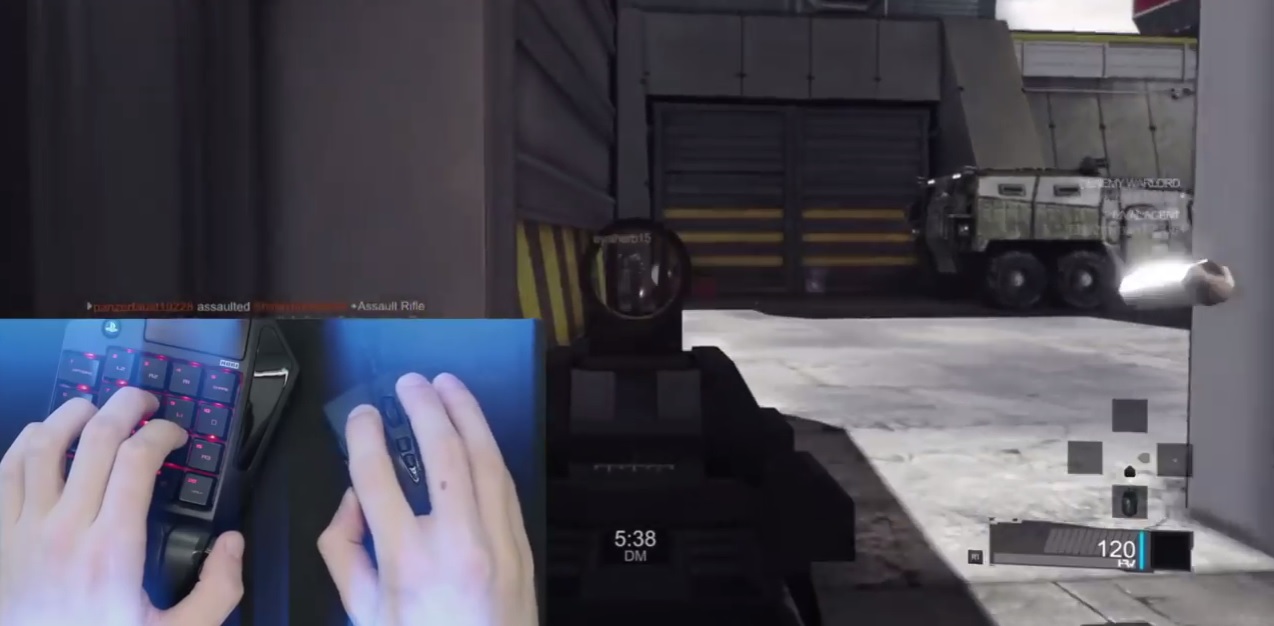
The realization came quickly: In-depth configuration settings are necessary. Here it takes some time and precise fine-tuning to find the perfect balance of mouse sensitivity, mouse acceleration, and in-game sensitivity. You have to take the time for that. Then it works. Then the overall impression fits.
What I like about the TAC Pro
- TAC Pro does what it is supposed to: If you want a keyboard and mouse for the PS4, the TAC Pro is just what you are looking for. All games can be played with it. It is particularly suitable for first-person shooters.
- Keyboard and mouse feel good in the hand. The keys are pleasant to use.
- Interesting features: Especially the quick button can give you advantages in FPS, as it allows for extremely fast movements.
What I don’t like about it
- The wrist rest is a bit wobbly: I don’t think this negatively affects game performance, but the wrist rest does not sit flat on the table. For the proud price of around 150 Euros, this seems “cheap” to me.
- The TAC Pro is more cumbersome than a Dualshock controller. You always need a flat surface for the mouse. Therefore, it is difficult to play on the couch. Also, the keyboard can only be connected to the PS4 via cable. Wireless is not possible.
- Not designed for left-handed users.
Who is the TAC Pro suitable for?
We have already introduced the TAC Pro in an article at its release and the comments clearly showed: This product is controversial. Some call it “dishonorable”, others even call it cheating to play with mouse and keyboard in multiplayer.
Many users find it strange that the TAC Pro is officially licensed. After all, it allows players who are willing to spend a lot of money to gain advantages over other players in PvP. Uniformity on consoles is something many console gamers value. And now the TAC Pro comes along boasting to dominate in shooters.
However: Movements are not as slick as on PC with the TAC Pro. I have not observed any sudden improvement in my FPS gameplay during this time. Features like the quick button are quite useful, but I don’t think the advantages become “unfair” with the TAC Pro. After all, PS4 games are designed for analog sticks – including auto-aim. In some games, auto-aim can be turned off, while in others, one cannot even achieve the necessary sensitivity to utilize the advantages of a mouse.
But yes, if you thoroughly engage with the settings and master the keyboard and mouse perfectly, there are certainly advantages in certain situations, but in my opinion, not to the extent that many PS4 players “dread”. Because the TAC Pro cannot match PC control.
A question worth considering: Who needs the TAC Pro? Anyone who absolutely wants to play with a mouse and keyboard probably already has a PC at home. Also, I think:
- I like to lounge on the couch when gaming on PS4, put my feet up, and have a few relaxed rounds. The TAC Pro can also be used on the couch, but it’s not recommended. It is designed for gaming at a desk.
- Furthermore: Many PS4 gamers play on console precisely because they want to use a controller. A Dualshock offers a special gaming experience that many do not want to miss. If one only wants to game with mouse and keyboard – why then a PS4?
Conclusion: The TAC Pro is likely interesting for gamers who already game at their desk and are looking for ways to optimize their FPS experience on console. It is definitely not for everyone, especially since it also costs around 150 Euros. It is a high-quality product that can meet expectations after a training period. But I, for my part, will stick to my trusty controller as a dedicated console gamer.
If you are interested in the TAC Pro, you can find an offer on Amazon here.

Your opinion is important to us!
Do you like the article? Then let us know!