

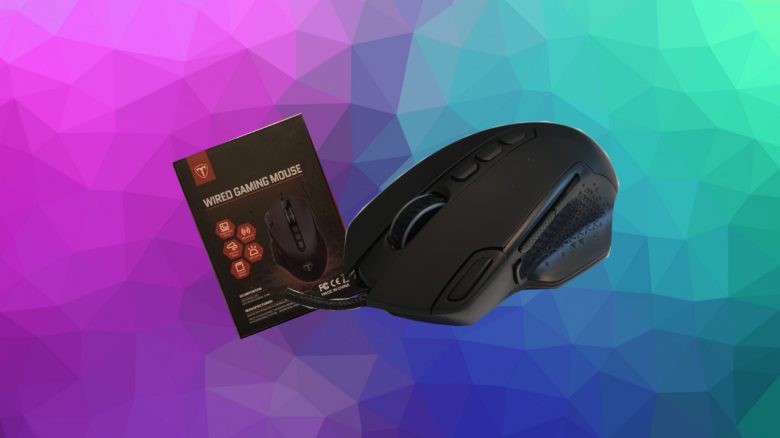
The Holife Gaming Mouse is an affordable gaming mouse for beginners and casual gamers. MeinMMO took a look at the gaming mouse and reveals how well it performs in testing.
Key points at a glance:
- The Holife Gaming Mouse is a wired mouse with RGB lighting.
- The mouse costs €35.99 and is primarily available on Amazon.
- The gaming mouse offers several programmable buttons and a weight system.
Which mouse is it? The Holife Gaming Mouse is a mouse that specifically targets players who want to spend less than €50 on gaming hardware.
The mouse’s unique feature is the weight system. Weights can be added or removed from the inside of the mouse, allowing you to adjust the weight as desired.
Features and technical details
| Sensor | Pixart PMW3327 sensor |
| Resolution | Up to 12,000 DPI |
| Switches | Unnamed switches, 30 million clicks |
| Buttons | 10 (programmable) |
| Design | Black mouse with adjustable RGB lighting |
| Gliding feet | 5 gliding feet |
| Cable | 1.5 m braided USB cable |
| Weight (variable) | 102 – 121.2 g |
| Price | €35.99 |
Holife Gaming Mouse Review: How did we test?
We at MeinMMO used the gaming mouse for about 4 weeks (December 2020). During this period, we played various games with the mouse. The mouse was used in games like Apex Legends and Genshin Impact. Additionally, we used the mouse for normal everyday tasks.
While gaming, the special buttons, the software, and the sensor had to prove themselves.
Holife Gaming Mouse in Detail
In the following section, we present the gaming mouse in detail. We will cover the following aspects:
- Contents
- Weight and design
- Gliding feet and grip type
- Mouse sensor
- The software
Contents
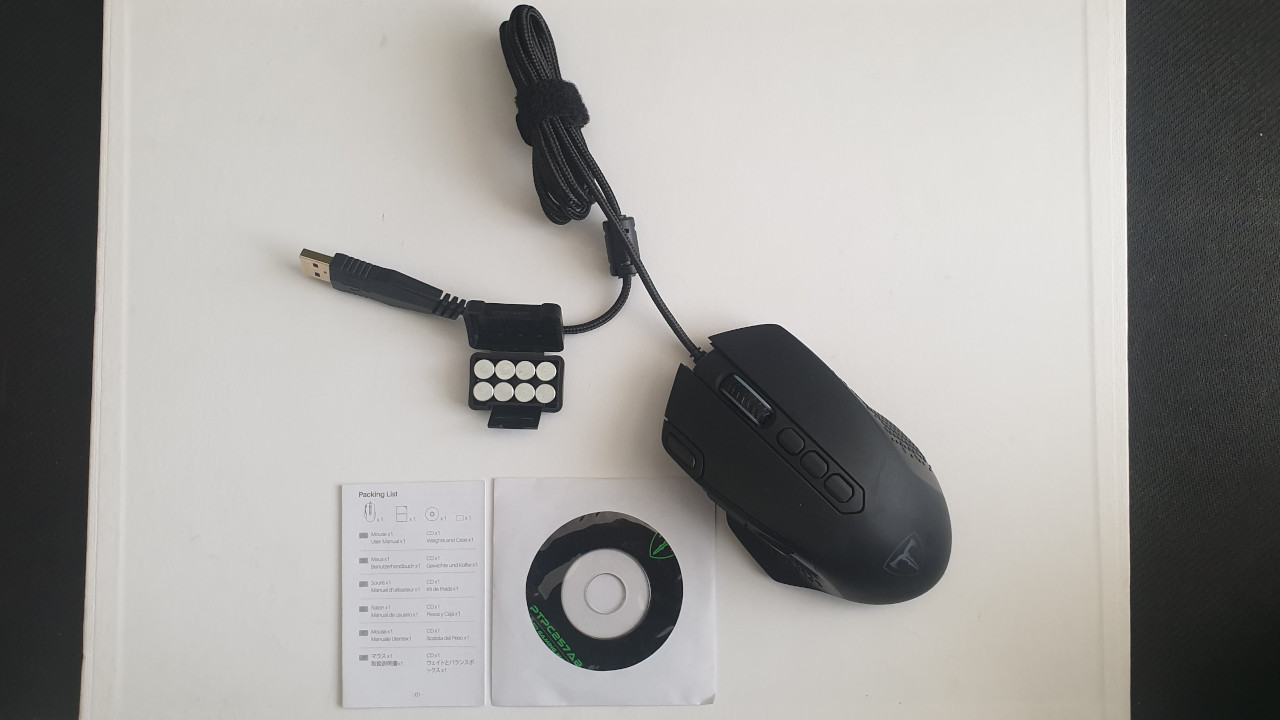
What accessories are included? In addition to the mouse, there is
- a quick start guide
- a plastic box with a total of 8 metal weights
- a CD with the software
Notably, the CD is in mini format. Many manufacturers today offer software only digitally. The USB cable is permanently attached to the mouse and cannot be removed. The gaming mouse does not support wireless connectivity.
Weight
At 102 grams, the mouse is in the mid-range when it comes to the weight of gaming mice. The MeinMMO tested Roccat Burst Pro weighs significantly lighter at 68 grams compared to the Holife gaming mouse. Therefore, the most reasonable comparison here is with Logitech’s G502 Hero, which is a bit heavier and also offers a weight system. The Roccat Kone Aimo Remastered tested by MeinMMO would also fit here, even though it does not offer a weight system.
Holife Gaming Mouse: Weight comparison:
| Roccat Burst Pro | 68 grams |
| Razer Viper | 69 grams |
| Endgame Gear XM | 70 grams |
| Holife Gaming Mouse | 102 grams |
| RAT Pro X Supreme Edition | 105 grams |
| Logitech G 502 Hero | 121 grams |
| Roccat Kone Aimo Remastered | 130 grams |
Design
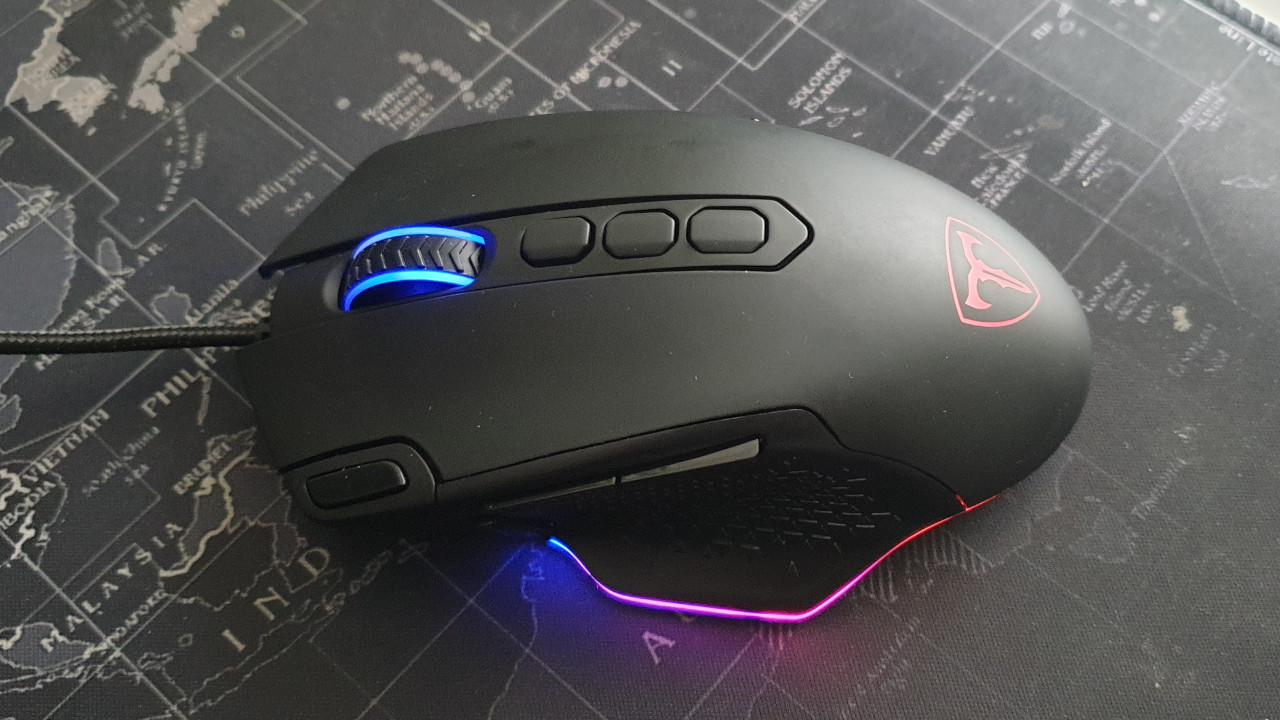
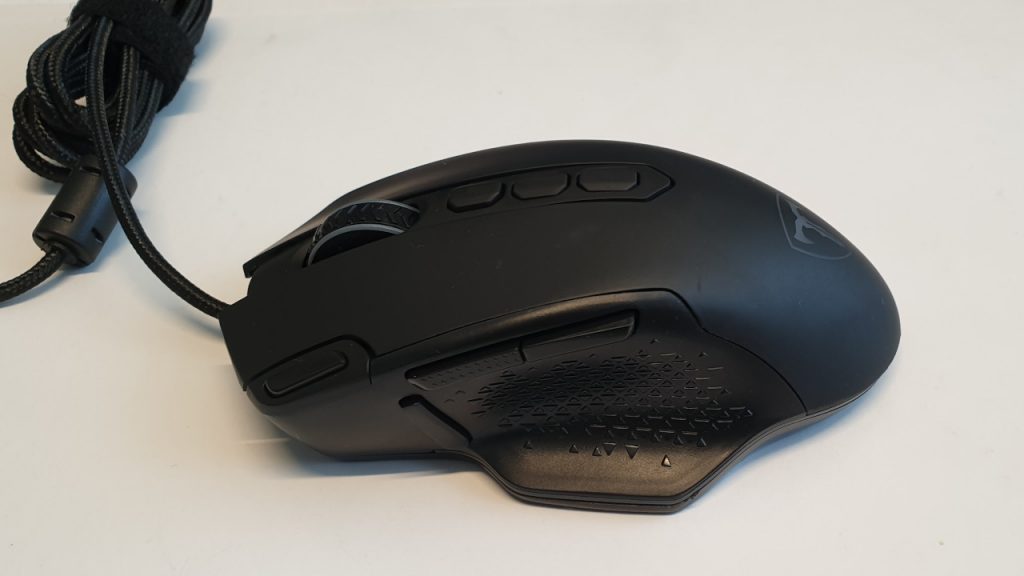
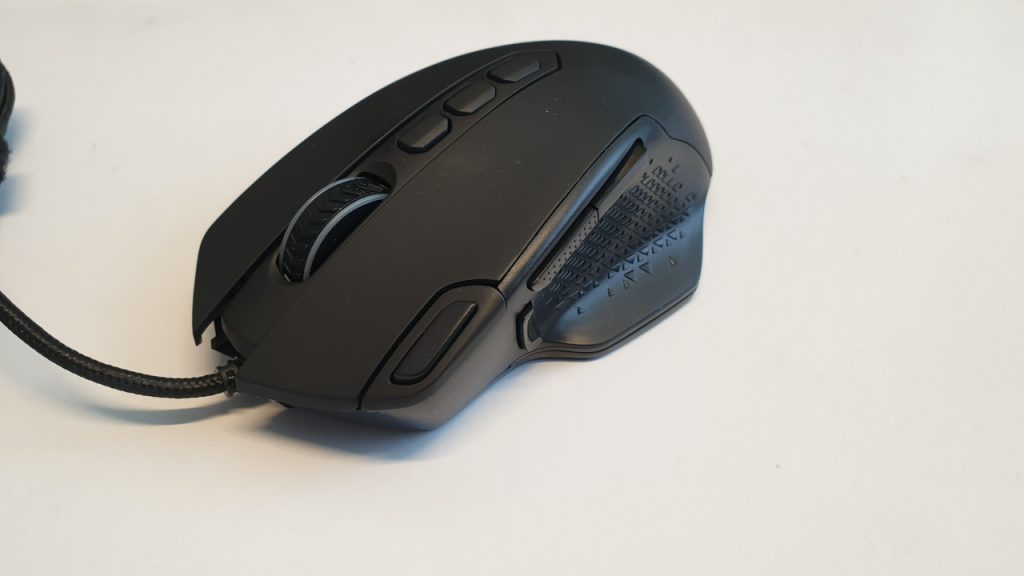
The design of the Holife Gaming Mouse is simply black. The mouse features rubberized side panels on both the right and left sides for better grip. The edge of the mouse and the scroll wheel can light up. The lighting can be adjusted or even completely turned off via the software.
Gliding feet and grip type of the mouse
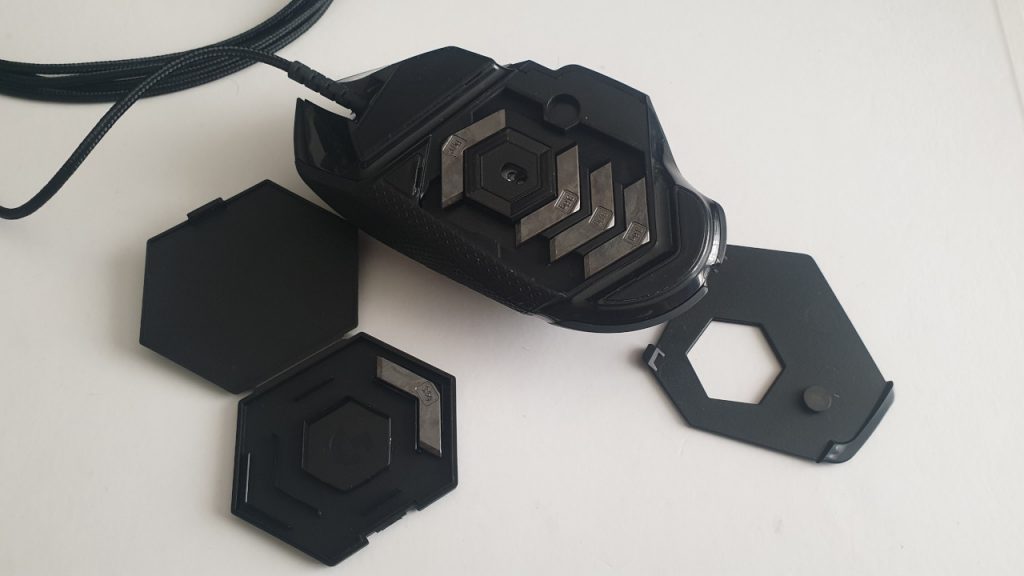
What feet does the mouse use? The mouse features five small gliding feet; two are at the front, two are in the middle on the sides, and one gliding foot is at the back. The mouse feet cannot be officially replaced.
Grip type: At 102 grams, the mouse is aimed primarily at palm grip and claw grip players, who tend to move the mouse less on the mousepad and prefer a higher weight in hand.
The mouse can be comfortably held in palm grip and fits well in the hand due to its size, making it suitable for claw grip users as well. Users who prefer fingertip grip may find the mouse both too heavy and too large.
| Palm Grip | Claw Grip | Fingertip Grip |
| The hand completely encloses the mouse. Fingers, palm, and pads rest on the mouse. The contact area between hand and mouse is largest here, and the mouse is usually moved very little. | Fingertips, thumb, and part of the palm rest on the mouse. The rest of the hand does not touch the mouse. Precision is controlled by the wrist, allowing for quick movements. | Only the thumb and fingertips are on the mouse. The rest of the hand is free. Movement comes from the finger joints, allowing for precise movements. |
Sensor
What sensor does the mouse use? The manufacturer has equipped the mouse with the PMW-3327 sensor from Pixart. This is an entry-level sensor. Well-known mice like Corsair’s M55 RGB Pro or the HyperX Pulsefire Core RGB also use the same sensor, which achieves a resolution of up to 12,400 DPI.
Strong deviations are observed, especially at high DPI numbers. However, it is generally advisable to avoid playing at 12,000 DPI, as the mouse pointer becomes too erratic.
Holife Gaming Mouse Software
What we like about the software: The software is very well organized and comes without frills and many additional functions. All important functionalities can be easily accessed through the main panel. Here you can
- assign the individual buttons
- set macros
- adjust the polling rate and other settings of the sensor
- as well as configure the lighting.
Also commendable is the size of the software. While other software suites, like Razer’s Synapse, take up several hundred megabytes on the hard drive, the Holife mouse software requires only about 10 MB.
Additionally practical: for lighting and some programmed functions, you do not need any software. Therefore, some functions can also be used seamlessly on Linux. We lacked a suitable test environment for Macintosh.
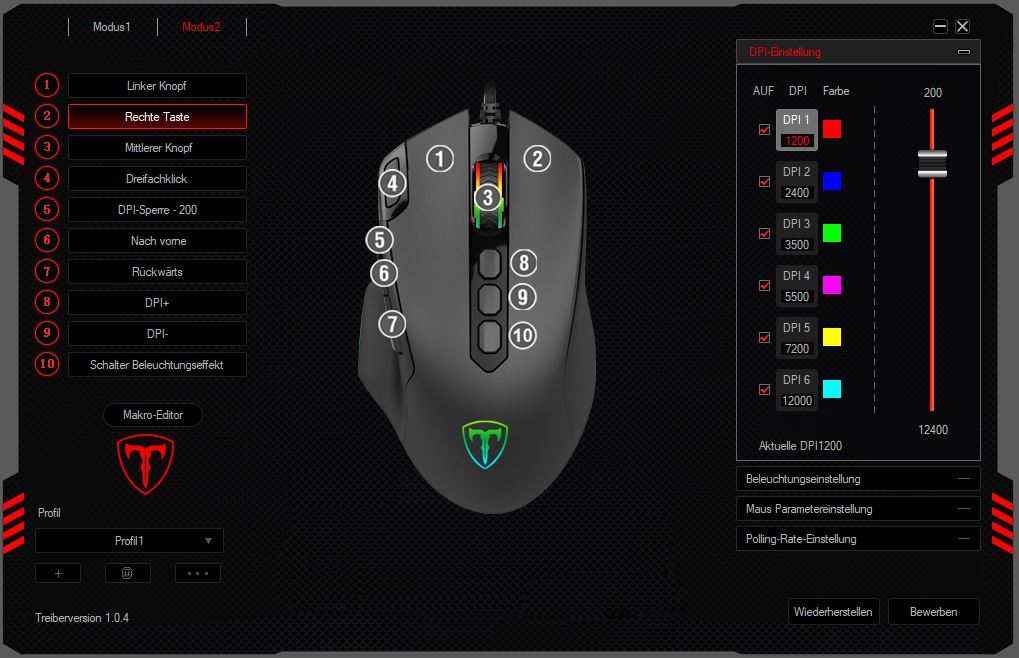
What we like less: Overall, the software does not leave a smooth overall impression. This is mainly due to the strange translation. It is indeed quirky and at least made us chuckle: If you want to save your settings in the software, you have to click on “Apply”.
Also frustrating is that occasionally individual software settings reset. This particularly affects lighting effects.
In Practice
In this area, we introduce you to how the mouse performs in practical tests. We will cover weight and speed, but also how well the sensor in the mouse works and what possibilities the mouse offers in practice. We will address the following points:
- Weight, ergonomics, and handling
- The mouse buttons and scroll wheel
- Macro functions
- The sensor of the Holife Gaming Mouse
Weight, Ergonomics, and Handling
What we like: The Holife mouse fits well in the hand, which is true for various hand sizes. Both users with large and small hands had the opportunity to use the mouse and praised the comfortable ergonomics of the gaming mouse. The mouse fits even better in small hands than in large hands. All buttons are easily reachable. The manufacturer has done a good job here. The rubberized side panels of the mouse also feel high-quality and provide a good grip for the fingers.
Also commendable is the ability to adjust the weight. With 8 weights, each weighing 2.4 grams, the weight can be significantly increased. The change noticeably affects the ergonomics of the mouse.
Additionally, there are three switches located behind the scroll wheel. While the first two switches allow you to adjust the DPI value during gaming sessions, the third switch changes the lighting.
What we like less: The biggest issue is the build quality on the back of the mouse. While the mouse feet are still reliable, we had trouble opening the cover on the back to access the weight compartment.
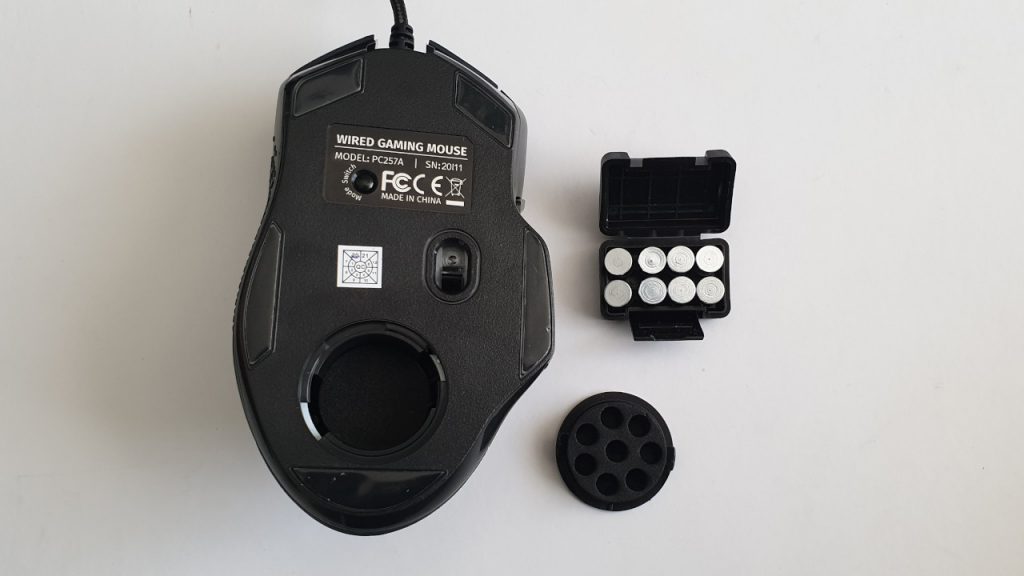
While on Logitech’s G502 Hero, the back can be easily removed from the side, there’s no proper indentation or anything similar to properly lift the cover here.
The weight holder is also made of a kind of foam, which holds the weights. It is questionable whether the material will last long if the weights are regularly inserted into the holder.
The mouse buttons and scroll wheel
What we like: The mouse buttons are precise and offer a pleasant pressure point. The scroll wheel is comfortable and located better under the index or middle finger than on the Roccat Burst Pro, but it falls short of the precision of Razer’s Naga Pro.
The manufacturer promises about 30 million clicks for the unnamed mouse switches that they should withstand. In the month we tested the mouse, we did not encounter any problems with the switches. They perform well and are precise.
What we like less: The buttons are tactile and audible, so they are not necessarily the first choice for users who prefer absolute silence.
Macro Functions
The Holife Gaming Mouse can be programmed with various commands. Besides games, you can also assign Windows functions to the buttons. Thanks to the macro editor of the software, you can also record and then assign buttons. This works well and without issues. However, the gaming mouse does not offer double button assignments with software like G-Shift (Logitech) or Easy-Shift (Roccat).
The sensor of the Holife Gaming Mouse
What we like: The manufacturer has equipped the mouse with the PMW-3327 sensor from Pixart, an entry-level sensor. For most tasks and even in gaming, the sensor generally performs well with little to criticize. With a standard mousepad, the sensor is precise and accurate, also thanks to a high polling rate of 1000 Hz.
What we like less: On the mousepad, the sensor performs well and there is little to criticize. On other surfaces, it does not always operate smoothly. Very smooth table surfaces can make the sensor skip and become unresponsive, which is not optimal. At high DPI rates, the mouse also becomes inaccurate. However, it should be noted that it is not advisable to play at DPI rates beyond 7000. On rough surfaces, there is again little to complain about.
Conclusion: Successful entry-level mouse for gamers and casual players
Who is the mouse suitable for? The Holife is a good mouse for people looking for an entry-level gaming mouse with little ambition to play competitively. For those who play a few rounds of Apex Legends in the evening or enjoy some Fortnite with friends on PC, this mouse should be more than sufficient. It offers a good combination of ergonomics and many useful features.
What alternatives are there? In the price range of around €30 to a maximum of €40, there are some notable alternatives.
Both the Roccat Burst at around €30 and the SteelSeries Rival 3 offer RGB lighting, some nice features, and a sensor that is on par with the PMW-3327 sensor. In general, you shouldn’t expect too much in this low price range. A real budget tip for under €20 would be the Zelotes T90 gaming mouse, which even offers wireless functionality but only provides the bare minimum features.
If you are ready to spend a little more, good alternatives are both Logitech’s G502 Hero and Roccat’s Kone Aimo Remastered, which, in addition to a top sensor, offer significantly better build quality. Here, you will pay between €50 and €60. For more recommendations on gaming mice, check out our buyer’s guide to the best gaming mice currently available.

Your opinion is important to us!
Do you like the article? Then let us know!