

Halo is a shooter franchise traditionally developed for controllers. Even in Halo Infinite, the controller is the tool of choice for the best players in the game. MeinMMO will show you how to get the most out of your controller.

Although Halo Infinite can also be played with mouse & keyboard: The game plays better and easier with a controller.
The incredibly strong aim assist in Halo Infinite is not the only reason: Due to the shield mechanic in Halo, body shots are usually more important than headshots. The mouse thus loses its biggest advantage over controllers.
This is not just a personal assessment: A fan has statistically proven that an average controller player is about as precise as one of the top 100 mouse players.

For this reason, we reveal the best controller settings for Halo Infinite. These recommendations are based on our own experience and the settings of professional Halo experts. But as with all settings, all recommendations are only guidelines, not objective truths. Feel free to adjust the options to suit your needs.
The best settings for button mapping
Button Mapping
Button Mapping: Standard with “Drop Weapon” on the D-pad right
Why this setting? In Halo Infinite, there are many important buttons. Unfortunately, not all important buttons are easy to reach while aiming with a standard controller – regardless of the button mapping.
The standard button configuration is therefore not optimal, but a very good option. If you prefer classic Halo controls, Legacy is also highly recommended.
Due to the complexity of the controls, we recommend an elite controller. A detailed justification can be found further down in the article.
– Melee: LB
– Throw Grenade: RB
– Use Equipment: RS
– Drop Weapon: D-pad Down or Right
With these settings, you can keep up with other Onyx players. I can seamlessly start a melee attack from shooting. Equipment is rare in multiplayer, but more frequent in the campaign. On RS, you can use equipment easier and faster while shooting in both game modes.
Additionally, I use the elite controller, as described below, with SCUF Paddles and the highest resistance of the right stick (screw turned to the lowest point).
Another important addition is to assign a button with the function “Drop Weapon”. This function is not assigned by default. We recommend using either D-pad Down or Right, as the AI-scan and equipment switch functions do not play a role in multiplayer.
Dropping weapons is faster than reloading or switching your weapons. Using this helps you kill opponents faster.
Movement and Aiming
Recommendations:
- Invert Look (Vertical): Off
- Invert Look (Horizontal): Off
- Invert Flight: Off
- Hold to Crouch: Off / With Elite Controller: On
- Hold to Zoom: On / with Legacy button mapping: Off
- Hold to Sprint: Off
- Movement Assisted Steering: On
- Keep Sprinting: Off
- Auto Climb: Off
- Step Jump: On
Why these settings? Most of these settings match the standard settings. The only exception in all cases is the ‘Movement Assisted Steering’: This helps you steer vehicles a bit more flexibly and easily.
Turning off keep sprinting helps you to be ready to fire again faster after a sprint. Auto climb should also be disabled because it can frequently harm you (via YouTube)
If you prefer to zoom by pressing the right stick, you should turn off ‘Hold to Zoom’. For players who use the back buttons on the elite controller to crouch, they should enable ‘Hold to Crouch’: This makes it easier to finish sliding.
Also, ‘Crouch-spamming’ – that is, crouching quickly and frequently – is much easier. This confuses the opponent and makes it harder for them to hit you.
The best sensitivity settings for controllers
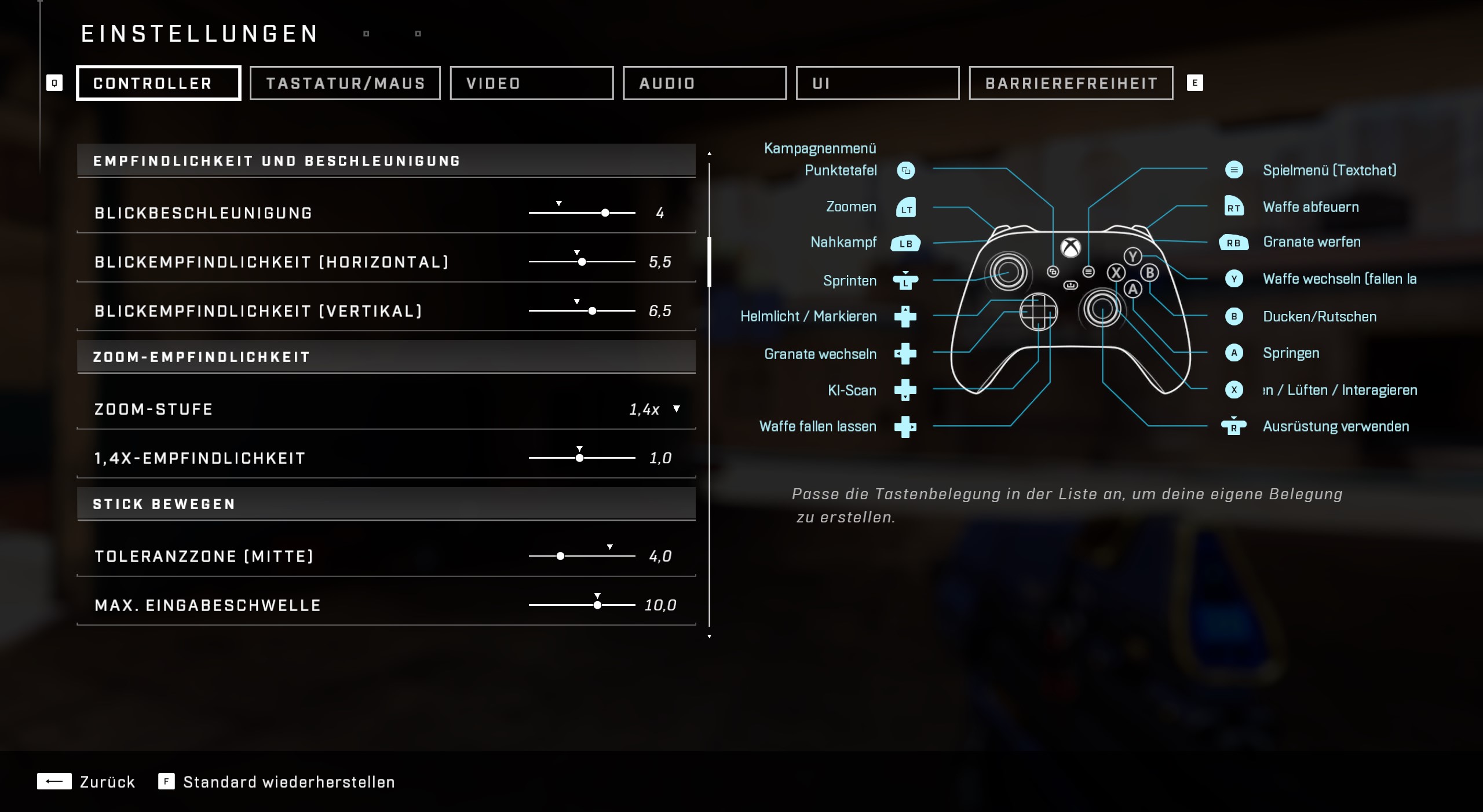
Sensitivity and Acceleration
Look Acceleration: 4.0
Look Sensitivity (Horizontal): 6.0
Look Sensitivity (Vertical): 6.5
Stick Movement
Deadzone (Center): 5.0
Max Input Threshold: 0.0
Axial Deadzone: 5.0
Zoom Sensitivity
Zoom Sensitivity: 1.0 (For all zoom levels)
Stick (Looking Around)
Deadzone (Center): 5.0
Max Input Threshold: 5.0
Axial Deadzone: 5.0
Why these settings? Sensitivity settings are always individual preferences. Therefore, the values we recommend should not be seen as “objectively best” settings. Adjust these as needed. For Halo pro Lucid, the looking around deadzones are the most important settings in the options menu (via YouTube).
The recommended sensitivity and acceleration settings are the averages of the most important Halo pros (via YouTube). The recommendations for the sticks’ deadzones are a mix of pro preferences and the author’s experiences.
The age of the controller can also play a role in the settings. The sticks behave a little differently with greater wear than with a brand new controller. Thus, you should set the deadzones with an eye on the ‘stick drift’ – that is, movements in the game that occur without touching the sticks.
An elite controller is expensive, but worth it
Why do we recommend the elite controller? The elite controller for Xbox is indeed an expensive buy, but especially in Halo Infinite it is a great help. This is due to 3 important features:
- The elite controller has up to 4 extra buttons on the back.
- You can adjust the length of the analog sticks
- The resistance of the sticks can be increased with an included tool.
The 4 additional buttons on the back are the most important feature. These so-called ‘paddles’ are pressed with the middle and ring fingers, which otherwise cannot do anything. The paddles share their function with another freely selectable button on the controller. This allows you to reach important functions in Halo Infinite more easily.
With the replacement paddles from SCUF, which can be purchased for only 25 €, it works even better. Why that is, you can find out here:
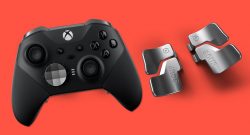
It is also important that you can freely adjust the length of the analog stick. A longer stick makes delicate movements significantly easier. The Xbox Elite controller is also one of the best controllers for Xbox and PC that we can currently recommend.
What are the best elite controller settings? For Halo Infinite, we recommend the following elite controller settings:
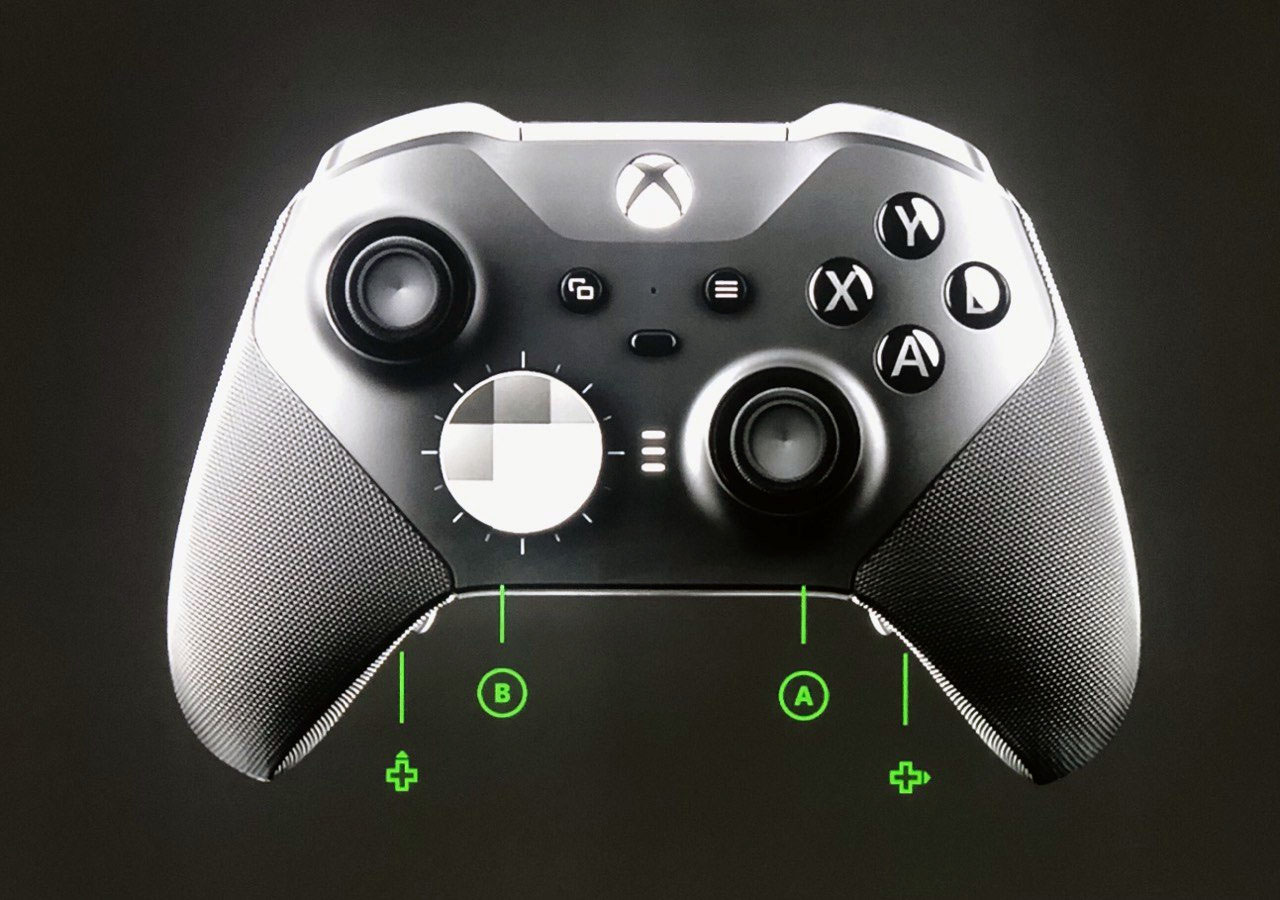
- Left Paddle Top: B (Crouch)
- Left Paddle Bottom: D-pad Up (Mark)
- Right Paddle Top: A (Jump)
- Right Paddle Bottom: D-pad Right (Drop Weapon)
- Left Stick: Standard
- Right Stick: Long and convex
- Resistance of the Right Stick: Increased to maximum
Why these settings? With the paddles, it is significantly easier to stay in motion: You can keep your thumb on the right stick and still jump, crouch, and slide. In addition, you can drop your weapons more easily and provide your team with important info using the marking function.
The longer right stick makes fine aiming movements easier, increasing precision in the game. Smaller deadzones are also much easier to use – with all their advantages.
It is also worth experimenting with the right stick resistance. This can be adjusted on the elite series 2 with the included tool by tightening a screw underneath the stick attachment. We recommend trying particularly the highest resistance level (screw tightened to the lowest point).
These are the settings we recommend. For this, we observed both our own gameplay and looked at what the pros use.
What are your favorite settings? Have you tried these settings? Or do you prefer mouse & keyboard? Let us know in the comments.
If you want to know which weapons are the most important in Halo Infinite, we recommend the article:
The 8 most important weapons in Halo Infinite and what makes them so strong

Your opinion is important to us!
Do you like the article? Then let us know!