

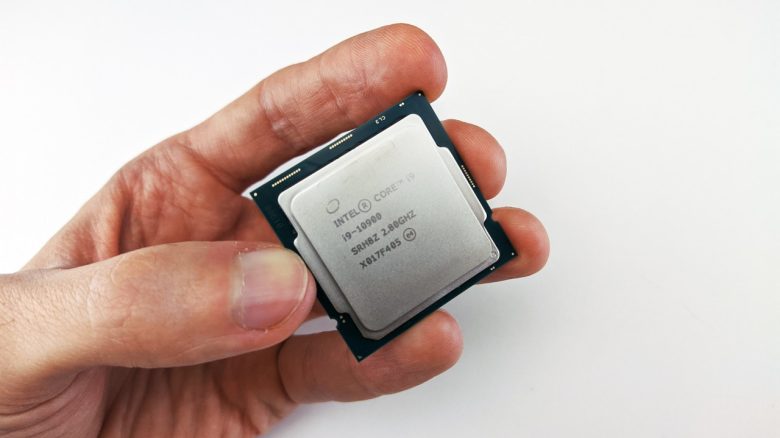
A gamer made a careless mistake while installing a new CPU cooler. He only realizes his negligence when he notices that his processor is getting too hot while playing.
Even experienced DIY enthusiasts can make unnecessary mistakes when upgrading a PC or building an entirely new system. Sometimes the resulting problems become apparent quickly and can be fixed before worse occurs. Some mistakes, however, may be the manufacturers’ fault.
Similarly, this post on Reddit happened. User JawnsonBit just wanted to quickly replace his CPU cooler. However, in his excitement for the PC upgrade, he forgot to remove the protective film from the cooler. Luckily, he notices this small detail in time and is able to save his hardware from damage.
A small detail causes 100-degree hot Intel CPU
What is this about? Reddit user JawnsonBit reports on the high temperatures of his Intel CPU. While browsing the internet, it is supposed to fluctuate between 50 and 60 degrees. These values are not alarmingly high. Depending on which cooler is used and the ventilation concept in the computer, temperatures can vary.
However, when he supposedly reaches 100 degrees while playing, he notices that something is wrong. Previously, JawnsonBit claimed he had replaced the old CPU cooler with a new model. He chose the Scythe Fuma 3, which should normally provide adequate cooling for the processor.
In his excitement about his new acquisition, the gamer apparently forgot to remove the protective film from the underside of the new CPU cooler. A closer look reveals the warning label reminding him to remove the film before installation. This is why the Scythe Fuma 3 did not function optimally.
Why must this film be removed? This piece of plastic serves only to protect the contact surface until the heatsink is placed on the processor. Ironically, the Reddit user at least remembered the thermal paste, which is now on the film due to his mistake.
The paste between the CPU and cooler is supposed to fill the area between the processor and cooler and compensate for unevenness on both contact surfaces. Thanks to the metal oxides in thermal paste, the CPU is usually effectively cooled.
However, the film in between greatly impairs the conductivity. As a result, the generated heat is conducted away much less effectively, and the CPU is not adequately cooled. Using thermal pads instead of proper thermal paste can also lead to higher temperatures.


Recognizing mistakes and ideally not making them at all
Did he notice the mistake in time? Yes, fortunately, he quickly realized his negligence. While playing, the processor became 100 degrees hot, but at the same time throttled the clock speed to protect itself from overheating. The gamer does not report any permanent damage.
After JawnsonBit supposedly removed the film, the temperatures at idle, without taxing the computer, dropped to 30 to 40 degrees. Unfortunately, he did not update the values for temperature while playing. However, it can be assumed that these are now no longer in a concerning range.
How can such problems be prevented? Even if one believes to know hardware well, it never hurts to take a look at the manuals of the PC components. This way, he would probably not have overlooked the note about the film.

Even when enthusiastically tinkering with your computer, it is always better to approach the task with calm and focus. Whether upgrading or building a completely new system, take enough time and proceed thoughtfully. Additionally, a small to-do list with the key points for assembly can help you. Write this down calmly beforehand, so you remember all the important actions.
5 beginner mistakes you should avoid when assembling a new gaming PC

Your opinion is important to us!
Do you like the article? Then let us know!