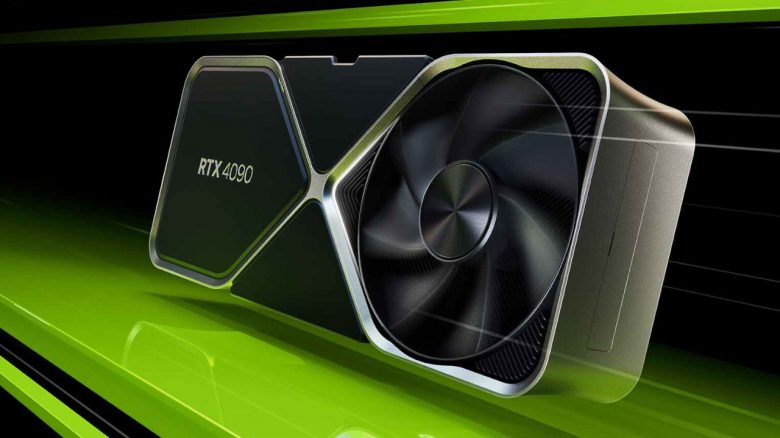
The GeForce RTX 4090 is currently the fastest graphics card and promises a lot of performance. A gamer bought the GPU, but he complains about his framerate.
What are FPS? Especially important in gaming are your FPS (Frames per Second). They tell you how many frames per second your PC displays. The more frames per second are displayed, the smoother the game appears.
Many users upgrade their hardware for this reason, to get more FPS. A gamer immediately bought an RTX 4090, the currently most expensive Nvidia graphics card and now complains about weak FPS (via reddit.com). Meanwhile, the solution is not far to find.
The community is complaining about it. Why would someone buy an RTX 4090 when he has no idea about the simplest settings? So someone jokes:
He has an RTX 4090 and doesn’t know how to check VSYNC. That’s a bit ironic.
Others, however, believe that people also want to play with good hardware without having to know everything. We want to give you a few of these simple tricks.
With 4 simple tips, you can improve performance on your PC
With a few tricks, you can already improve your performance without much effort. You neither need to install additional software nor buy new hardware.
G-Sync, Free-Sync, and V-Sync
Make sure whether G-Sync (Nvidia) or FreeSync (AMD) is activated or deactivated on your computer. The technology adjusts the monitor’s refresh rate to your graphics card. This prevents so-called screen tearing. While this may not necessarily lead to better performance, it often results in a smoother overall experience.
V-Sync, another technology, lowers the graphics card to its maximum refresh rate. However, this can cause input lag in some cases that can be problematic in multiplayer games. G-Sync and Free-Sync are now the better alternatives.
Set the correct refresh rate
Make sure to have the correct refresh rate set. If it is set too low, you can only utilize the full power of your graphics card to a limited extent.
Go to the “Display settings” in Windows and look for “Advanced display settings.” Here, you select the “maximum refresh rate of the monitor” from a menu. Ideally, you already know how many Hz your monitor offers and can set the correct frequency.
By the way, a YouTuber tested with a professional whether a fast screen makes you a better player:

Update graphics card software
AMD, Nvidia, and Intel regularly provide their graphics cards with new updates via the software. This includes important adjustments for new games. So if you start a new game and have problems, check first whether your manufacturer already offers an update for your software.
You can usually conveniently perform an update for AMD, Intel, and Nvidia directly through the software itself.
Turn off overlays from Steam, Discord, and others
Most programs like Steam or Discord now offer an overlay. This means you press a specific key combination and can see the menus from Steam or messages directly in the game. However, in many cases, such overlapping menus consume a lot of performance. If you are having performance issues, then turn off the menus.
From today, there is finally voice chat from Discord on the PS5, but not yet for all players