

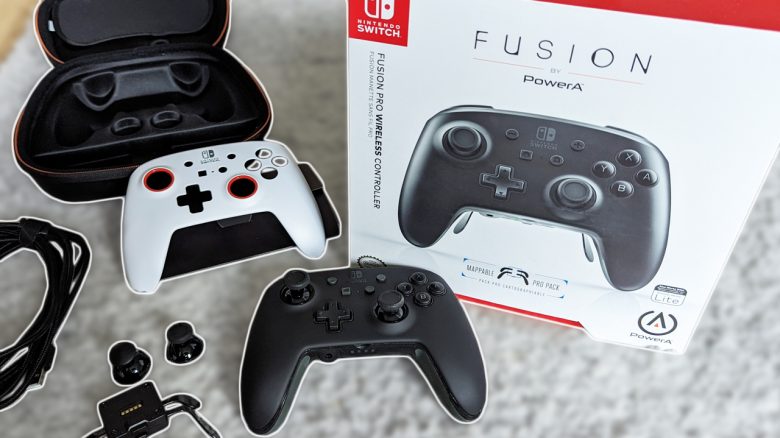
There are various different controllers for the Nintendo Switch. Mein-MMO author Lena has tested one for you: the wireless Fusion Pro controller from PowerA. It costs around 107€.
What kind of controller is this? The Fusion Pro is considered an alternative to the Nintendo Switch Joy-Cons or the Pro Controller. It is also officially licensed and currently costs 107.77 Euros. Therefore, it is in the higher price range.
What can the controller do?
- It can be operated both wired and wirelessly. A switch on the controller toggles between the modes.
- The controller comes with a “Pro Pack” that allows you to map 4 existing buttons to the buttons of the Pro Pack.
- The top shell can easily be changed between black and white designs.
- Both joystick caps are interchangeable.
- It has a 3.5 mm jack socket.
What can the controller not do?
- It does not have a rumble function.
- The controller cannot scan Amiibos.
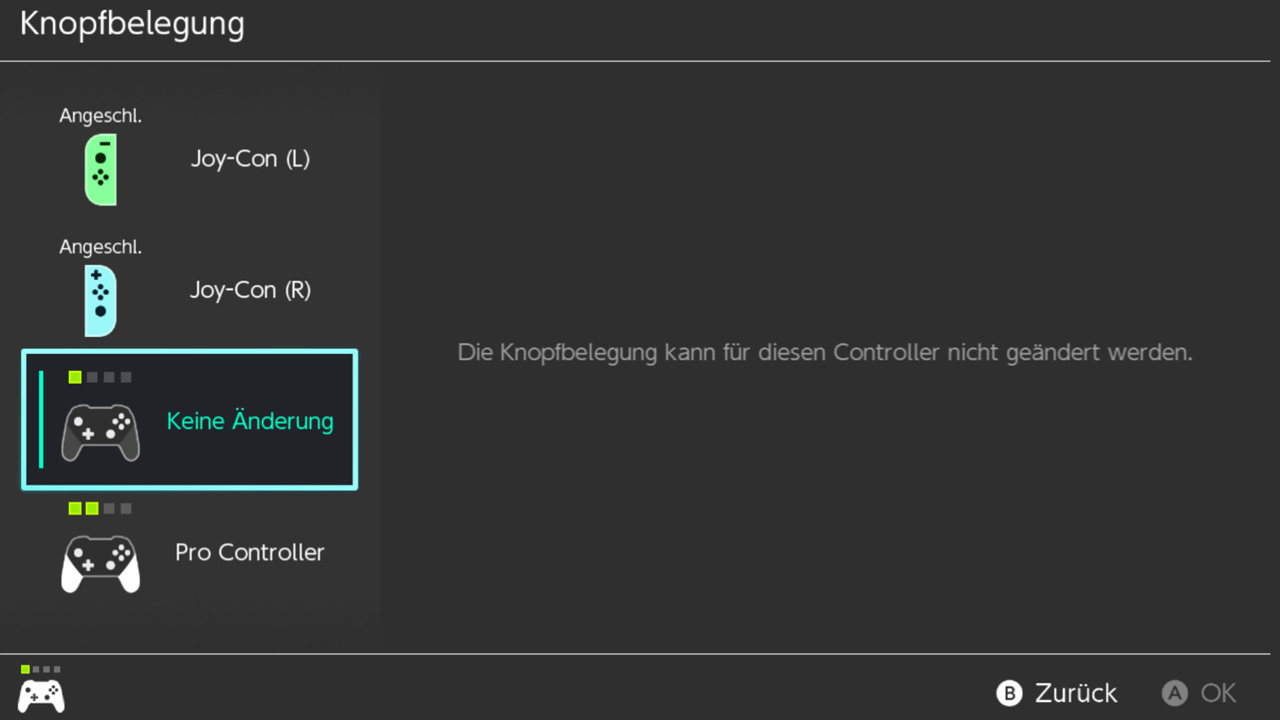
- The button mapping cannot be changed in the Nintendo Switch settings.
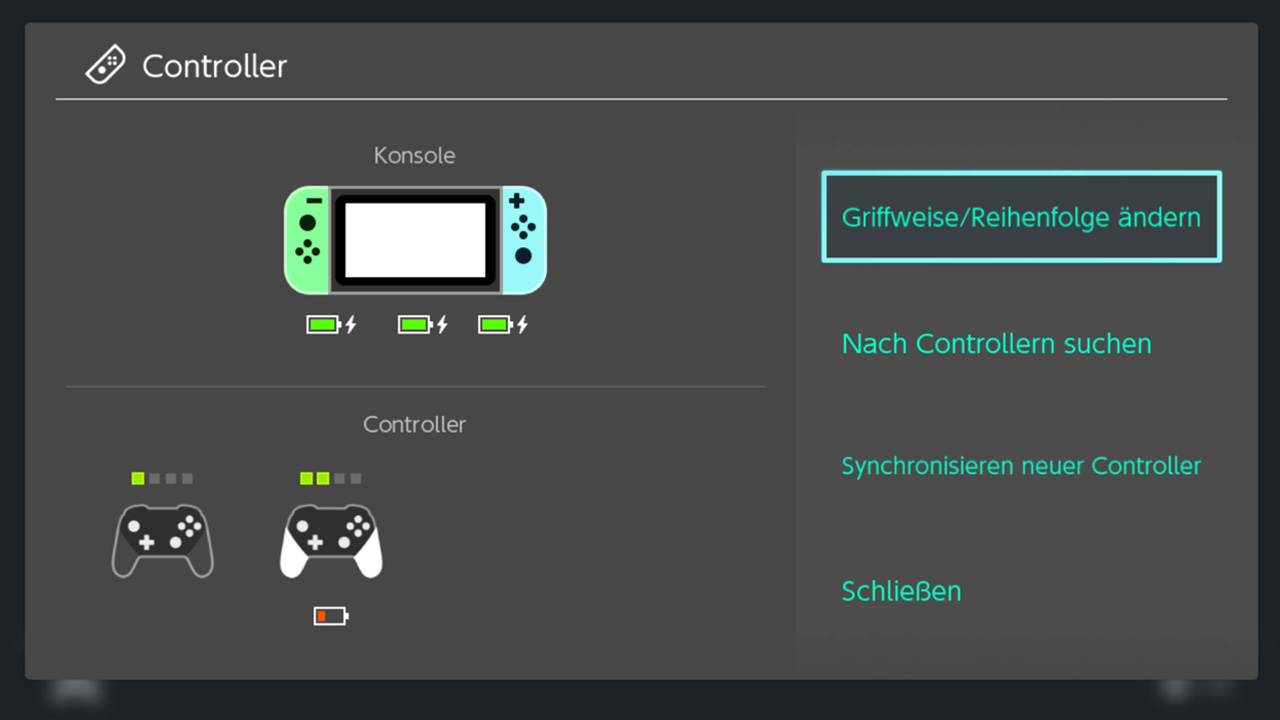
- The Nintendo Switch does not display the controller’s battery level.
PowerA provided me with the “Fusion Pro” controller for testing, and I will tell you whether the price of 107.77 Euros is worth it.
“Fusion Pro” Controller in Test Against the Pro Controller
I will introduce you to the PowerA gamepad in more detail. I will be comparing it repeatedly with Nintendo’s own Pro Controller. So it’s 59.99 Euros vs. 107.77 Euros. I will address the following aspects:
- Contents of the package
- Handling + Design
- Configuration of the feature of the controller: The Pro Pack
- Practical Test
In the end, I will tell you whether I will set aside my old Pro Controller and switch to the Fusion Pro in the future.
Contents of the Package
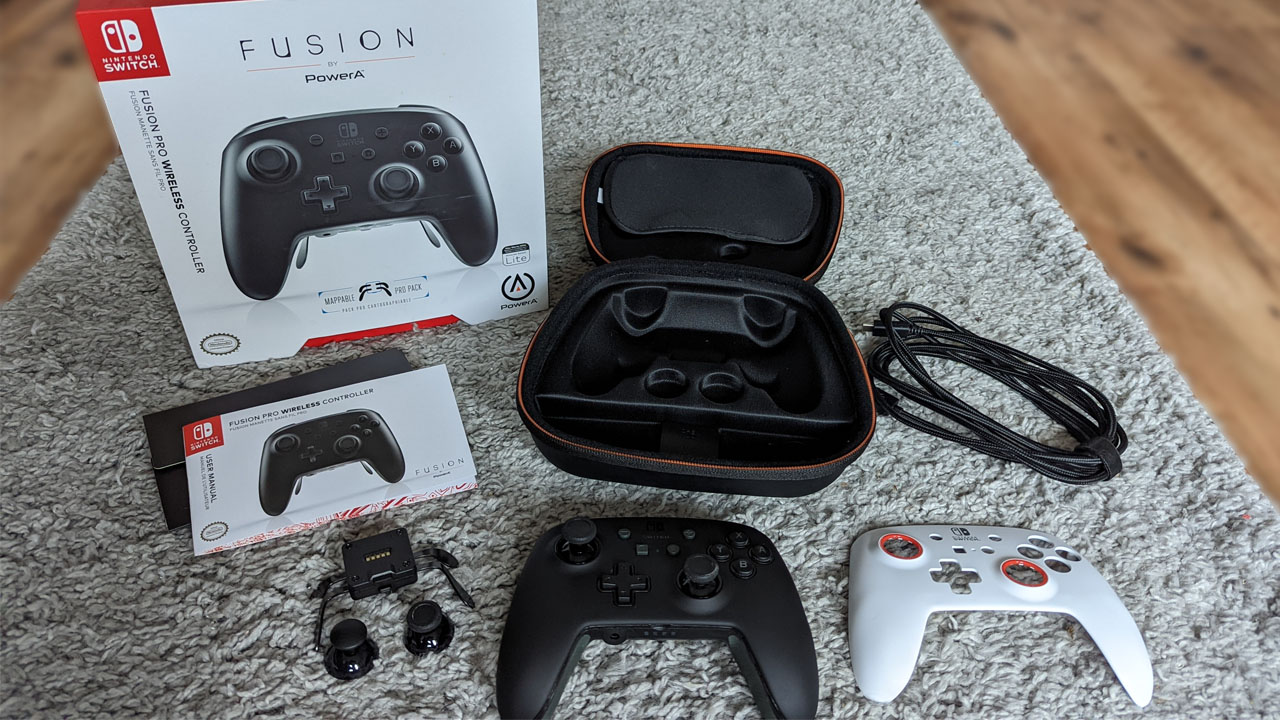
What can you expect in the package?
- The controller itself.
- A case with a sturdy surface.
- A cable to charge the controller or to operate it with.
- 4 joystick caps.
- 2 shells for the top of the controller.
- The Pro Pack.
- User manual.
Handling + Design
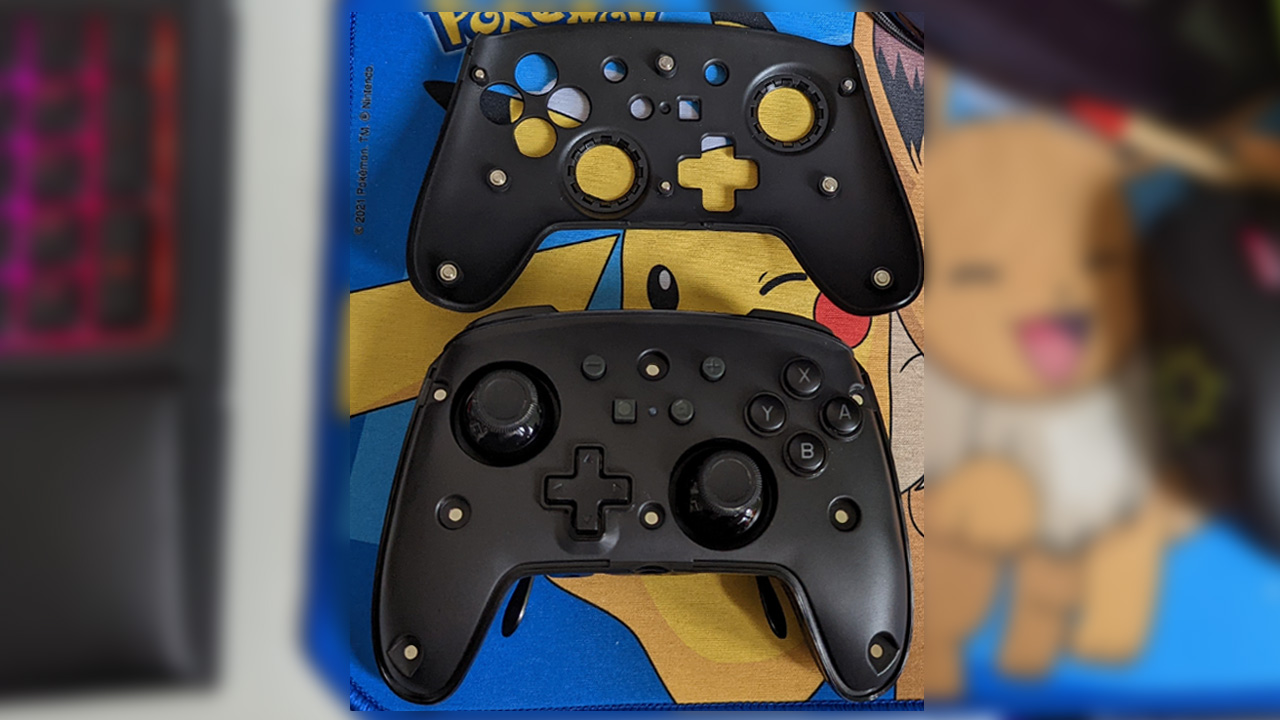
How easy is it to switch shells and joysticks? I was positively surprised: pretty easy. The controller has a small notch that makes changing the shells uncomplicated. They do not get stuck and hold securely with the help of several small magnets.
The joysticks can also be easily replaced. With a small pull, you remove the caps and can’t really go wrong, as all joystick caps fit into both intended slots.
However, it should be noted that 2 of the supplied joystick caps are taller than the other two. For people with larger fingers, the additional length could provide a positive advantage. Since I have quite small hands and short fingers, I found the taller joystick caps less effective. The lower caps of the Fusion Pros were more advantageous for me.
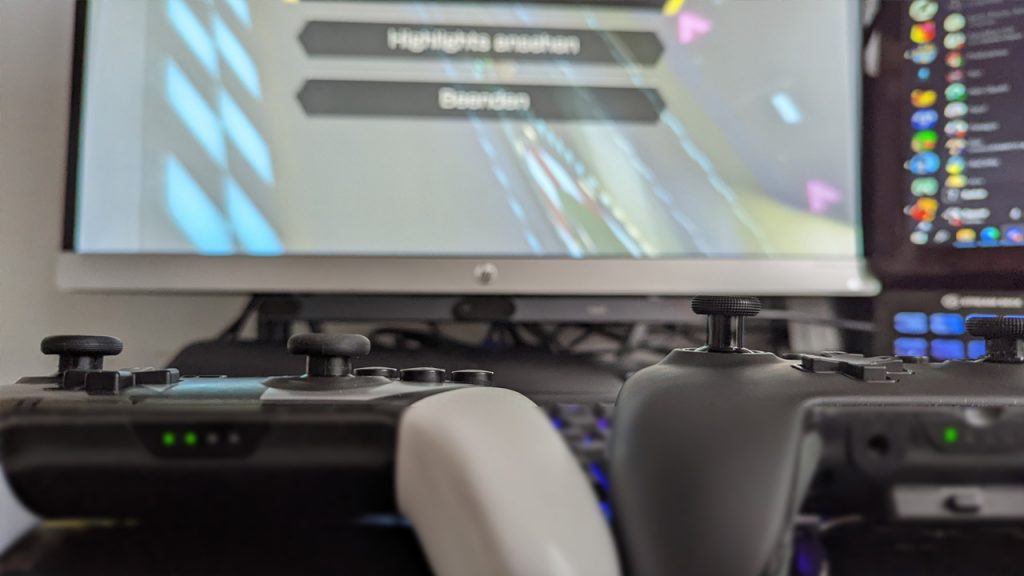
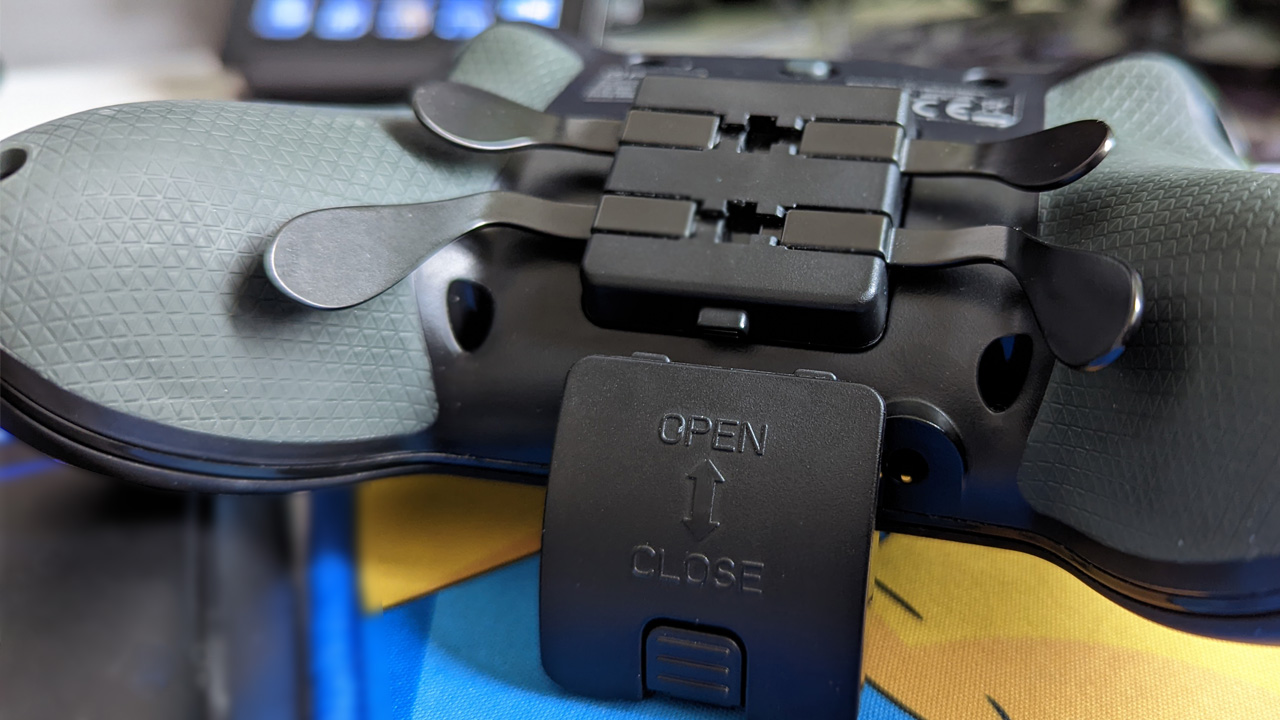
How to attach the Pro Pad? Also very easy. With the help of a push button, you can easily attach and remove the Pro Pad. Additionally, there is a small cover in case you don’t want to use the Pro Pad, but you don’t want to leave the back of the controller open.
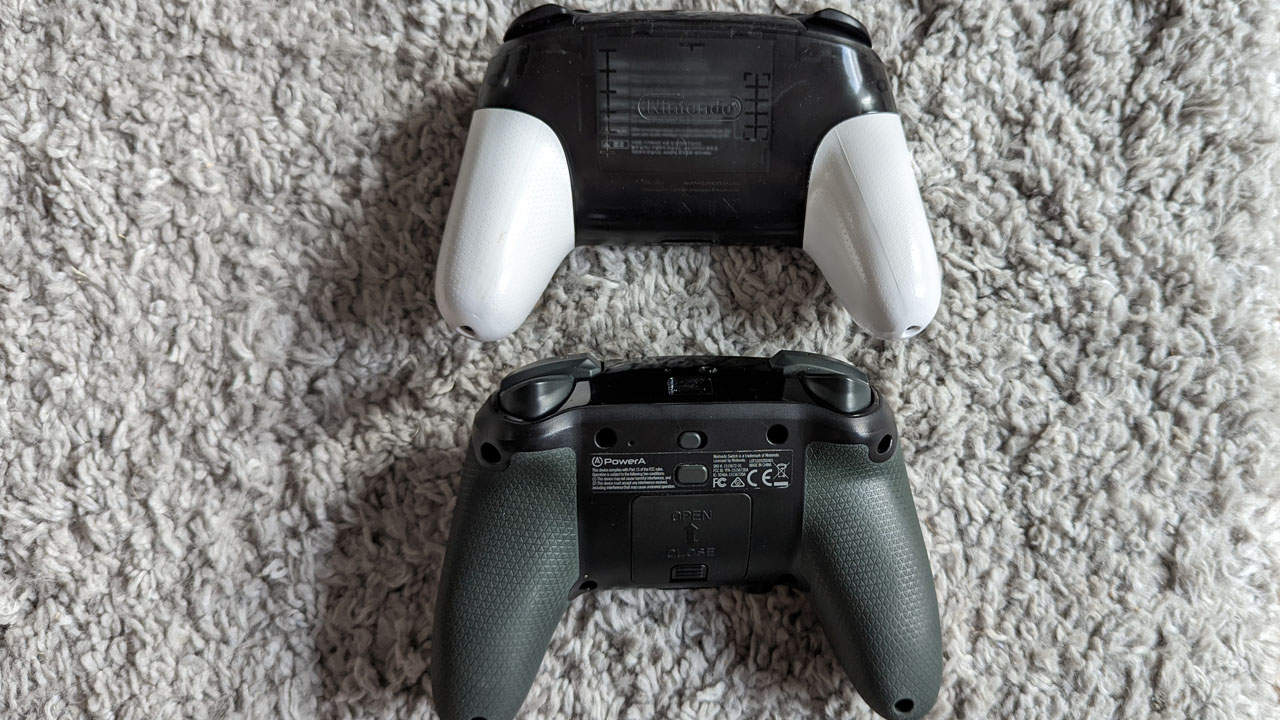
How is the design? Well, that’s always a matter of taste, but the Fusion Pro does not look significantly different from the Pro Controller. I should mention that I only own the Smash version of the Pro Controller; normally it is just black-gray and has no white elements.
I like the design, both in the black and in the white version.

Configuration of the Pro Pack
How does the Pro Pack work? Once you have attached the Pro Pack to the back of the controller, it is ready to go, and you can assign existing buttons to the additional 4 buttons – they reminded me a bit of spider legs.
To configure the spider legs, you need to hold the button on the back of the gamepad for a few seconds. Then a small light will illuminate in front.
Then you press an existing button and then the spider leg that should remember the button. For example, I took the X button to assign it to the upper right button of the Pro Pack. The buttons can be reassigned anytime and also in-game.
Does the controller remember the configuration? Yes, it does. Even if you turn off the Switch along with the controller and then turn it back on, the configuration you made will remain. Even if you play on another Nintendo Switch.
What is missing? You cannot reassign the buttons in the Nintendo Switch settings. So if you have your own profile for your buttons, you cannot apply that with the Fusion Pro.
Practical Test
How did I test? First, I tested how the controller feels, how the buttons and joysticks respond, outside of games. After that, I tested in the racing game Mario Kart 8 Deluxe, the indie game The Binding of Isaac, and the platformer Super Meat Boy, how it feels to play with the Fusion Pro compared to the Pro Controller.
How does the controller feel in hand? Very good, although I have small hands and prefer smaller controllers. The rubber coating on the back of the Fusion Pro additionally ensures that I have a secure grip.
The Pro Controller from Nintendo is at a significant disadvantage, as it is only made of plastic. During longer gaming sessions, it tends to slip from my grip, especially during heated Mario Kart battles.
How are the joysticks? However, I prefer the joysticks of the basic Pro Controller. They are completely covered with non-slip rubber, while the Fusion Pro only has ribbed rubber on the edge and is relatively smooth on the surface.
Since I tend to place my thumb completely on the joystick and do not steer from the edge, I slipped a few times and had to get used to a different control method.
How are the buttons? All buttons have a high-quality feel and offer more resistance when pressed than on the standard Pro Controller, which I really like. I felt I had more control.
This is how it went in-game: First, I raced several cups in Mario Kart 8 Deluxe. In doing so, I had to get used to the other joystick, but especially one thing came into play: the Pro Pack. Knowing that I struggled to reach the X button in Mario Kart, I utilized one of the spider legs and assigned the X button to it.
With the X button, you look behind you in Mario Kart. An important feature to annoy opponents behind you with shells or bananas. With my normal Pro Controller, I practically never used this feature, as I was otherwise unable to accelerate properly while braking.
The Pro Pack was incredibly helpful in Mario Kart, but not at all in Super Meat Boy or The Binding of Isaac. In those games, I could reach all the important buttons and didn’t need the Pro Pack at all.
However, in Super Meat Boy, I felt I could jump better and more controlled due to the increased button resistance. It was significantly easier for me to make smaller jumps than with the Pro Controller, whose buttons bottomed out quickly.
In regular, relaxed games, the Fusion Pro made no difference compared to the Pro Controller.
What was negative? Especially in rumble-intensive games like Mario Kart or The Binding of Isaac, I really missed the rumble, as I was accustomed to that from the Pro Controller. It gave me an additional indicator when I slightly went off track or got hit.
Rumble just makes you feel more part of the game. Other than that, I had recurring issues with the joystick that I just couldn’t get used to. Maybe it just takes more time since I’ve been using the stick in a certain way for over 20 years.
Since I didn’t need or want to scan Amiibos, I didn’t miss that feature. However, it can be considered a downside if you don’t want to rush to your Joy-Cons to quickly scan the figures.
Furthermore, I couldn’t check the battery level of the controller. The Switch does not display that. Although it does notify you when the battery is almost empty. However, I like to check how the battery is doing in between – especially if I plan to leave the house and take the Switch along with the controller.
All Important Pros and Cons Summarized
Conclusion on the “Fusion Pro” Controller
Will I set aside the Pro Controller?
Probably for certain games. Especially when it comes to precise control, the Fusion Pro has left a positive impression on me with the different button pressure. I noticed a significant difference in Super Meat Boy. However, for easy games like Pokémon or The Binding of Isaac, the Pro Controller is definitely sufficient for me. In Mario Kart, I am in a dilemma because I really missed the rumble, but the Pro Pack was incredibly useful. A mix of the Pro Controller and the Fusion Pro would be perfect. However, if I had to decide: Since I play more relaxed games, I would not spend the 107.77 Euros and would stick with the basic Pro Controller.

Lena
Freelance author at Mein-MMO

Your opinion is important to us!
Do you like the article? Then let us know!