Today an update is coming for the PS5, which unlocks voice chat on the console. In a few steps, you can activate the feature on your PS5.
Many gamers have been waiting for this: With the next update, you can finally use Discord’s voice chat on your PS5.
There is a small limitation. Because starting today, only all PS5 beta participants can install the update on the PS5 and then use the feature. However, the function is expected to be unlocked for everyone in the coming days. We will explain how you need to proceed.

Using Discord Voice Chat on the PS5 – Here’s how
Participate in the PS5 beta: If you want to participate in the PS5 beta, you need to register directly with PlayStation. To do this, you must fill out a form. However, this does not guarantee participation. You will be notified by email if you are successful.
Unlock beta update: To participate in the beta test for the Discord voice support for the PS5, you will receive an email with a code that grants you access to the beta software. After you have entered the code, the PS5 will perform a software update.
Link PSN and Discord: First, you need to link your PSN account with Discord. Here’s how:
- Go to your PS5 under Settings > Users and Accounts > Linked Services
- Here you can link your Discord account.
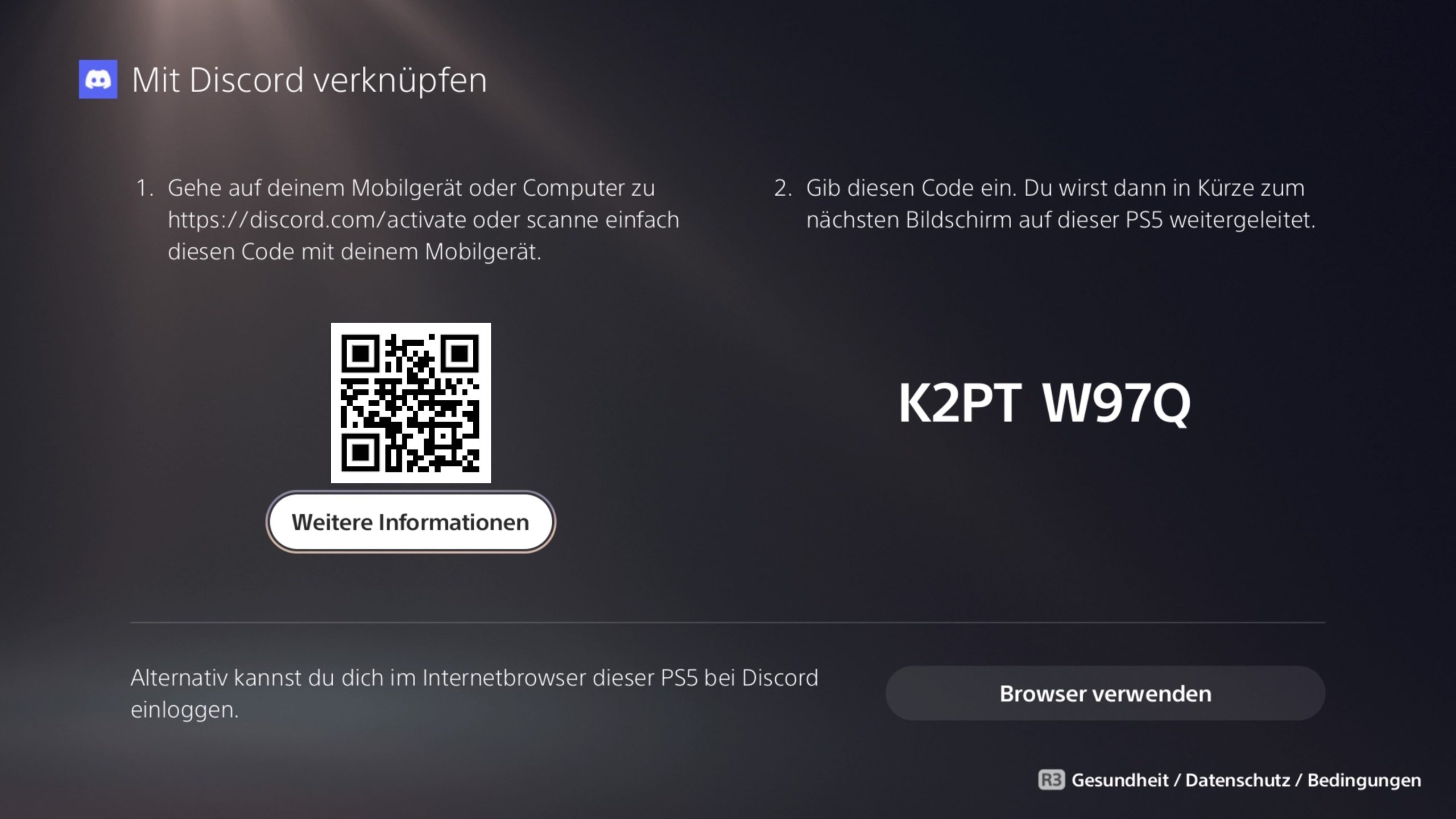
- You then confirm the linking either in your PS5 browser or via QR code. Sony itself recommends the QR code.
If you previously linked a PlayStation Network account with Discord, you will need to do this step again to grant the required permissions for Discord voice chat.
Using voice chat on PS5:
- If you now start Discord on your mobile or on your PC, there should be a new option called “Join on PlayStation.”
- You can then select the console to which you want to transfer the Discord voice chat conversation.
- On the console, you can then use all familiar controls from Discord, such as muting players or adjusting your volume.
More about the PS5: You can find more exciting features that you can use on your PS5 in the following article, here at MeinMMO:
6 secret features of the PS5 that you should definitely know