

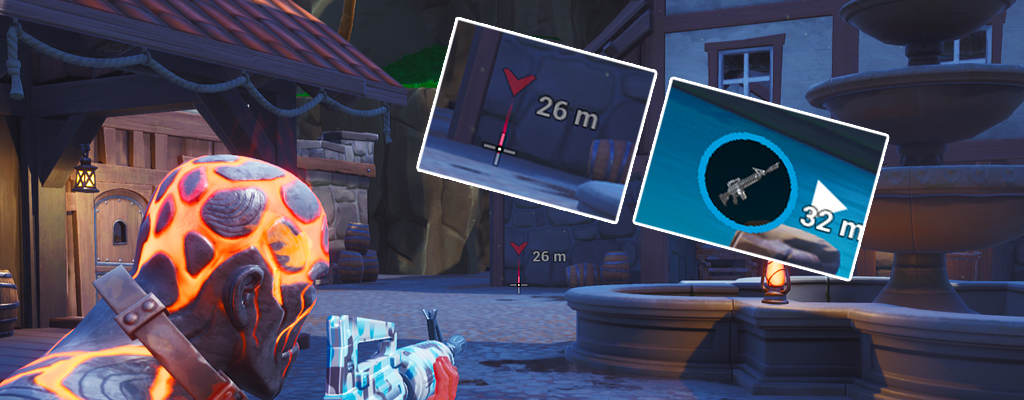
Since the 8.0 update, there is a feature in Fortnite that facilitates communication with teammates. This is likely related to the success of Apex Legends, the battle royale competitor.

What’s new? On February 28, Fortnite launched into its eighth season with Update 8.0. Now, players can find many new content elements in Epic Games’ colorful shooter, such as pirates, a volcano, and hot geysers.

Also new is a gameplay feature: the revised pinging.
What is this ping system? Previously, you could use the marking option to place simple markers that provided limited information. These markers are referred to as “pings”. This has now changed:
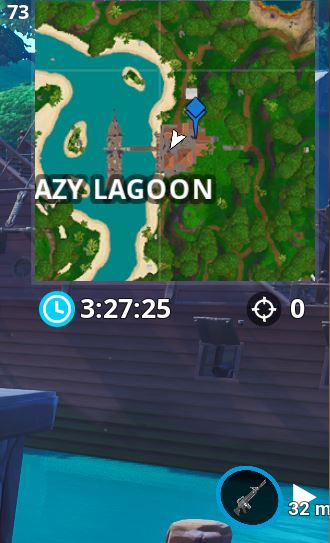
- A ping that does not target an object sets the familiar blue marker on the map.
- If you ping twice quickly in succession, the marker turns red. This makes it easy to communicate where an opponent is located or where danger lurks.
- If you set a ping while aiming with a weapon, it automatically turns red, indicating danger. You don’t need to ping twice.
- If the ping is outside the players’ line of sight, this will be indicated with a symbol on the screen and the distance in meters.
- Pinging an item or weapon results in a special marker that visibly indicates the rarity and the item.
Why is this marking system so important?
Apex Legends led the way: When Apex Legends was released on February 4, players celebrated the smart marking system.You can conveniently communicate all sorts of things like “Let’s go here” or “I saw an enemy there” with the push of a button. Without a microphone.
In the battle royale, you can currently only play in squads of three, making communication with teammates especially important. However, not every player is keen to use their microphone while playing. That’s why such a sophisticated ping system is crucial for success.
Fortnite implements the advantages: It was only a matter of time before other games adopted this feature from Apex. Now you can communicate well with your teammates in Fortnite even without a microphone, showing them weapons, setting waypoints, or warning of enemies just by pressing a button.
YouTuber TmartTn2 demonstrates the marking changes in this video:
How do you set the markers? On consoles, it is the “Left” button on the D-Pad, that is, the arrow keys. PC players use the middle mouse button for this by default. Mobile players can enable the marking button in the settings.
The new feature “Group Assistance” already has its fans:


Your opinion is important to us!
Do you like the article? Then let us know!