


Keeping track in Fortnite can sometimes be damn difficult. But a very simple setting in the game’s audio options can give you an advantage.

You surely know this if you regularly play Fortnite or other battle royale titles: You are sneaking around a house and suddenly hear the sound of a chest hidden somewhere in the house. Or you are wandering through open terrain and suddenly notice a shot in the distance, approaching enemies or vehicles whizzing by on some nearby road.
But where exactly are they: One doesn’t always realize this just by listening.
In fact, there is a setting in Fortnite that can really help you. The “Sound Visualization” was introduced years ago, but if you haven’t looked closely at the game’s settings, it may well have gone unnoticed by you until now.
We will show you how to activate it and how it can help you.
How to use audio visualization in Fortnite
Here’s where you can find the setting: Just go to the general settings menu of Fortnite and there into the “Sound” tab. Scroll down a bit in the “Sound” section until you find the option “Visualize Sound Effects”. Simply switch the toggle there – and you’re done.
This is what it looks like in the menu:
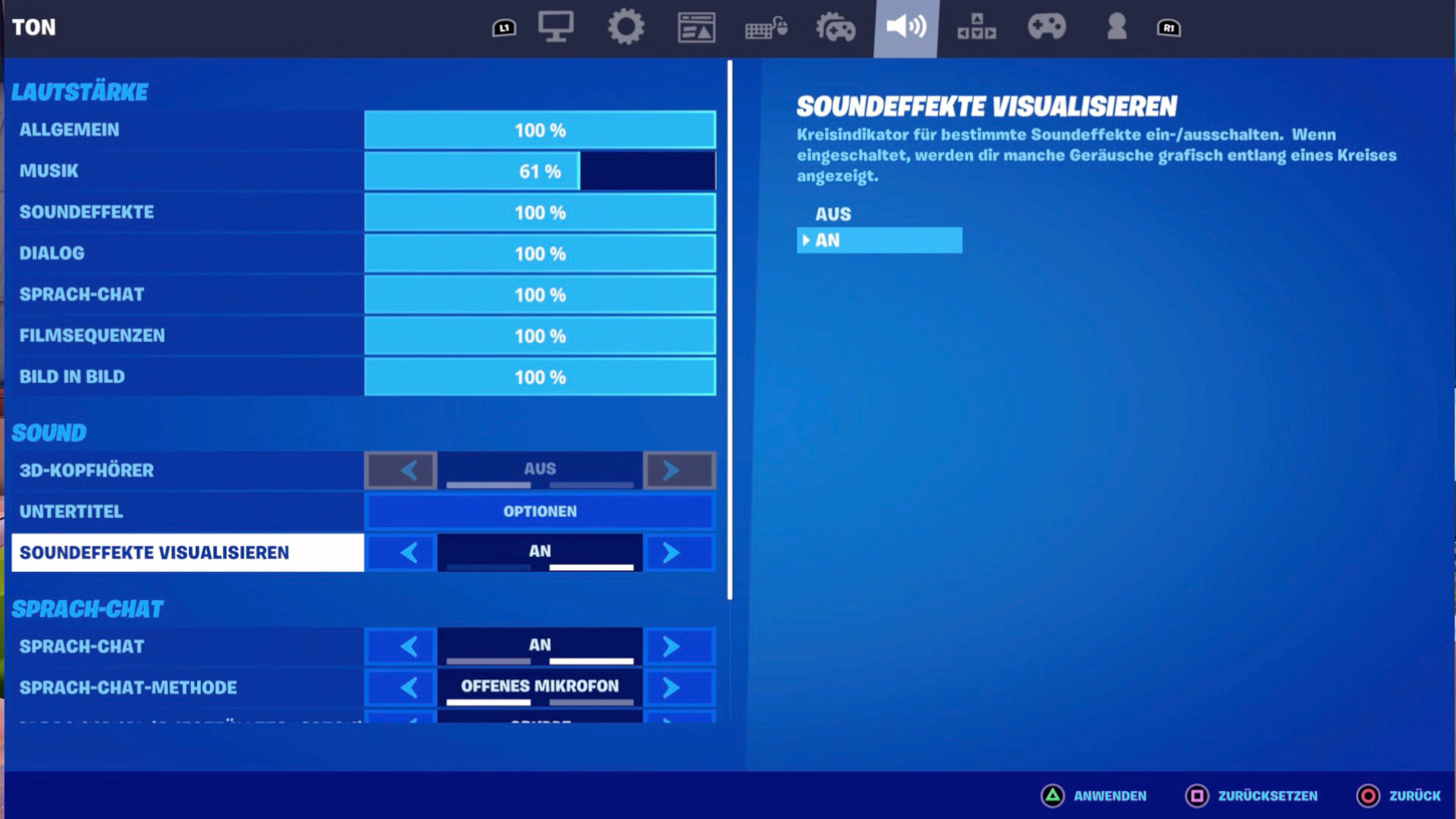
Things to keep in mind: If you use audio visualization, you will lose a lot of the spatial sound in Fortnite. You can still hear everything, but especially if you use a headset, you will notice a difference. If this bothers you a lot, visualization may not be for you.
What does the setting do? Once you have activated the function, various sound sources in the match will be displayed in a small circle around your character.
An example: If you are in a house and there is a chest nearby, you will see a small chest icon in the corresponding direction. This way, you quickly find out where the chest is hidden. The closer you get to the chest, the clearer the icon becomes.
Here are a few examples of what that might look like:
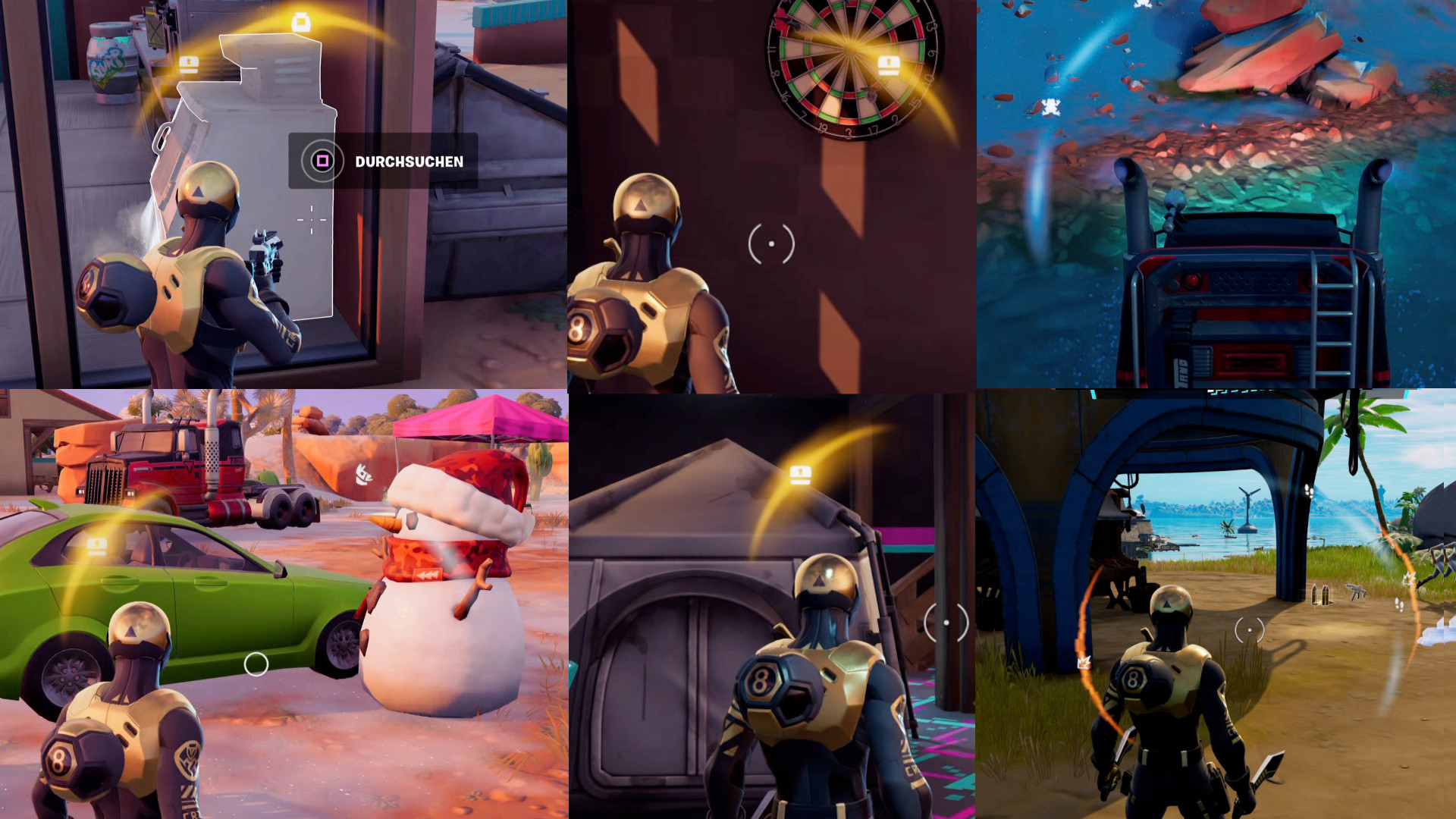
What sound sources are displayed? There are numerous different icons and representations for various sounds. Among others, you will see:
- Enemies running nearby
- Swimming enemies
- Flying enemies
- Players healing themselves
- Approaching cars or boats
- Icons for various animals, like frogs or wolves
- Loot Llamas
- Chests
- Coolers
- Shots nearby
- A restart bus activation
- Players using Spider-Man web shooters or similar grappling hooks
- And more – there are representations for all possible sounds



What is the advantage? Of course, you can also just use normal sound to get an impression of your surroundings. But audio visualization not only gives you the hint that something is nearby, but also a good indication of where it is located.
It also presents certain things faster than you would grasp them by just listening. Particularly, the restart bus is displayed over very long distances while a team tries to activate it.
Finally, it gives you a quick, simple overview of things that you might not notice easily otherwise. For example, when the “players healing nearby” symbol is displayed, you can use it to launch a quick ambush or take cover when you see someone approaching. This gives you an advantage, especially in the new Chapter 6, Season 2 in Fortnite.

Your opinion is important to us!
Do you like the article? Then let us know!