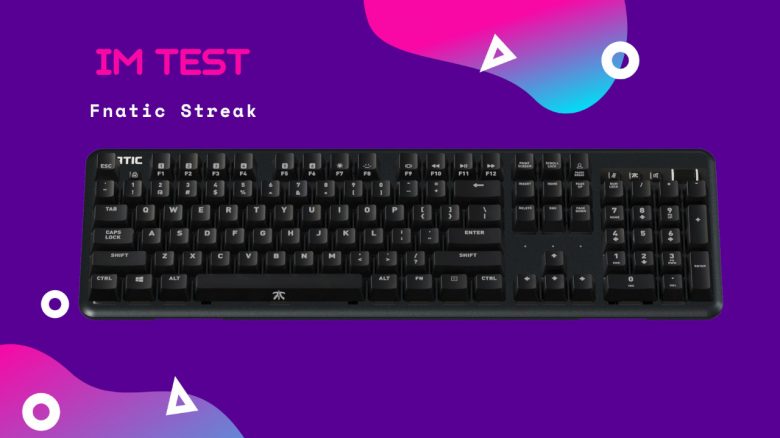
The Fnatic Streak is a mechanical gaming keyboard from the manufacturer Fnatic, which specializes in peripherals for esports players. MeinMMO has tested the gaming keyboard for you and reveals its strengths and weaknesses.
The most important points at a glance:
- The Fnatic Streak is a mechanical and wired full-size gaming keyboard
- The keyboard costs €129.99 and is available from various suppliers
- The device features RGB lighting, a wrist rest, and a USB port for additional USB devices
Which keyboard is it? The Fnatic Streak is a keyboard from the manufacturer Fnatic.
The keyboard uses brown Omron switches that are installed under the keycaps. These are said to offer a clear pressure point and high precision while being very quiet. The cable is firmly connected to the device, but the keyboard does provide a pass-through USB port. This allows USB devices like USB sticks or headsets with USB connections to be connected directly to the PC via the keyboard.
Features and technical details
| Design/Interface | Wired | ||||||||||
| Key type | Mechanical | ||||||||||
| Programmable keys | Yes | ||||||||||
| Lighting | Yes | ||||||||||
| Compatibility | PC (Windows with software) | ||||||||||
| Package contents | Keyboard, manual, stickers | ||||||||||
| Special features | USB pass-through | ||||||||||
| Price (RRP) | €129.99 | ||||||||||
*Affiliate-Links. Wir erhalten bei einem Kauf eine kleine Provision von Amazon. Vielen Dank für Eure Unterstützung! |
Fnatic Streak Review: How did we test?
We at MeinMMO have used the keyboard for about 12 weeks. During this time, we completed various everyday tasks with the keyboard and also played various games.
Software and programming functions were utilized during our gaming sessions. The special keys also had to prove themselves here. In addition, we typed a lot on the keyboard. The article about this keyboard was created with the Fnatic Streak.
Fnatic Streak in detail
In the following section, we present the gaming keyboard in detail. We address the following aspects:
- Package contents
- Design and build
- The software
Here we go into detail about each point and explain what Fnatic has succeeded in with the keyboard and where there is room for improvement.
Package contents
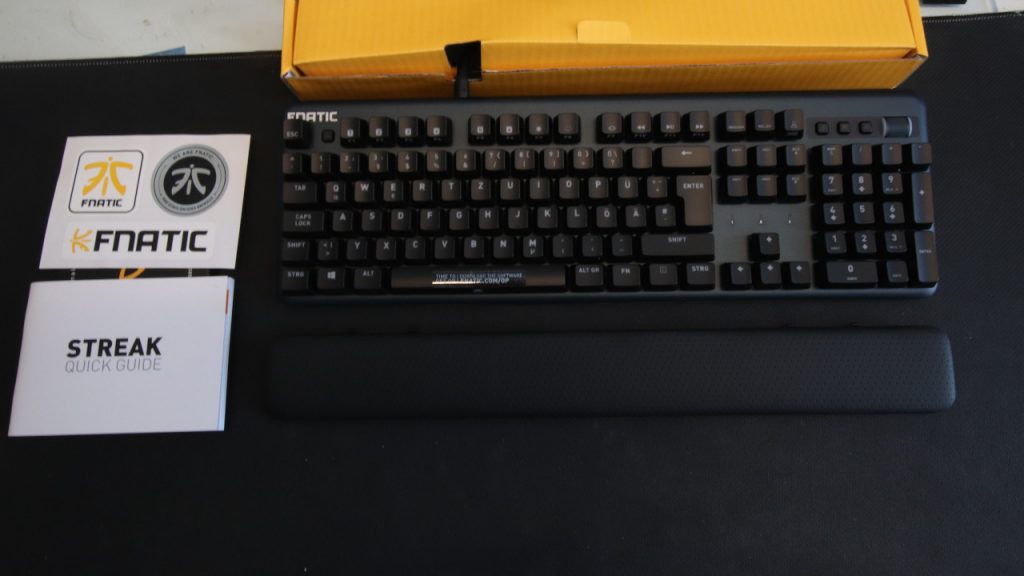
What accessories are included? The package contents are sufficient for a gaming keyboard. In addition to the keyboard, you will find
- a manual
- the removable wrist rest
- a set of stickers
in the box. Nothing more is needed to use the keyboard. The software can be downloaded directly from the manufacturer.
Design and build
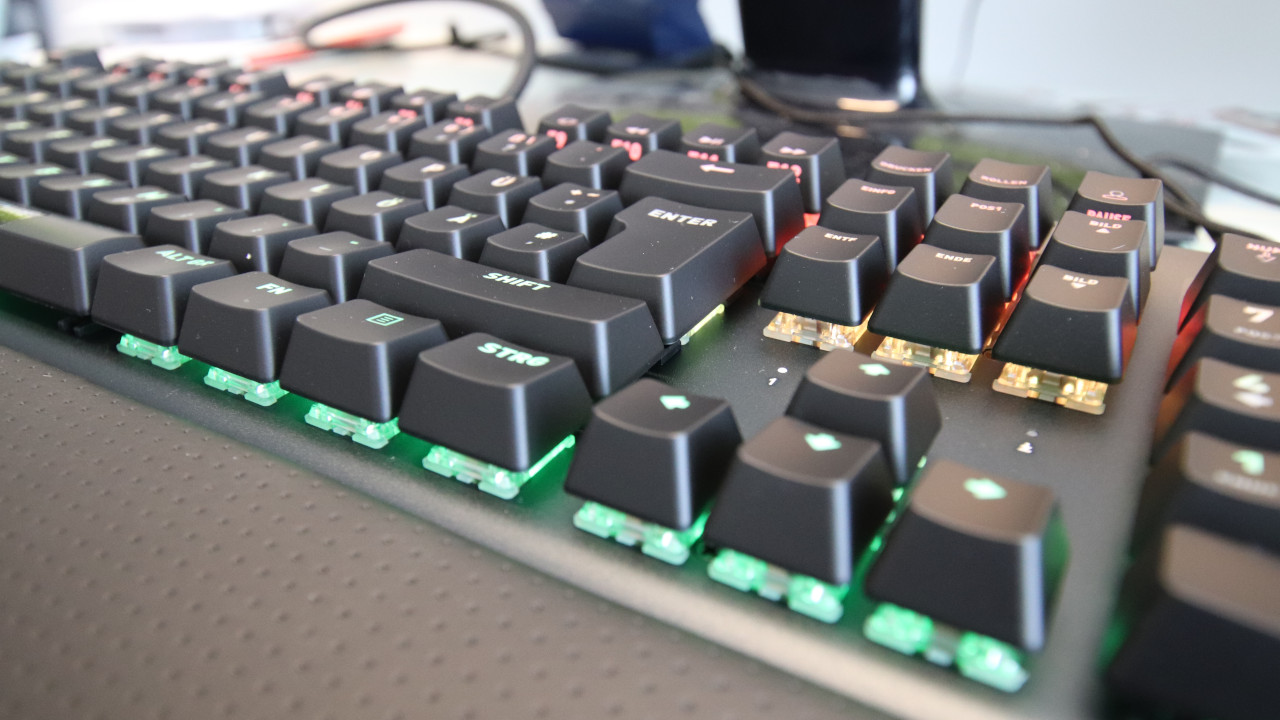
What does the keyboard look like? The Fnatic Streak uses black colors and is a full-size keyboard. This means the keyboard also features a numeric keypad. In addition, Fnatic’s keyboard employs a closed design. As a result, the switches are almost completely surrounded by the keycaps, making it a bit more difficult to clean the keyboard compared to open designs.
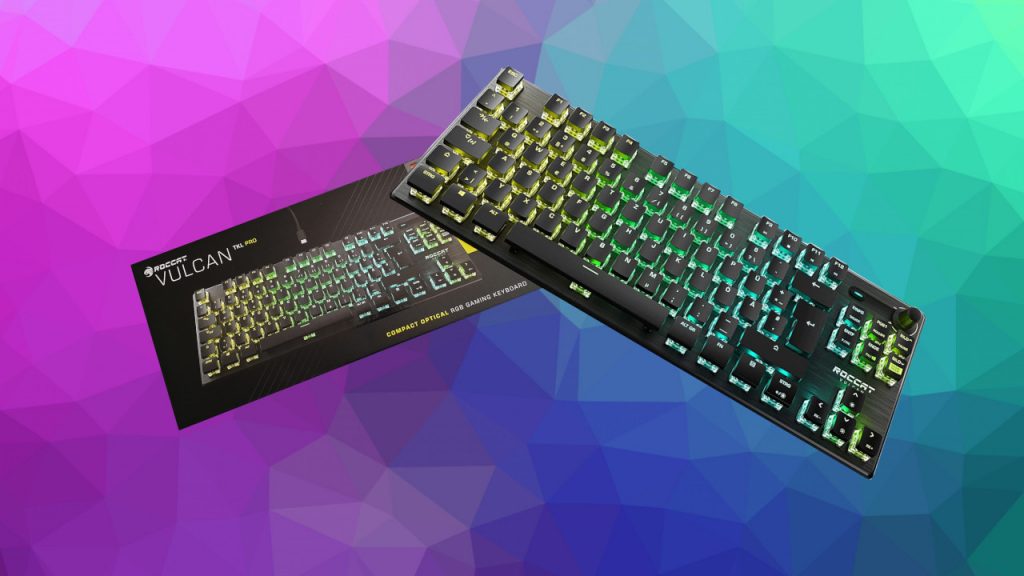
The key markings (numbers and letters) are engraved into the keycaps and are not just glued on. Overall, the keyboard appears quite unobtrusive for a gaming keyboard in comparison to very flashy keyboards like the ones from MeinMMO tested Roccat Vulcan TKL Pro, whose design looks significantly more aggressive.
With the numeric keypad and the permanently attached connection cable, the keyboard appears less portable but looks very robust and sits stably on the desk. In our approximately 12 weeks, the keyboard never slipped on the desk, had a technical failure, or problems with the function keys.
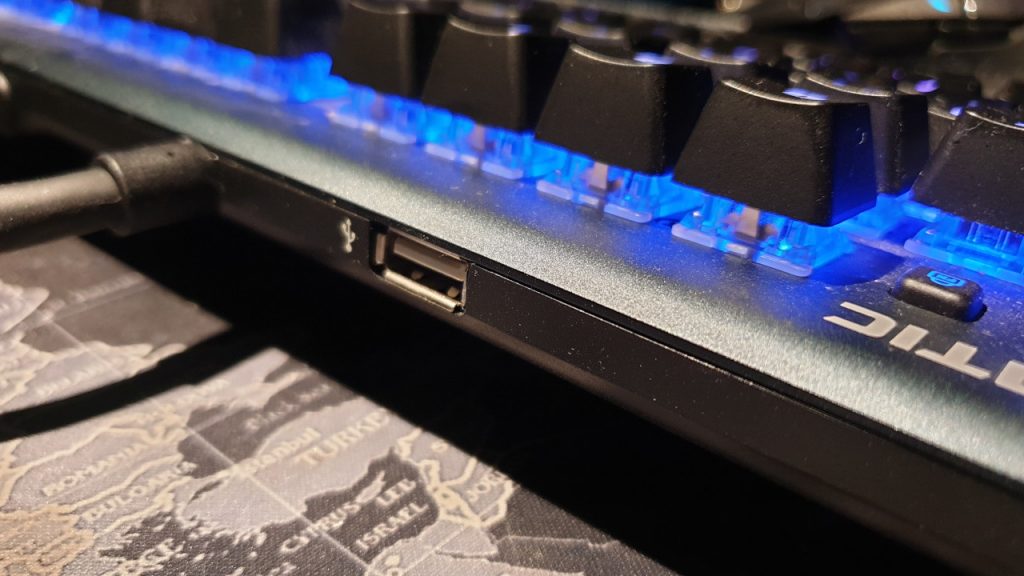
The Fnatic Streak does not have a 3.5mm audio jack for audio devices, but the keyboard does offer a USB port on the back, where you can connect various devices. This is generally practical, but the USB port is poorly placed and it isn’t immediately easy to plug in USB devices.
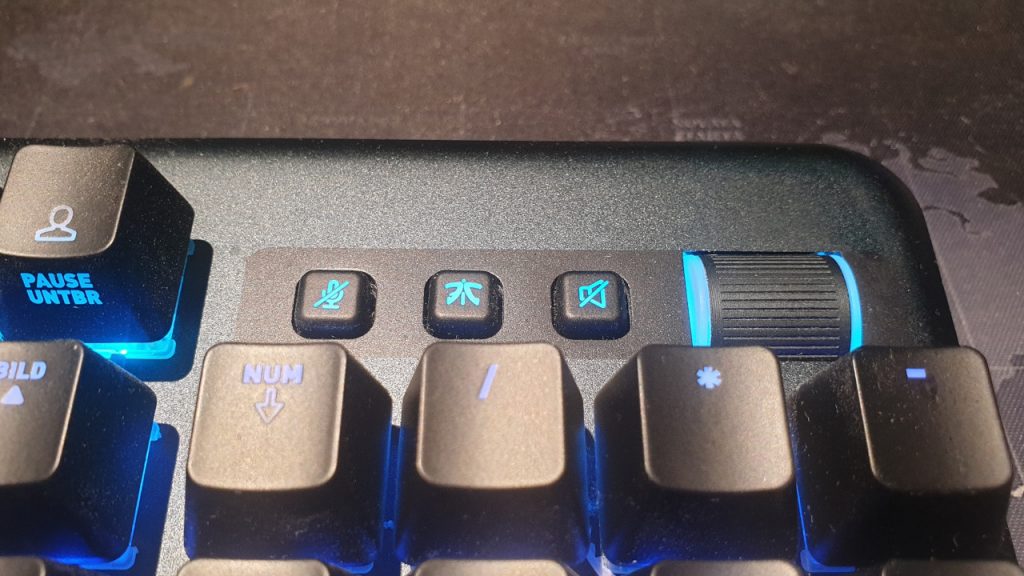
What keys does the keyboard offer? In addition to the usual keys in the German format (Qwertz), the Fnatic Streak has five special keys, including four media keys. The first key allows you to lock the FN key. With the other four keys, you can
- mute the audio
- mute the microphone
- turn the Competition Mode (Game Mode) on and off
- with a wheel, you can increase or decrease the volume
The Competition Mode key with the Fnatic logo is particularly interesting, as it disables the Windows key and sets the lighting to a more subtle color.
Additionally, the keyboard features an FN key, similar to those found on laptops. You press FN and can then use other keys that provide additional functions. The F1 – F6 keys have no preset functions; you can assign any function you desire. Thanks to the FN key, you can assign an additional function to all keys. This is managed through Fnatic’s “Fnatic OP” software, which we will introduce in the next section.
Fnatic Streak Software: “Fnatic OP”
Fnatic relies on the software Fnatic OP for its Fnatic Streak. We used the software with version number 0.0.40. You can download the software from the official Fnatic site and install it afterwards.
Upon opening the software, all Fnatic devices are shown to you. Here you can select the corresponding keyboard.
What we like about the software: The software is very simple and only presents the most necessary functions. Colors, keyboard layout, and fine-tuning of the “Competition Mode” can be set via three individual tabs. The software doesn’t offer more, and that’s a good thing. While other manufacturers like Roccat (Swarm), Corsair (iCUE), or Razer (Synapse) provide extensive software suites with numerous functions, Fnatic’s software remains straightforward and simple. This is very commendable.
Because very few gamers will likely make full use of the many functions and possibilities of the often overly extensive software suites.

What we like less: The entire software is only available in English. While this isn’t an issue, it could annoy some users, even though the terms are not complicated. Also, the note “Welcome to Fnatic OP Early Access” is a bit surprising, as for a beta version, the software runs smoothly and fluidly.
More difficult is the installation of the software. The downloaded installation file cannot be easily installed because Windows denies the installation citing security. However, this problem can be circumvented by checking the security setting in the software’s settings to allow the software. Then it can be installed and started without any issues.

In practice
In this section, we will show you how the keyboard performs in practical tests. We will look at ergonomics and handling. We will also see how typing and gaming feel with the keys and what possibilities the keyboard offers in practice. We will explain the following points:
- Ergonomics and handling
- The keys and volume
- Macro functions
- Performance
Ergonomics and handling
What we like: After about 12 weeks, we can confidently say that the keyboard offers very pleasant ergonomics.
The slightly rounded keycaps are very comfortable for the fingertips and the brown switches provide not only a pleasant pressure point but also a high-quality typing feel. With the feet on the underside of the keyboard, you can also adjust the height a little bit.
The wrist rest is also of high quality and provides a comfortable hold for the hands. Properly mounted, the wrist rest holds firmly, does not shift, and does not slide.
The special keys are also easy to use and feel good under the fingers. Microphone and sound can easily be muted, and the volume controller provides pleasant haptics with precise steps when turning.
What we like less: The FN key on the keyboard is located on the right side of the space bar, making it difficult for the left hand, which is typically on the keyboard during gaming, to reach. There is no official way to switch the FN key to the location of the Windows key in Competition Mode.
It is also annoying that dirt that accumulates between the keys is difficult to remove. The closed design makes it hard to get between the individual keys, although the keycaps can also be removed from the switches with some pressure.
Keys and volume
Fnatic uses brown MX switches from Cherry under its keycaps. According to Cherry, these switches represent a good compromise for gamers who need to type a lot in addition to gaming.
The brown switches provide a key travel of 2 millimeters and offer a considerably noticeable resistance when using the keys.
What we like: The gaming keyboard delivers high typing and gaming performance. The switches provide noticeable feedback, which promises good precision and pleasant haptics while typing. Thanks to the comfortable and stable wrist rest, typing and gaming are effortless as the hands rest securely and comfortably in front of the keyboard.
Despite the short 2 mm key travel, you need some force to press the keys. This also ensures that you don’t accidentally press keys that you didn’t intend to.
What has not worked as well: Cherry, the manufacturer of the brown switches in the keyboard, promises that brown switches should be silent or quiet (via Cherrymx.de). However, there is little to no silence experienced in practice with the Fnatic Streak. The keyboard is loud and clacky. Each key is clearly audible and cannot be compared to Roccat’s Titan switches or Logitech’s G-Romer switches, which are significantly quieter. Gamers looking for a silent gaming keyboard will not find it in the Fnatic Streak.
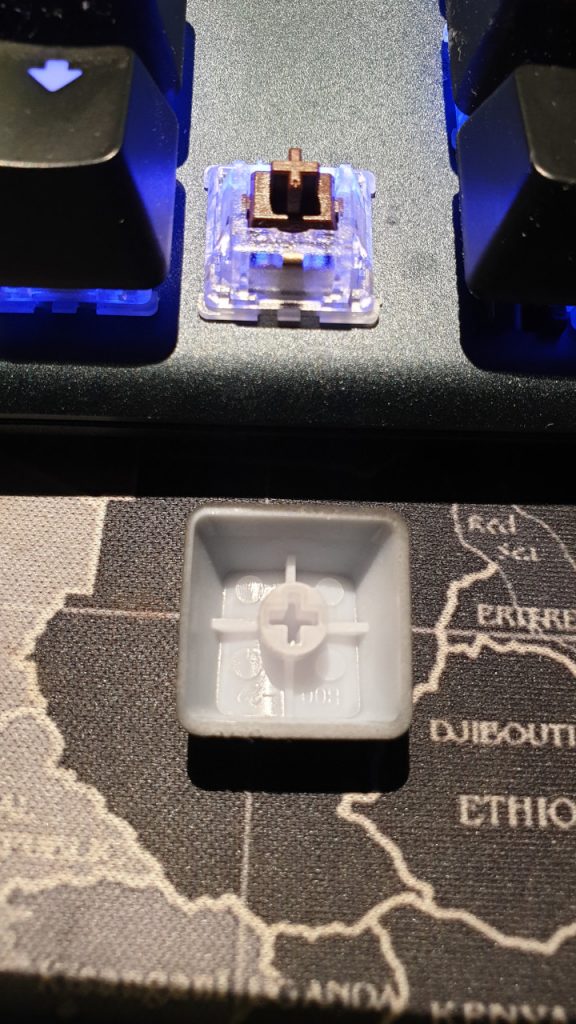
The switches of the Fnatic Streak: We conducted a test: With a little force, the keycaps can be removed from the switches.
The result: The keys do not become significantly quieter as a result. So it presumably is not the keycaps that cause the noise.
Overall, the keys of the Fnatic keyboard are too loud, especially if you are a silent gamer.
Overall, the keyboard is very loud and significantly above the average of comparable keyboards. If you wear a headset while gaming that shields well from noise, the comparatively high noise level will bother you less.
| Preview | Product | Rating | Price | |
|---|---|---|---|---|

|
Logitech G413 mechanische Gaming-Tastatur, Taktile Romer-G Switches, Gebürstetes Aluminiumgehäuse,... | Zu Amazon |
*Affiliate-Links. Wir erhalten bei einem Kauf eine kleine Provision von Amazon. Vielen Dank für Eure Unterstützung!
Lighting
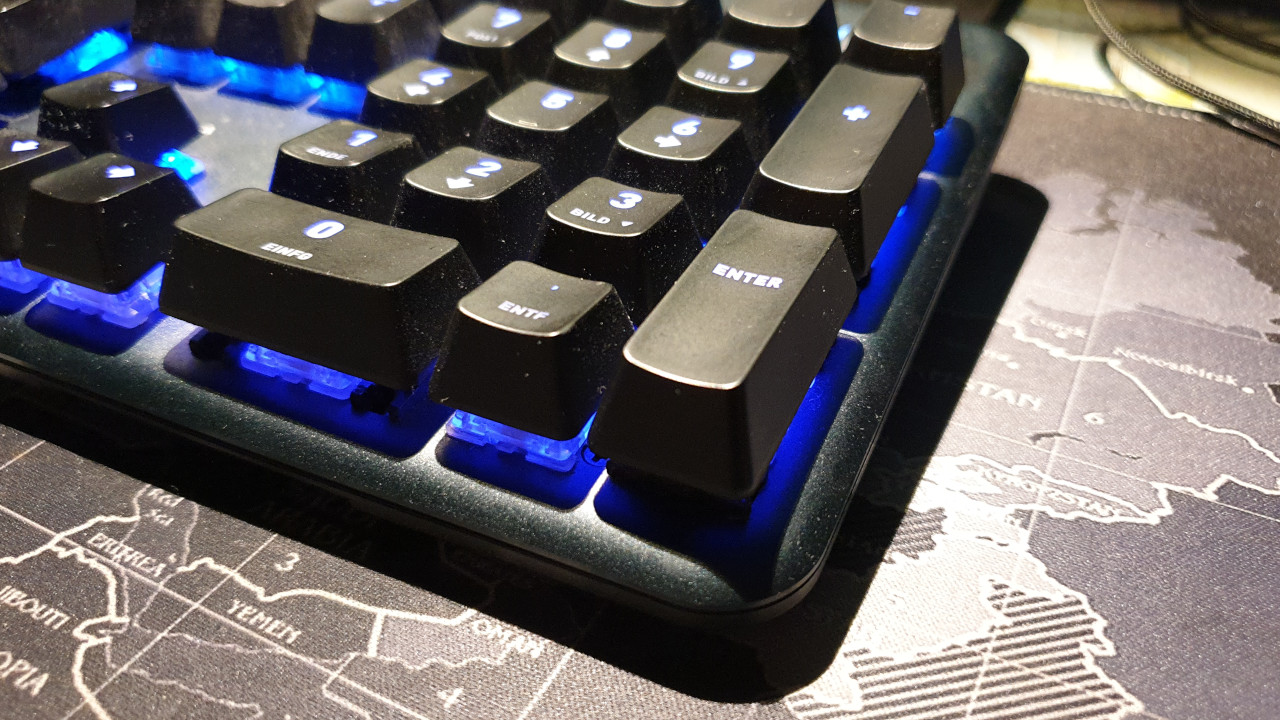
What we like: The lighting of the keys is well done: both the keys and the media keys, and even the wheel for regulating the volume are illuminated. The brightness is high enough and is completely sufficient if you want to play or work in a darkened room. The lighting can also be further adjusted through the software and can generally be turned off.
In Competition Mode, the lighting changes to a fixed color, thus preventing the lighting effects from distracting from the actual game. This works very well in practice.
Macro functions
What we like: The extra keys on the edge are well-lit and offer pleasant feedback. Thanks to the FN function, you can configure and customize nearly all the keys on the keyboard. However, you must always press the FN key for usage.
We also appreciate the option to directly activate the Game mode with the Competition Mode key, thus disabling the Windows key. In contrast, the transition to Game mode in the Roccat Vulcan TKL Pro is unnecessarily complicated. Here, Fnatic takes a better approach with its Streak.
What has not worked as well: The FN key is located on the right side of the space bar, making it poorly placed. For example, if you are playing a shooter, you will have your left hand in the WASD area of the keyboard and your right hand on the mouse.
The FN key is positioned so far to the right that it cannot be quickly reached with the thumb either. This is particularly unfortunate because the programming function of the keys is hardly usable during gaming — at least when playing games where your hands are predominantly on WASD and the mouse.
Conclusion: Simple gaming keyboard for competitive gamers
Who is the gaming keyboard suitable for? The Fnatic Streak is mainly aimed at competitive gamers, as it reduces the design to the essentials and offers high comfort and good keys with precise feedback. The solid construction and the brightness of the lighting round off the overall picture. However, due to the non-detachable cable and the hefty build, the keyboard is less suitable for mobile use.
| Preview | Product | Rating | Price | |
|---|---|---|---|---|
|
Fnatic Streak Pro Gaming mechanische E-Sports Tastatur (Cherry MX Brown-Tasten, Multi-Color RGB... | Zu Amazon |
*Affiliate-Links. Wir erhalten bei einem Kauf eine kleine Provision von Amazon. Vielen Dank für Eure Unterstützung!
If you are looking for a good gaming keyboard that offers the essentials and avoids flashy designs, numerous additional features, or cloud storage, you get a keyboard for €129.99 that you can be satisfied with for a long time.
What alternatives are there? A keyboard in a similar price range would be the Logitech G512/513. Logitech’s mechanical keyboard also offers a discreet appearance and is similarly understated as the Fnatic Streak. Thanks to its aluminum alloy, it is very stable, and you can program some keys. However, you will have to do without USB pass-through like you have with the Streak.
| Preview | Product | Rating | Price | |
|---|---|---|---|---|

|
Logitech G512 mechanische Gaming-Tastatur, GX Brown Taktile Switches, LIGHTSYNC RGB-Beleuchtung,... | Zu Amazon |
*Affiliate-Links. Wir erhalten bei einem Kauf eine kleine Provision von Amazon. Vielen Dank für Eure Unterstützung!
Another alternative would be the Razer BlackWidow (2019). This is also a mechanical keyboard that uses Razer’s own and proven “Green Switches”. The RGB lighting is coherent but otherwise appears similarly minimalist as the Fnatic Streak or Logitech’s G512/513. Here too, we are in the same price range of around €120.
| Preview | Product | Rating | Price | |
|---|---|---|---|---|

|
Razer BlackWidow (Green Switch) - Gaming Tastatur mit mechanischen Schaltern (Taktil & klickend,... | Zu Amazon |
*Affiliate-Links. Wir erhalten bei einem Kauf eine kleine Provision von Amazon. Vielen Dank für Eure Unterstützung!
If you are willing to spend a little more and are looking for a more eye-catching design and very good keys, you can check out Roccat’s Vulcan series. This offers Roccat’s Titan switches and an open design. This takes some getting used to at first, but the typing and gaming feel is very good. Here the price is a little higher at around €150 than the alternatives.
Further recommendations for your PC: If you are still looking for a suitable accompaniment for your keyboard, you might find it here: Here we present to you the best gaming mice you can currently buy.