

The new addon Endwalker from Final Fantasy XIV is just around the corner, and you can make the start much more pleasant with some settings. Try them out.

Here’s what it’s about: With the Early Access of Endwalker on December 3rd and the release on December 7th, thousands of players will flood into the world of FFXIV to play new content.
In this article, we present some system settings and configurations that can help you protect yourself from spoilers or reduce your loading times.
The experienced players among you will certainly know them, but many newcomers have come to FFXIV in recent months. If you haven’t discovered the settings yet, try them out.
Check your chat box
With the release of an addon, a large amount of story content is always released in FFXIV. Especially in Endwalker, this amount will be even higher than in its predecessor Shadowbringers. After all, the addon is supposed to answer many open questions and conclude the saga of Hydaelyn and Zodiark.
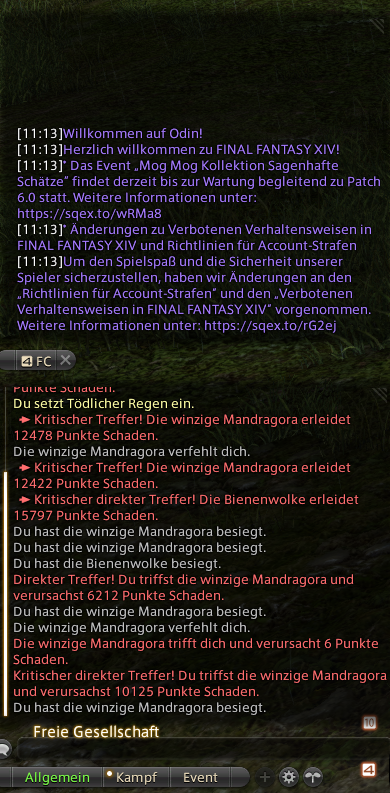
Accordingly, the risk of being spoiled is also high. Whether by accident, by mistake, or intentionally because someone in the shout chat decided it would be funny. You can protect yourself by preparing your chat box for Endwalker.
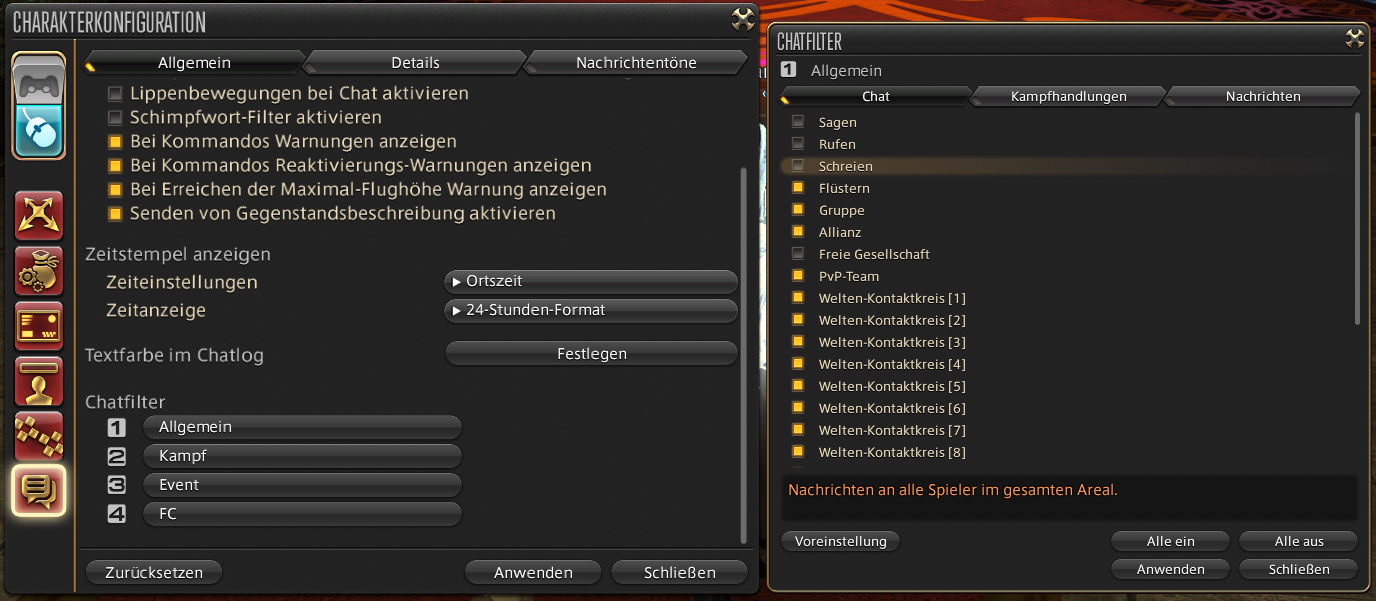
In the character configurations, you can set which channels are displayed in your chat. To do this, click on the bottom icon and scroll down. In the general chat, different types of communication are usually displayed, from normal language to the FG and contact circle chat.
For Endwalker, it’s advisable to temporarily disable public chats like say, yell or shout, as spoilers have been shared there in the past.
However, if you are in particularly talkative contact circles, they would also be a candidate for temporary blocking.
Alternatively, you can outsource important chats like FG and whispers to a separate tab and completely hide the general chat for Endwalker.
Show and hide names
With the release of Endwalker, players can expect FFXIV to be overrun. Thousands will log in to play the new content, and there will be a lot happening in the corresponding areas.
Therefore, it’s a good idea to hide the names, titles, and FG displays of other players around you. This has several benefits:
- You will have less text on the screen, allowing you to better see your surroundings.
- Quest NPCs being surrounded from all sides are easier to target.
- Better performance, as fewer elements need to be loaded on the screen. This is especially interesting for PS4 players and PC players without an SSD.
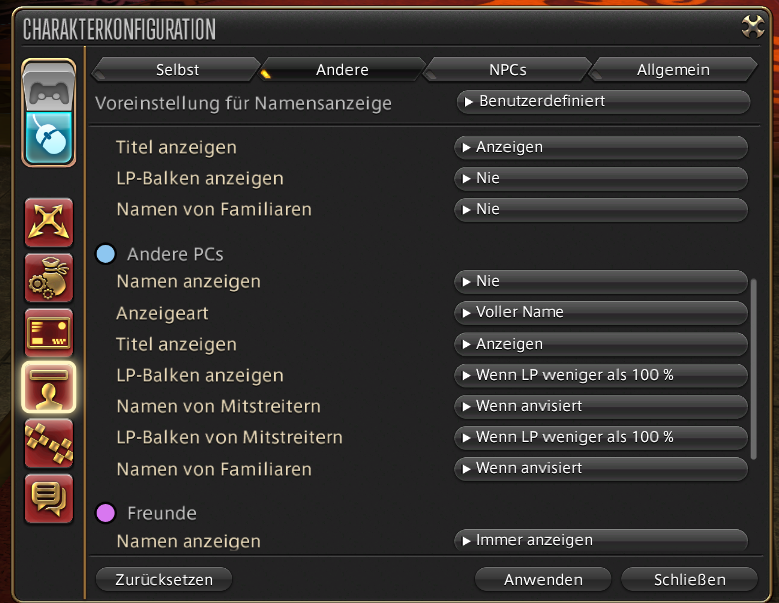
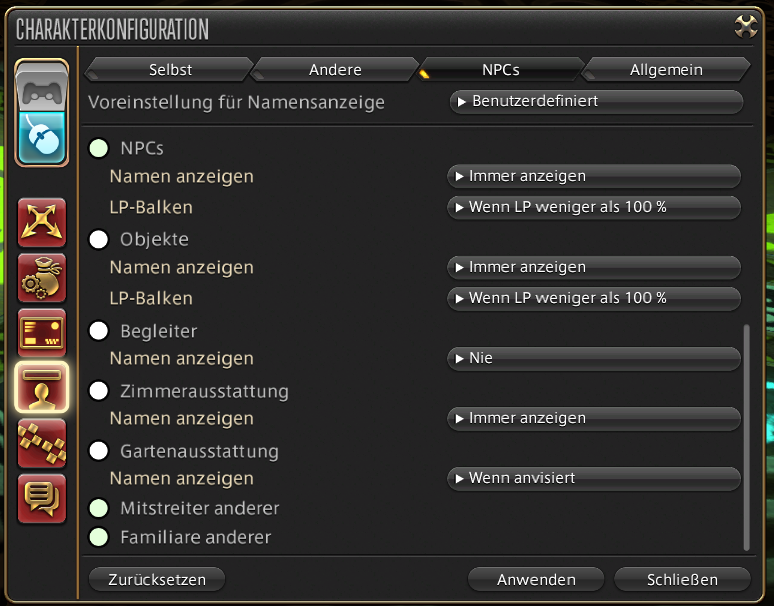
To hide player names, you simply need to
- go to the character configuration,
- then click on “Name Display”,
- scroll down to “Other PCs”
- and in “Show Name”, select the option “Never”.
The same can also be done for the companions of other players. This reduces the displayed text on your screen even further.
You can choose to only hide the names of uninvolved players who are neither in your group nor on your friends list. All others will still be displayed if you want them to.
Reduce combat effects
This setting is also useful outside of Endwalker, but will be an important help there. In the new areas of the addon, many players will be out doing quests or leveling in FATEs.
To still be able to recognize something amid the fireworks of dozens of EXP-hungry players on screen, you should reduce the number of combat effects in the character configuration.
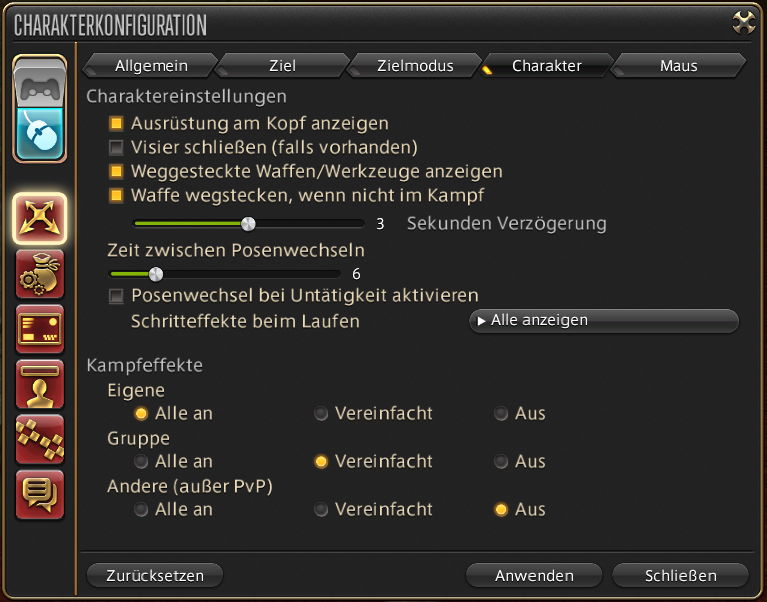
Go to the “Control” tab and select the optimal settings for you under “Character”. This feature is especially useful for players with weaker hardware and helps with FPS drops during fights in dungeons or FATEs in the open world.
For your group in dungeons, you should at least select the simplified effects so that you can see where the healer bubbles or AoEs are located. If you turn them off completely, these useful AoEs will be invisible to you, and you will miss their healing or damage effects.
Bonus: Accessibility
Hidden in the system configurations, there is also a dedicated tab in FFXIV for settings that can help people with disabilities while playing.
This includes the ability to visualize sounds by having them appear as green bars on both sides of the screen. Or the option for people with color blindness to adjust the color settings in the game.
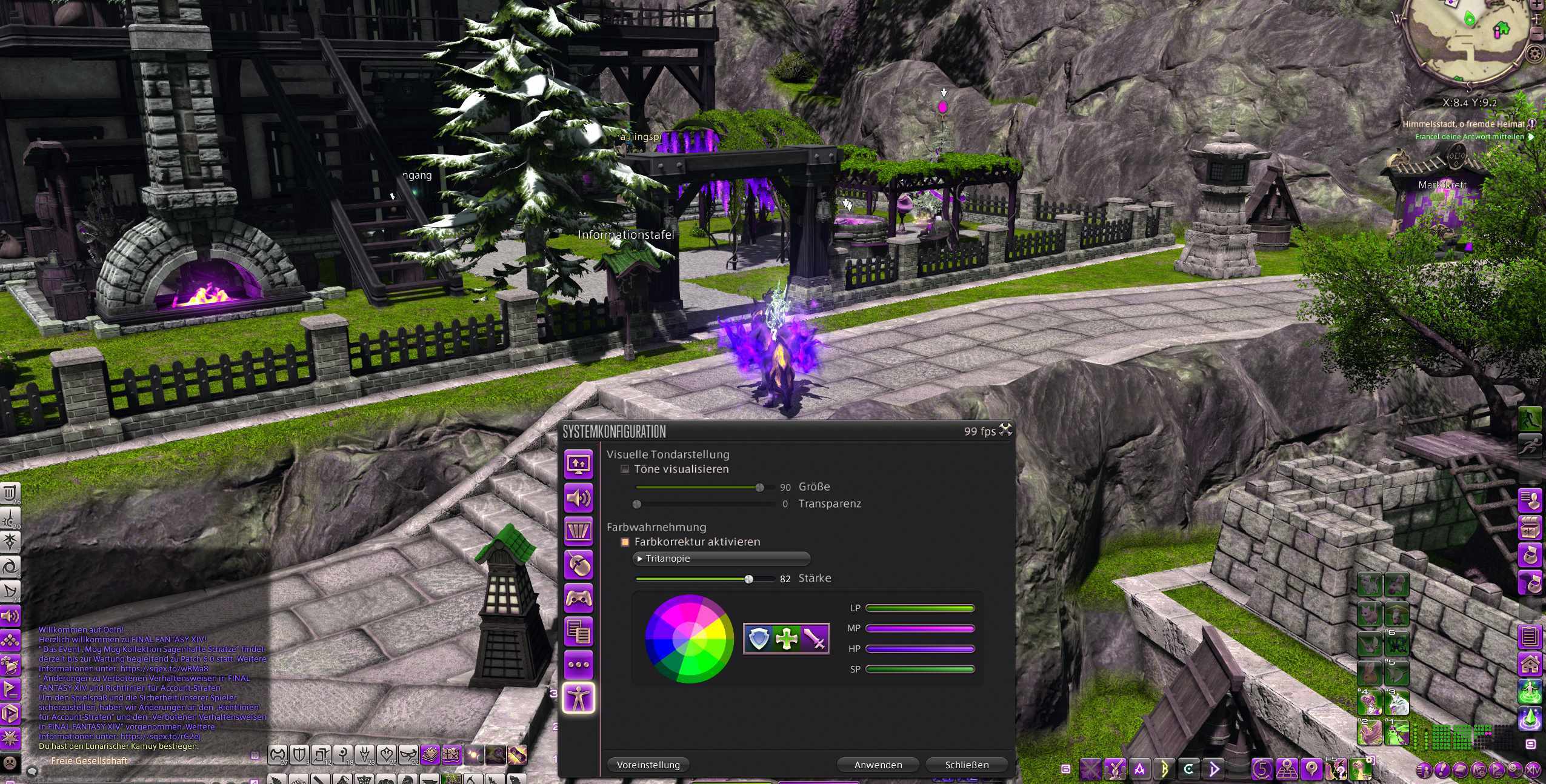
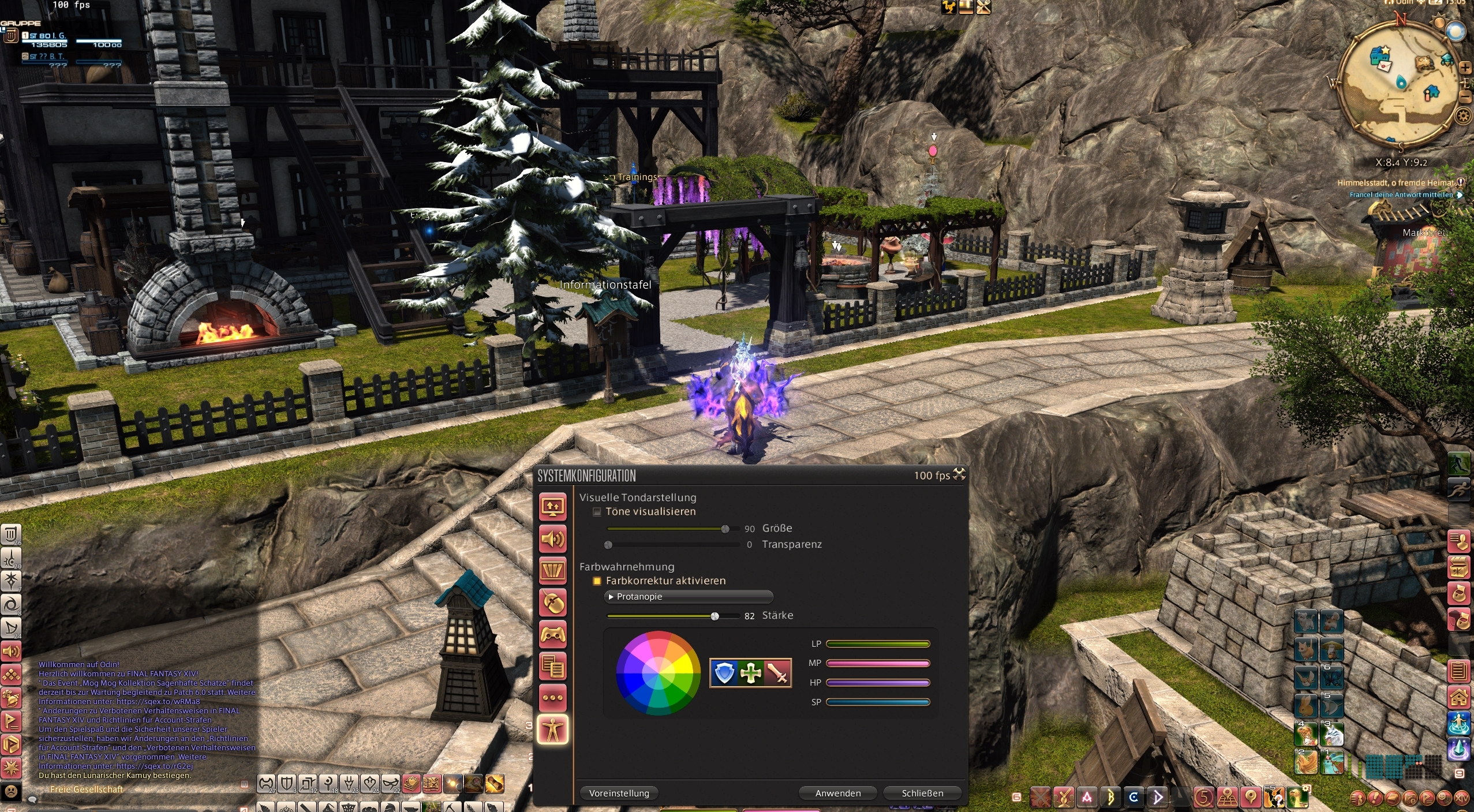
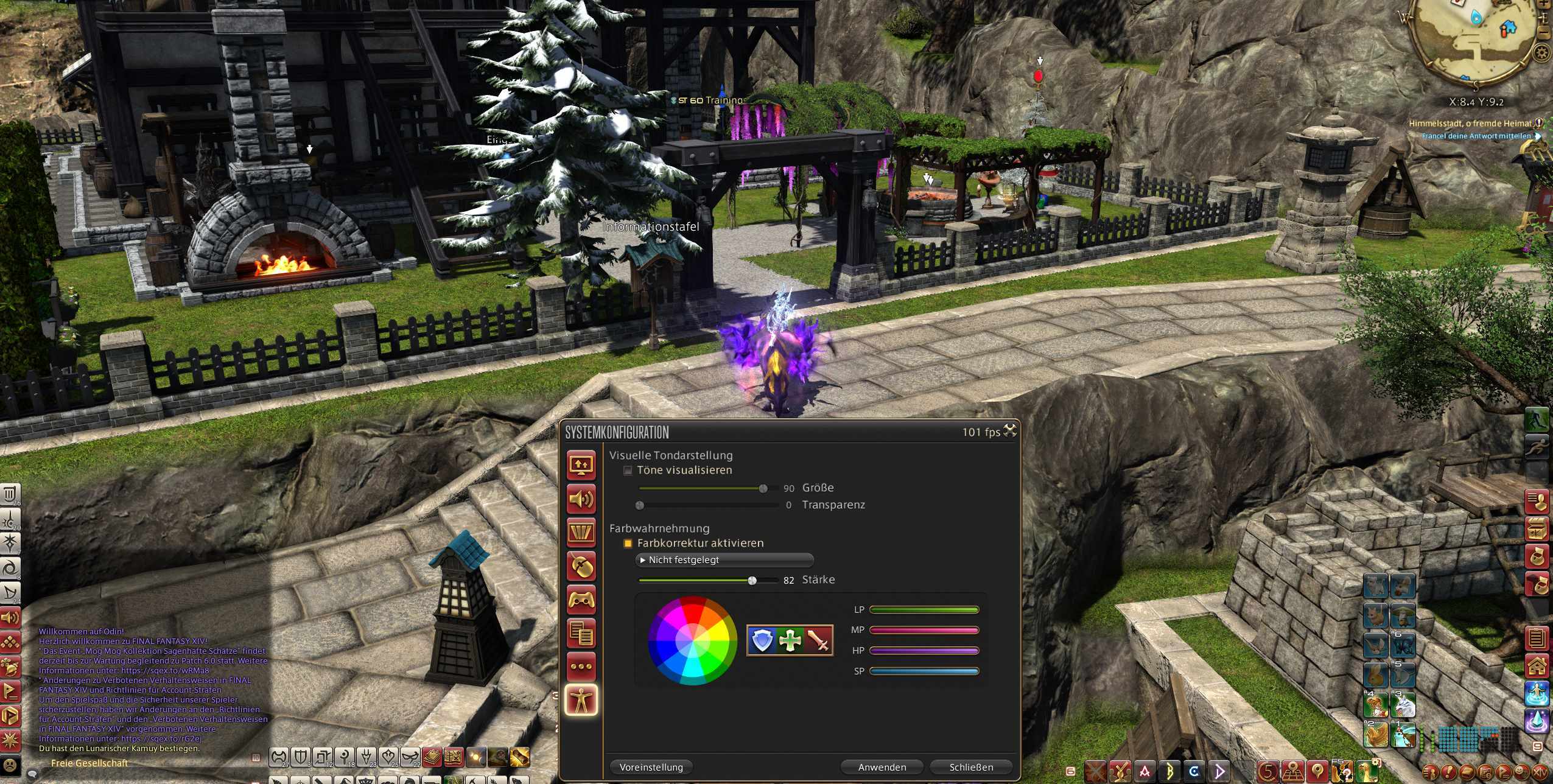
Even if you don’t use these settings yourself, you can refer other players to them. It can help others have more fun with the game.
Is there something in particular you will pay attention to when Endwalker launches? Will you perhaps log out in certain areas to try out the new jobs faster? Let us know your plans in the comments.
In November, FFXIV was among the top 10 MMORPGs on Steam with the most players. With the release of Endwalker, there will likely be even more players:
The 10 MMORPGs with the most players on Steam in November 2021

Your opinion is important to us!
Do you like the article? Then let us know!