With a new tool from the Federal Network Agency, you can measure and document your internet speed. This helps to put pressure on the provider when the network is too slow.
Many households struggle with slow internet connections. With this new app from the Federal Network Agency, you can measure and document the speed at your connection.
You can then present this documentation as evidence to the provider when they do not meet the promised service, and argue accordingly. This is supposed to increase pressure on internet providers to also deliver the fast network they advertise and promise.
Broadband Measurement with Software – Download
A measurement from the Federal Network Agency indicates that more than a quarter of internet connections in Germany are slower than advertised by the provider. To find out how fast your internet speed is, there is now a desktop app for Windows, Mac OS X, and Linux.
What does the measurement test? The software checks the contractually agreed download and data transfer rates.
Why this test? Officially, it says: “The test can be used in arguments against the provider.” The software uses a minimum number of scheduled individual measurements for a measurement campaign. For such a measurement campaign to be successful, it must meet certain criteria:
- At least 10 measurements must be conducted on two different days
- The two measurement days must be within 14 days after the start of the campaign
- There must be at least 5 minutes between individual measurements
This test is important for you if your internet connection is slower than contractually stipulated. You can use the collected measurement data in conversations with your provider.
The desktop app is intended for Windows systems starting from version 7, Mac OS X systems starting from version 10.9, and Linux (Ubuntu) starting from version 12.04 / Debian 8 and can be downloaded from the official website Breitbandmessung.de.

How to Properly Conduct the Speed Test
For the test, you need your contract data. So the name of the provider, the data transfer rate, and the tariff type.
Preparations for the test
- Conduct tests only with a direct LAN connection (cable)
- It’s best to turn off WLAN completely
- Connect the laptop to the power supply
- Do not activate any other programs
- Update the firmware on the router
- No power-saving mode
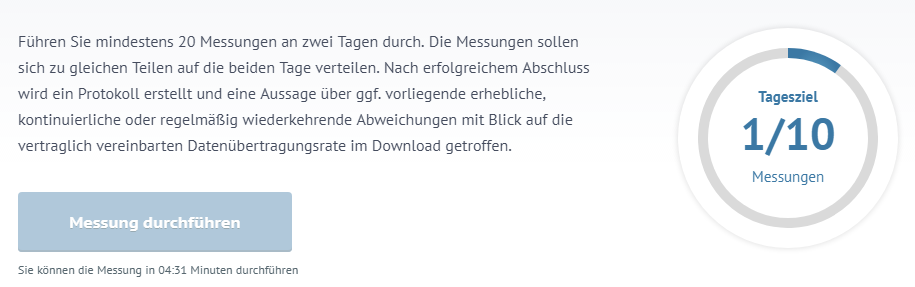
If you follow all of this, you can start the first measurement.
Are you satisfied with your internet speed or do you struggle with low values?
Important about this: Net neutrality – A repeal could bring severe consequences for us