

Mods enhance the gaming experience of ESO on PC: from more map features like minimap, showing skyshards and bosses to a more convenient inventory through improved display and filters, to fixed graphic glitches. We present our favorite mods. By Sascha Penzhorn.
Convenient Addon Management with Minion
Minion is not about those little yellow annoyances that your mothers regularly post funny quotes about on Facebook. Rather, it is a convenient tool that allows us to easily search a large database for UI mods for ESO. Here, descriptions and images of all available mods are presented at a glance, everything can be intuitively installed, updated, and removed at the push of a button.
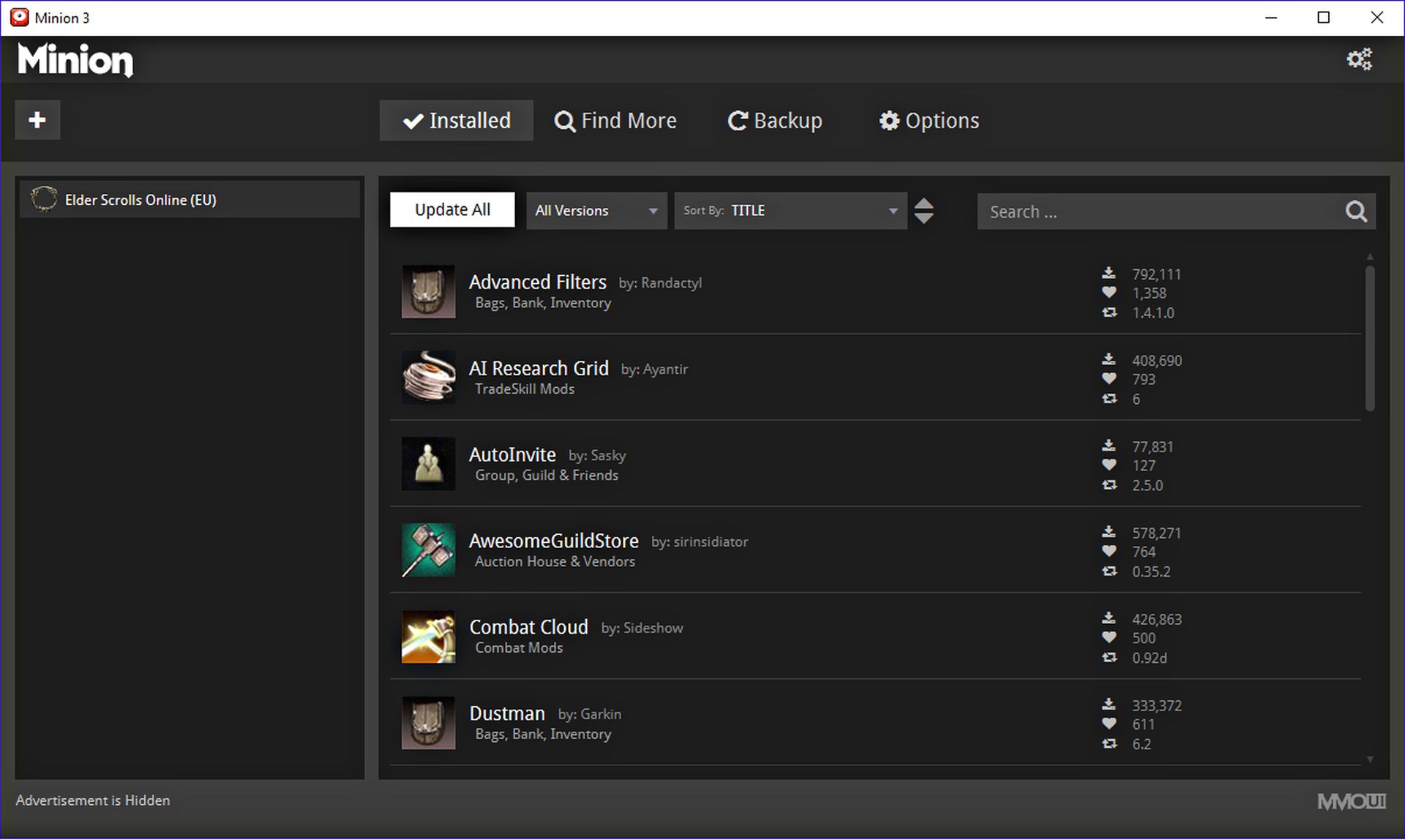
The search function is also divided into categories like healing or tank. When we search for tank mods, for example, Minion outputs a handy tool that shows which monsters we have taunted and when we need to refresh the taunt. On the following pages, we will introduce you to 17 of our favorite mods, all of which can be found and installed via Minion. Minion is free, extremely easy to use, and available for download on the website minion.mmoui.com.
Always in shape with Zolan’s Auto Repair
You want to drive to the Harvest Map with your family and the car breaks down! With Zolan’s Auto Repair, this wouldn’t have happened. Just kidding! This mod ensures, of course, that our gear is automatically repaired when we talk to a vendor, so we no longer have to carry out the repairs manually in a cumbersome way.
Order the Greymoor Black Edition nowIn addition, there are settings for whether only our equipped items or everything in our inventory should be repaired. Perhaps not life-saving, but anyone who has ever walked into a dungeon or PvP with broken gear (or who is simply as lazy as we are) will appreciate it.
Better Inventory Sorting with Advanced Filters
You know the situation: You stumble out of the tavern after a cheerful night and are immediately confronted by an unfriendly ork. Time for diplomacy – this is clearly a job for Ambassador Axe! We ask the ork to wait a moment and rummage through our inventory. It is completely full, so we click on the weapon icon in the standard filter.
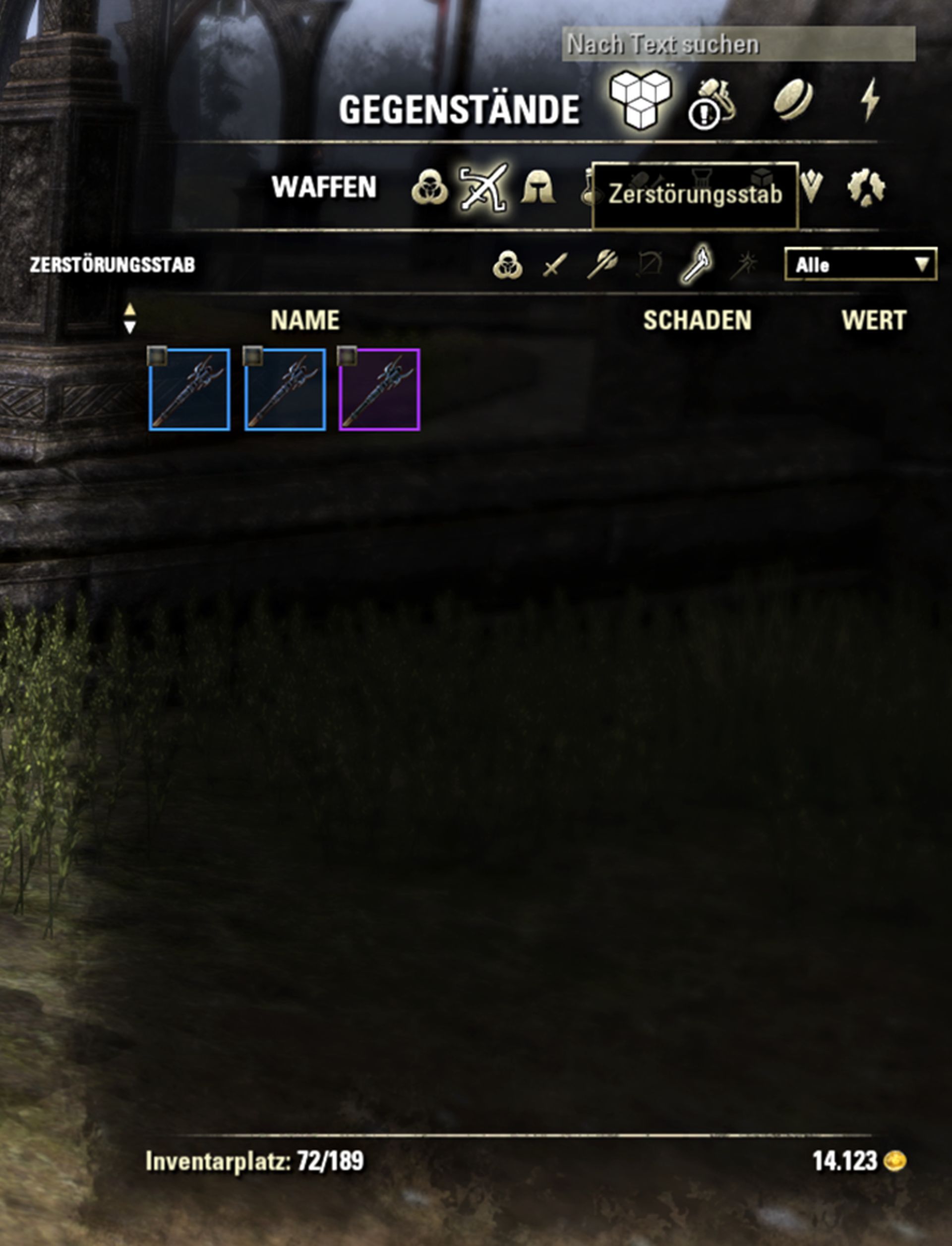
There we find three daggers, a wooden hammer, a choppy sword that we wanted to repair weeks ago, a club that we only keep for dismantling, and finally an axe – unfortunately, it is the wrong type and for a much too low character level. By the time we finally find the desired weapon, the ork has long since fallen asleep, and we’ve lost the desire for a proper brawl. With Advanced Filters, it would never have come to that!
This handy modification enhances all inventory categories with additional subcategories. If we are confronted by orks again, we click on the weapon area again with this mod and find subdivisions for all weapon types. One click on two-handed is all it takes, and we have found the axe! Advanced Filters saves us frustration, conserves our time, and ensures that our peace negotiations don’t go up in smoke.
Maximize Crafting Overview with AI Research Grid
Who plays multiple characters with different crafting professions quickly loses track. Does our Argonian already master the Daedric style? Can our Khajiit already craft bows with higher critical hit rates, or does he still need to study it?

AI Research Grid presents a handy overview of all characters on an account at the push of a button. Who can craft what, which styles are missing, which character is currently studying new gear, and how long will it take?
With AI Research Grid, tailors, blacksmiths, jewelers and carpenters never lose track.
Clutch solves the disappearing weapon problem
Not a particularly terrible, but still annoying and especially persistently present bug has plagued ESO for years: Occasionally, when changing weapons, your equipped weapon disappears from your hands. You still execute all attacks and spells of the respective action bar and weapon, but your hero appears to be completely unarmed.
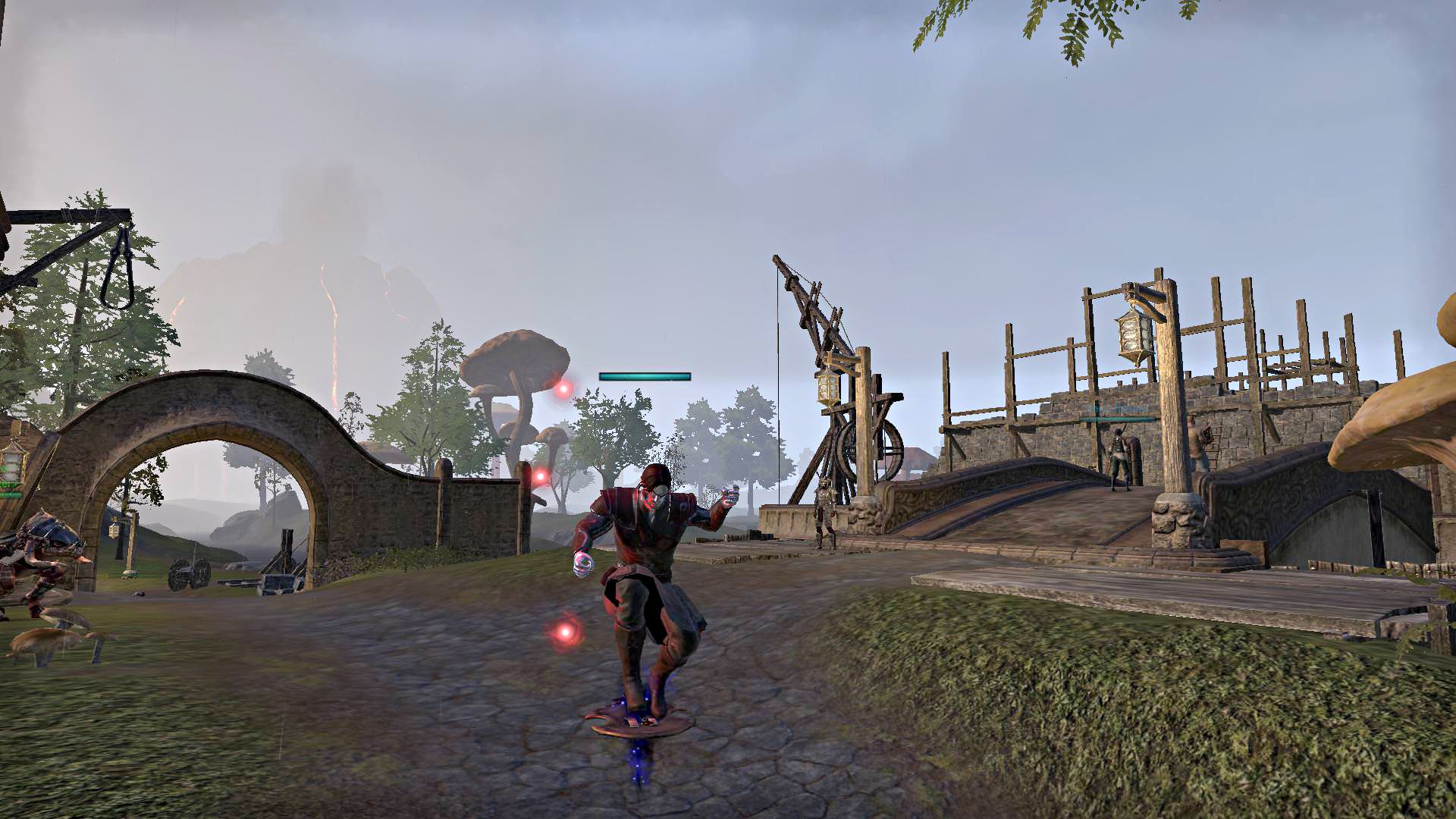
When jumping, it then turns out: The missing weapon is stuck, due to a display error, under your feet! This does not cause you any disadvantages and just looks ridiculous – but if you’ve had enough of it, you can solve this problem with the Clutch mod. Nothing more, nothing less.
Better Buff Timers with Srendarr – Aura, Buff & Debuff Tracker
The built-in buff tracker in ESO is only minimally configurable, and the displayed icons cannot be moved or rearranged. The Srendarr – Aura, Buff & Debuff Tracker mod provides a remedy.
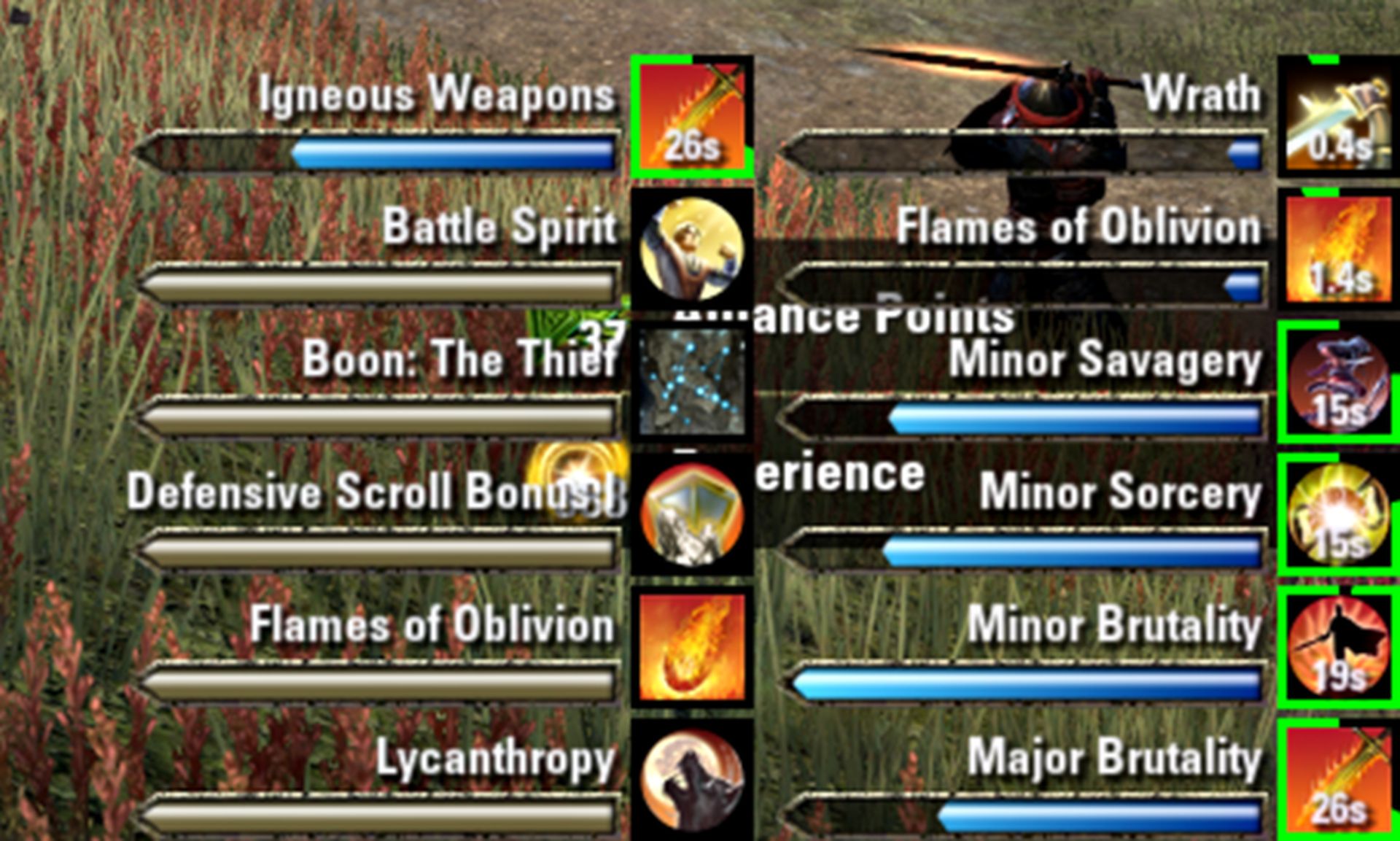
With this mod, we can freely move the icons for all ongoing spell effects around and arrange them according to our wishes, display them with text descriptions, add timer bars and countdowns, and select for group and raid members using a whitelist.
Srendarr is especially worthwhile if you don’t want to install a completely new UI with similar features, but still want more configuration options for displaying buffs.
Easy Cyrodiil Raid Groups with AutoInvite
If you don’t want to spend an eternity looking for a PvP raid in Cyrodiil, start your own group. However, it is not so easy to coordinate up to 24 people, set targets, and keep an eye on the battlefield. Especially not when we are simultaneously constantly searching in the zone chat for more allies or have to kick group members who are offline.
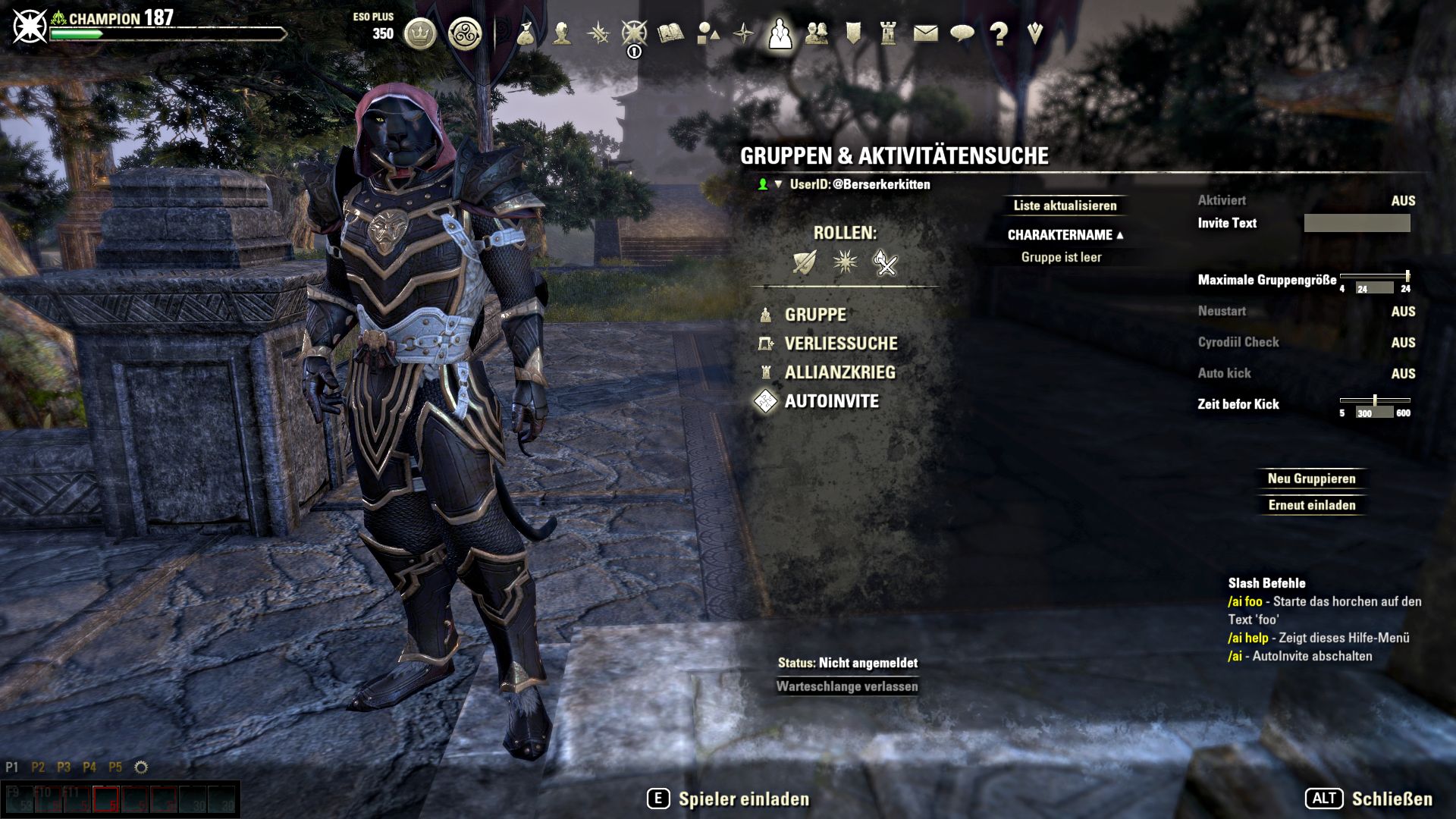
Fortunately, there is AutoInvite! With this modification, we can set up a passphrase that AutoInvite responds to. For example, if we specify LFG as the passphrase, AutoInvite will automatically invite any player to the raid who writes LFG in the zone chat. When the group is full or the desired maximum group size is reached, the invitations will stop automatically.
If a player goes offline, we can have him automatically kicked from AutoInvite after a time we set. We still have to lead our random group ourselves, but with this mod, we can fully concentrate on that at any time.
Maximum Customization with Bandits UI
There are many great completely new UIs for ESO. Our favorite is Bandits UI because it has a convenient options menu (also in English) through which we can add, remove, and customize countless user interface elements at will.

This allows us to display a quick-selection bar for up to eight items instead of showing only one item by default. We can display bars for health, resources, shields, and monster health around our crosshair so that everything is exactly where we focus on the screen during combat.
For those who like, they can compare their DPS with group members who also use Bandits UI. There are comfortable bars for displaying buffs and debuffs. You can display a minimap if you do not want to use a separate mod for it. You can automate actions, such as deleting in-game mail automatically after reading, closing books after first reading, hiding crown store advertising upon login, and much more.
Skip Intro Videos
This tip is not a mod, but still practical: Since gamers are naturally forgetful, ESO is nice enough to remind us at every game start who developed the game, who publishes it, and who created the physics engine. Still, there are ungrateful natures who would prefer to skip thirty seconds of annoying clips and go directly to the login screen. We have no understanding for this, but we will still show you how to disable the intro videos.
- Go to your Documents folder (C:UsersYUSERNAMEDocuments) in the subfolder Elder Scrolls Online and then into the “live” subdirectory.
- There, open the file UserSettings.txt. In line 155 there is the entry: SET SkipPregameVideos “0” (you can also just search for “Set Skip” with Ctrl+F, so you don’t have to scroll around).
- Change the 0 to a 1, then you can save and close the file.
- That’s it! From now on, you will never have to click away videos again when starting the game!
End the Inventory List – Inventory Grid View
We are slowly running out of jokes about the terrible inventory system in ESO, so let’s make it short this time: Inventory Grid View transforms the ugly item list in the inventory screen into a clear arrangement of icons.
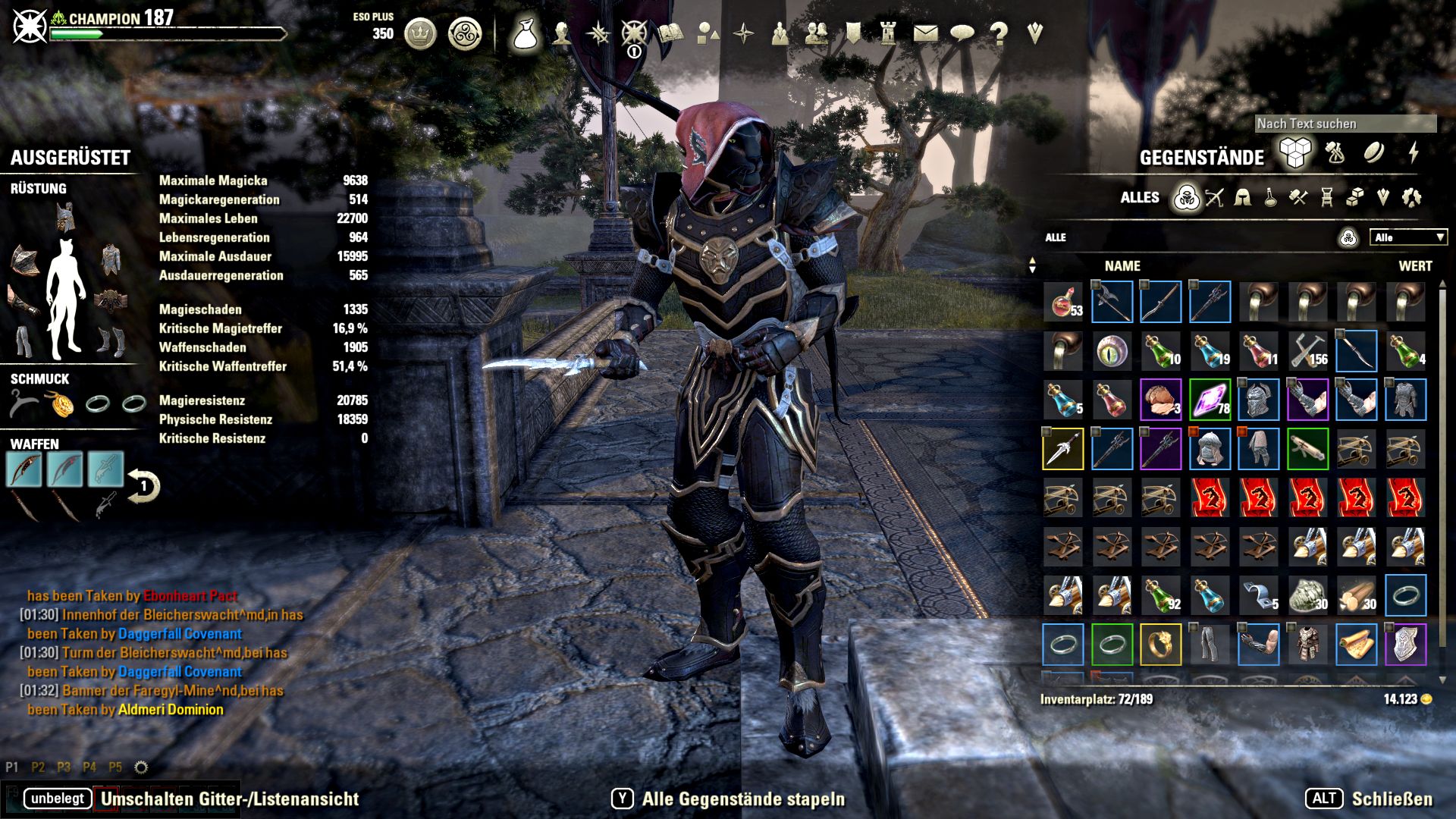
Works for inventory, bank, stores, and the crafting bag. At the push of a button, you can switch between the old and new representations and wonder what the developers were thinking with this design.
ESOTheater – Fun with Emotes
ESO has some of the most bizarre emotes ever found in an MMO. Those who know the right commands juggle fireballs, use a hammer on buildings and players, pluck at their lute, or pull out a tankard and have a fun time. Sometimes, we just stand in a field and whip out a hoe. Just like that, because it’s possible.
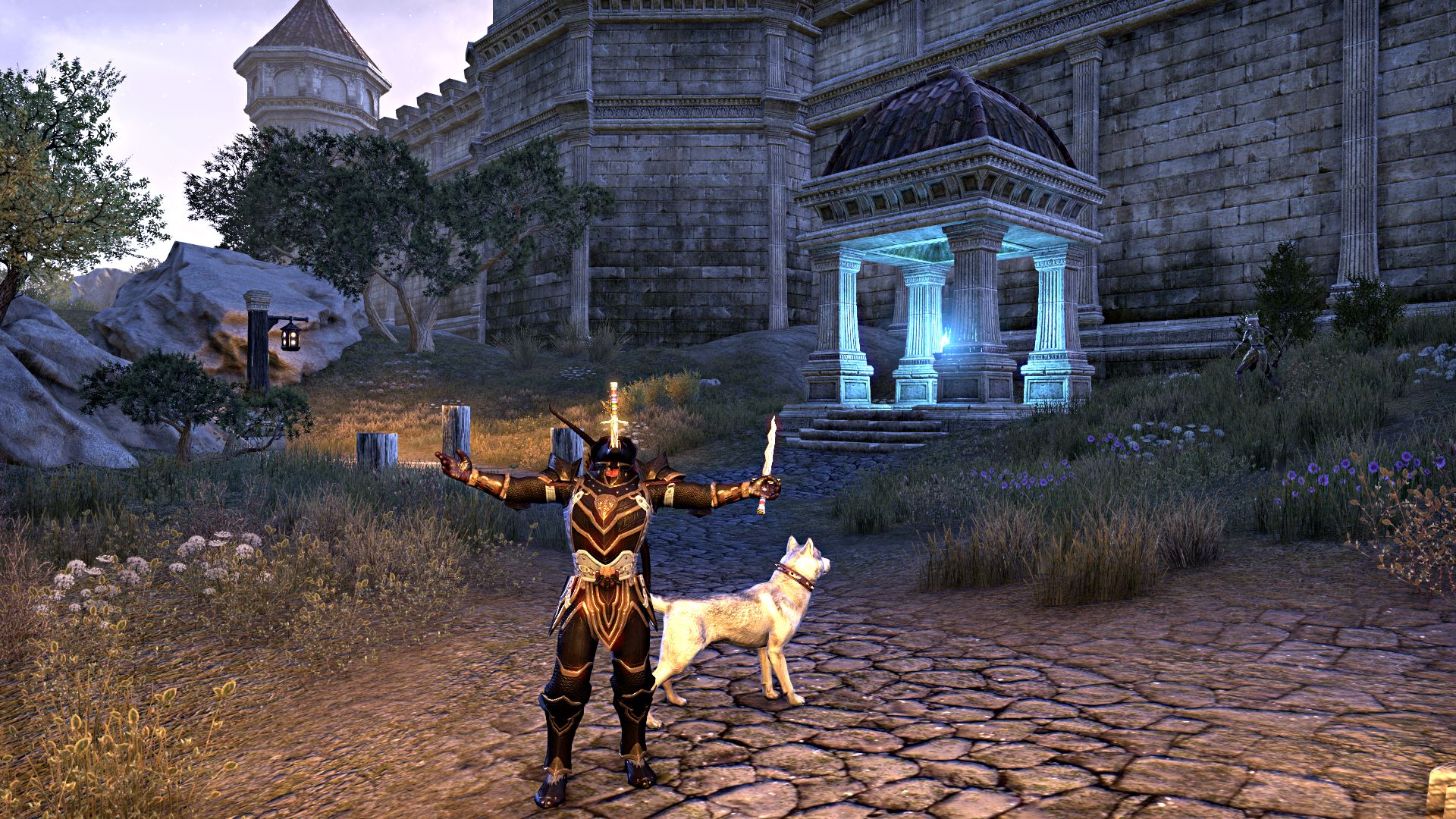
There are about 200 emotes in the game, and the list keeps growing. For roleplayers and people who just enjoy fun animations, it would be super useful to be able to access a somewhat clear list of these emotes in the game. Preferably with hotkeys and buttons for favorites. And you should also be able to hide it at the push of a button, because you don’t need it in dungeons or PvP.
And for those who expect that we are now recommending the ESOTheater mod for exactly this reason, you are absolutely right and win an inflatable washing machine.
Get Rid of the Junk – Dustman
You just want to quickly check your inventory for soulstones and find: chain underwear in Nord style, a half-eaten sausage sandwich, three potions that have been outdated for 45 levels, a starving horse, Manuel Neuer, and a cinnamon roll. In Tamriel, we collect an unimaginable amount of completely useless stuff on our adventures, which we regularly offload at vendors and sell for a few pennies.
Wouldn’t it be great if someone could take care of the tedious sorting work, separate junk directly, and automatically sell it to the next vendor? That’s possible – and it’s done with Dustman. By default, Dustman automatically moves all useless items to the junk category and sells the junk when we talk to a vendor.

Additionally, we can set filters for items that Dustman should automatically sell. For example, if you have absolutely no interest in fishing and keep collecting worms and guts through area loots, you can have Dustman automatically sell those as junk, instead of carrying 38 trillion of those baits around for an eternity.
This also applies to rotten food, inferior potions, items without traits, and much more. If we don’t want to wait until the next trade to get rid of the junk, we can also instruct Dustman to automatically destroy any junk in the inventory that doesn’t have at least a minimum value set by us.
HarvestMap – Me and My Wood
Crafting makes you rich. Even if we don’t feel like processing ores, wood, and other raw materials ourselves, refiners are created to enhance the quality level of equipment. Alternatively, the parts can be sold for tons of gold. Fish, treasure chests, and mushrooms are staple foods for all adventurers. That’s why we recommend HarvestMap.
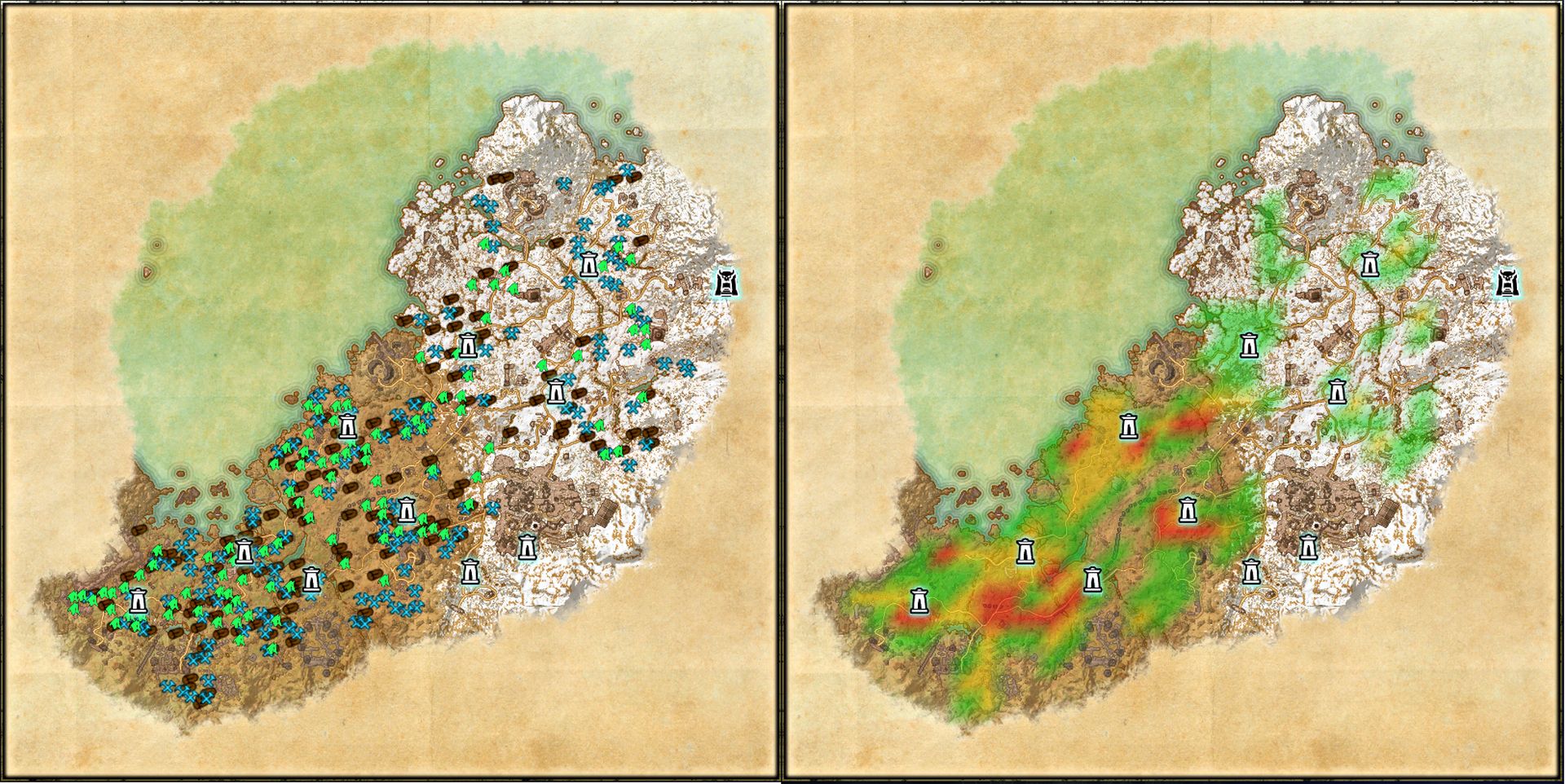
It cares for the skin, keeps the cat litter-trained, prepares a gluten-free breakfast twice a week, and doesn’t judge us when we devour the entire bag of chips by ourselves. But that’s all a lie. Instead, HarvestMap places map markers everywhere we pick up resources and crack treasure chests, so we can find and loot these places again and again.
It’s not quite as nice as the chip one, but still kind of practical. Of course, there are also filter options if we only want markers for certain resources.
Kill Counter – It Really Feels Bigger
Spent a day in Cyrodiil and wondered: “Did I take down an enemy player today? Or even two? How often have I actually died?” Thanks to Kill Counter, these questions will no longer go unanswered. When you kill an opponent in PvP with Kill Counter, you get a Ka-Ching! sound effect, a confirmation in the chat, and a kill on a small tracker.

KillCounter is also nice enough to tell us which of our abilities dealt the final blow to the opponent when we execute the killing blow. In addition, it counts our own deaths, calculates our kill/death ratio (KD), and simply motivates us as we maraud around the Imperial City, hacking everything into pieces. This mod shouldn’t be taken too seriously, but it’s fun and also useful.
In addition to kill tracking, for example, there’s the option for notifications when a faction takes over fortifications in Cyrodiil. However, this mod is not perfect – sometimes Kill Counter lags a bit and only registers kills after a small delay. Nevertheless, we simply enjoy Cyrodiil with Kill Counter more. And the over 300,000 downloads tell us that we are not alone in this opinion.
The Ultimate World Map with Map Pins
This UI mod is not for explorers and borders a little on cheating. With Map Pins, you can display skyshards, books for the Mages Guild, loot from treasure maps, shrines, world bosses, and bosses of public dungeons, and much more on the world map. Of course, all conveniently filtered!

If you only want to see skyshards that you have not activated yet to clear some space on the map, no problem. Map Pins shows everything based on your personal settings.
TO-DO LIST WITH RAVALOX’ Quest Tracker
The standard quest tracker in ESO shows the progress of exactly one quest. This is especially super nice when we need to complete eight quests, all of which take place in the same area. Even better: if we pick up another quest along the way, the quest tracker automatically jumps to the new one, whether we want it to or not.
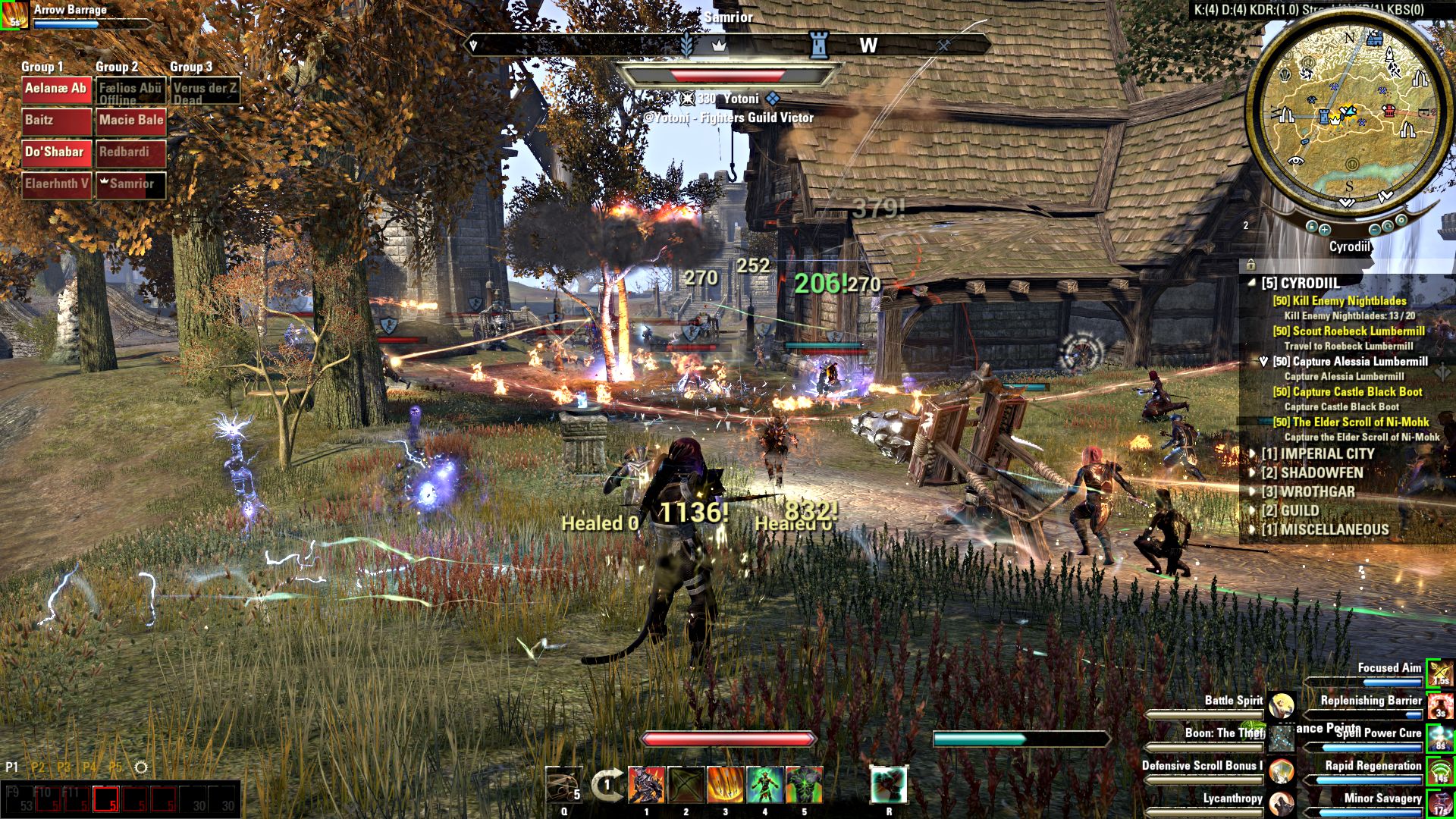
No wonder Ravalox’ Quest Tracker is one of the most used mods. With this tracker, we can track as many quests as we want. Moreover, this mod can be freely configured, moved, bound to hotkeys, automatically hidden in combat… in short: Ravalox’ Quest Tracker can do everything that quest trackers in practically any common MMO have been able to do for 15 years.
Don’t Miss Anything with Mini Map
ESO does not have a minimap by default, only a full screen map and a compass. This is partly justified by the argument that other Elder Scrolls games also do not have a minimap. Okay – other games in the series aren’t MMOs, don’t have fixed classes, and don’t have special attacks, but apparently, the map is where the line is drawn.
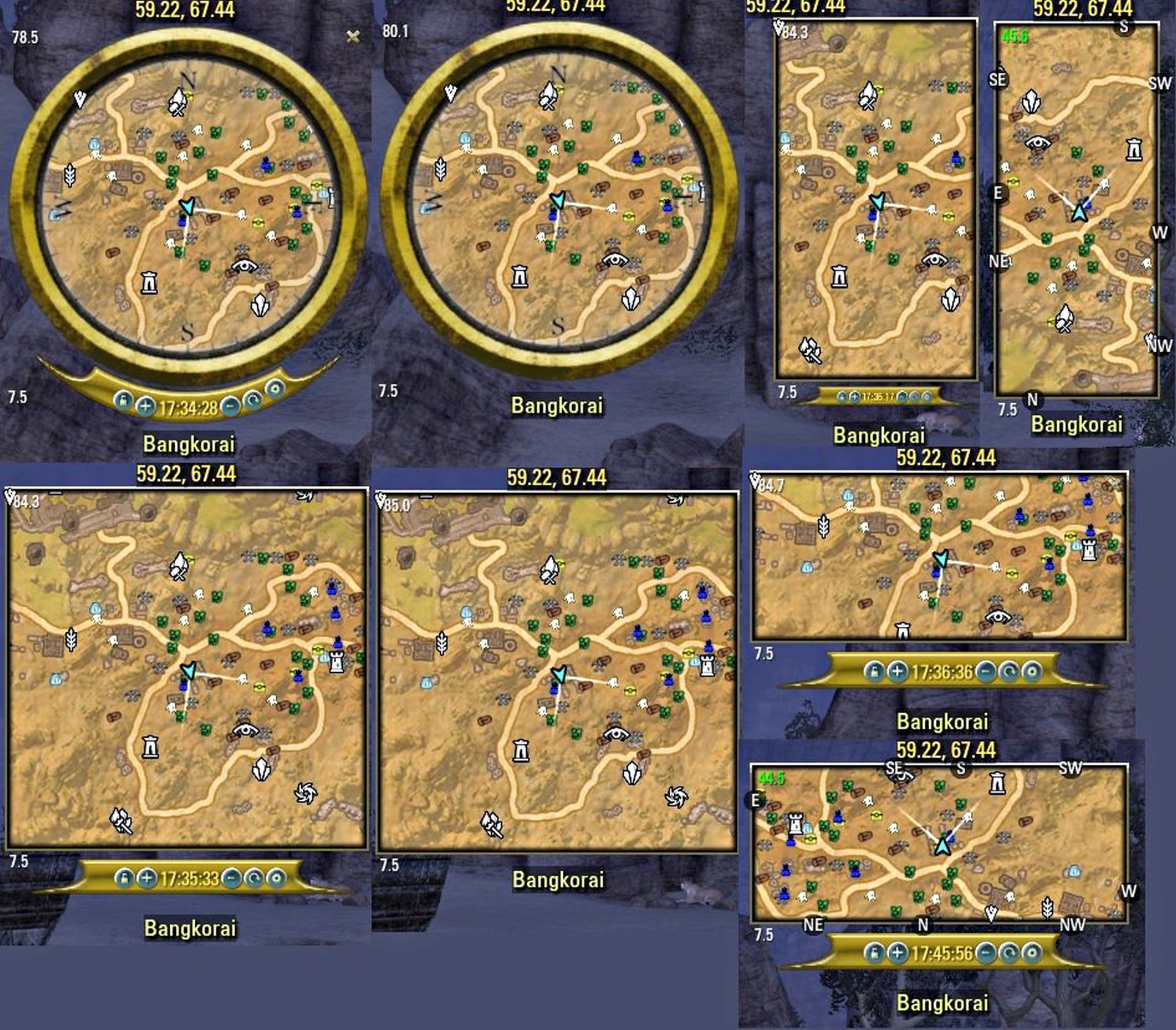
But it’s not so bad: Happy PC version owners simply install the handy expandable map as a mod. This is done via the MiniMap by Fyrakin mod. Alternatively, (Circular) Votan’s Mini Map is also good. Both mods have the same functions but come with different skins and display options.
It’s all a matter of taste – Minions has preview images for both. Both mods are compatible with Map Pins (see above) and show skyshards, bosses, and everything else we want to see.
· So you can even complete dungeons alone
· The best class for any playstyle
· 4 tips on how to prepare optimally for Greymoor
Become a Master Blacksmith with Research Assistant
Weapons and armor in ESO usually have special additional properties and provide, for example, an experience bonus or increased critical hit chance, and so on. If we want to craft equipment that has such bonuses ourselves, we first have to find and study items with those properties. After a dungeon excursion, this quickly becomes a torture.

We have 20 or 30 looted equipment items in our inventory and have to painstakingly sort out which ones to keep for research and which ones we can dismantle or sell. Or we can simply install Research Assistant. This mod marks every piece of equipment in our possession with a colored symbol and lets us see at a glance whether the weapon or armor has a property we still need to research or not.
This way, we never accidentally throw away something useful again, and that tedious rummaging through items can be done with a few simple clicks.
Overview of Distributed Skill Points with SpentSkillPoints
The small but fine UI add-on SpentSkillPoints shows us how many skill points we have distributed, which categories the points are distributed across, and how many points we have invested in each subcategory. It’s not essential, but it provides some overview and allows us to see at a glance how our points are distributed without having to count them.
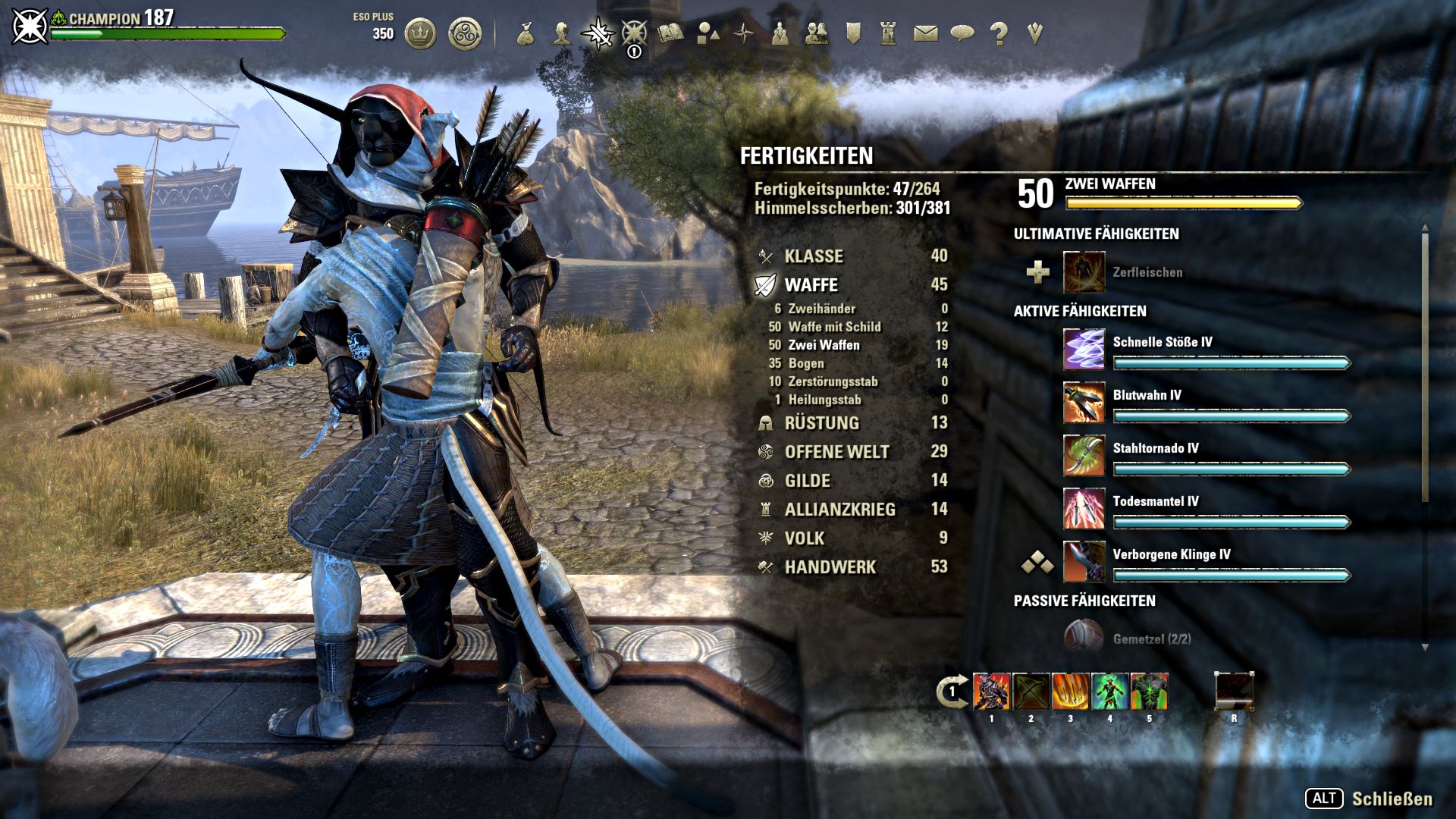
Additionally, this makes it easy to take screenshots of a build, which helps enormously when reallocating points if the character is reset due to balancing changes. Optionally configurable colors are available on top – for example, fully leveled skill lines can be displayed with green numbers, while not fully developed lines can have red ones. Practical!

Your opinion is important to us!
Do you like the article? Then let us know!