


With the recent patch for Elden Ring, a new feature for the inventory has been introduced. However, it is disabled by default. We will show you how to change that.

What feature are we talking about? With the recent patch 1.12, Elden Ring has undergone numerous changes. Among other things, a new function for the inventory has been added.
This is intended to help keep track of the many items you are carrying. New items will now be marked with a “!”. It looks like this:
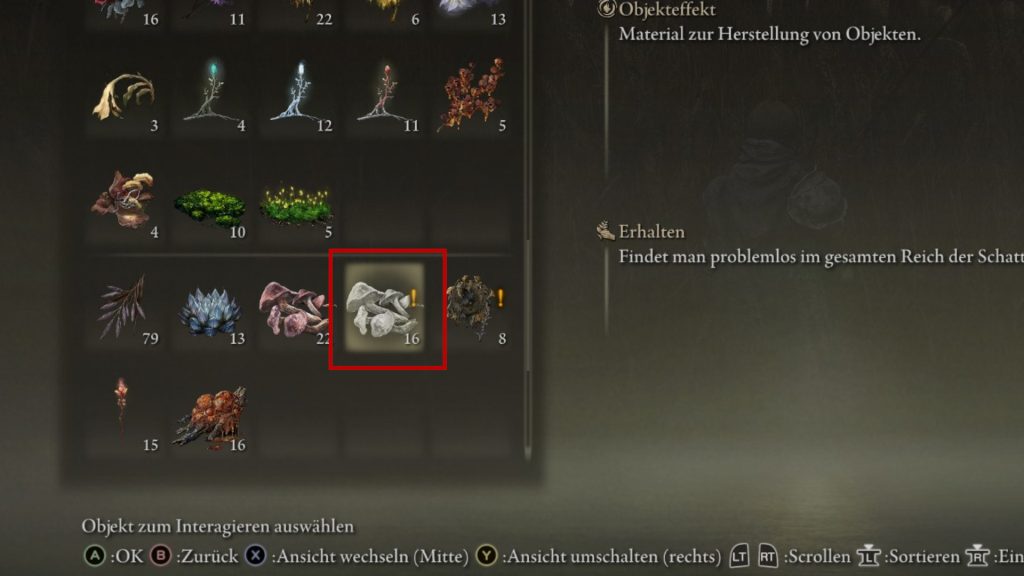
Additionally, there is a new tab in the inventory where the most recently and frequently used items are displayed. This is to help quickly find items you often need.
However, those starting the game now will search in vain for the function. New items do not come with a “!”. This is because the setting is disabled by default.
How to activate the feature
What do you need to do? To activate the setting, simply go to your game menu. In the “Display” tab, you will find two entries at the very bottom that you need to switch to “On”.
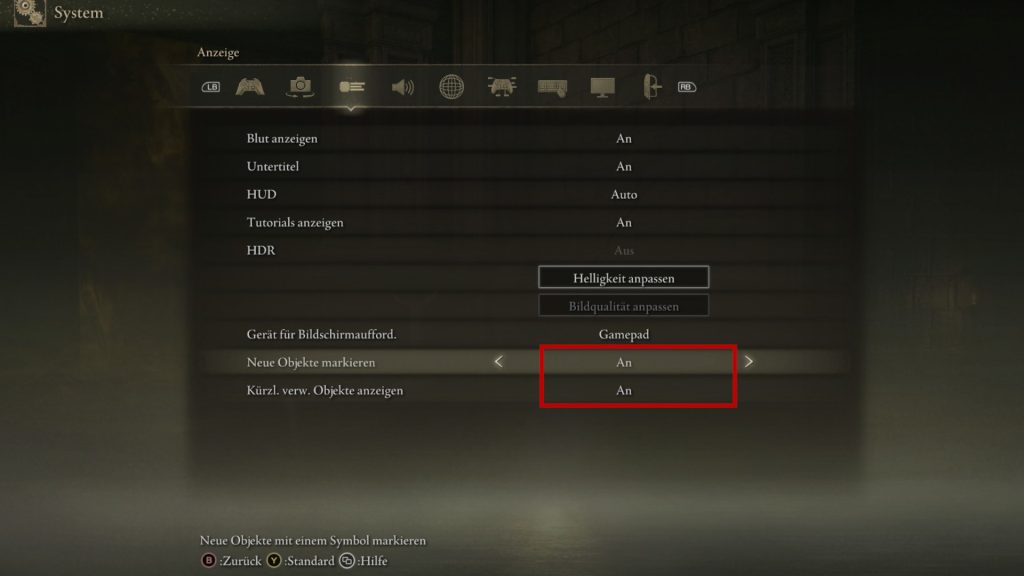
By doing this, you will enable the marking of new items and also the inventory tab with the recently used items.
From now on, you should have fewer worries when managing your inventory. This new feature is a valuable and practical improvement in the daily life of Elden Ring. It also applies in the main game.



The new feature is just one part of the changes that the DLC and the current update bring to the game. A variety of weapons have been nerfed, and there are new hairstyles, and a card function menu. You can find the detailed patch notes for 1.12 on MeinMMO.

Your opinion is important to us!
Do you like the article? Then let us know!