

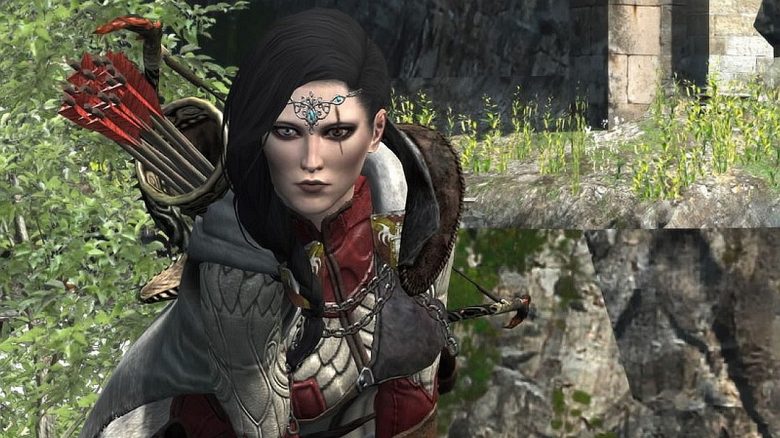
Dragon’s Dogma 2 is struggling with performance issues. MeinMMO presents you with the best settings to get the most out of the game.

Major performance issues in Dragon’s Dogma 2 are currently ruining the fun for many players of the new action RPG, if they are not already deterred by microtransactions. You can find the system requirements for Dragon’s Dogma 2 detailed on MeinMMO.

The best graphic settings for Dragon’s Dogma 2
You should note: For resolutions higher than Full HD, we recommend at least a graphics card with more than 8 GB of video memory. Otherwise, with 8 GB or less, you will encounter memory bottlenecks. Then your game will crash or stutter significantly.
Recommended are cards like the RTX 3080 with 10 GB or the RX 6700 XT with 12 GB. With an RTX 4070 (12 GB) or an RX 7800 XT (16 GB), you are also on the safe side. You can find the best graphics cards 2024 overview on MeinMMO.
Dragon’s Dogma 2 is especially CPU-hungry and requires a fast processor. In the editorial team, we already achieved good results in Full HD with a mid-range processor from the last generation (Ryzen 5 5600).
Note: DLSS and Nvidia Reflex can only be used with Nvidia graphics cards. Owners of AMD graphics cards must use FSR. In the settings, this is referred to as “FidelityFX Super Resolution 3.”
The best graphic settings for maximum FPS:
- Display mode: Fullscreen
- Screen resolution: 1920×1080
- Refresh rate: 60 Hz
- Frame rate: Max. 60 FPS
- VSync: On
- Dynamic screen resolution: On
- DLSS Super Resolution: Quality
- DLSS Nvidia Reflex: On
- Upscale sharpness: 4
- Ray Tracing: Off
- Ambient Occlusion: SSAO
- Anti-Aliasing: TAA
- Screen Space Reflections: Off
- Mesh Quality: Minimum
- Texture Filtering: Medium (Trilinear)
- Texture Quality: High (0.5 GB)
- Grass/Tree Quality: Low
- Quality of compute-intensive effects: Low
- Shadow Quality: Low
- Shadow Cache: On
- Contact Shadows: Off
- Motion Blur: On
- Bloom: On
- Depth of Field: On
- Lens Flare: On
- Lens Distortion: On (+chromatic aberration)
- Volumetric Scattering: Off
- Motion Quality: Low
If you have a faster graphics card that significantly exceeds the minimum requirements and is equipped with at least 10 GB or more of VRAM, you can also adjust the settings upwards. For the best performance, it’s best to keep ray tracing disabled.
Our tip: Stick to our recommendations and first only increase the resolution from Full HD to WQHD, as this initially significantly increases the computational load. If you still have reserves, you can adjust individual settings.
Alternatively, increase the FPS limit from 60 to 90 FPS and see if your hardware can handle the increased numbers.



More on Dragon’s Dogma 2: Do you want to prepare for the release or simply find out what to expect in the new action RPG? Then check out our overview directly on MeinMMO, where we list all the information for you:
Dragon’s Dogma 2: All about release, character creation, and classes

Your opinion is important to us!
Do you like the article? Then let us know!