


Dragon Age: The Veilguard makes it quite easy for players to navigate through the game world. If you prefer to explore and find your own way, you can do that too. You just need to change a small setting.

Which setting is it? The game world of Dragon Age: The Veilguard is large and invites exploration. We explain how long you will need for the game in a separate article. While some sections are quite linear, in other areas it is not immediately clear how to reach your goal.
Well, almost, if it weren’t for the navigation, which, depending on your preference, makes exploring unnecessary. A symbol shows you precisely where you need to go. So not just your goal in the vicinity, but also every step along the way.
First straight ahead, then around the corner to the right, up the ladder, along the zip line …
Exploration and finding your own way are neglected, leading to just following a linear path. Fortunately, this setting can be changed.
On MeinMMO you will find more helpful tips for starting the game: Dragon Age: The Veilguard: 10 tips I wish I had known beforehand
Changing the Navigation
How do you change the setting? The game lets you change many settings for gameplay and interface in the menu. If you want to turn off the annoying navigation symbol, follow these steps:
- Select the “Gameplay” tab in the menu.
- Scroll down to “Navigation”.
- Here you can change the preset according to your preferences.
- If you want your mission target to only appear in the vicinity when you actively ask for it, choose the option “Pulse” (long or short) for “Mission Target Marking Visibility”.
- Turn the “Waypoint Visibility” to “off” so that a symbol does not lead you to the next step every few meters.
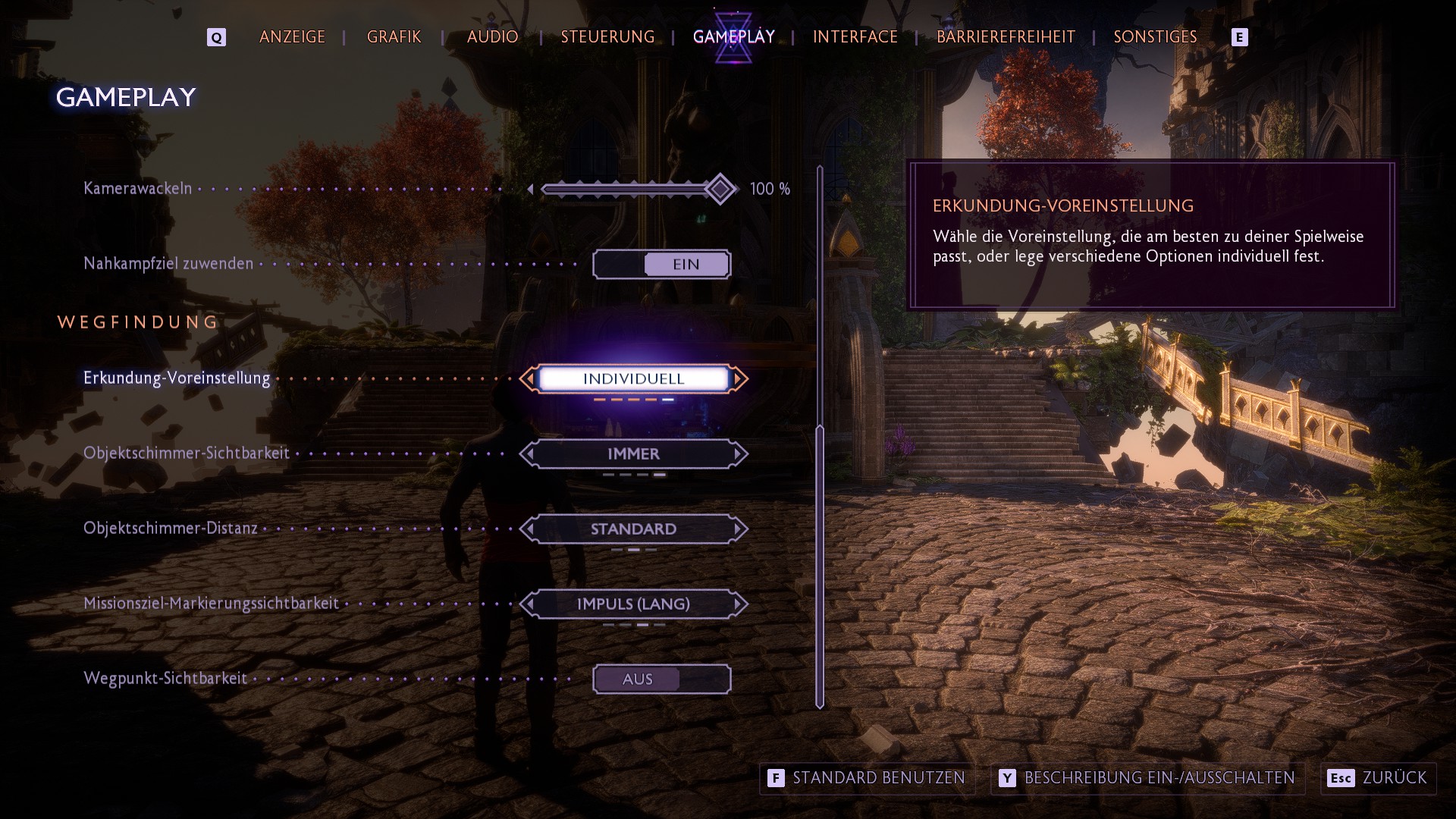
If that is not enough, switch to the “Interface” tab:
- Scroll down to the “HUD”.
- Here you can set whether your current target should be displayed at the bottom right of the map under “Mission Target Tracking Visibility”.
- Also, details like the minimap can be shown or hidden here.
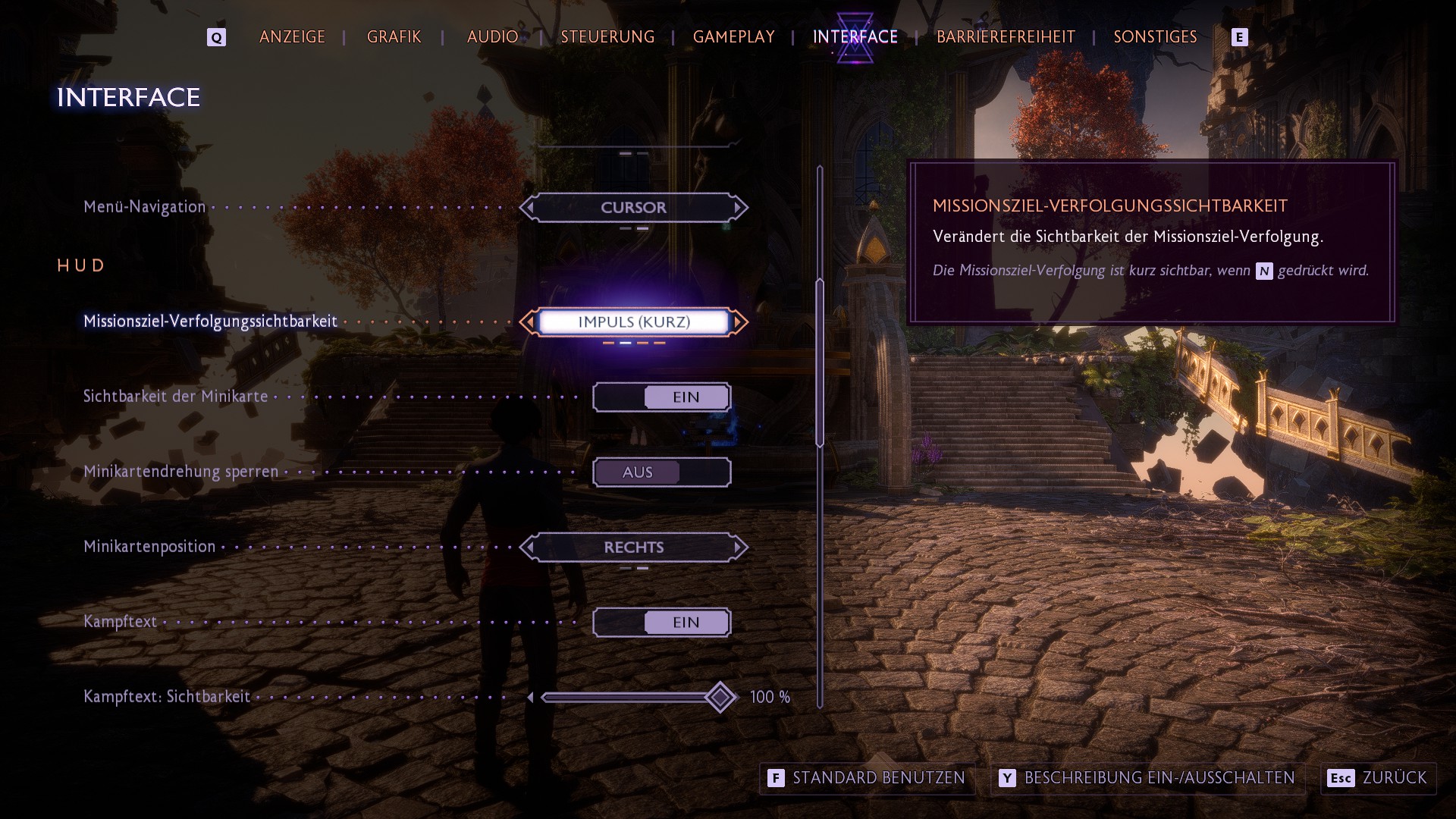



Depending on your preference, you can experiment with the two settings. If you prefer a more linear experience, let the game guide you through the world, if you are more of an explorer, simply skip certain features. If you are looking for more tips for the game, feel free to check out MeinMMO: Dragon Age: The Veilguard – All guides for the start, decisions, puzzles, and more

Your opinion is important to us!
Do you like the article? Then let us know!