With the release of Windows 11, there are various versions of the operating system, including a Pro version. But do gamers really need it, or is the Home version sufficient? MeinMMO explains what you need to consider.
With the expected release of Windows 11 at the end of 2021, users will receive a revamped operating system. Some users may even consider buying a new computer right at the launch of Windows 11.
What versions are available? With the launch of Windows 11, there will again be various versions available. These include Home, Pro, Enterprise, and Education. However, our article only focuses on the features of Windows 11 Home and Pro.
But is the Pro version worth it for gamers, and what additional features do you actually get for the extra cost? MeinMMO explains the differences in this article and discusses which version is best for gamers.
Windows 11 Home vs Windows 11 Pro – Here are the similarities
What all versions offer: The following features are supported by all Windows 11 versions. A Home version can be installed on any computer with Windows 11:
- The new Microsoft Edge browser
- Power options where you can set up a power-saving mode for your laptop.
- The linking of your smartphone with Windows 11
- The voice control of Windows 11.
- Windows Defender, Windows Firewall, and parental controls are also included in both versions. The “Secure Boot” capability is also part of Home and Pro.
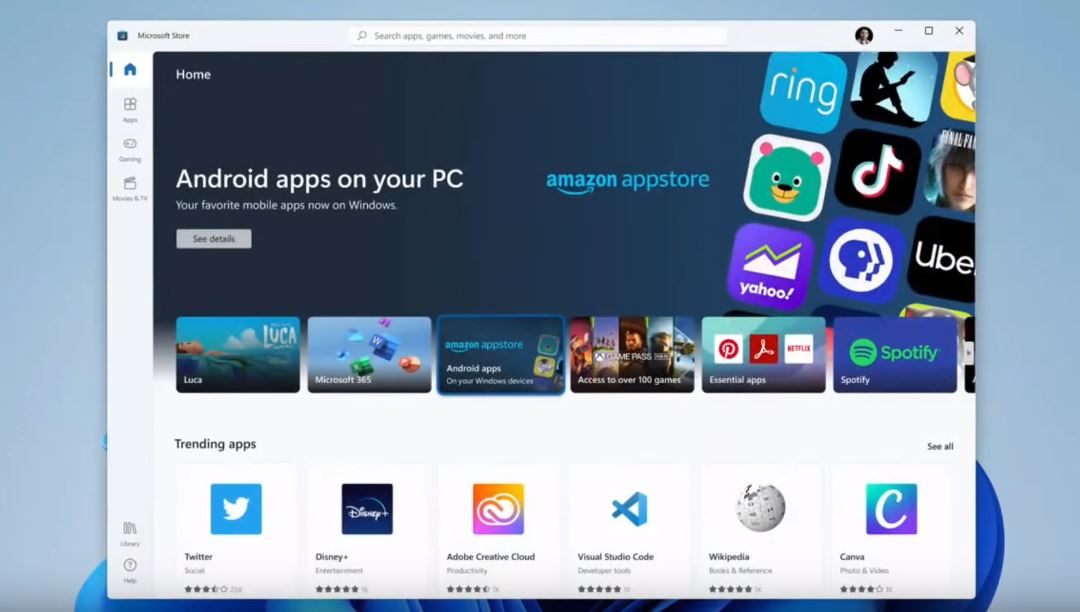
So, Windows 11 Home offers you all the basic features that any other Windows version also provides. You also benefit from the ability to use Android apps on Windows 11.
In the following section, we will explain the differences between Windows 11 Home and Pro.
Windows 11 Home vs Windows 11 Pro – Here are the differences
What does Windows 11 Pro offer? The Pro version is primarily aimed at professional users and provides many additional features. As an administrator of a large network, for example, you’ll find it easier or have different tools available.
The first and most obvious difference is the price. Windows 11 Pro costs 199.99 Euros, significantly more than Windows 11 Home, where you only pay 139.99 Euros. On many computers, Home or Pro is often pre-installed.
Another difference is that you can create Windows 11 Pro with an offline account (local account). You don’t need an internet connection for the setup. However, an internet connection is necessary for the subsequent activation.
Most device management functions are not available in Windows 11 Home. Windows 11 Pro, on the other hand, supports things like Group Policies, allowing administrators to configure certain policies for groups of devices in one step. Additionally, there is Windows Update for Business, which enables companies to control how updates are distributed to their users to avoid unexpected problems.
Windows 11 Pro offers additional security and enterprise features
The Pro version provides several additional features, mainly aimed at security and supporting large companies that have many computers in their own network. We list the most important features here.
These security features are offered by Windows 11 Pro:
- An enhanced Remote Desktop feature. With this, you can access a computer remotely.
- The visualization technology Hyper-V. This allows you to run other operating systems as a virtual machine in a window.
- The encryption technology BitLocker. This allows you to encrypt your boot drive or other devices.
- With ‘Windows Sandbox’, you can easily start a virtualized version of Windows 11 and test programs and unknown items there. By the way, you don’t need an additional Windows license for the virtual Windows.
- WDAG or ‘Windows Defender Application Guard’. This allows you to use your browser in a type of sandbox.
With Windows 11 Pro, you can use more extensive hardware
As with previous Windows versions, the Home version has some limitations when you want to use hardware. However, these “limitations” are unlikely to affect most users:
- You can now install up to 2 TB of RAM instead of 128 GB.
- Windows 11 Pro also supports a maximum of 2 full-fledged processors.
- Windows 11 Pro supports up to 128 CPU cores. The Home version only supports a maximum of 64.
Does this matter for gamers? With the Pro version, hardware limitations are removed, so you can use 2 TB of RAM or processors with 128 cores. However, for most users, the limitation of 128 GB of RAM in the Home version is generally not a hurdle that will easily be reached.
In Windows 7, this was more significant, as Windows 7 Home Premium supported/only addressed a maximum of 16 GB of RAM. It wasn’t until Windows 7 Professional 64-bit that this limit was increased to 192 GB of RAM.
Windows 11 Pro – Especially professional users benefit from it
Who benefits from Pro? The Pro version is primarily aimed at companies and professional users. This particularly concerns individuals who need to manage large networks or use encryption tools.
Who is this less interesting for? In particular, many business functions that only the Pro version offers are not or hardly interesting for everyday users and gamers. As gamers, you will likely never use many of these features or may not even be aware of them.
For most gamers, Windows 11 Home is more than sufficient
With Windows 11 Home, you get all the basic and essential features that every Windows brings. This includes, for example, the new Edge browser, the Game Mode, and also DirectX 12. Cross-platform features with your Xbox are also already included in the Home edition.
All other features that Microsoft wants to convince gamers with in Windows 11 are also included in the Home version.
Which Windows version is the best for me? If you use your PC privately and for gaming, you can safely go for the Home version. The extra cost is generally not worth it for private users and gamers in most cases. There are also no performance differences or higher FPS between the Windows 11 versions.
If you are planning to buy a new gaming PC or want to acquire a license soon, then the PC does not necessarily need to have a Pro version on board. A Home license is completely sufficient for most gamers.