


In Season 23 of Diablo 3, some players are experiencing short lags with Patch 2.7.0, which occur frequently. With a trick, you could get rid of these stutters.

What kind of problems are we talking about? In Diablo 3, the new Patch 2.7.0 plays a major role. It was only released a few days ago and brought a significant overhaul of the companions. However, along with the positive changes, problems have also returned to the game.
Micro-stutters that freeze the screen for about a second are bothering players in the new Season 23. You can likely fix this type of lag with a sound setting.
Sound setting as a solution for lags in Diablo 3
This is what players explain: Since the patch has been on the live servers, players have been complaining about noticeable stutters. These are often reported in connection with the “Sorceress” class. The Sorceress is in the Tier List for Season 23 in Diablo 3 with two builds in the S-Tier. Accordingly, the class is currently very popular, which makes the problems more noticeable.
Players report that
- the summoning of the Sorceress’s mirror images triggers the lags
- the energy orbs produced by Etched Sigil (via diablo3.com) cause lags
In rare cases, other classes and abilities are also reported to be affected by this problem.
This could help you: If you are also affected by this problem and have noticed these lags since Patch 2.7.0, a sound setting can help you. The problem was discussed in the official Diablo 3 forum, and user 雜草 (via forums.blizzard.com) presented a solution there. He writes:
“If you have your sound channels/source set to 128, then lower it to 16. And then increase it again. 32 works for me at the moment. It provides more acoustic feedback than 16 and so far no stuttering.”
Here you will find the setting
Use this option: Start a game in Diablo 3 and then open the options by pressing the Escape key. Now switch to the “Sound” tab on the left side.
In this window, you will see the “Hardware” section on the right side. The first option there is the setting for the sound channels.
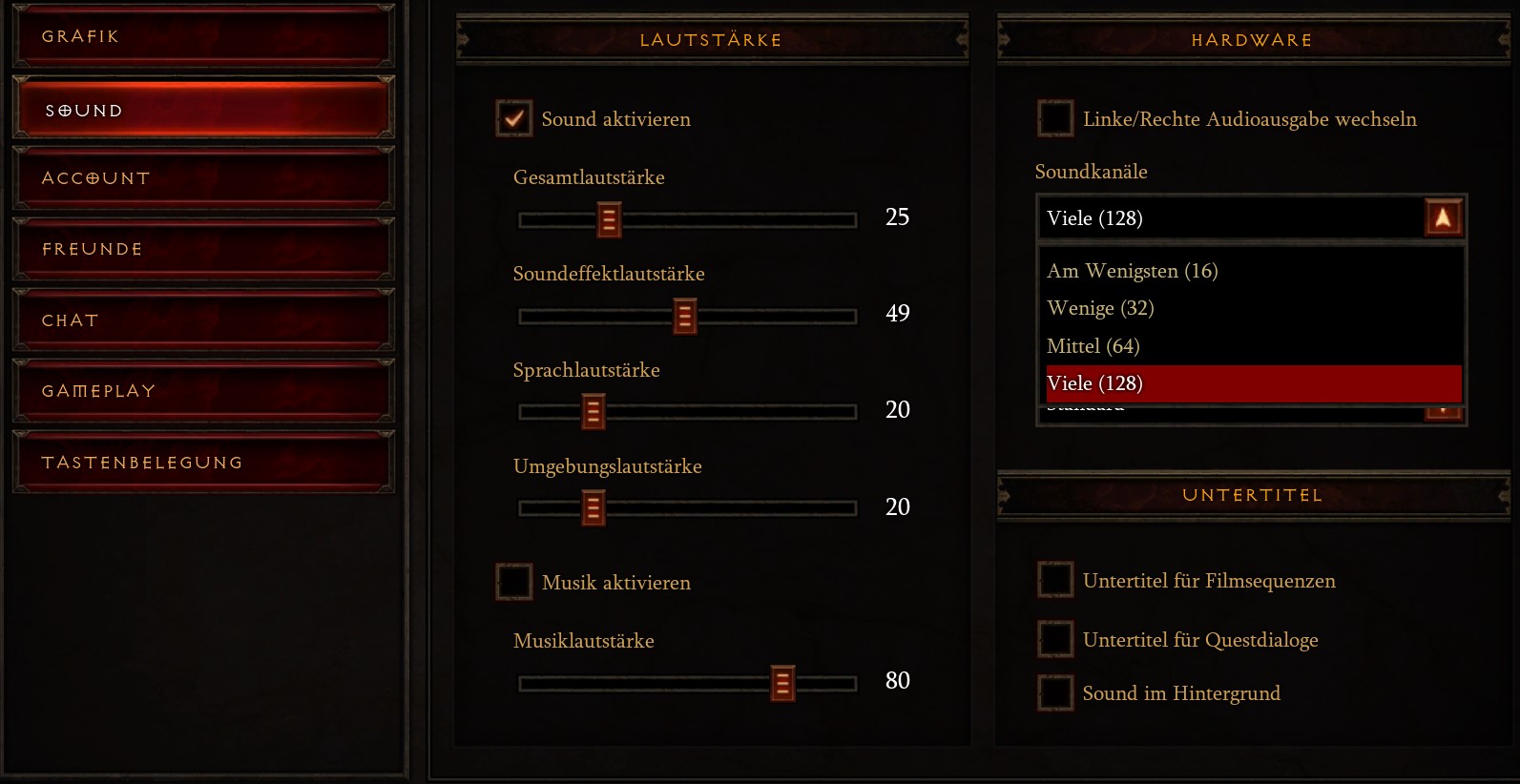
If you change the setting, the sound quality will change for you. There is a noticeable difference with compressed audio feedback. Players who are already listening to music or watching shows/streams on the side should hardly notice it.
And does it work? In the Diablo forum, this solution was rated as effective. Players report that this setting helped them with the lags. Some mention that the lags are still noticeable, but not nearly as much as before.
Players are also thanking this solution on reddit (via reddit.com) and report that it has helped them a lot.
If you’ve been struggling with such stuttering issues since the release of Patch 2.7.0, you might be able to tackle it with this sound setting. As a temporary solution until the Blizzard team releases a fix, the new season may be more playable for you.

Your opinion is important to us!
Do you like the article? Then let us know!