

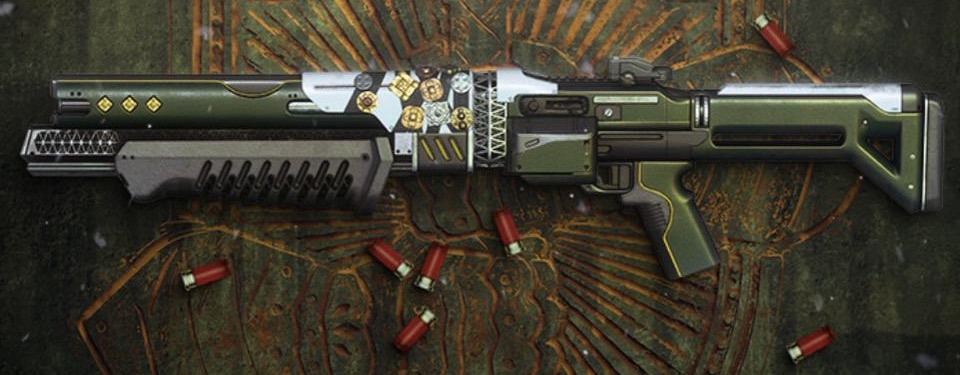
Today, on May 21, the new update 2.8.1.3 has been released for Destiny 2. This comes with maintenance on PS4, Xbox One, PC, and Google Stadia. We reveal all the important information, times, and content of the highly anticipated fix.

This is what players are waiting for today: Updates in Destiny 2 usually do not come on a Thursday, but players should be pleased with today’s exception. Because in hotfix 2.1.8.3, which is released for all platforms, there is the solution to an acute problem: the bugged quest “The Lie”.
The update 2.8.1.3 is now live on all platforms. It seems to be a fix that you don’t need to download. You just have to start Destiny 2 and can now complete the quest as intended.
The patch brings maintenance and also a server downtime. MeinMMO provides you with the necessary information about the update, the important times, and the patch notes. The article will be updated throughout the evening so that you are always kept up to date.
Course of Maintenance on May 21 – All Information
These are the important times today: Only once you have loaded the update 2.8.1.3, can you continue playing today. This is the official plan for the maintenance:
- At 6:00 PM German time, the maintenance starts
- Then some API features will not be available for the time being
- At 6:45 PM, the downtime begins. The Destiny 2 servers will go offline and you will no longer be able to log in
- At 7:00 PM, the server downtime ends, and the servers come back online. Then the release of update 2.8.1.2 also begins on all platforms and in all regions
- From 7:00 PM, it will also be possible to log back into Destiny 2
- At 9:00 PM, the maintenance is supposed to end
Keep in mind, the times can traditionally vary slightly. As always after an update, it may cause login queues.
What’s in Hotfix 2.8.1.3 Destiny 2
As Bungie stated yesterday, the error with the quest “The Lie” was identified and fixed today:
Due to a bug, the last quest step cannot currently be started correctly, preventing the completion of the task. Particularly frustrating, as it is believed that one of the most popular weapons in the Destiny universe awaits the players at the end: Felwinter’s Lie.

In a future update, Bungie will also address these issues:
- Felwinter’s Lie is currently not displaying correctly in the collection due to the fix – this will be corrected soon (Bungie via Twitter).
- The Ascendant Champion Triumph is not being unlocked for some players.
- The mods “Enhanced Fusion Rifle Loader”, “Enhanced Auto Rifle Loader” and “Enhanced Bow Loader” are not falling as intended.
- The perk “Fists of Havoc” for the “Fisted” gauntlets is not functioning as intended.
Patch Notes for the new update 2.8.1.3
This is what the patch notes look like: Along with the update, Bungie publishes the official patch notes. There, changes will be documented.
Meanwhile, the official patch notes from Bungie have been released. There, only the fix for the quest “The Lie” is listed:
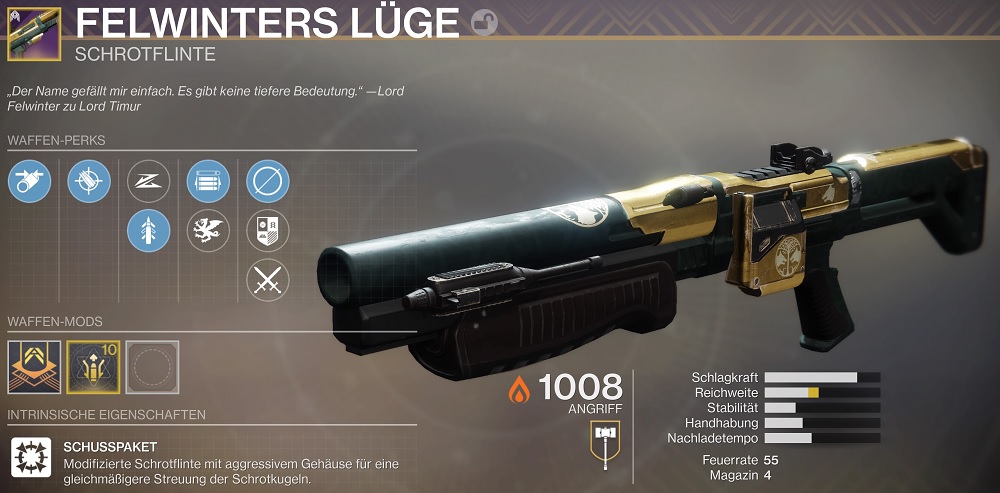
On paper, the new Felwinter’s Lie looks like the new king among shotguns; how powerful the quest reward actually becomes, you will soon read on MeinMMO.
Why this year we might still see Destiny 3, you can read now: In the fall, we might still see Destiny 3 – but differently than expected

Your opinion is important to us!
Do you like the article? Then let us know!