


In Destiny 2 a lot is happening this week. Here are the most important dates at a glance.

What’s happening this week? Today, on August 19, we are starting the gamescom week 2019. Bungie has planned a lot for this week regarding Destiny 2:
- There will be a world premiere of new Shadowkeep content,
- the Steam migration starts
- and Cross-Save launches.
To keep you updated, we will summarize all important information here.
Cinematic Reveal at gamescom
Update: You can find the gameplay gamescom trailer for Destiny 2 Shadowkeep here.
Update: You can see another gamescom trailer for Destiny 2 here that teases Season 8.
When is the reveal? Today, Monday, at 8 PM, the Opening Night of the gamescom 2019 takes place. In the context of this fair kickoff, numerous developers and publishers will showcase world premieres and novelties – including Bungie.

What will be shown? Bungie has already revealed via Twitter that they will present fresh content for the Shadowkeep expansion. It is referred to as a “Cinematic Reveal”. In other words, we can expect a movie-like trailer.
Here’s how you can participate: On Twitch, we will broadcast exciting content from the gaming fair throughout the entire gamescom week – including the Opening Night. You can find our program for gamescom 2019 here.
Watch the live video from MONSTERSANDEXPLOSIONS on www.twitch.tvIf you don’t have time to watch the stream at 8 PM, there’s no need to panic. We will report tonight in an article about everything Bungie reveals at the Opening Night.
Information on the migration to Steam
Here’s what it’s about: After the split from Activision, Bungie has been planning for a while to leave battle.net with Destiny 2 and switch to Steam.
Steam will only be the new home for Destiny 2 on PC starting October 1, 2019, but you should start taking action this week to ensure a smooth migration.
This is the date for Steam: The “Linking Process” starts on August 20. That’s tomorrow, Tuesday. You can then link your PC player accounts from Steam and Battle.net.
You have a good month to connect the accounts. However, we recommend doing so promptly to avoid missing the migration. Because after October 1, Destiny 2 will no longer be available on Blizzard’s Battle.net. If you want to continue your Guardian journey on PC, the migration is necessary.
What’s included? When migrating to Steam, you take everything you have earned so far in Destiny 2 on PC with you. Your Guardians, your Gear, the expansions you purchased, and the bought Silver. You can find more information about the “mass migration to Steam” here.
Information on Cross-Save
This is the date for Cross-Save: From August 21 – that’s Wednesday this week – Cross-Save will be possible.
Cross-Save refers to the ability to share a save file between different platforms on which you play Destiny 2.
If you play with your friends on PS4 but switch to PC later that evening, you will carry over your progress. With Cross-Save, it will be possible to unify your adventures across multiple platforms.
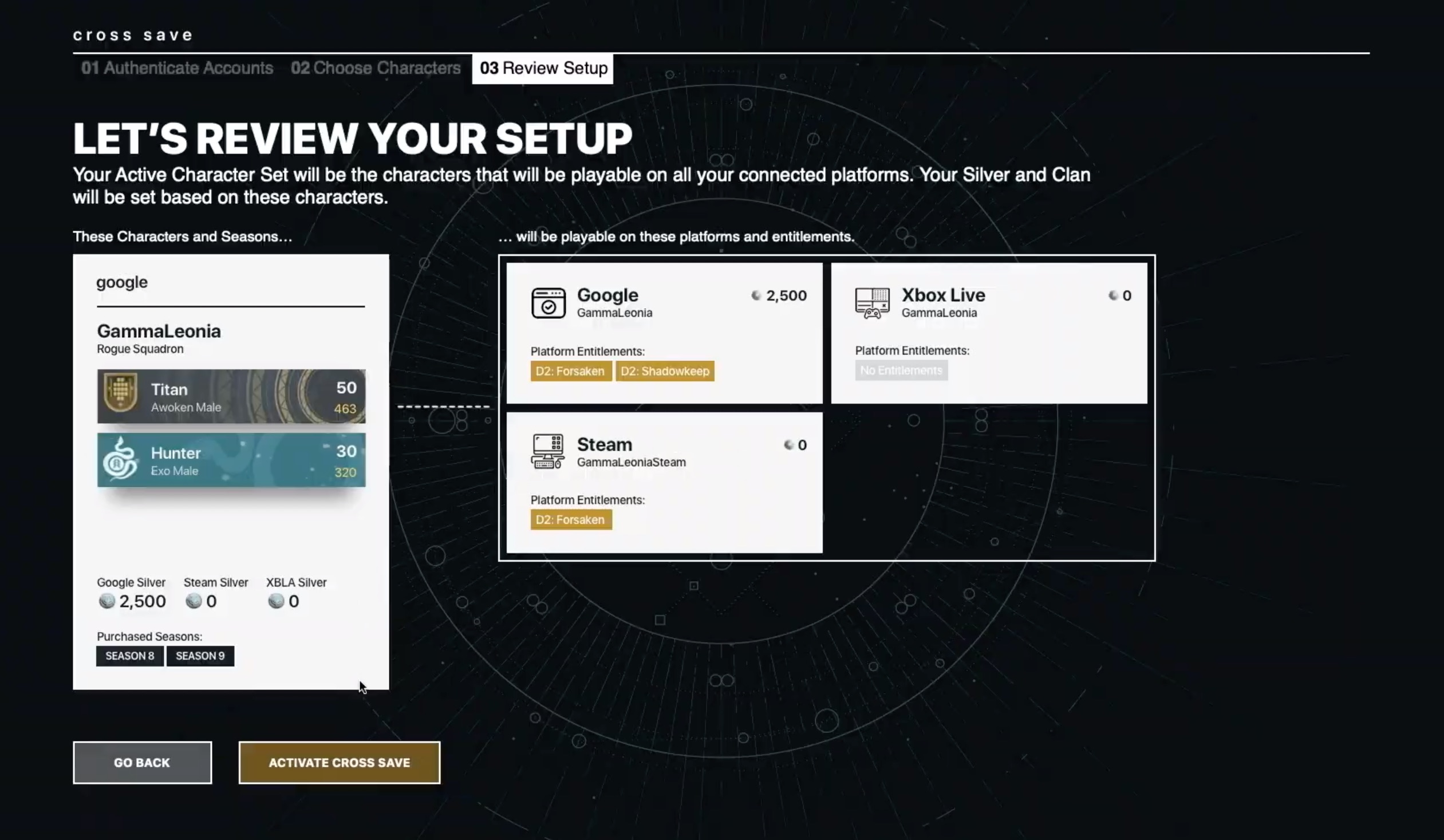
What should I consider? You need the game and the expansions on every platform you want to play Destiny 2 to be able to play everything everywhere.
An example: If you own the Forsaken expansion on Xbox One but not on PS4, you cannot access the Dreaming City on PS4 after transferring your Xbox Guardians with Cross-Save.
The same goes for powerful rewards. If you have a Guardian at 750 Power Level on your Xbox and switch to PS4 where you do not own Forsaken, the loot will be capped at Power Level 380.
You can find detailed information on Cross-Save – and how it relates to New Light – here.
We are speaking with Bungie!
Is there anything else exciting this week? Yes! Because we from MeinMMO will grab Scott Taylor, the Project Lead of Shadowkeep, as well as UX Director Orval Halldorsson, to talk with them about the fall expansion at gamescom.
This will take place on Wednesday, August 21, starting at 1:15 PM as part of our big live show “gamescom together”, which you can follow in the embedded Twitch stream above.
All information about gamescom together can be found here:


Your opinion is important to us!
Do you like the article? Then let us know!