

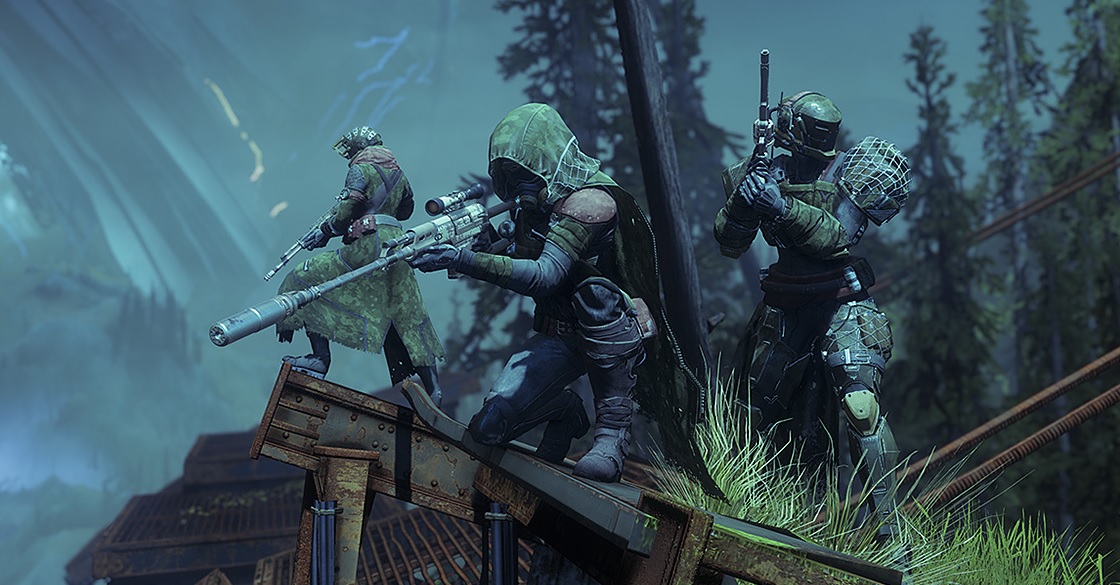
The preload for the PC beta of Destiny 2 is coming up quickly. Soon you will be able to start the pre-download.

In the “This Week at Bungie”, the community manager Cozmo shares some important information about the upcoming PC beta. It starts on August 28 for all players who have pre-ordered the PC version of Destiny 2 or possess a beta key. The open beta for everyone interested begins the next day on August 29. If you want to grab a beta key, you can now participate in our giveaway.
So you can get started right at the launch of the beta, a preload will be available in just a few hours. With it, you can download the required game data in advance:
- The preload starts today, on August 25 at 7 PM our time.
To download the game data, you need to go to Blizzard’s Battle.net and click the large “Install” button. If you have a beta key, you must redeem it in the Bungie redemption portal to receive the early access code for the PC beta.
Controls of Destiny 2 on PC
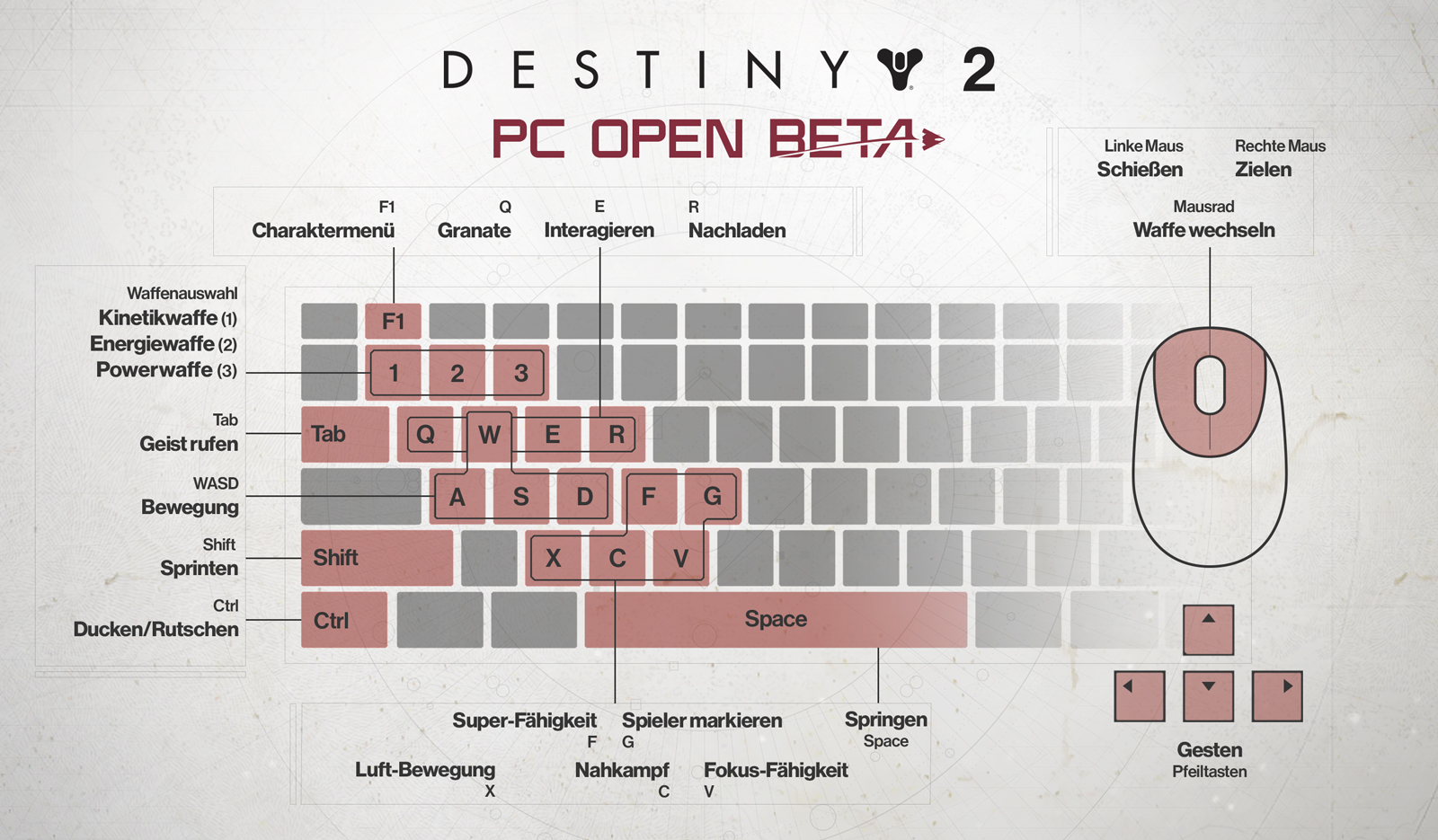
To help you get started in the Destiny universe on PC, Bungie released a graphic for mouse and keyboard controls. We have embedded it above.
The key mapping is customizable. You can adjust it as you like.
During the beta, a text chat will be available. This allows you to give tactical instructions to the entire fireteam or “whisper” to individual players. After the beta, at the launch of Destiny 2, there will also be a team voice chat.
Known Issues in the PC Beta
Bungie also released a list of known issues that can affect gameplay. We embed it here:
- Players may encounter problems while playing the Destiny 2 beta due to outdated drivers. To ensure the best gaming experience for Destiny 2 on PC, drivers should be updated to the latest version.
- The Destiny 2 beta may not run if it was installed in a folder containing localized characters (e.g., umlauts, Greek characters, Cyrillic, Kanji, etc.). Players should install the beta in a path that does not contain these characters or keep the default installation location.
- Players may encounter issues when joining a fireteam of a player from the same local network. Players experiencing this problem should ensure that UPnP is enabled in their network settings.
- MSAA is still in development. This may cause players to face various issues such as visual artifacts and performance degradation when using MSAA.
- Multi-GPU support is still in development. This may cause players to experience various issues such as visual artifacts and performance degradation when using NVIDIA SLI. AMD Crossfire support is not available in the Destiny 2 PC beta.
- The Destiny 2 beta must be launched from the Battle.net app from Blizzard. If players open the beta directly from the executable file, they may receive an error message or the Destiny 2 beta client may stop responding. Players experiencing this issue should close the beta client via the user interface using Alt+F4 and start the Destiny 2 beta using the “Play” button in the Destiny 2 tab of the Blizzard app.
Interesting: Destiny 2 – Giveaway: We have PC full versions and a T-shirt for you!
You can read all info about the PC beta of Destiny 2 here.

Your opinion is important to us!
Do you like the article? Then let us know!