
In Destiny 2 you have a lot of loot to manage. Read how to organize your inventory clearly and quickly plan your next raid as well as what useful aids are available to you.
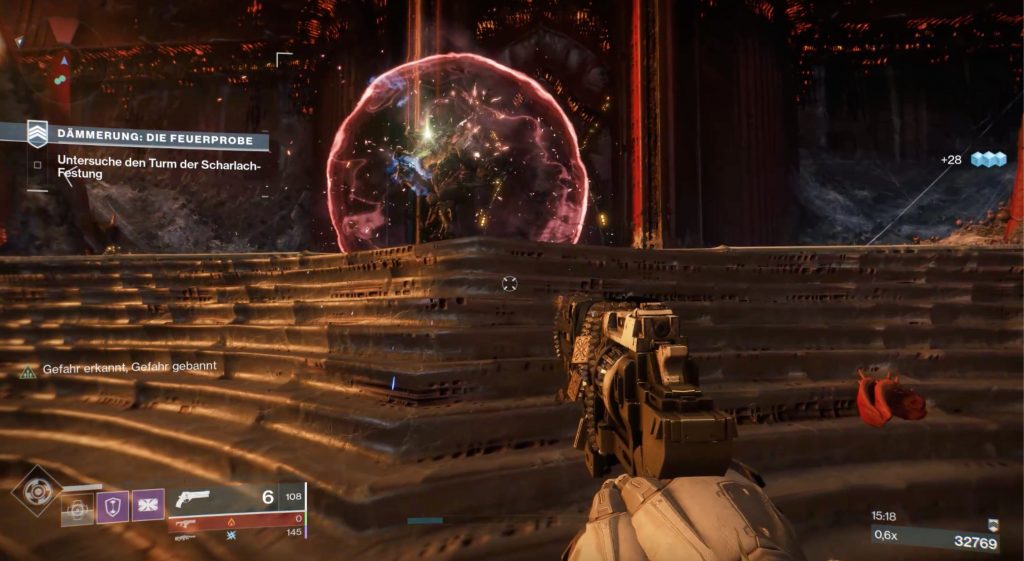
Useful for newcomers and veterans: Whether as a freshly baked New-Light Guardian or as a long-time Destiny player – who doesn’t know it? You need an automatic rifle for a loot run, but you only have your hand cannons and snipers. The enemies in the strike all have Arc shields, but you have no Arc weapon at hand.
We present you options that address exactly such problems. This should be a guide for new players. Afterwards, we will take a look at more useful support features of the apps. This way you always have an overview in your Guardian’s daily routine and can comfortably manage your next adventures via smartphone – even on the go.
This is what the Ishtar Commander for Destiny 2 offers
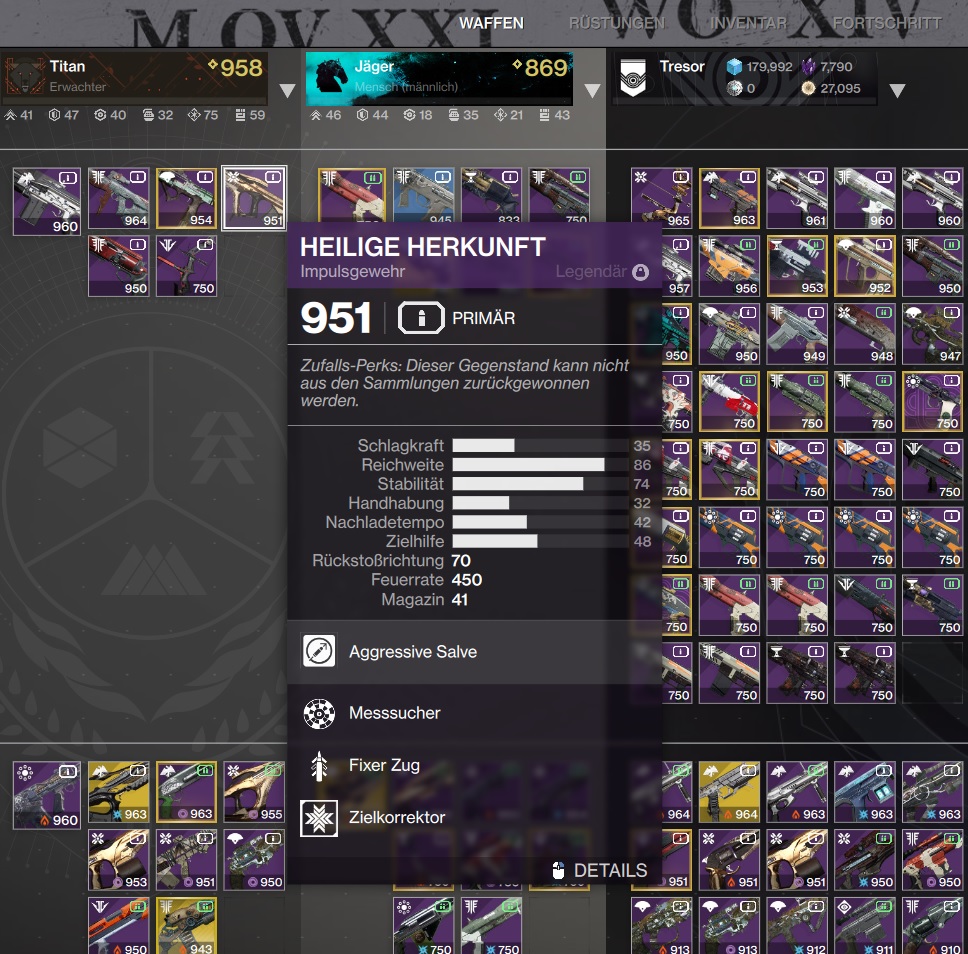
The useful Ishtar Commander was already the most popular item manager during the times of Destiny 1. Managing your equipment is a breeze with this app.
The third-party app accesses your Destiny account via an API (application programming interface) after logging in. The application is available for both Android and Apple devices. The use is completely legal and permitted by Bungie.

This is what the Ishtar Commander can do: Many Guardians have overflowing vaults. Countless different rolls take up space and all look very similar at first glance. This is where the Ishtar Commander shows its strength. These features are convincing:
- You can quickly and clearly access your vault. This saves a lot of time, especially on consoles. Moreover, it doesn’t matter whether you are in a mission or elsewhere. The transfer works smoothly.
- If you have more than one character, you can easily move items between your Guardians. You don’t have to log out and take a look at your twinks’ inventories.

- Collectors benefit immensely: With a click on the equipment, all details are revealed. In addition to perks or mods, the app also shows hidden stats like aim assist and recoil direction.
- You can automatically equip your most powerful gear with just a few clicks. This way, you can see what maximum power level you can achieve.
- You can choose between several languages – including German.
- You also get an overview of your bounties, quests, and weekly activities and challenges.
- Manage your post office on the go.
You can now also use the popular Ishtar Commander on your computer. In the desktop version, navigation and orientation are even easier.
This is what the official Destiny 2 Companion can do
The app provided by Destiny developer Bungie itself has been continuously improved. Meanwhile, this application is a real competitor for other item managers.
This is what the Companion app offers: In principle, the Companion (English: Companion) has similar functions as, for example, the Ishtar Commander. You can also transfer equipment between characters or the vault. Unfortunately, the unofficial application is faster and looks cleaner. However, Bungie’s product scores with a host of cool features that you look for in the competitors:
- You can change the perks of your weapons on the go. This works as soon as the item is in a Guardian’s inventory.
- There is an overview for clan management.
- You can view your Bungie account and make settings.
- The “Companions” feature allows you to get detailed reports on progress in the season pass or the level and inventory of vendors.
- Always keep an eye on your triumphs and titles.

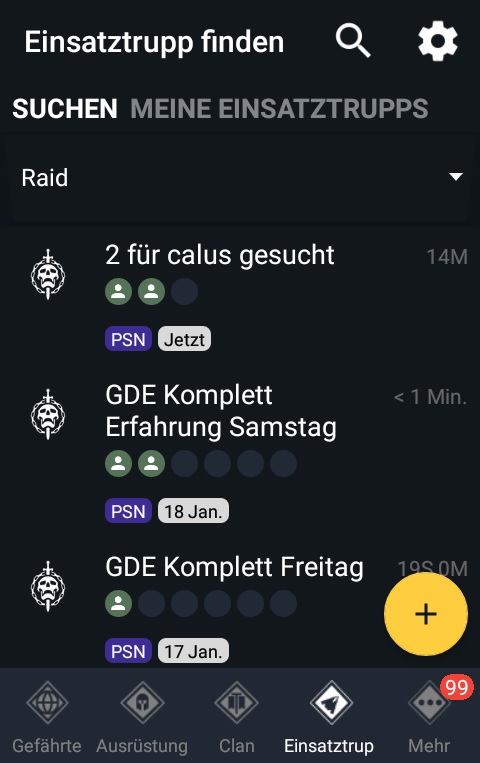
This is the highlight of the Companion app: The coolest feature of the official Destiny Companion can be found under the “Strike Team” tab. This allows you to assemble a strike team yourself. Alternatively, you can join an existing team.
You can select from many categories such as raid, nightfall, or dungeon as well as PvP. These are just a few examples out of many. In fact, all areas of Destiny 2 can be individually selectable. If you want, you can write a brief description of your plan or start planning for the weekend.
You can also change the platform you are on as well as the language that your teammates should speak. If you are the creator of a strike team, you can comfortably invite your group via the app and get started immediately. An LFG feature is included here.
Our conclusion on the support tools for Destiny 2: If you mainly deal with your gear and have a fixed team on hand, you should definitely go for the Ishtar Commander. Nowhere else can loot be managed as quickly and clearly.
If you prioritize the social aspects of Destiny 2 and other comfort features, you will be happy with the official Destiny Companion. In no time, you have a whole Guardian team together and ready to tackle the toughest activities.
How do you play Destiny 2? Do you rely fully on app support or do you prefer to fly to the Tower yourself? Do you have a favorite among the applications? What apps or websites would you recommend to newcomers or other Guardians?