

A user on Reddit shows how to install an SSD into a computer with minimal effort. The SSD dangles unopened in its original packaging from the case. Is this just lazy or simply genius?
Reddit users are known for their creative ideas. Therefore, it is hardly surprising how some users have installed their PC hardware. In the following post, a user simply leaves the SSD in its packaging and hangs it in his case.
This is certainly not the best method to utilize expensive hardware. But necessity is known to make one inventive. Moreover, we will tell you how the installation could have been done better.
The Minimalist Principle in Its Purest Form – SSD Installation for Slackers
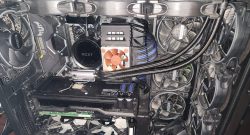
On Reddit, the user navigam shared a photo of another user’s computer. What’s special about it is the way the SSD is installed in the gaming PC.
Why is the installation method so extraordinary? Normally, you unbox new hardware and then place it at the appropriate spot in the computer. The components are then secured with appropriate screws. However, in this case, the owner did not take the storage device out of its original packaging.
How was the SSD then secured? Because the DIY enthusiast could not screw the SSD drive down, he secured it still in its packaging with a common wire cable tie to the cage for larger drives of his PC case. It now hangs there visibly, but it is anything but securely mounted.
How could he connect the necessary cables? To connect the SSD to the PC, he simply cut out a small piece from the blister packaging at the position of the ports and connected the data and power cables.



Is such operation safe? It is definitely not advisable to operate an SSD in this manner permanently. This type of drive is known to generate only a little operational heat and be relatively shock-resistant. However, other components in the system, such as the processor or the graphics card, can become very hot during operation and negatively affect the SSD’s packaging. This could deform or, in the worst-case scenario, even catch fire.
If the connection cables were not properly plugged in, it could also happen that they come loose during operation. Data loss would be the result. If he had simply placed the hard drive on the bottom of the case or affixed it with double-sided tape at a suitable spot on the case, it would have definitely been safer. However, this method is not optimal either.
What else did the community discover in the PC? If the dangling SSD wasn’t enough, observant community members also have the graphics card in their sights. This is being protected from sagging by a small packaging for spark plugs in front of it.
Old PC cases don’t know SSD drives
Could the owner have installed the SSD in a normal way? No, the picture shows that the PC case only has space for DVD drives with the standard size of 5.25 inches. Directly below, hard drives with the standard size of 3.5 inches can still be installed.
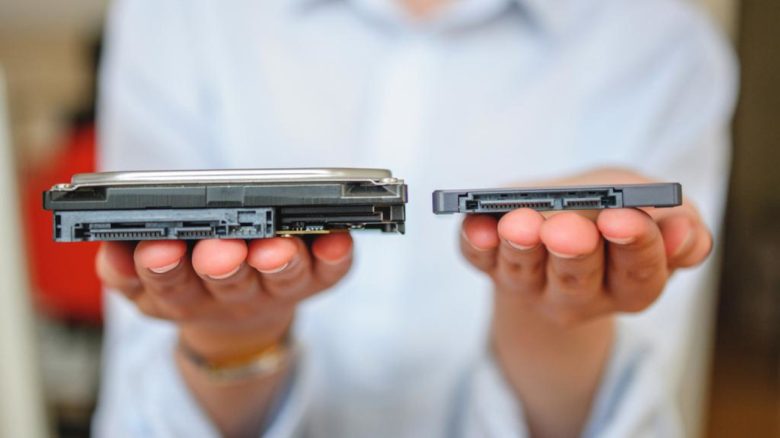
However, his SSD has a size of 2.5 inches. Moreover, smaller screws are required for SSD drives of this size than for hard drives. Therefore, a correct installation would not be possible without additional accessories. The first SSDs as we know them today came onto the consumer market over 10 years ago. Even then, aspiring PC users faced different drive sizes and unsuitable space offers in computers.
What solutions are there for this? Manufacturers of PC accessories quickly recognized the problem and brought suitable adapter rails and frames to the market. The SSD is screwed into these, and the adapter/frame is then installed into a larger drive cage for DVD drives or hard drives. In newer cases, installing SSD drives is no longer a problem. Manufacturers facilitate mounting at different locations in their cases.
How is it in your PCs? Have you ever had to improvise when installing components?
“The game even runs on a microwave” – Gamer uses kitchen appliance as PC case

Your opinion is important to us!
Do you like the article? Then let us know!