

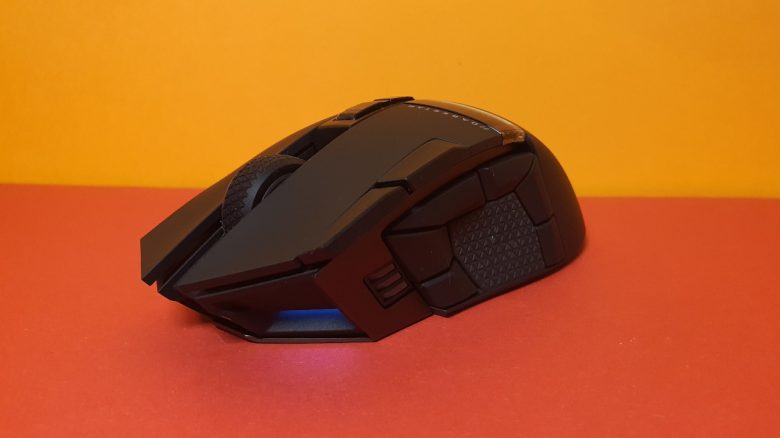
Corsair has introduced a new gaming mouse for MMO players and gamers in need of many buttons with the Darkstar Wireless. MeinMMO editor Benedikt Schlotmann was able to extensively test the mouse and reveals in his review how it performs in everyday use.
Mice with a lot of buttons are a specialty in the MMO mouse market. With the Darkstar Wireless, Corsair has now released a new gaming mouse featuring many buttons for players.
A few months ago, Razer released its new Naga V2 Pro, which the manufacturer confidently calls the “MMO King”. You can read the review of the Naga V2 Pro on MeinMMO.
In my review, I looked at Corsair’s new Darkstar Wireless. With a price of 169.99 euros, it is in line with what Razer charges for its Naga V2 Pro. The internal specifications are also similar, making a comparison worthwhile. In my review, you will learn how Corsair’s Darkstar Wireless performs.
Who tested it?
I am Benedikt and have a passion for gaming mice, owning over 20 gaming mice and a good dozen keyboards privately. I have been testing hardware for MeinMMO for our readers since 2019. Mice are among my favorites alongside gaming headsets and keyboards when it comes to PC and console peripherals. Nowadays, I am also using the Steam Deck in addition to the PS5.
The Darkstar Wireless MMO mouse was provided to me by Corsair for testing.

Benedikt Schlotmann
Hardware editor MeinMMO
Features and technical details:
| Sensor | Corsair Marksman |
| Resolution | Up to 26,000 DPI |
| Switches | Corsair Quickstrike, optical switches |
| Buttons | 15 fully programmable buttons |
| Design | Black mouse. RGB lighting on the front, top, and manufacturer logo |
| Skates | 2 |
| Cable | Detachable 2.0 m USB-C cable |
| Weight | 96 grams |
| Price (RRP) | 169.99 euros |
Oops, unfortunately this affiliate widget is no longer available. |
Corsair Darkstar Wireless: Scope of delivery, design, and build quality
What does the scope of delivery look like? The mouse is delivered with a USB dongle for wireless connection and a 2-meter USB cable. Also included is the obligatory manual.
How is the mouse designed? The model features a black design:
- On the top of the mouse are the primary buttons and between them is the four-way scroll wheel. There are two small switches on top that allow you to cycle through profiles.
- In the index finger area on the left mouse button, there are two additional buttons. With these, you can adjust the DPI setting.
- On the left side, in the thumb area, there are 6 additional buttons arranged in a semicircle.
- On the right side of the mouse is a grip tape, which is also located among the 6 buttons in the thumb area. Otherwise, the mouse has a smooth surface.
The Darkstar Wireless also offers lighting. This is located at the front near the USB-C connector, as a strip on the top and as a lit manufacturer logo.
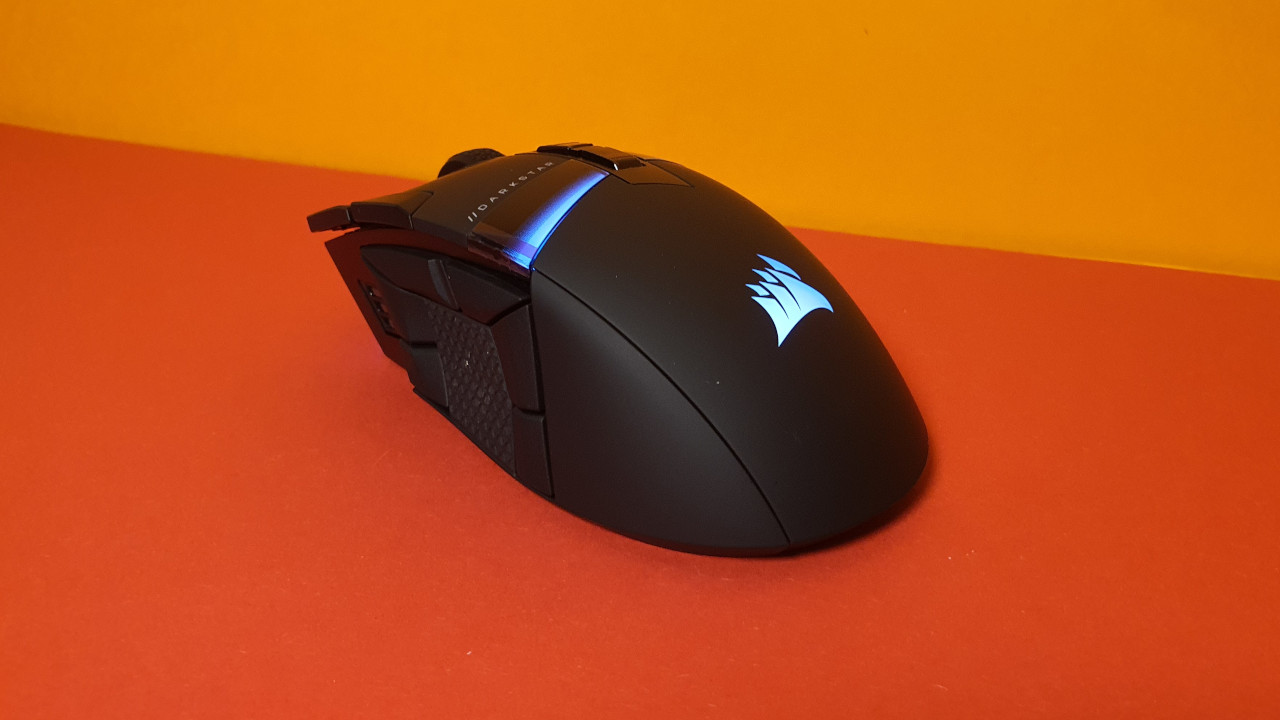
Build Quality
The build quality of the mouse leaves a good impression. During the pressure and shake test, nothing squeaks or rattles. The USB dongle can be safely stored in the underside of the mouse and sits almost a bit too securely for my taste. It’s also worth noting that the USB-C connector of the mouse is wide enough so that I can also use cables from third-party manufacturers.

Software
As is common with Corsair products, the iCue software is also used with the Darkstar Wireless. Initially, the software seems a bit overwhelming with all the lighting functions.
Tutorials (in German) explain each setting and possibility. However, the tutorials can be easily skipped if you want to discover everything yourself. I found the tips quite practical.
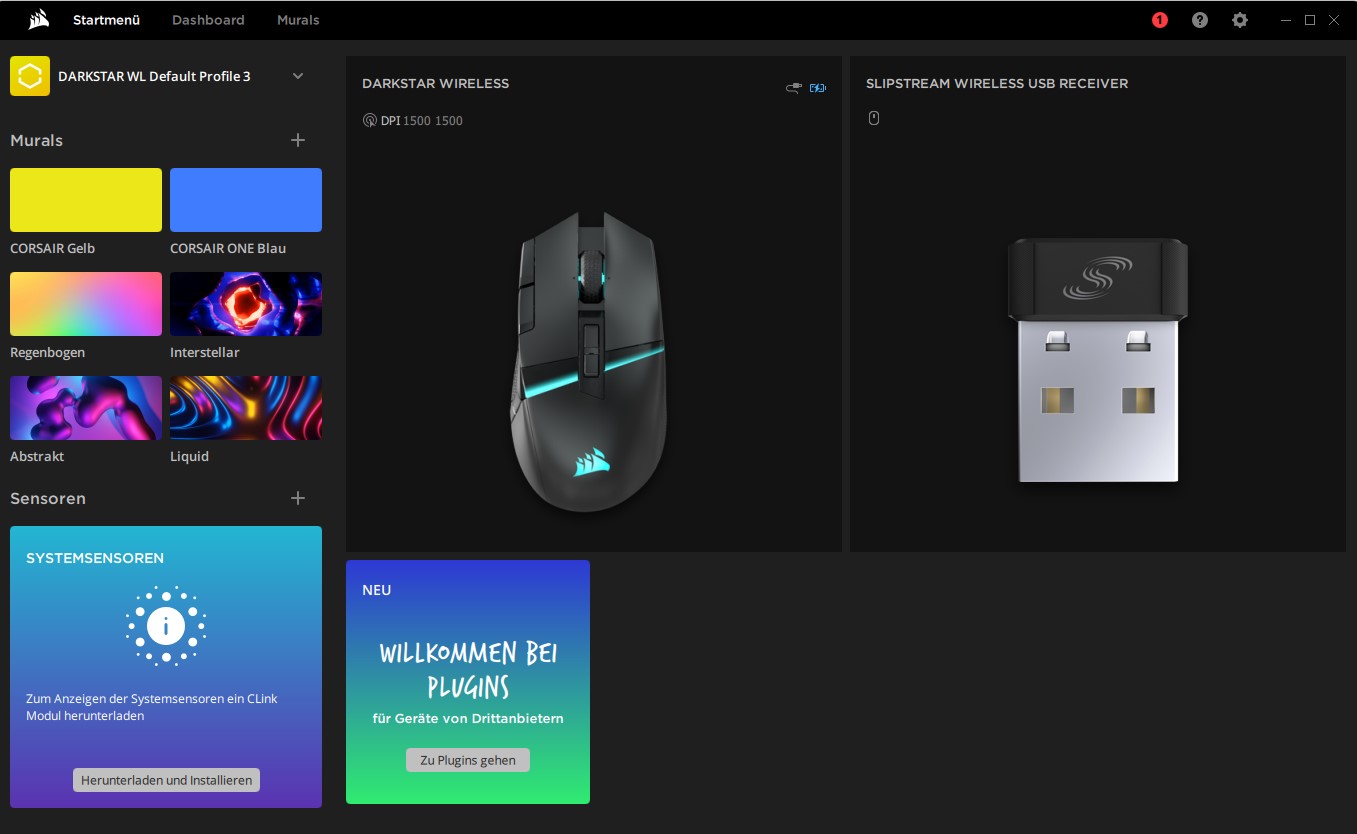
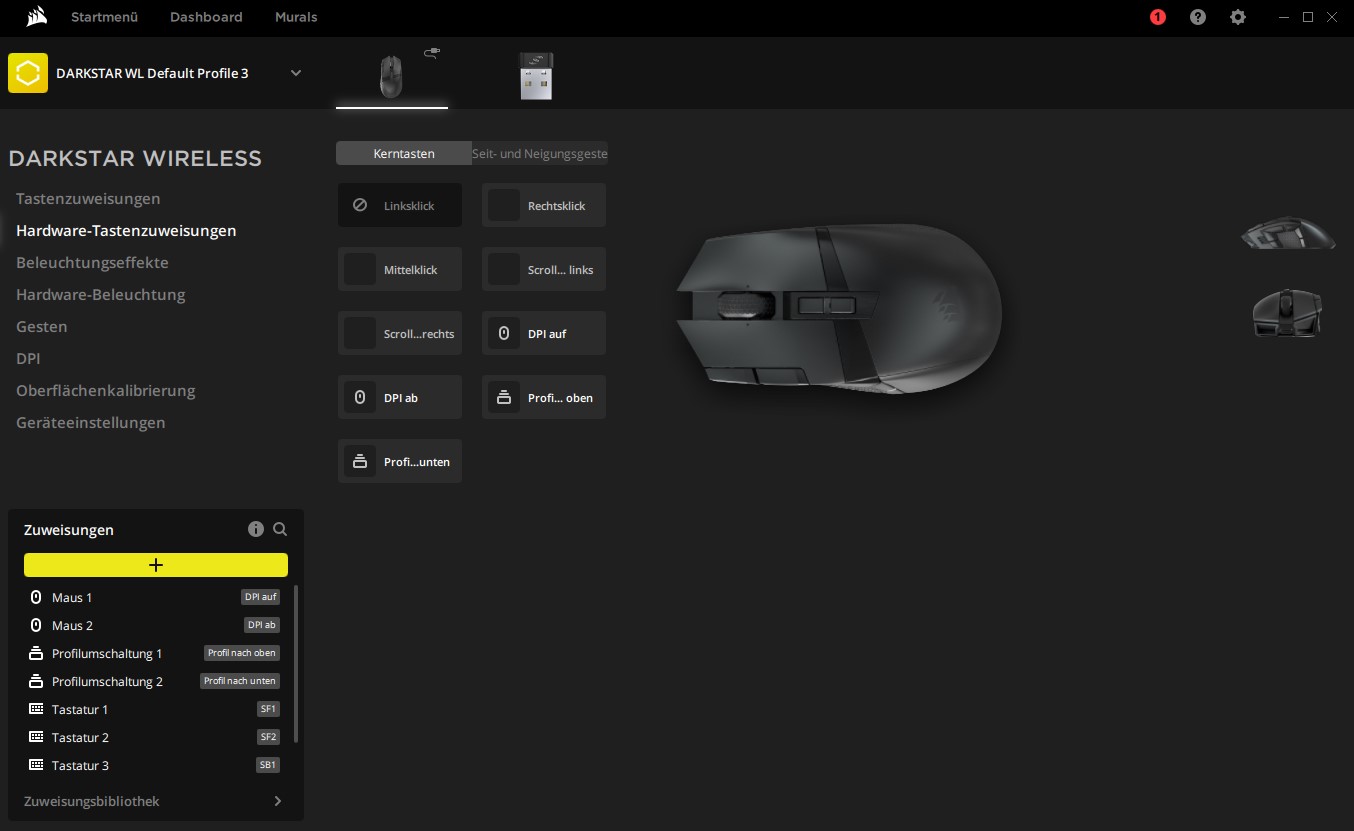
Through the “Hardware Key Assignments” menu, I can easily assign specific functions to buttons. However, on a large display, the menus seem quite small. I couldn’t find a scaling function.
Cool, however, is that the tilt position of the mouse can also be linked to specific actions. For example, if you tilt the mouse at a certain angle to the right, you activate the B key on the keyboard and the associated ability. The idea is cool and quite innovative. However, in the heat of battle, I quickly forget this possibility. Moreover, I rarely come up with the idea of lifting the mouse in the middle of a game.
Theoretically, I can also integrate additional software from ASUS, MSI, Nvidia, or Lenovo as plugins into the software. However, this was not necessary for the mouse test.
On the next page, you will find my assessment of the weight, ergonomics, and functions of the mouse. In the final conclusion, I will also explain for whom the mouse is worthwhile and what (still) might speak against a purchase.

Your opinion is important to us!
Do you like the article? Then let us know!