

Corsair has introduced the K65 Plus Wireless, a 75% format gaming keyboard. MeinMMO editor Benedikt Schlotmann tested the keyboard and explains who might find this model worthwhile.
With the K65 Plus Wireless, Corsair offers a keyboard that sounds promising at first glance: PBT keycaps, hot-swap technology, and sound insulation under the keys. And all of this for “only” 160 euros. Other manufacturers charge significantly more for fewer features: For example, Logitech for its G Pro X TKL Lightspeed, which costs 80 euros more but doesn’t offer hot-swap or active insulation.
It’s confusing that with the K65 Plus Wireless you get a 75% layout, yet the keyboard is named K65 Plus. By the way, there is no K75, only an M75, which is a mouse.
I tested the keyboard for you and will tell you whether it’s worth buying and what alternatives there are.
Corsair K65 Plus Wireless Test Overview
- Delivery, design, and construction
- Build Quality
- Software
- Ergonomics
- In Practice: Keys and Noise
- Conclusion
Who tested this?
I am the Tech Editor at MeinMMO and have a passion for peripherals, testing mice, keyboards, and gaming headsets. Since 2019, I have been testing hardware for our readers at MeinMMO. Gaming mice are particularly among my absolute favorites. Besides the PS5, I also play on my Steam Deck.
The model was provided to us by Corsair as a review unit.

Benedikt Schlotmann
Hardware Editor MeinMMO
Here you can find the technical details in a collapsible table:
| Design/Interface | Wired, Bluetooth, or wireless connection, 75% layout |
| Key Type | Mechanical, linear switches (Corsair MLX Red) in German layout; PBT keycaps (singleshot) |
| Programmable Keys | Yes |
| Lighting | Yes |
| Compatibility | PC, Xbox, PlayStation, Android, iOS |
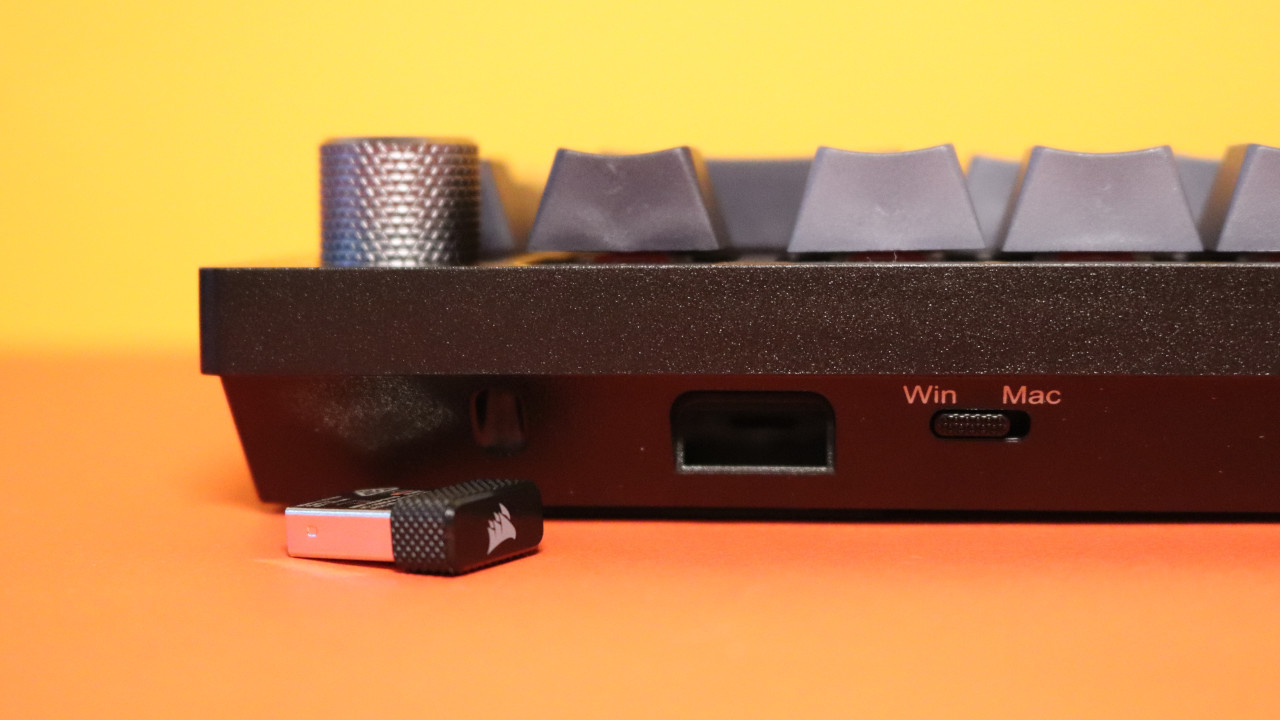
| Delivery Scope | Keyboard, charging cable, wireless transmitter, manual |
| Special Features | 75% layout with dedicated media keys |
| Price (RRP) | 159.99 euros |
Delivery, Design, and Construction
What does the delivery include? Inside the box, you find a USB charging cable and a tool to remove keycaps and switches, along with the obligatory manual. No additional keycaps are included in the box.
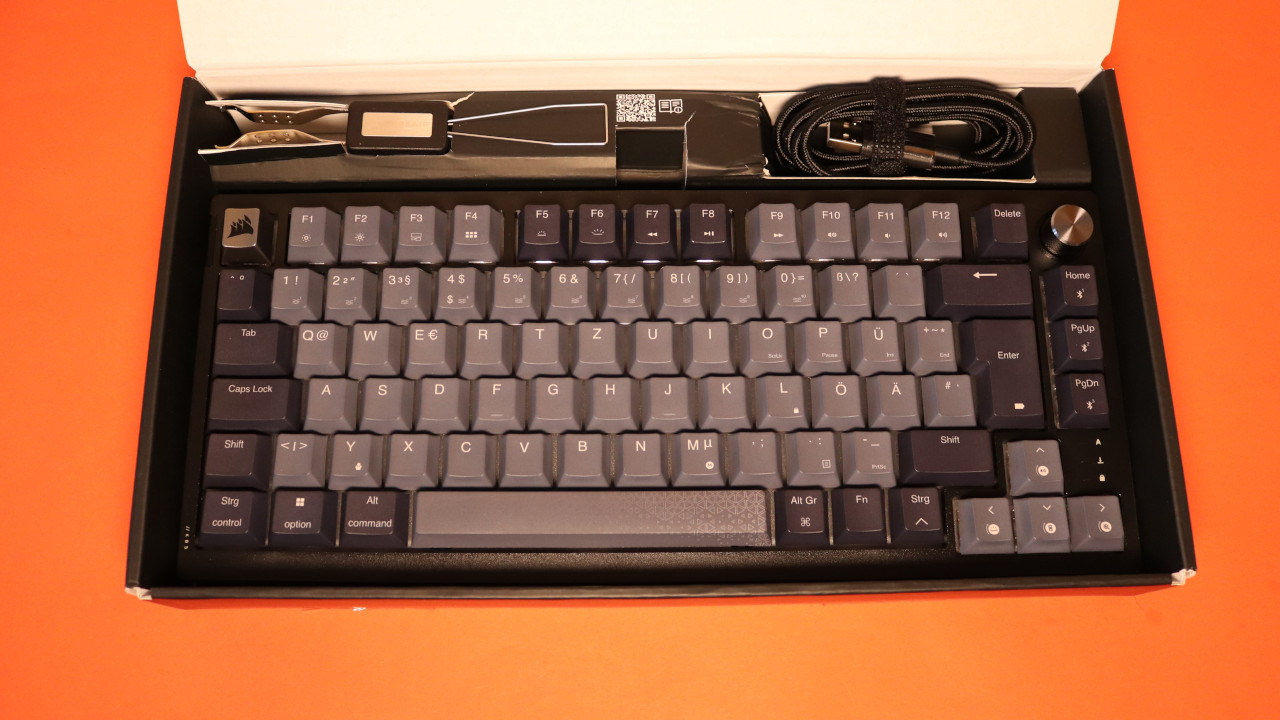
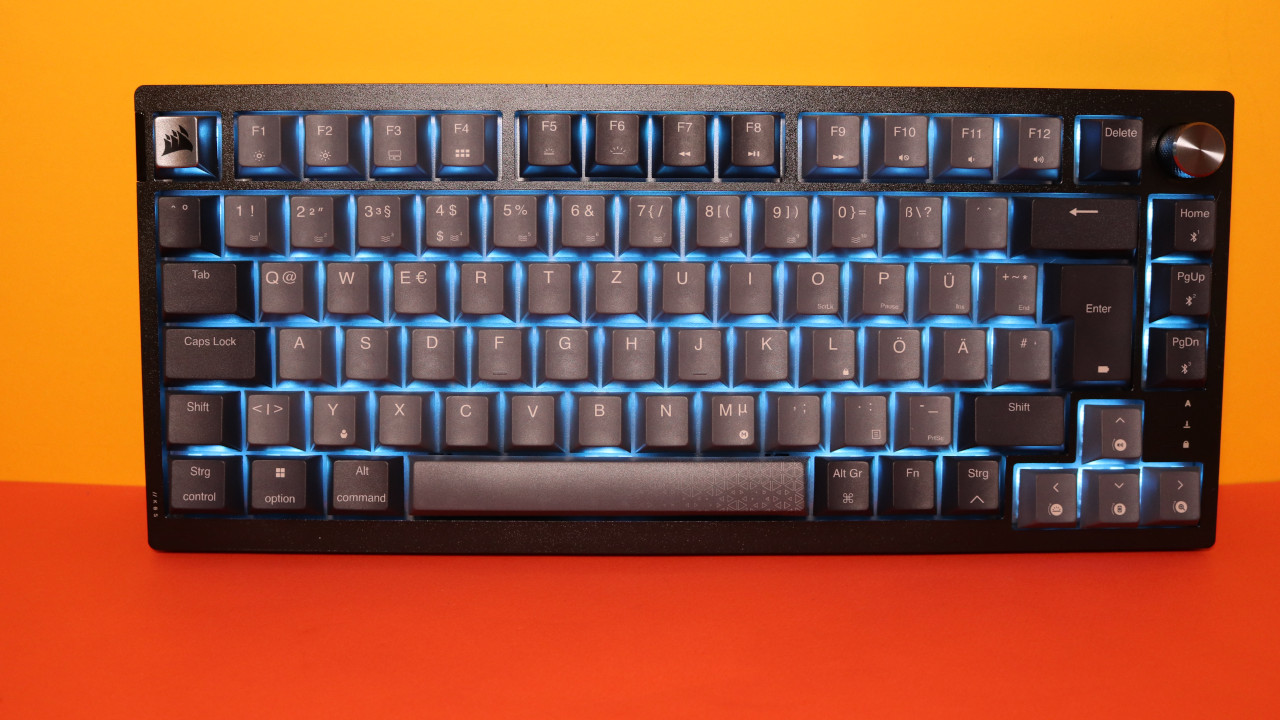
How is the keyboard built? The keyboard offers you an official 75% layout. This means you get a keyboard layout with function and arrow keys, but right of the arrow keys, it stops, and the special keys have slid into the block. This makes the keyboard shorter and smaller than a proper TKL design. However, it also saves a few centimeters on your desk.
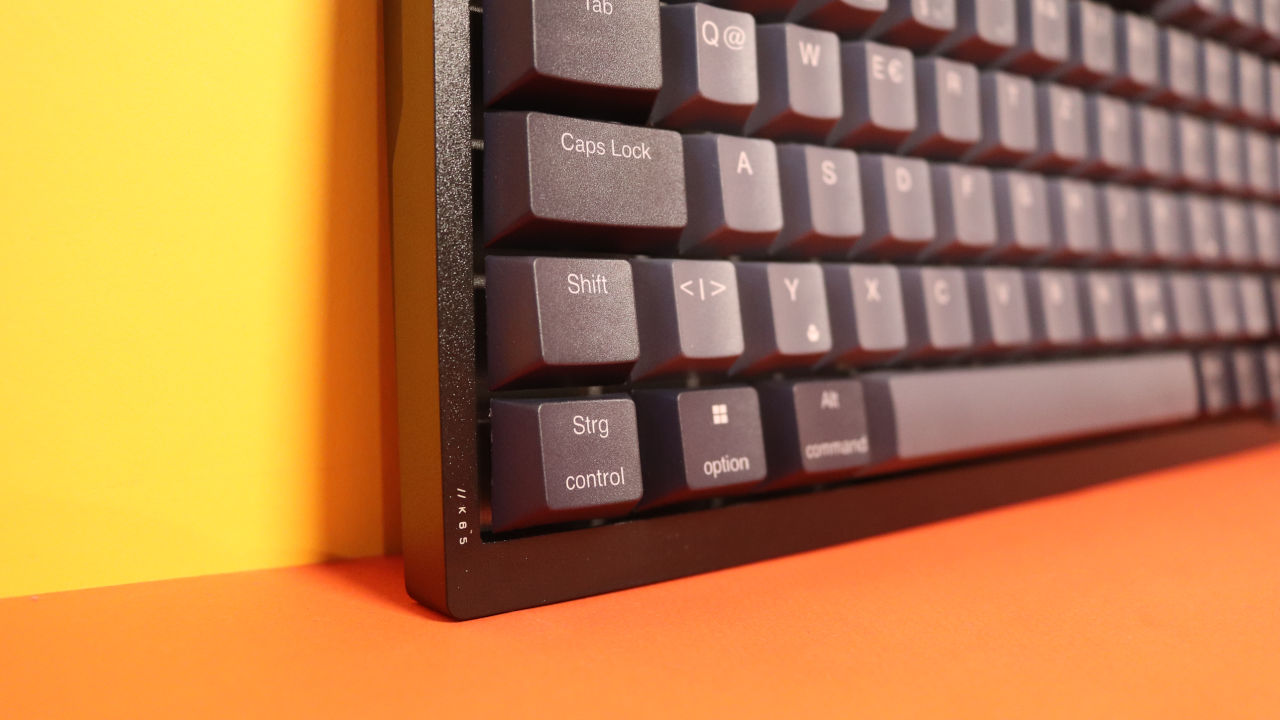
What does the keyboard look like? The keyboard comes in a black-grey design. The keys themselves are not translucent; instead, Corsair relies on backlighting for the keys. If you replace the keycaps with translucent models, the numbers and letters will also light up.
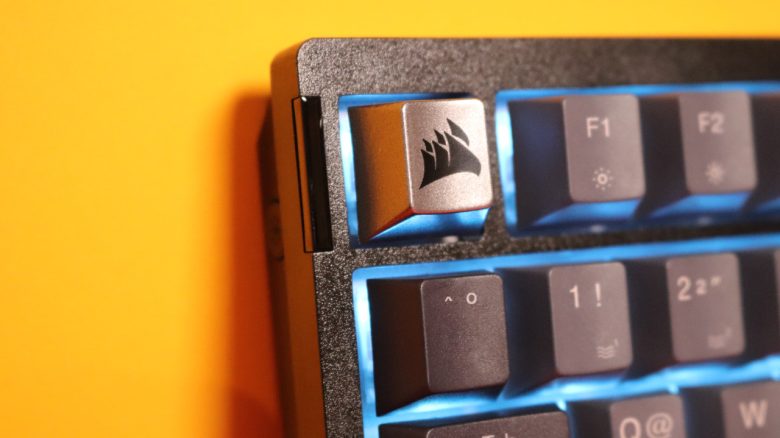
Practical: On the left side, there is a button to turn the lighting on and off with a single click. A cool idea that I haven’t encountered on other keyboards before.
Build Quality
The keyboard features a plastic body with a metal plate inside, on which the switches sit. Corsair uses PBT keycaps for its K65 Plus Wireless, but only single-shot and not doubleshot. This means that the keys lack the slight rough surface that you know from doubleshot keys.
Moreover, hot-swap switches are used in the keyboard. This means you can remove the switches from the keyboard and replace them with others at any time. This is particularly helpful in case of repair, so you don’t have to throw away the entire keyboard if a key is defective. This is always a plus point for me from the perspective of build quality and longevity.
Software
Corsair relies on its “iCue” software. Here, all settings for the keyboard can essentially be made. A few tutorials, which can also be disabled, explain new features to you.
The menus are all a bit nested and somewhat cluttered and you have to click through the fields until you find the right settings.
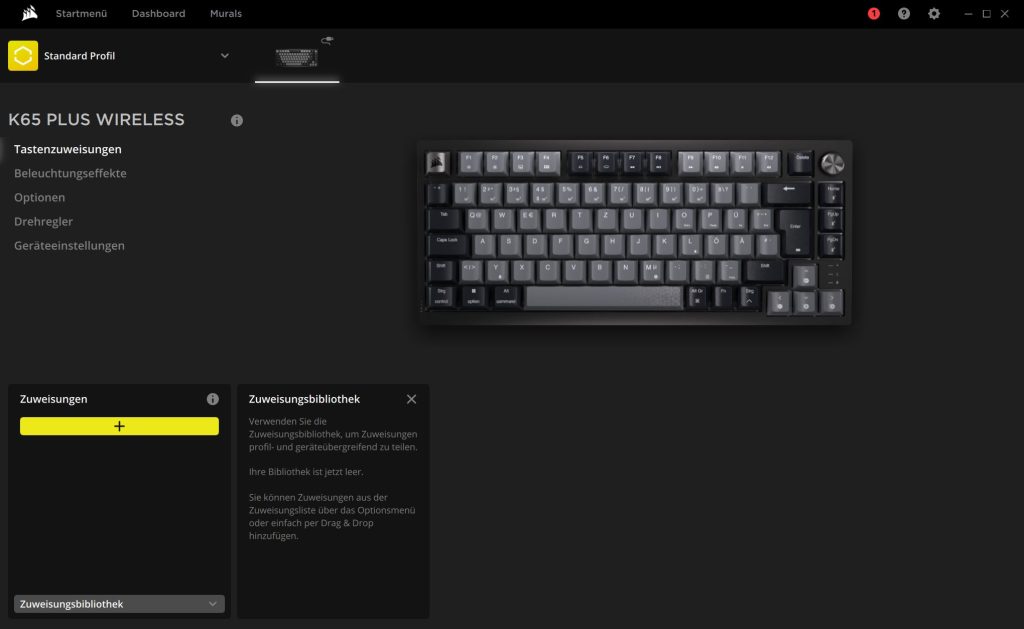
Up to 3 profiles can also be stored in the keyboard’s internal memory. “iCue” itself feels a bit bloated overall, especially if you “only” want to use a keyboard and don’t want to use all the extra features and modules. At 230 MB of RAM, iCue is not particularly slim compared to the software of other manufacturers.
At least: Unlike SteelSeries, the user is not drowned in aggressive advertisements for their products. Here, iCue remains discreetly in the background.
Ergonomics
The keyboard is very compact on the desk due to its slim 75% design. This has the advantage, especially from an ergonomic perspective, that you can keep the mouse closer to your body. This makes the angle of both arms on your desk more comfortable than if you used a keyboard with a number pad (so-called full-size models).
However, it is a pity that the keyboard does not come with a wrist rest. I privately bought a bamboo wrist rest that I combine with the keyboard without any issues, making the keyboard feel more pleasant.
The Keys
Under the keycaps of my keyboard lie Corsair’s MLX Red switches. Like Cherry switches, the switches use the well-known cross pattern so that you can use almost all standard keycaps with the keyboard.
By the way, a highlight is that the switches are already lubricated (pre-lubed) from the factory. This makes the switches particularly smooth and quick. Therefore, you hardly feel any real resistance with the red switches, which have no tactile bump.
How loud is the keyboard? The keyboard’s body has an extra sound insulation layer. This makes the keyboard very quiet. What you can always hear clearly are the individual key presses, i.e., the fingers on the plastic caps. If you listen closely, you can also hear a faint metallic echo of the switches. However, this is only noticeable in an absolutely quiet room and without headphones or music. Or if you put your head directly on the keyboard, but I assume very few of you will play or work at the desk like that.
Another highlight: Corsair has come up with the idea of damping the space bar. This makes the space bar not rattle loudly like the competition.
Conclusion: Very good gaming keyboard with many features
Is the keyboard worth it? With an RRP of 159.99 euros, you get a high-quality gaming keyboard with many modern features: pre-lubed hot-swap switches, sound insulation in the case, and good battery life. The software is overloaded but can be used without any issues. For the money, you can at most get the outstanding Ducky One 3, which I also tested on MeinMMO.
What alternatives are there?
- With the Ducky One 3, you get a good alternative for around 160 euros as well. The design is a bit more aggressive, and the battery life is slightly shorter.
- With the Akko 3068 B-Plus, you get my secret tip for under 100 euros and similar features to Corsair. However, Corsair offers the better software, which unfortunately needs improvement at Akko.
- With the Logitech G Pro X, you also get a gaming keyboard with hot-swap switches for about 130 euros, but no PBT keycaps and only as a wired model.
More gaming keyboards: Are you looking for further recommendations in the peripherals area? Then take a look at the following purchasing advice on MeinMMO. Here we explain which keyboards are currently the most worthwhile:
The best gaming keyboards you can currently buy

Your opinion is important to us!
Do you like the article? Then let us know!