

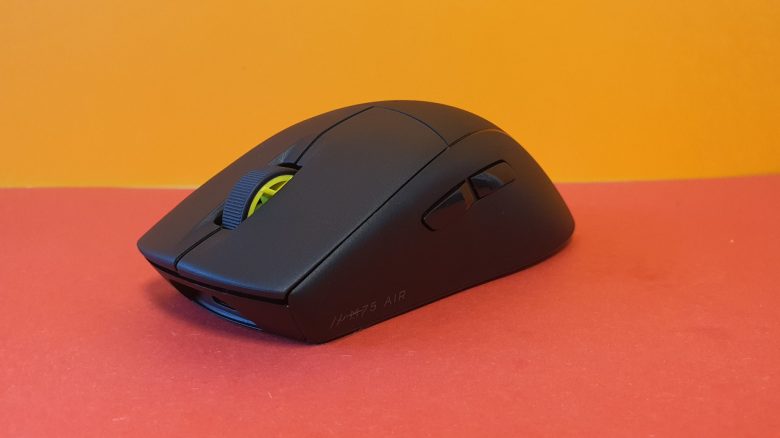
Weight, ergonomics, and battery life
The weight: In its basic configuration, the mouse weighs 60 grams and thus is closely aligned with the competition in the shooter segment:
- The Logitech G Pro X Superlight weighs 63 grams.
- Razer’s Viper V2 Pro weighs 58 grams.
- Roccat’s Burst Pro weighs 68 grams.
The ergonomics: I have very large hands, measuring 19 centimeters. In both palm grip and claw grip, all buttons are easily reachable for me. In fingertip grip, I have trouble reaching the buttons in the thumb area. I find the mouse overall most comfortable in palm grip style.
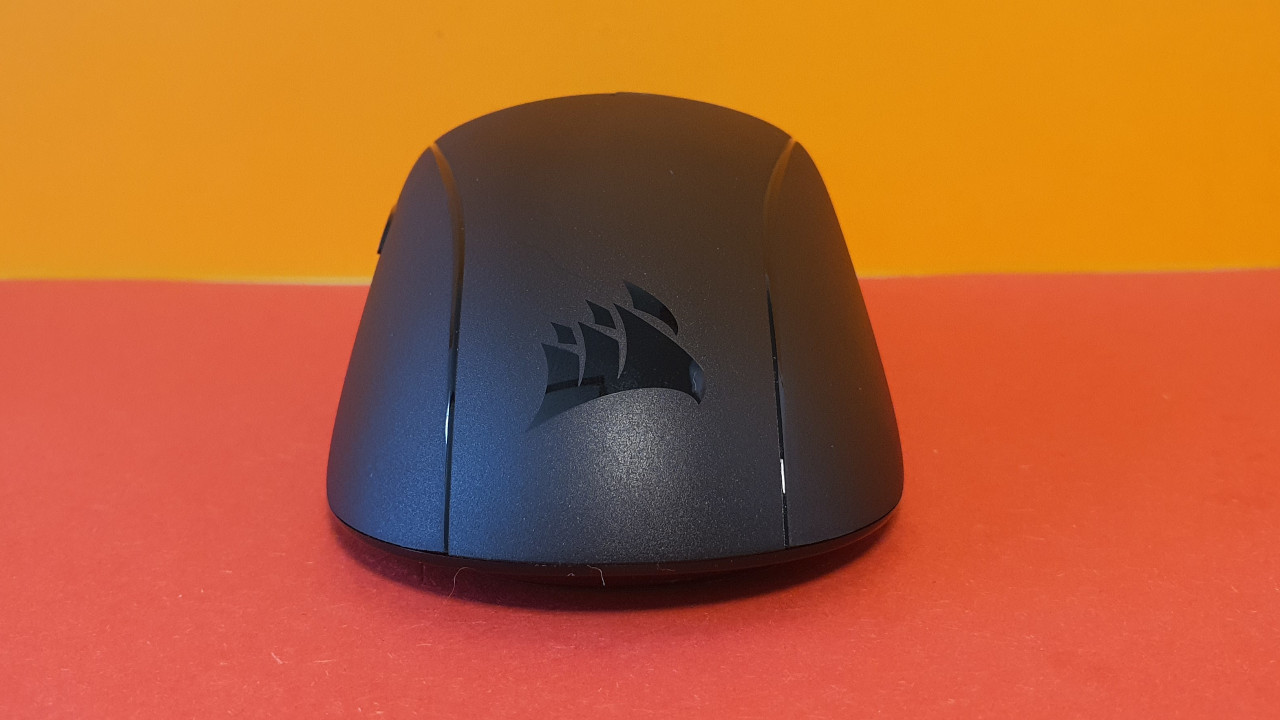
Overall, the mouse sits comfortably in the hand despite the rougher surface. However, I am still disappointed that there is no option for grip tape from the manufacturer. Some manufacturers, such as the German company Nyf or HyperX, now include grip tape.
Battery life: The manufacturer states the battery life as “up to 100 hours”; via Bluetooth, up to 45 hours are possible. I can almost reach the 45 hours; a little less than a week is easily achievable with the battery.
I find it annoying that there is no proper battery level indicator. It’s also frustrating that the mouse shuts off without any warning that the battery is running low. With Razer or Logitech, at least a big warning pops up in the taskbar that I need to recharge. This either does not exist with Corsair, or I simply overlooked it.
At least the battery charges very quickly, and I can game with it again after just 30 minutes. Or I can use it with the cable while charging it.

Mouse buttons, mouse wheel, and sensor
The mouse buttons: Under the mouse buttons are optical switches that Corsair claims can achieve at least 100 million clicks. In my test, I could not verify this; the clicks definitely feel satisfying and fulfilling. Moreover, the mouse clicks offer high precision. I notice this especially in fast shooters where quick clicks are essential.
The clicks are quite loud and sound hollow, which for optical switches is not unusual. This is also true for products from Roccat or Logitech, which also use optical switches now.
The mouse wheel: In my opinion, the mouse wheel is the great weakness of the mouse. It makes strange noises in everyday use and does not always turn seamlessly. Sometimes I click the mouse wheel instead of turning it.
Corsair explained to me upon inquiry that my mouse is an early production unit. Therefore, it is quite possible that the problem is resolved in newer devices.
Sensor: The M75 Air features the Corsair MARKSMAN with a resolution of 26,000 DPI, adjustable in 1 DPI increments. The Marksman sensor was developed in collaboration with PixArt.
In the test, I examined the sensor thoroughly. Both wired and wireless, the reaction times (so-called intervals) are a maximum of 2 milliseconds.
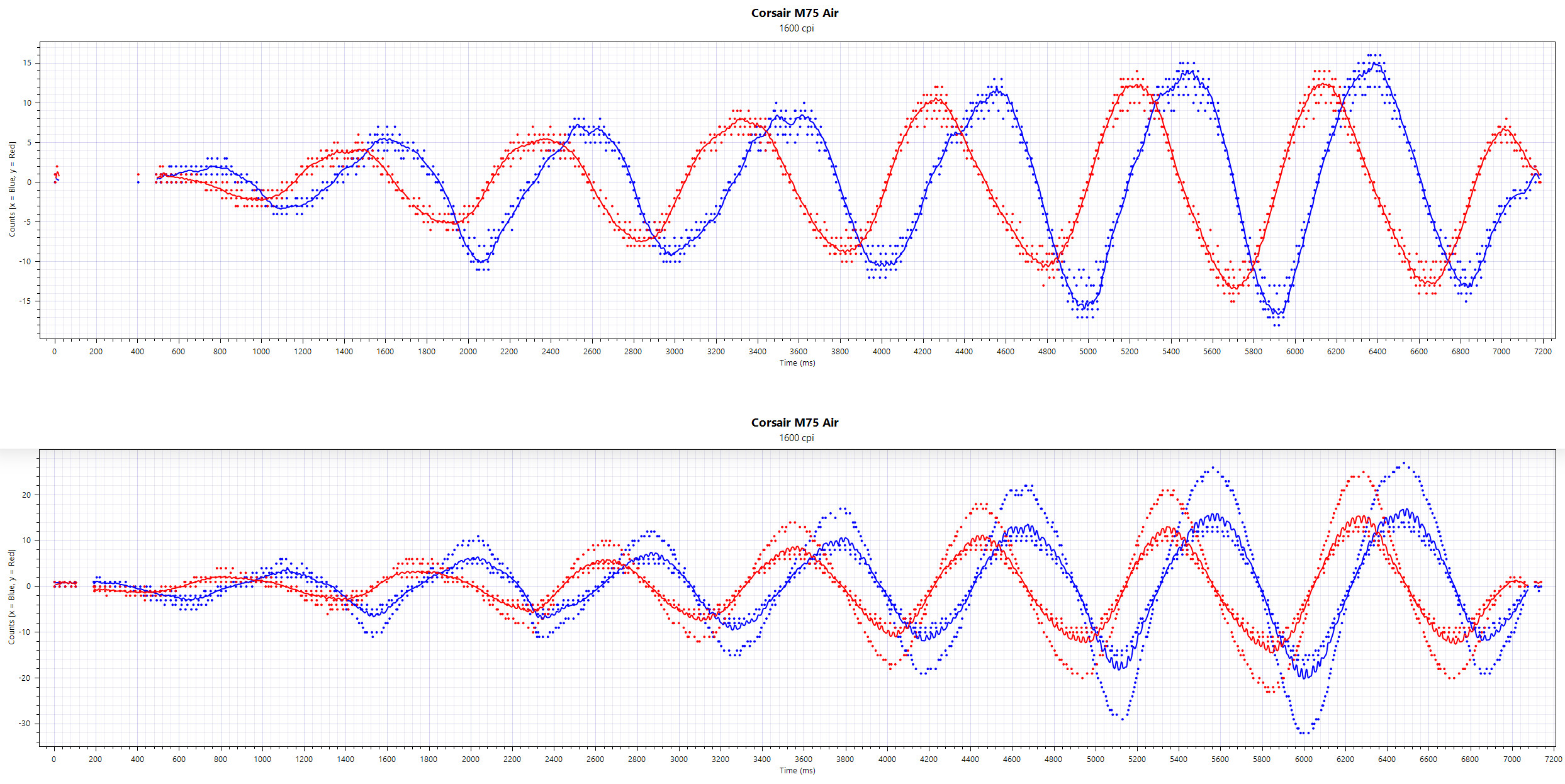
What I notice in the test is that the sensor operates significantly more stably and accurately over cable than in wireless Slipstream mode. This is not unusual at first, but I noticed it in the test of the Corsair Darkstar Wireless. However, there are no strong dropouts like those encountered with the Darkstar Wireless on the M75 Air. The sensor in the M75 Air works cleanly and reliably most of the time.
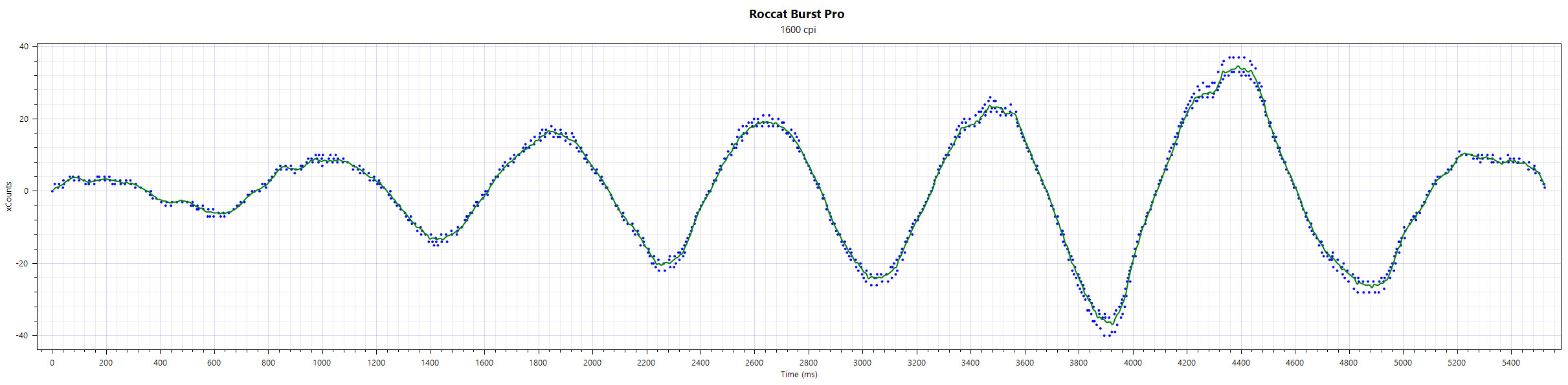
The 5G sensor from Razer is still more accurate and precise than Corsair’s Marksman model. The same goes for Roccat’s older Owl-Eye sensor in the Burst Pro. I have embedded the comparison to the Burst Pro above. You can see that the measurement points are closer to the curve than with Corsair.

Conclusion: Good mouse for shooter players
Who is the mouse suitable for? With the M75 Air, Corsair actually offers a great gaming mouse for shooter players but has a few small, annoying flaws.
Logitech and Razer offer longer battery life and sometimes better sensors with their models (G Pro X Superlight and Viper V2 Pro). However, the M75 does not need to hide in terms of ergonomics because I prefer it over the competition here.
It is also frustrating that the mouse offers no hardware option to change the DPI at all. The Burst Pro at least has a DPI button on the top, while the Razer Viper has it on the bottom. If I want to actively change the DPI, I have to do it through the software or manually assign the side buttons.
What alternatives are there?
- The G Pro X Superlight is slightly lighter at 63 grams and offers a closed housing. However, you can’t swap the mouse switches here either.
- The Razer Viper V2 Pro weighs 58 grams and offers a significantly higher battery life of around 100 hours.
- The HyperX Pulsfire Haste in its wired variant would be my budget tip at around 50 Euros; the wireless variant for about 90 Euros is also worth recommending.
- Roccat’s Burst Pro is also a recommendation; the wireless Air variant is regularly available for under 100 Euros.
More gaming mice on MeinMMO: If you are looking for more recommended gaming mice, take a look at our buying guide on MeinMMO. Here you will find the best gaming mice currently available:
The best gaming mice for shooter games that you can currently buy

Your opinion is important to us!
Do you like the article? Then let us know!