

You can now connect Pokémon GO with Home, transfer Pokémon, and secure Meltan and Melmetal. MyMMO shows you everything you need to know in the guide.

What’s new? Pokémon Home is available in connection with Pokémon GO. Many trainers have been waiting for this because you can transfer your catches from GO to Home and then redeem them in Sword and Shield. Probably also in future new titles of the Pokémon series.
The good thing about the method with Home is: You get a Meltan box without having to own a Switch or additional Pokémon games. All you need for this method is a free Nintendo account, which you link to Home. It’s incredibly easy and quickly gives you wonder boxes for Meltan. Meanwhile, Pokémon Home is available to every trainer in GO – there is no longer a level requirement for it.
What is Home? It is a cloud service where you can store Pokémon. If you link the same Nintendo account with Home on the Switch and Home on a mobile device, you can access the same boxes in both versions. Additionally, you can send Pokémon from Pokémon GO to the storage boxes. And for that, you will be rewarded with Meltan.
How to prepare: To fully use the feature, you need to prepare first. You can do this with the following steps:
- Create an account with Nintendo (You can do it here on the Nintendo website)
- Additionally, download the Pokémon Home app along with Pokémon GO
(Pokémon Home in the App Store for iOS – Pokémon Home in the Google Play Store for Android)
Setting up Pokémon Home (important for transfer)
Here’s what to do: Download the Pokémon Home app for your device. Use the links shared above to the respective stores.
Once the app is downloaded and installed, you configure it. You set the following settings:
- Language
- Region
- Date of birth
- If applicable, agree to the terms
- Link your Nintendo account (if you haven’t created one yet, you can do it then)
- Set any username
- Design your avatar and choose a starter Pokémon
That completes the setup, and you have taken care of all the important things for now.
There’s an optional subscription: Those who want can join the Pokémon Home subscription service and gain even more space to store Pokémon. However, this is optional. If you don’t want it, you simply have less space.
Connect Pokémon GO with Home
What you need to do: To connect the accounts, open the settings in Pokémon GO.
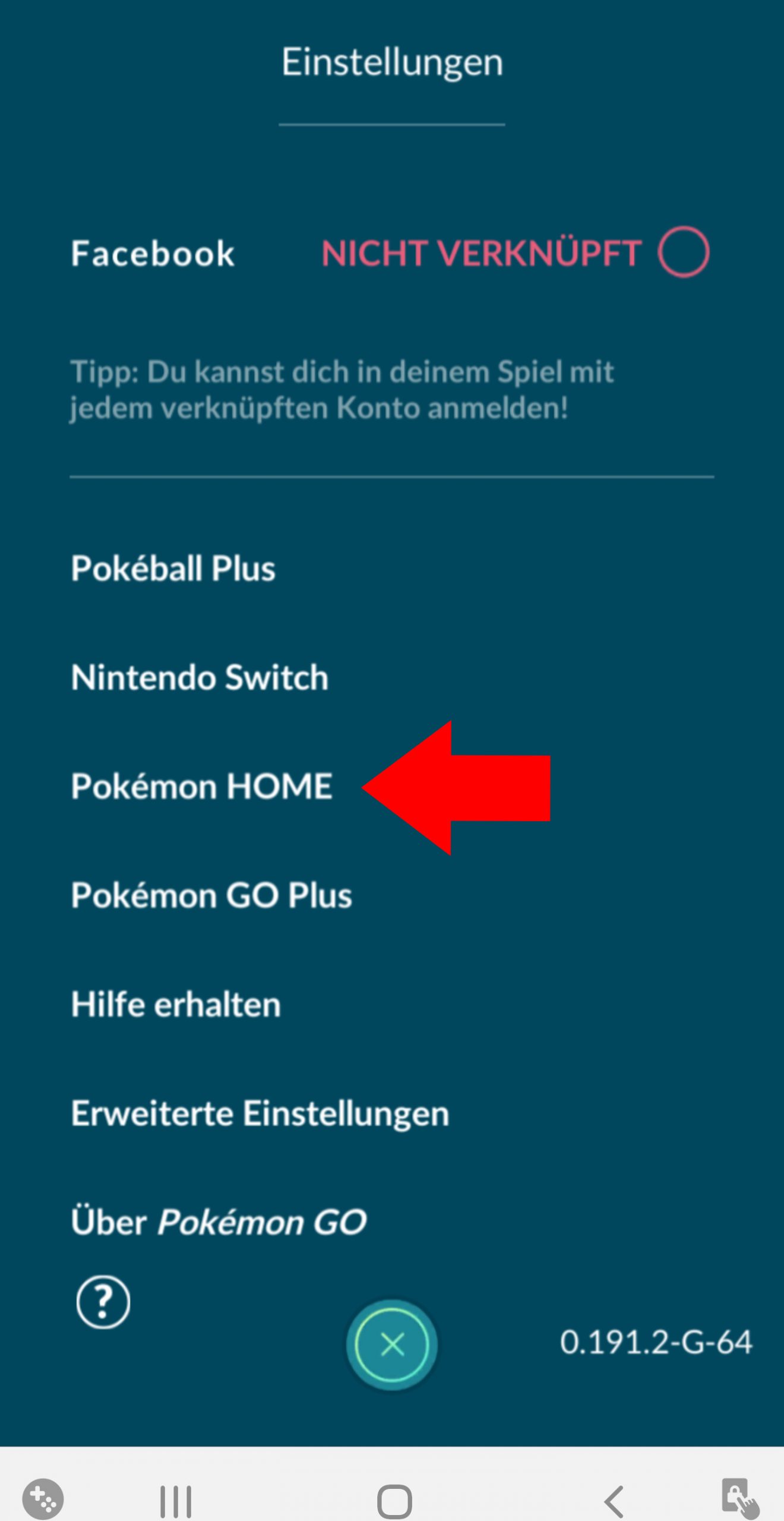
- Select the Pokéball in the lower center of the screen and then click on Settings in the upper right
- Scroll almost to the end
- Select Pokémon Home and then click the “Sign In” button under “Nintendo Account”
- Here, log in with your Nintendo account
- Keep in mind that this must be the same Nintendo account you linked to your Home account
The connection between GO and Home is now complete. You can now transfer Pokémon and receive rewards.
Transfer Pokémon from GO to Home
Here’s how to transfer Pokémon: Once your accounts are connected, you can start with the GO transporter.
- Go back to the settings and select Pokémon Home
- Now select the green button that says “Transfer Pokémon”
- Now choose the Pokémon from your collection that you want to send
Keep in mind: A Pokémon you send to Home cannot be returned to GO - Then click Next and confirm the transfer
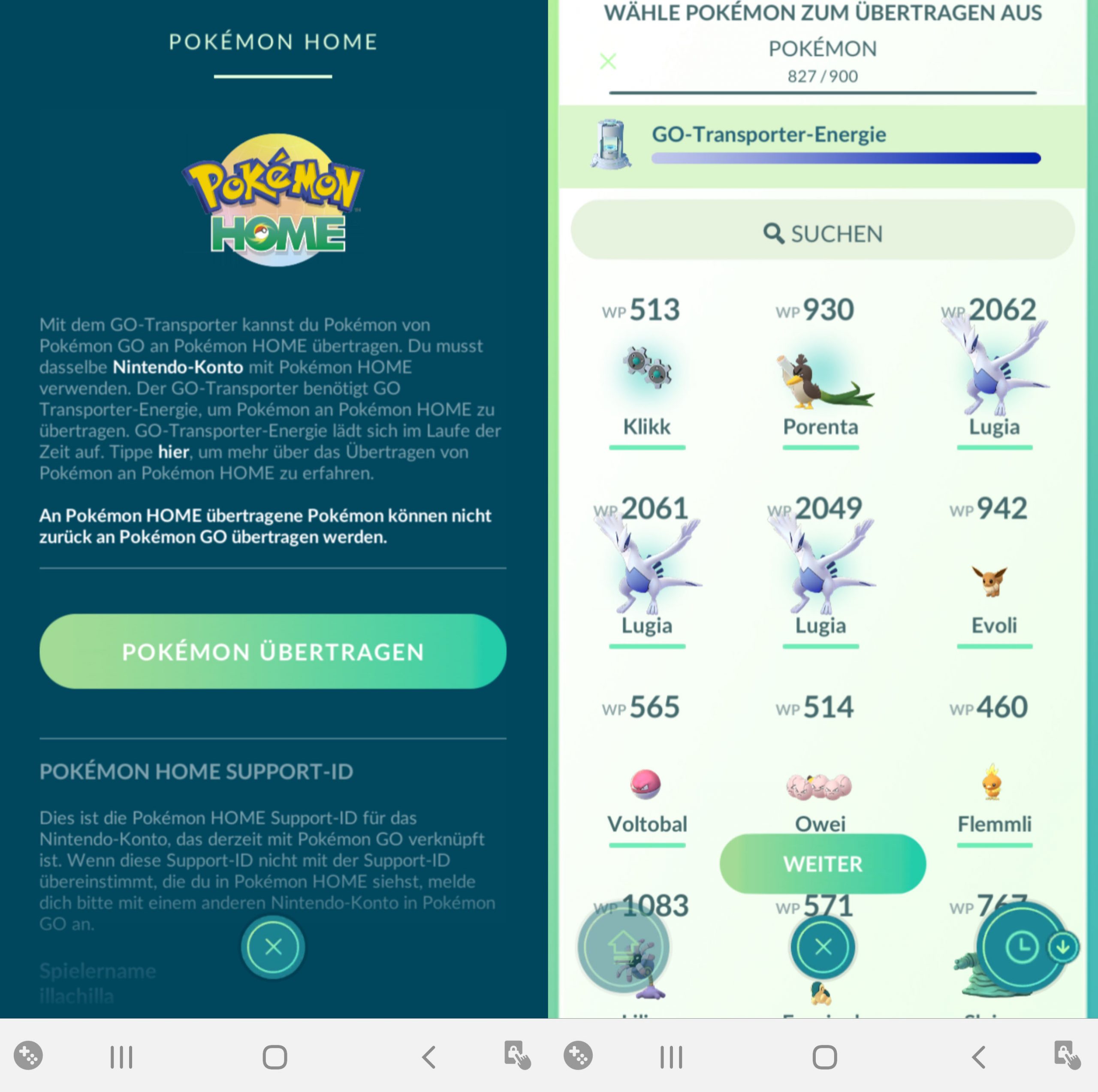
Pokémon that are not eligible for a transfer are Mega Evolutions, costumed or hat-wearing monsters, and shadow Pokémon.
What you need to know: Every transfer of Pokémon costs transporter energy. It only reloads after a certain time. However, you can also fill it for 1,000 PokéCoins and skip the waiting time. Trainers complain about the high prices of Pokémon Home.
Transferring Shinies or mythical Pokémon costs you about a quarter of the total energy. Transferring a legendary Pokémon uses up the full energy. Depending on the CP of the Pokémon, the costs can increase further.
Energy costs and recharging the transporter
How much energy do transfers cost? Depending on the type of Pokémon, different costs are incurred.
| Pokémon | Energy Cost | |
| Normal | Normal | 10 |
| Shiny | 2,000 | |
| 1,001-2,000 CP | 100 | |
| 2,001 CP and more | 300 | |
| Legendary | Normal | 1,000 |
| Shiny | 10,000 | |
| 1,001-2,000 CP | 300 | |
| 2,001 CP and more | 500 | |
| Mythical | Normal | 2,000 |
| Shiny | 8,000 | |
| 1,001-2,000 CP | 500 | |
| 2,001 CP and more | 700 |
How quickly does the transporter recharge? The GO transporter recharges 60 energy per hour. It takes 7 days to fully recharge an empty transporter.



Receive a Wonder Box for Meltan
This is how to get the box: For a successful transfer to Pokémon Home, you will be rewarded with a Wonder Box. This will then appear in your inventory.
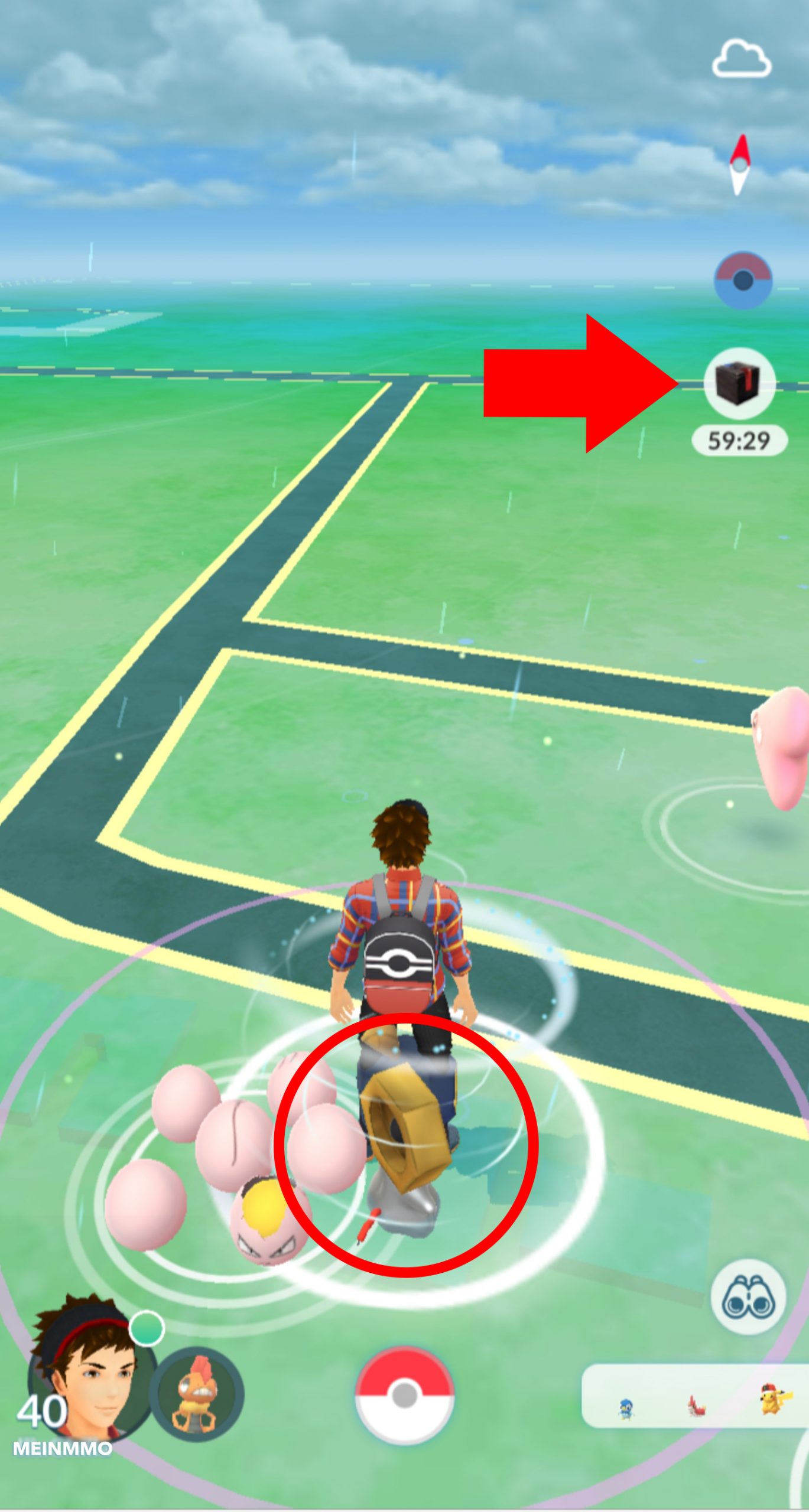
When used, the box is active for one hour and spawns Meltan in your vicinity. Even Shiny Meltan is already available in Pokémon GO. It’s best to use Silver Razz Berries if you still need Melmetal in your collection. For evolution, you need 400 Meltan candies.
According to community reports, the box can be opened every 5 days. It will not be consumed when you use it for the first time. Instead, using it starts a countdown. You can see the current status of the countdown when you select the box again in your inventory.
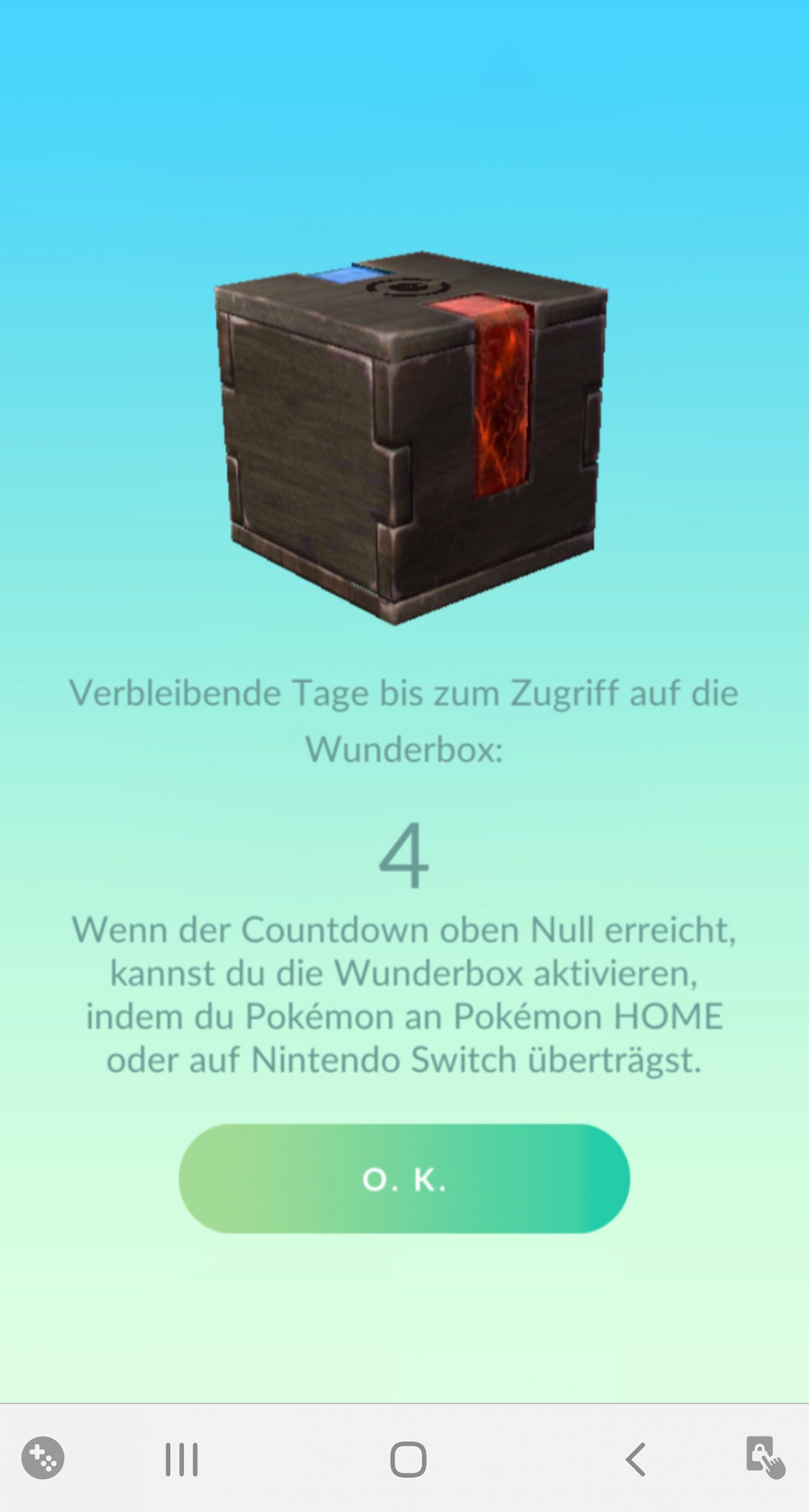
If you have any further questions about using Pokémon Home and GO, feel free to leave them in the comments here on MyMMO.
Now you know how to secure Meltan in your collection and transfer Pokémon from GO to Home. But have you also made the most of your attackers? We show you here the best attackers in Pokémon GO and explain what makes them so strong.

Your opinion is important to us!
Do you like the article? Then let us know!