

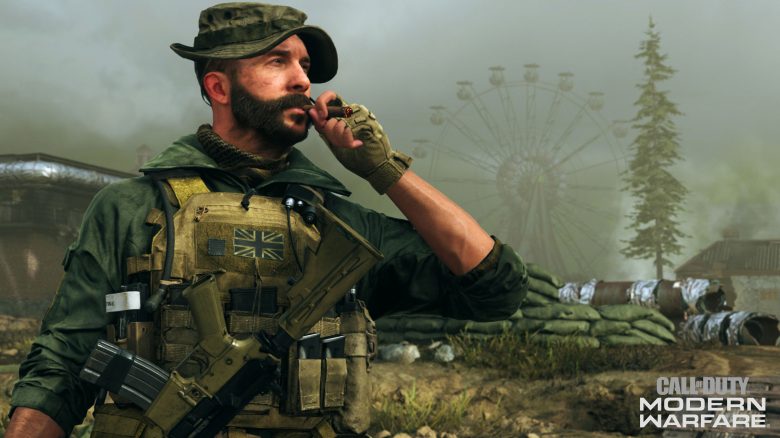
Players with a PS5 can enjoy the Battle Royale Call of Duty: Warzone now at up to 120 FPS – provided that the TV or monitor can handle it. MeinMMO shows you how to activate the output at 120 Hz in CoD Warzone.

Warzone now with 120 Hz support on PS5: The Season 4 of Call of Duty: Warzone began today. The new update 1.38 brought various new content including 4 new weapons, numerous bug fixes, and extensive balance adjustments, as well as a nice feature for PS5 players – the Battle Royale can now be played on the PS5 at up to 120 FPS.
This is important for many players, especially in shooters, as it provides a noticeably smoother experience. And tests show that higher FPS really help with aiming. We explain here what you need to do and what to pay attention to.

Warzone with 120 Hz and FPS on the PS5 – Here’s how to do it in the settings
The requirements: First of all, you need a PlayStation 5 – unfortunately, this is still not easily attainable more than half a year after the release of Sony’s next-gen console.
If you have a PS5, that’s still not all: Your output device, meaning the TV or monitor, must handle the video signal at 120 Hz. If the output device does not support it, then that’s it for the 120 FPS.
Additionally, you need an HDMI 2.1 cable – at least for 120 FPS at 4K resolution. The one supplied with the PS5 should suffice. If you use another one, make sure it supports HDMI 2.1. You can still squeeze out 120 Hz from an HDMI 2.0 cable, but only at Full HD resolution. In this case, you would need to set your PS5 resolution to 1080p accordingly.
Here’s how to get 120 Hz: To enable the 120 Hz support in Warzone, you need to do the following OUTSIDE of the game:
- Go to the settings menu on your PS5
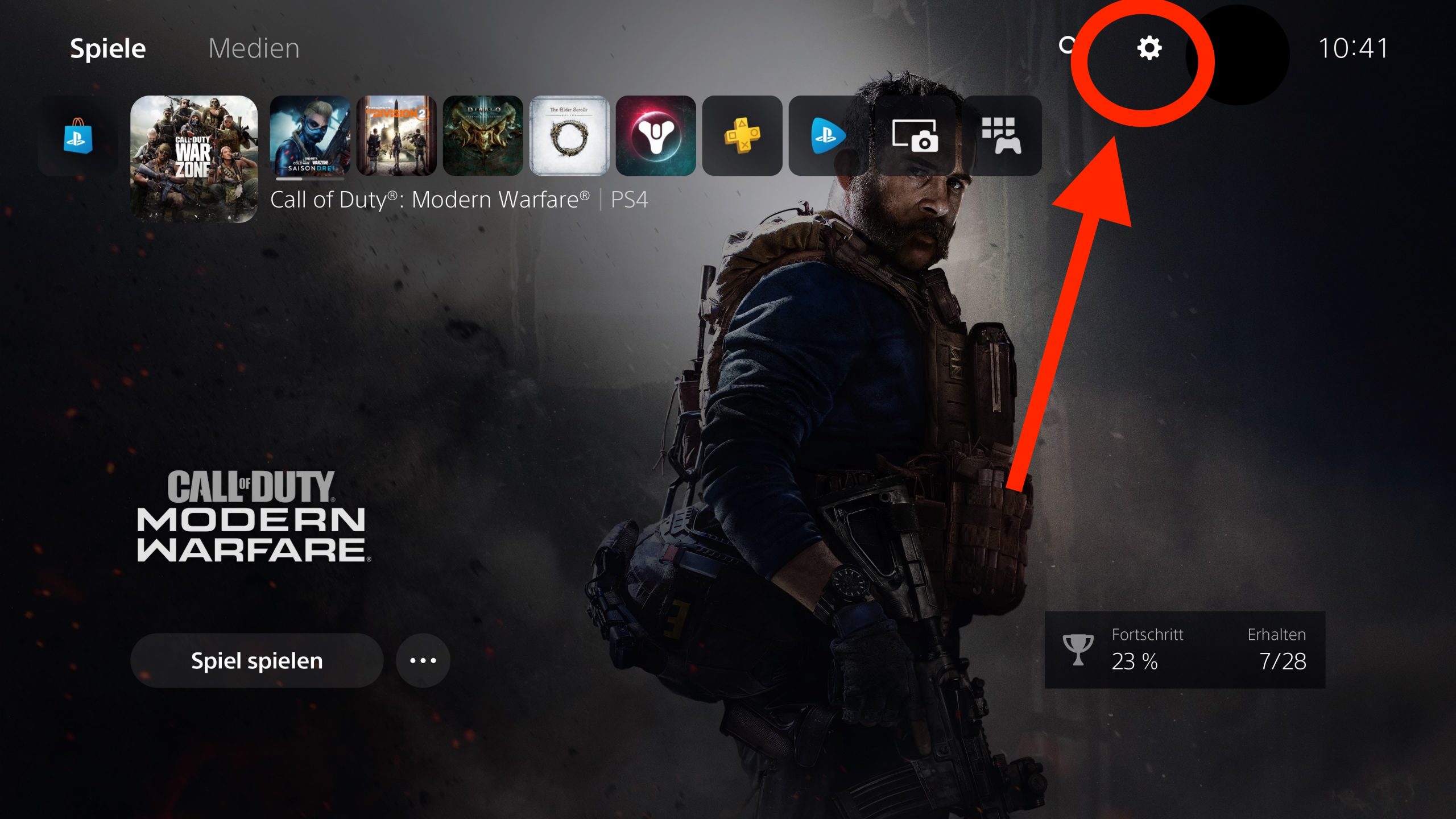
- Now navigate to the “Screen and Video” section and then to “Video Output”


- Once you reach “Video Output”, simply scroll all the way down to the option “Enable 120 Hz Output”. Here, you need to set the option to “Automatic”
Once that’s done, your PS5 will now generally play all games at 120 FPS where possible. However, you’re still not quite finished. Now you need to change the following settings:
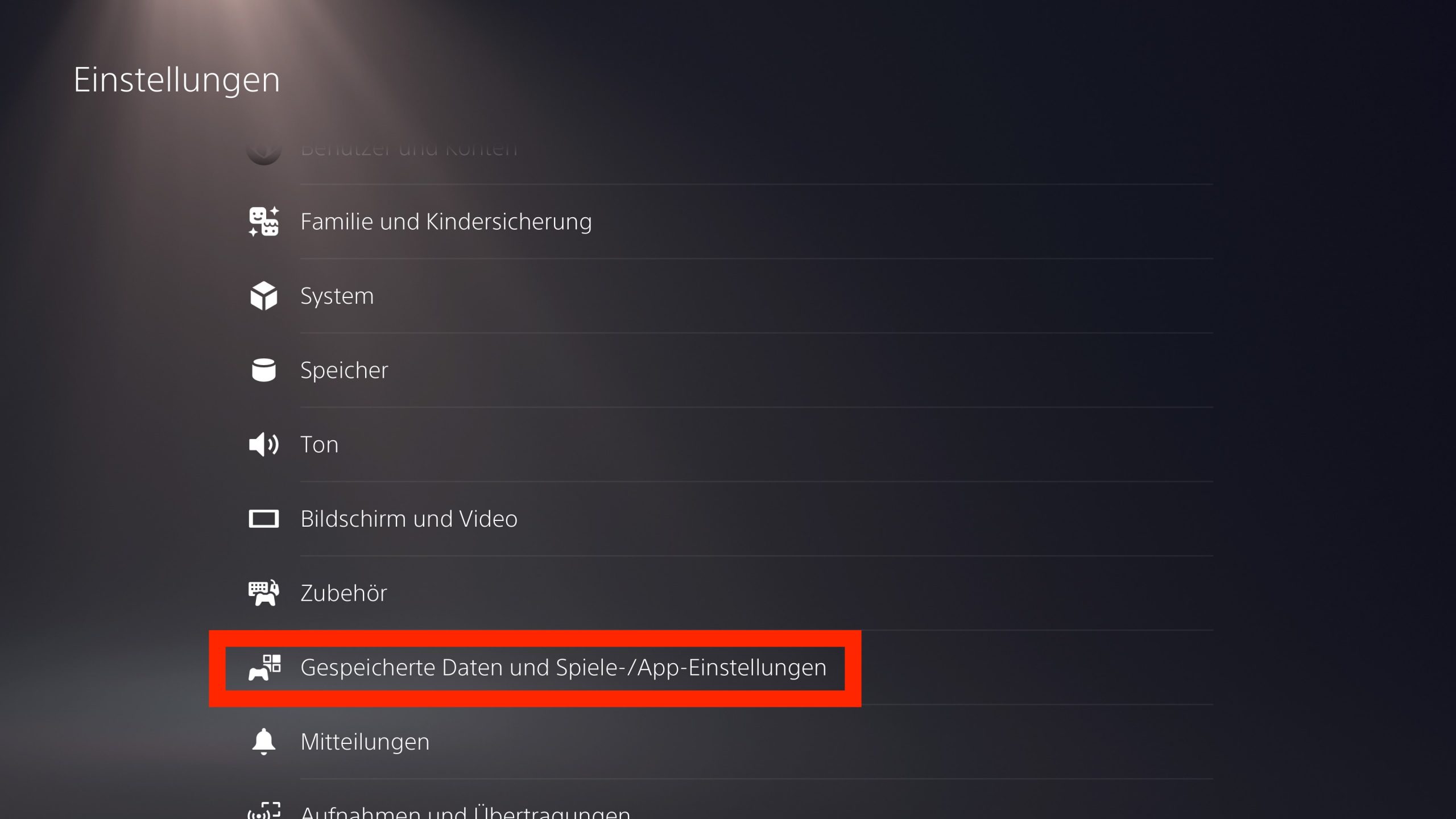
- Navigate in the “Settings” menu to “Saved Data and Game/App Settings”
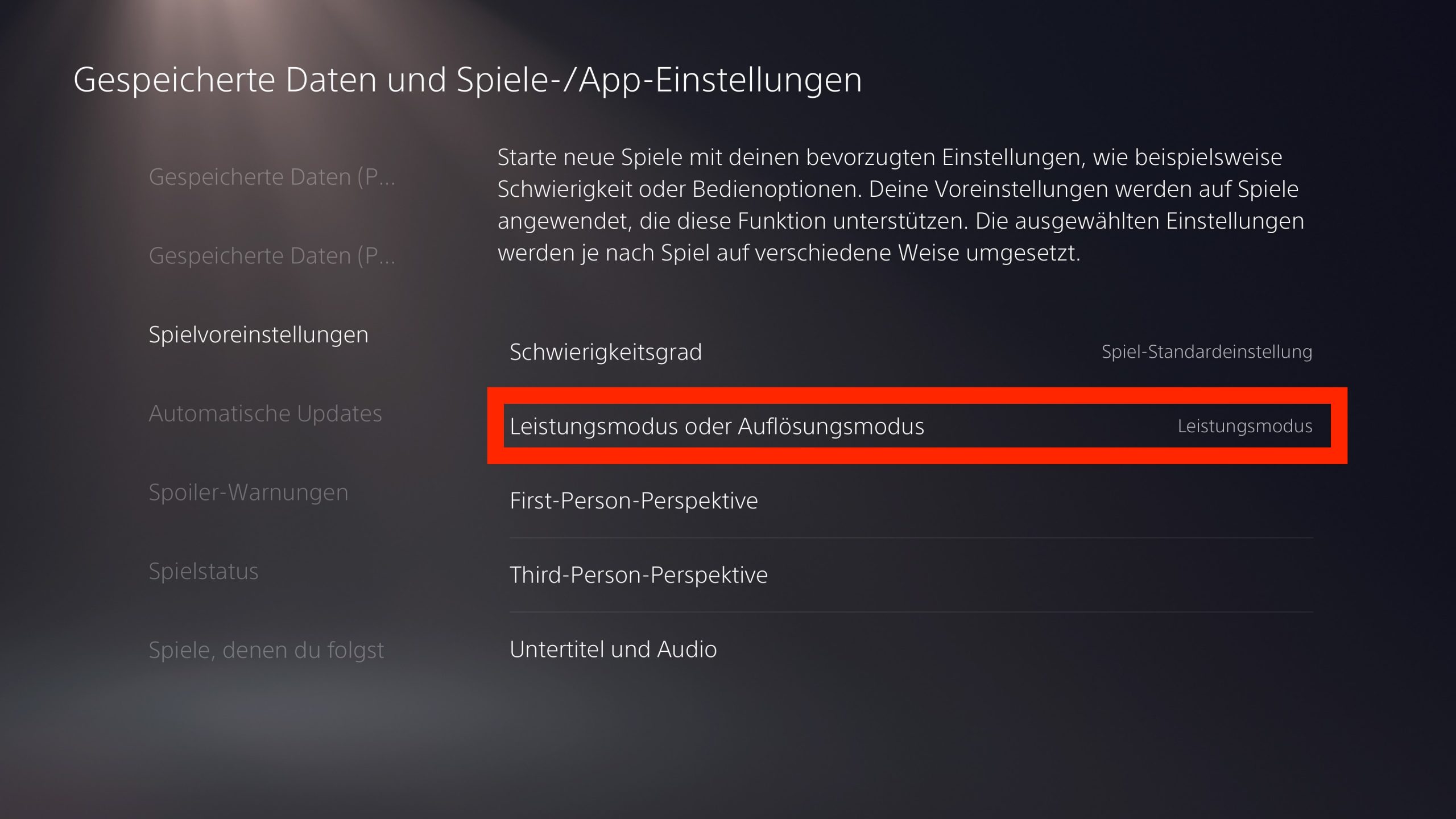
- There, select “Game Presets” and set the option to “Performance Mode”
In-game, you don’t need to adjust anything further in Warzone.
Also note: Currently, there are some reports that Warzone still runs at “only” 60 FPS when HDR is enabled on the console despite these settings. If this is the case for you as well, you can simply turn off HDR to work around that (hopefully temporary) issue.
What do you think about that? Will you use this option? Or do you not care at all because your TV or monitor can’t handle it anyway? Let us and other readers of MeinMMO know in the comments.
By the way, if you want to get the most out of Warzone in general, we recommend this article: 13 important settings that will improve your performance in CoD Warzone

Your opinion is important to us!
Do you like the article? Then let us know!