

In Call of Duty: Warzone you can change your Activision ID and your Name. We from MeinMMO show you 2 methods in this guide and explain why names cannot be changed too often.

Nick, Username, Pseudonym – a large part of players on the internet use some sort of nickname online. This is the first business card you hand out to strangers and it can have a significant impact.
If you are tired of your old name, you will find all the important information here to change your display name and your Activision ID in Call of Duty: Warzone.
CoD Warzone: Change name with “Token”
Which name is displayed in the game? While you create a name for your characters in Battle.net games like World of Warcraft that is visible in-game, Warzone usually displays parts of your Activision ID as your display name.
Through the Acti-ID, other players can find you (also in crossplay), but it is not the same ID used to log in to Activision services.
The ID usually consists of your display name followed by a hash and several digits.

What’s the deal with the “Tokens”? Activision does not allow you to change your Acti-ID 10 times a week. In fact, it can only be done a few times a year.
Every 6 months, Activision distributes so-called tokens and you need a token to change your name. The deadlines for receiving tokens are:
- March 1
- September 1
In the name change menu, you can see how many tokens you currently have. You can hold a maximum of 2 tokens.
How can I change my display name? You have 2 options: In-game in the account settings and on the official Call of Duty website:
Warzone: Change name in-game
- Warzone: Change name – In-game
- Go to settings
- Select the far-right tab “Account”
- Go to the subsection “Activision Account”
- Press “Change Display Name”
Enter your new name and press confirm. But be careful: Warzone will not ask you for further confirmation. So check your entries carefully for errors.

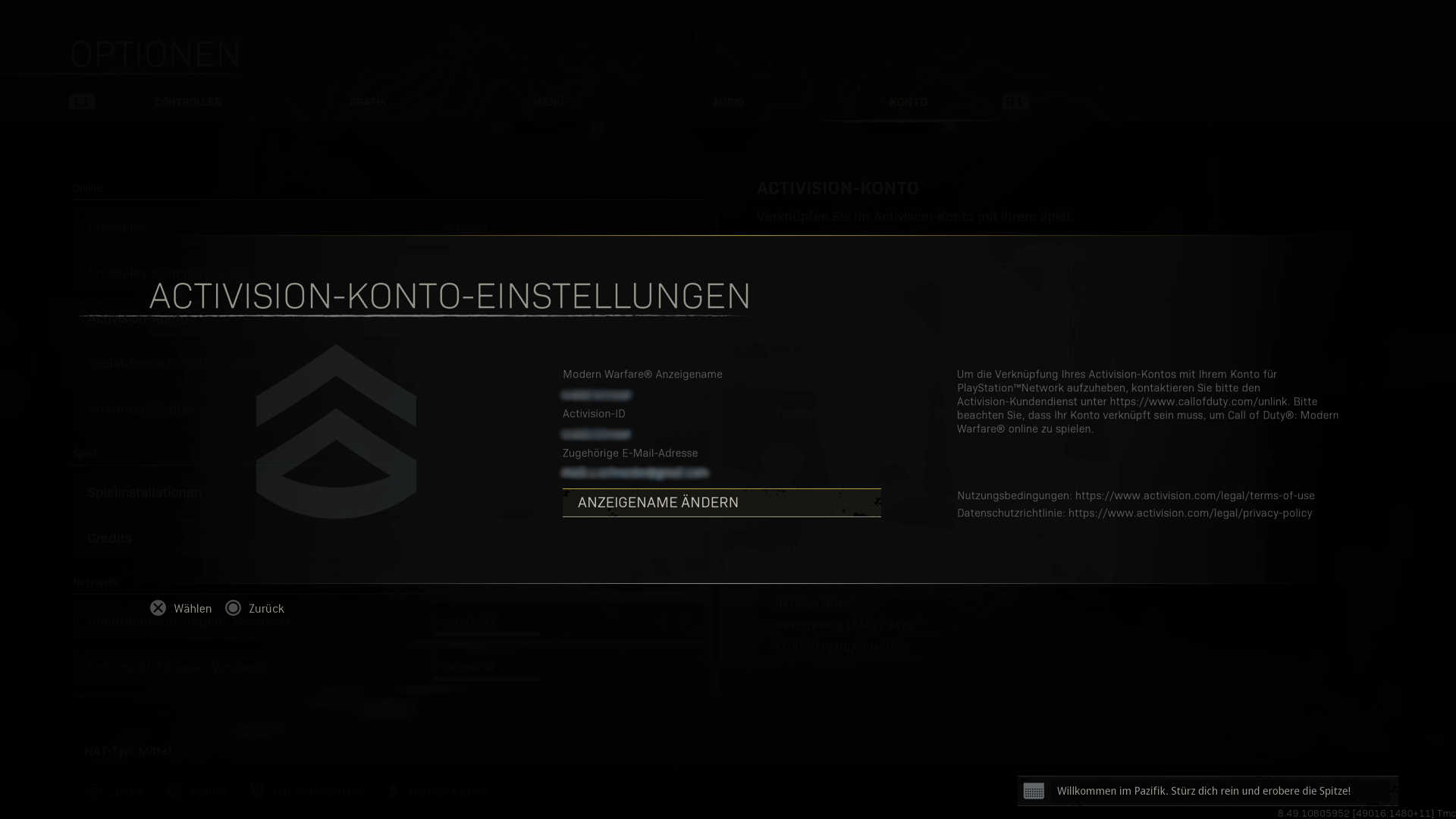
CoD Warzone: Change name on the website
- Warzone: Change name – Website
- Visit “callofduty.com” and log in
- Hover your mouse over your current Activision ID in the top right
- Select the option “Basic Info” or in the general settings “Basic Information”
- Here you change data about your name, your address, and at the bottom, also your Activision ID
- Click on “Edit” and enter the code Activision sends you
- Even after editing, you must confirm your identity again and enter your account password again
We have tested both methods and found that for the second confirmation on the website, it is not enough to log in with your PlayStation or Xbox account. At this point, you need the password for your Activision account. Even if it is offered differently.
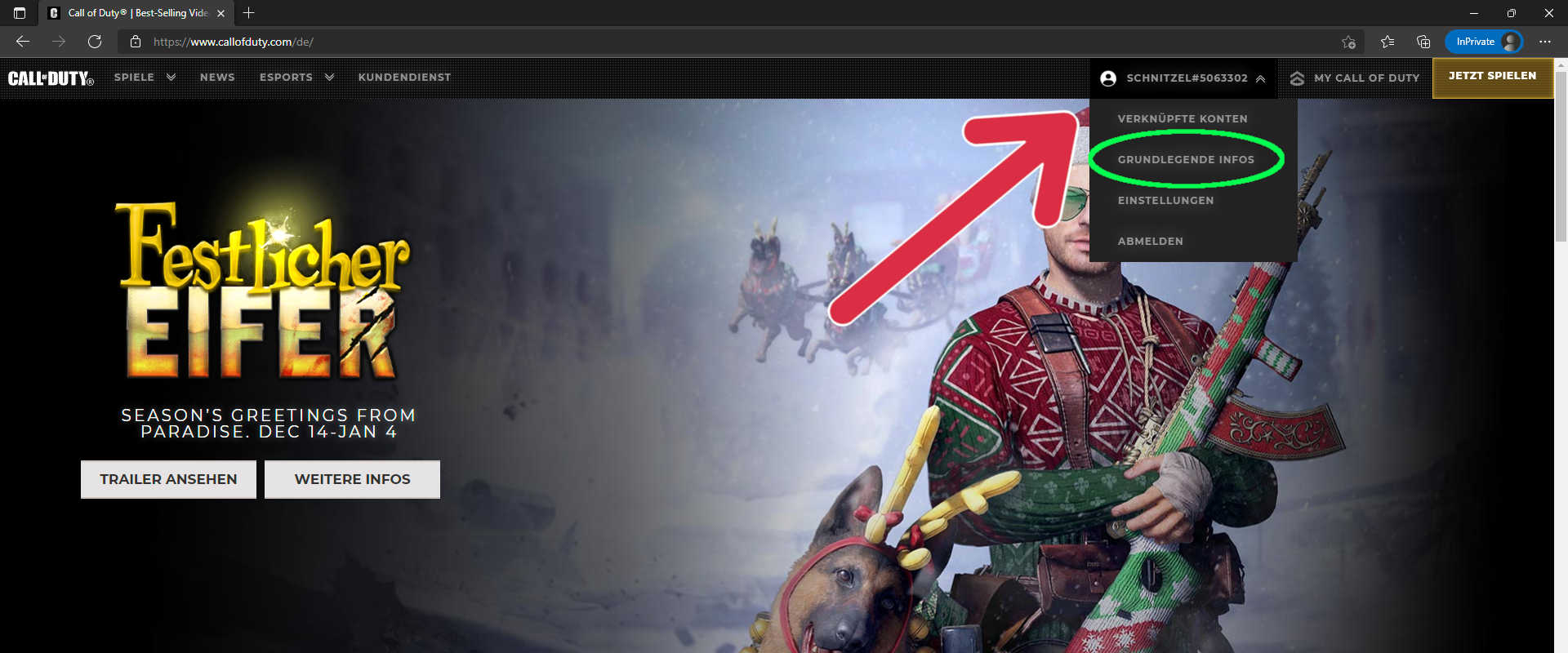
Once you have adjusted your name, you can see how your display name and Activision ID look in-game through the Activision account options. This ensures that everything is correct.
If you have further questions about mechanics or want guides on a specific topic in Warzone, do not hesitate to leave us a corresponding comment on MeinMMO.
You can find our most important guide here: CoD Warzone: The best weapons with setups – Continuously updated

Your opinion is important to us!
Do you like the article? Then let us know!