

Here you will find everything about downloading Call of Duty: Warzone 2 on PS4, PS5, Xbox One, Xbox Series, the Battle.net launcher, and Steam. The preload is already online and MeinMMO shows you how to start the download.
On November 16, Call of Duty: Warzone 2 will be released – the new, free Battle Royale from CoD.
The preload is already online, the individual download sizes on the different platforms are known. MeinMMO shows you here in a quick overview what you need to know for the download:
The download sizes are comparatively small during the preload. Especially on the PC. It remains to be seen whether additional data will be needed at release, aside from the Season 1 update. We accompany the release with a ticker.
We embed the launcher trailer for Warzone 2 here:
CoD Warzone 2: Download PlayStation
- Download size: approx. 47 GB
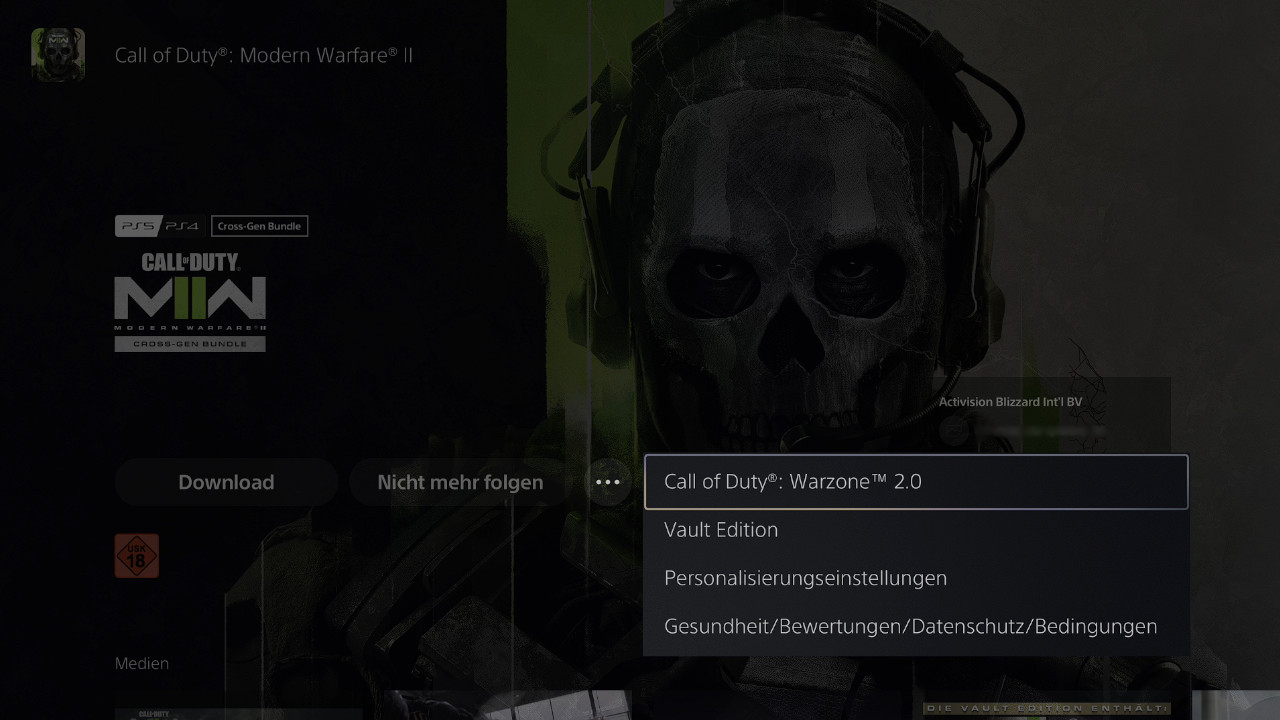
Go to the PS Store and search for “modern warfare 2”. To the right of the button for “Buy” or “Download” you will see a button with 3 dots. Press the dots and select “Call of Duty: Warzone 2”. On the next screen, Warzone 2 can be downloaded.
Now download the full version and the Warzone add-on.
If you have already completely downloaded Modern Warfare 2, you do not need to download new files. The Warzone add-on was included from the start.
CoD Warzone 2: Download Xbox
- Download size: approx. 46 GB
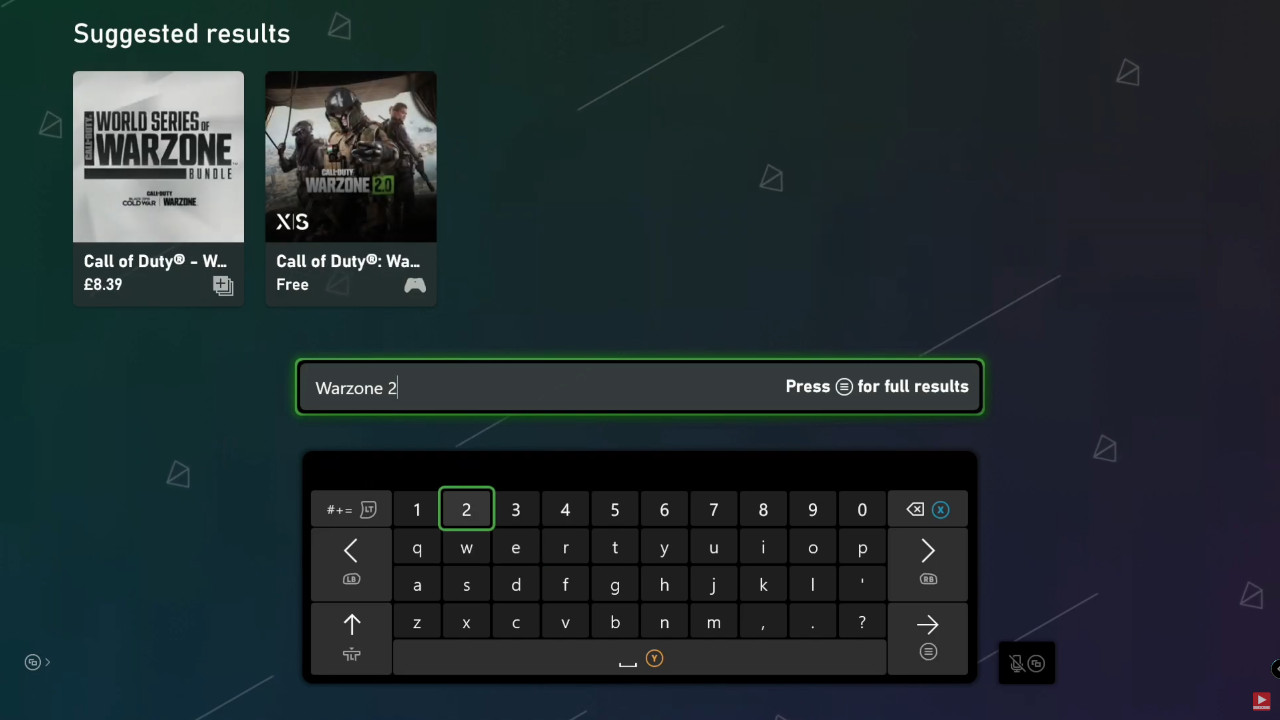
Go to the Xbox Store and open the search function. Enter “warzone 2” and the new Battle Royale will be displayed at the top. Click on it and select the tile for Warzone 2. On the next screen, Warzone 2 can be downloaded – you need the base game and the Warzone add-on.
CoD Warzone 2: Download Steam
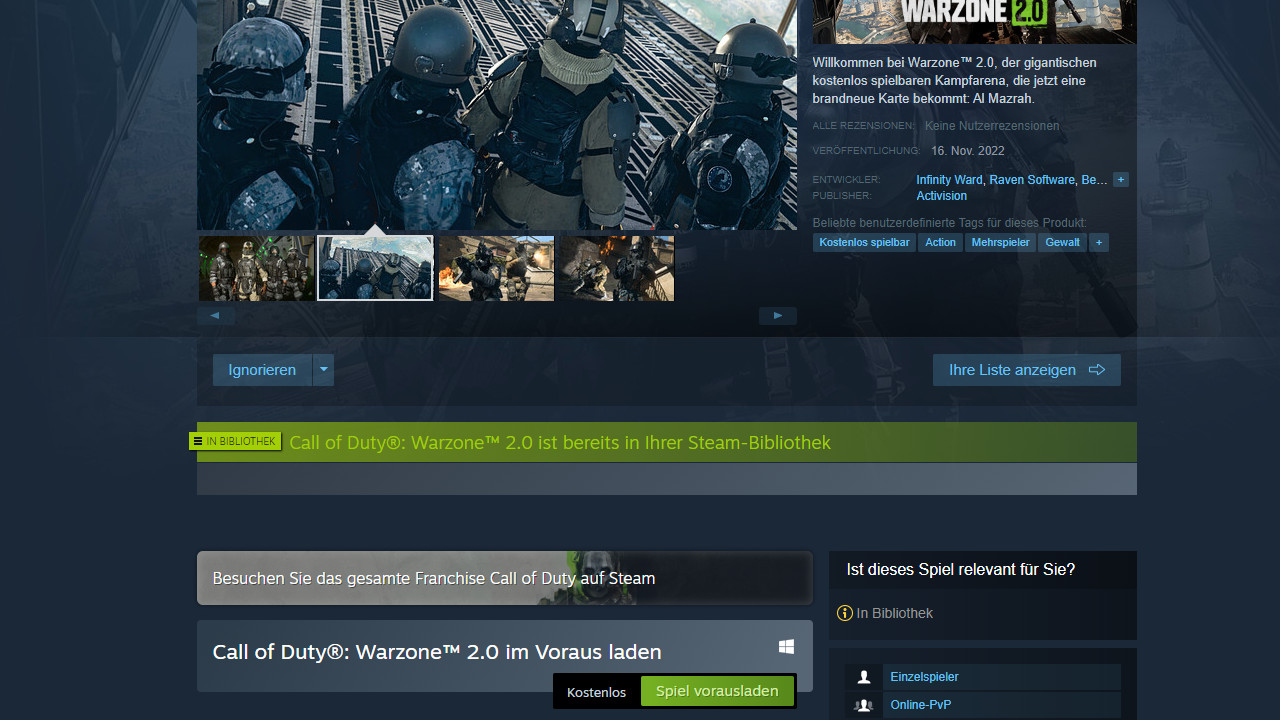
- Download size: approx. 23 GB
Open Steam, go to the search bar at the top right and search for “warzone 2”. This will take you to the product page where you can add the new Warzone to your library.
CoD Warzone 2: Download Battle.net
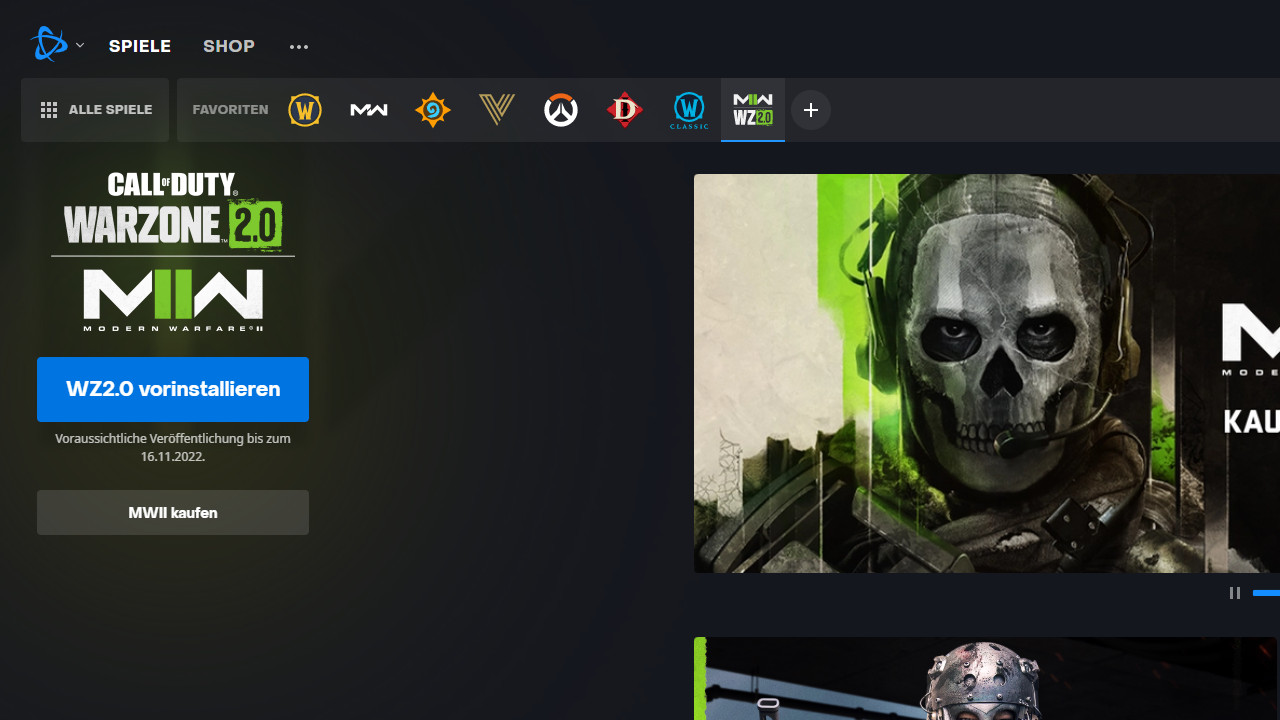
- Download size: approx. 25 GB
Open the launcher and check your favorites list. It is very possible that you already have the new Warzone 2 icon in the list. If not, press the ” + ” in the bar and add the game. Now you can “pre-install WZ2.0”.
With Call of Duty: Warzone 2, the free Battle Royale enters a new generation. Many things have changed, even the unique mechanics of the old Warzone have been revised.
If you want to learn more about the adjustments, you can find a suitable special on MeinMMO here: CoD Warzone 2.0 Completely Transforms the Gameplay – The 5 Most Important Changes.
If you have any questions about the download, leave a comment.

Your opinion is important to us!
Do you like the article? Then let us know!