

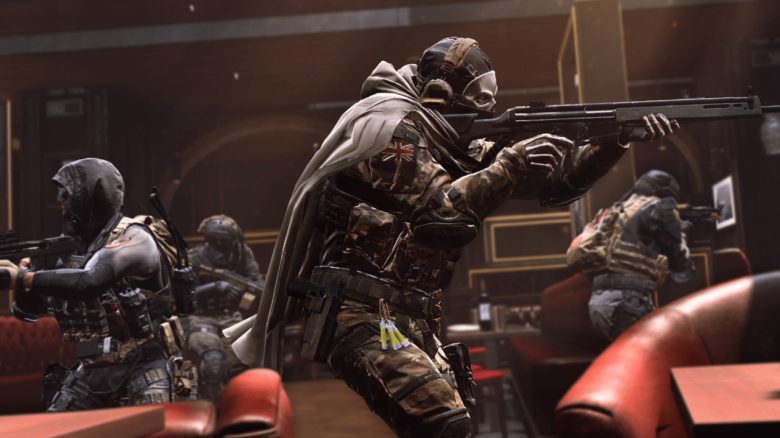
With a secret audio setting, you can perceive enemies in Call of Duty Modern Warfare 2 faster and more accurately. Two professionals criticize teams of the Call of Duty League for using the trick, saying it is just too strong. MeinMMO explains where you can find the setting and how to use it.

Scump, one of the best CoD players of all time, sat down with Shottzy from Optic Gaming on January 29 and commented on the qualification round for the CDL Major 2. The two also discussed the general state of Modern Warfare 2, as well as the changes that are to come with Season 2 for CoD and Warzone.
During their conversation, they also talked about a hidden audio setting, the benefits of which are an open secret among professional teams. This refers to the Loudness Equalizer. With this setting, footsteps from opposing players are supposed to be much easier to perceive.
Audio settings that allow you to locate enemies faster? In Warzone, that would be a huge advantage! Check out the trailer for Al Mazrah here.
Loudness Equalizer lets you perceive enemy footsteps more easily
What is the Loudness Equalizer? Loudness is a term that comes from audio technology. It describes the setting of the perceived volume.
What sounds complicated is actually a fairly simple principle. It involves equalizing different sound recordings so that they produce the same acoustic impression at different volume levels.
An audio signal consists of different sound frequencies that have been mixed for playback at a specific volume. If you set your playback volume too loud or too quiet, it creates a different listening impression.
The Loudness Equalizer ensures that in these cases, for example, basses, that is, low frequencies, are boosted and can be heard more clearly in the audio mix. In Call of Duty, this means that you can perceive footsteps, impacts, or explosions more distinctly.
How do I use the feature? If you have become curious and want to try out the setting yourself, then follow this guide. However, note that the Loudness option is only available for PC players. It is a setting in the Windows settings and not in the game itself.
- Navigate in your taskbar to the speaker icon.
- A right-click on the speaker icon opens a menu, select the option Sounds.
- In the next window, navigate to the Playback tab, then select your default device. A right-click opens another menu, navigate there to Properties.
- Navigate to the Enhancements tab and check the box for Loudness Equalization. Then click Apply and OK.
- Close the menu and start Call of Duty.
If you want to undo the setting, follow the instructions up to step 4 and uncheck the box again.
Scump and Shotzzy criticize audio design, discuss Loudness Equalizer
What do the pros criticize? In a clip on Twitch, you can see Scump and Shottzy discussing the controversial setting. They are particularly annoyed that the setting is made in the Windows menu and is not found in the settings of Call of Duty.
It’s bad! I’m not saying we lost because of that [against Las Vegas]. But if you played earlier, maybe a team used the setting. Now everyone uses it… people no longer need their own perception to detect enemies.
Shottzy, player at Optic Gaming
This leads to a lack of transparency – players may not be able to tell whether their opponents are using the setting or not. However, the advantage is so huge that one would be “trolling” their own team by not using it.
The pros are addressing the core of the problem. It is completely opaque who uses the setting and who does not. The fact that this trick only works for PC players is unlikely to make console players happy either. The developers could only remedy the situation with an appropriate option in the game settings.
What do you think about the sound in Call of Duty Modern Warfare 2? Would you use the trick in the future to gain an advantage? Are you already using it? Or do you perhaps have your own method to better perceive footsteps and opponents? Leave us a comment and discuss with the community!
CoD MW2 & Warzone 2: Season 2 comes with a new Warzone map – start, content, Battle Pass
The pros are addressing the core of the problem. It is completely opaque who uses the setting and who does not. The fact that this trick only works for PC players is unlikely to make console players happy either. The developers could only remedy the situation with an appropriate option in the game settings.
What do you think about the sound in Call of Duty Modern Warfare 2? Would you use the trick in the future to gain an advantage? Are you already using it? Or do you perhaps have your own method to better perceive footsteps and opponents? Leave us a comment and discuss with the community!
CoD MW2 & Warzone 2: Season 2 comes with a new Warzone map – start, content, Battle Pass

Your opinion is important to us!
Do you like the article? Then let us know!