In Call of Duty: Modern Warfare and Warzone, numerous players have been complaining about issues with slow downloads since the latest update. MeinMMO shows you some tips for PS4, Xbox One, and PC that can help you.
What kind of problems are there? Since today, June 30, the major mid-season update with many weapon adjustments has been released, players have been reporting slow downloads. The speeds sometimes amount to just a few kilobytes per second.
As the update itself can be up to 39 GB in size, a download would take several days. Although there are sometimes sudden spikes in speed, they only last for a short period.
MeinMMO has gathered some tips for you that can help speed up the download.
Problem: Slow Downloads on PS4 & Xbox One
How to solve the problem: The easiest way to fix the slow downloads is to restart the console. Once you have restarted your PS4 or Xbox One, the download should continue at normal or at least higher speed.
If you experience slower speeds again, just try restarting the console more frequently. Sometimes, pausing and restarting the download can also work.
If the problem is not with the download itself but with its size, you can find tips here to reduce the size of Call of Duty on PS4 and Xbox One.
And if that doesn’t work? If restarting doesn’t help, you might be able to use a VPN service to force a faster download.
This is a bit cumbersome, as you need to install the VPN service on your Wi-Fi router. However, if you already have the relevant software, try connecting to a server in the USA or America. This should ensure faster downloads.
Problem: Slow Downloads on PC
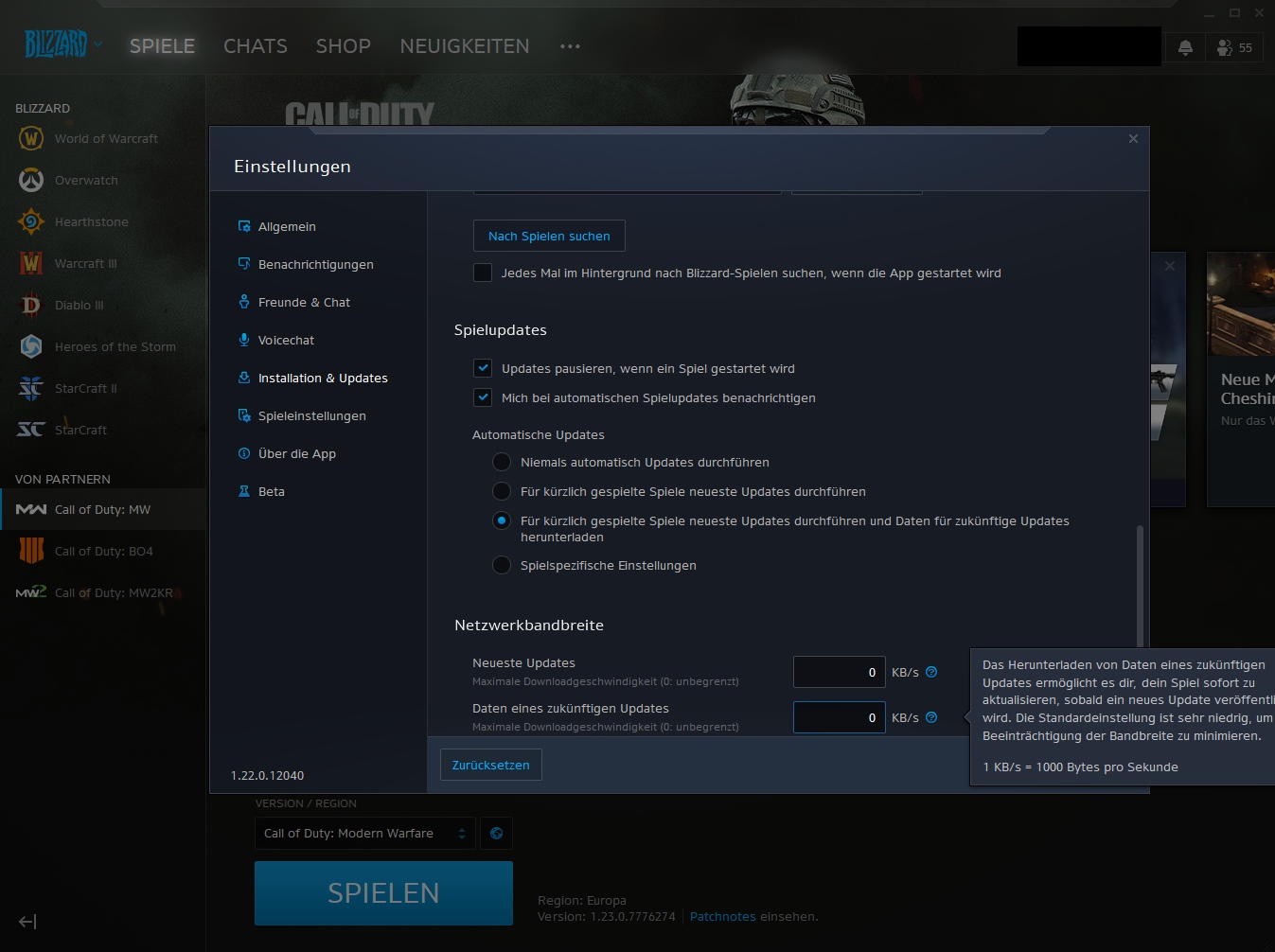
How to solve the problem: On the PC, you have several options to bypass or fix a slow download. The fastest and easiest way is to change your region – for example, to America or Asia, depending on your location. Pause the download, change the region, and start it again. This should increase the speed.
Also check whether the maximum download speed is limited. To do this, scroll down in the settings under “Installation & Updates” to the bottom and set the network bandwidth to 0 for both values for unlimited.
Alternatively, as with PS4 and Xbox One, you can use a VPN service. It’s even a bit easier to set up on the PC since you only need the software.
What Activision Blizzard itself advises: The issue is already known to Activision Blizzard, and support has its own solution ready. According to the support article from Activision Blizzard, you should follow these tips:
- temporarily disable or uninstall security programs
- reset routers and switches (disconnect from power for a while)
- ensure that you have the required admin rights
- uninstall Call of Duty and reinstall it
- use another network
If none of this helps, let the download run overnight and check again the next morning. You may need to manually restart the download several times.
Where do the slow downloads come from?
The problem likely arises because many players are trying to access and download the data simultaneously. Downloads also take a long time because they are so large. Especially console players have been complaining for a long time about the enormous size of CoD downloads.
There have been ongoing issues with slow downloads since at least March. So far, there doesn’t seem to be a reliable solution to the problem.