

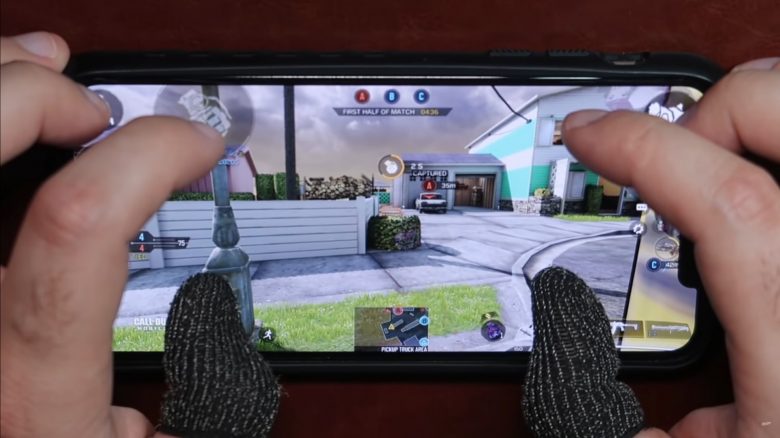
Those who watch the professionals of Call of Duty: Mobile will quickly realize: They play not only with their thumbs but with even six fingers at the same time. MeinMMO explains how you can replicate this so-called “6-Finger Claw” technique and improve in the mobile shooter.

What is this technique? The 6-Finger Claw refers to a hand and finger position where both the thumbs and index and middle fingers of both the right and left hands are used.
It is called “Claw” because the position resembles the claws of a crab, for example. The advantage is that you can utilize many more functions simultaneously and more precisely.
Most professionals play with six fingers—sometimes even more, and sometimes less. Professionals like the YouTuber iFerg use this technique especially on tablets. However, it is also easily usable on smartphones, as shown by the video from the professional Jokesta:
What does the Claw do? With it, you can aim, turn around, shoot, crouch, slide, or jump at the same time—something that players who only play with their thumbs cannot do. In short: You can do more things simultaneously.
This is useful for all situations in the game, whether in multiplayer or Battle Royale, and helps you become better with the best weapons in CoD Mobile. However, this requires a little preparation and a proper layout for the game.
6-Finger Claw: Settings, Layout, and Application
This is how your layout should look: CoD Mobile allows you to move all screen elements through the settings in advanced mode. If you want to play with six fingers, you should design the layout of CoD Mobile accordingly.
There are several approaches that can be adapted according to your own playstyle. We have shown you two alternatives here to give you some orientation for getting started:
- Place the movement stick and bomb in the bottom left
- ADS/Hip-fire button above it on the left
- Jump button above it on the right
- Look around on the right side of the screen
- Alternative ADS button/Scope above it on the right (stacked)
- Crouch and reload above it on the right
- Operator skill on the right edge, above the center
- Melee on the right edge
- Weapon switch, pick up, and scorestreaks in the bottom right corner

The alternative variant uses an additional button for lying down. This is otherwise accomplished by holding down the crouch button:
- Place the movement stick and bomb in the bottom left
- Jump in the top left corner
- Shoot also in the top left, to the right of the jump
- Look around in the bottom right
- Alternative ADS button/Scope at the top right (stacked)
- Melee directly below
- Operator skill to the right of melee
- Lie down in the top right corner
- Reload directly below
- Weapon switch, pick up, and scorestreaks in the bottom right corner
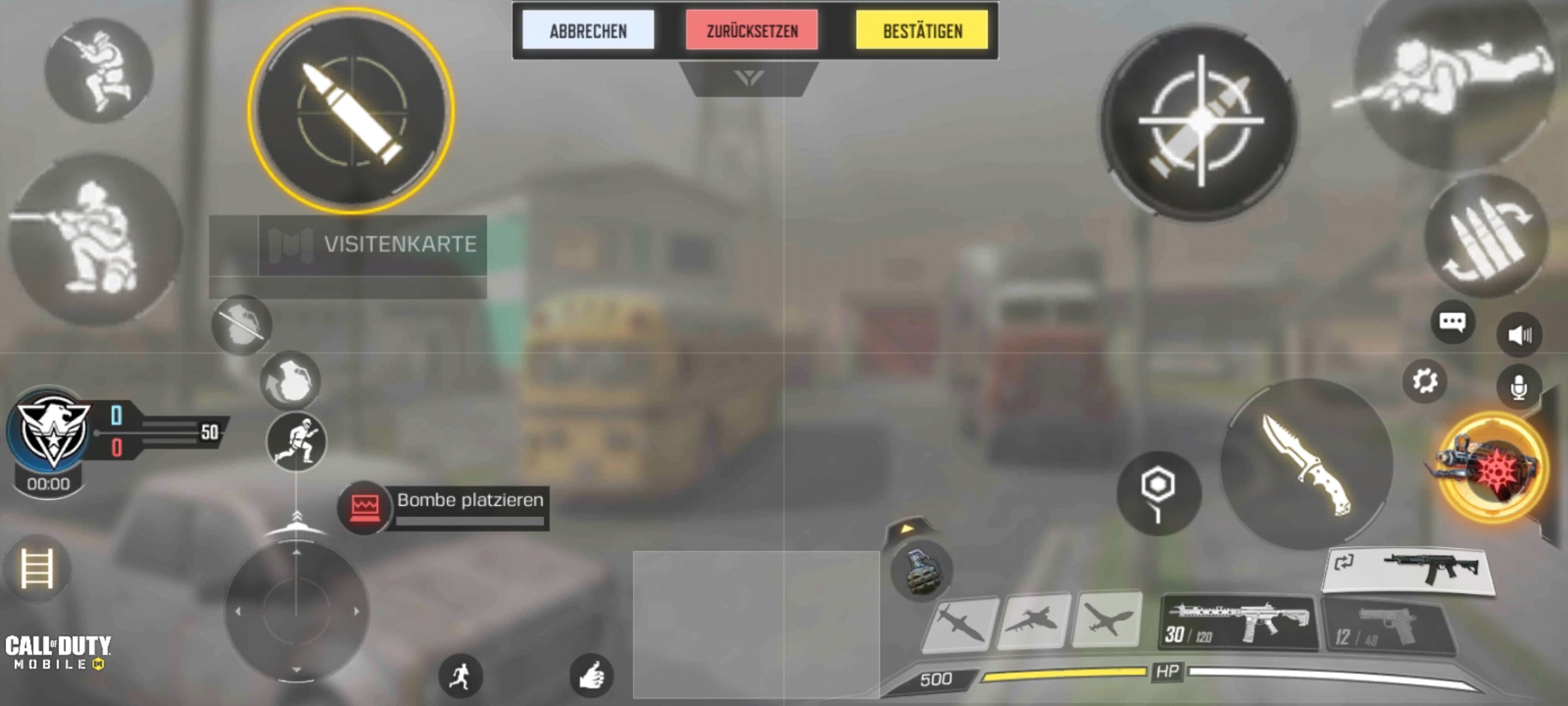
This layout helps you see more of the actual game events while having more control at the same time. Even if you use a different layout, you should ensure that the buttons for aiming and shooting are roughly in the left and right corners. You should be able to comfortably reach them with your index fingers or thumbs.
These are the settings you should use: The corresponding settings should be adjusted according to your own play feel. You can find some orientation in our 5 settings that you should use in CoD Mobile.
It is mandatory that you use all weapons except sniper rifles in hip-fire by default. It’s also useful to have the option “Quick throw grenade” to use throwing weapons immediately.
How does the Claw work now? The idea behind the Claw is that you can freely move and look around with your thumbs while shooting, reloading, or covering other essential functions with your index fingers (fingers 3 and 4).
With your middle fingers, you support your movement, such as jumping or lying down while moving and shooting. This works best by laying your tablet or smartphone flat on a surface and controlling it that way.
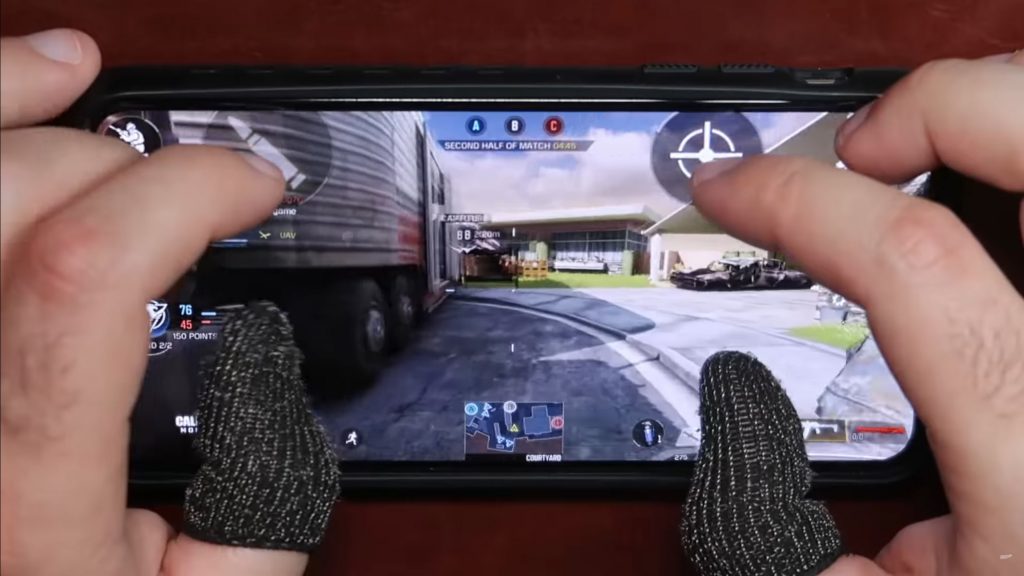
However, the technique requires a lot of practice. So take your time to learn it and don’t curse it if it doesn’t work right away. Over time, you will get used to it. Alternatively, you can also practice with fewer fingers first.
Alternatives for Beginners: 4 Fingers or Fewer
If you can’t quite coordinate with six fingers yet, you can first practice using only four fingers. Add the index fingers to the thumbs, which are meant for aiming and shooting. The layouts are similar to those shown above. It’s best to orient yourself on these.
It is important that you get used to using these fingers as well. The advantage of this “4-Finger Claw” is that you can still comfortably hold your smartphone in your hand without having to lay it on the table.
If you cannot use one index finger or for other reasons only want to use one, there is still the 3-Finger technique. It primarily uses the thumbs to control all functions. Only shooting is reserved for the index finger. How this works is shown by Jokesta in the video:
The transition to such a technique will probably take a lot of time—especially if you have never played on a mobile device before. Console and PC players may have some issues with it. To help you get along better, here are tips for getting started in Call of Duty: Mobile for PC players.

Your opinion is important to us!
Do you like the article? Then let us know!