

Do you want to play Call of Duty: Black Ops 4 together on the couch? You can! Because Black Ops 4 offers split-screen – but only on PS4 and Xbox One.
What many players do not know: Call of Duty: Black Ops 4 has a split-screen feature – and that for all included multiplayer modes.
Prior to the release of the current Call of Duty title, the developers at Treyarch did not make a big deal about it. But now that the game is out, players have discovered the split-screen function.
Play Black Ops 4 in split-screen together from the couch
This is what the split-screen feature for Black Ops 4 offers: On PS4 and Xbox One, Call of Duty: Black Ops 4 offers split-screen.
- for two players in the traditional multiplayer mode,
- for up to four players in the zombie mode
- and two players in the blackout mode
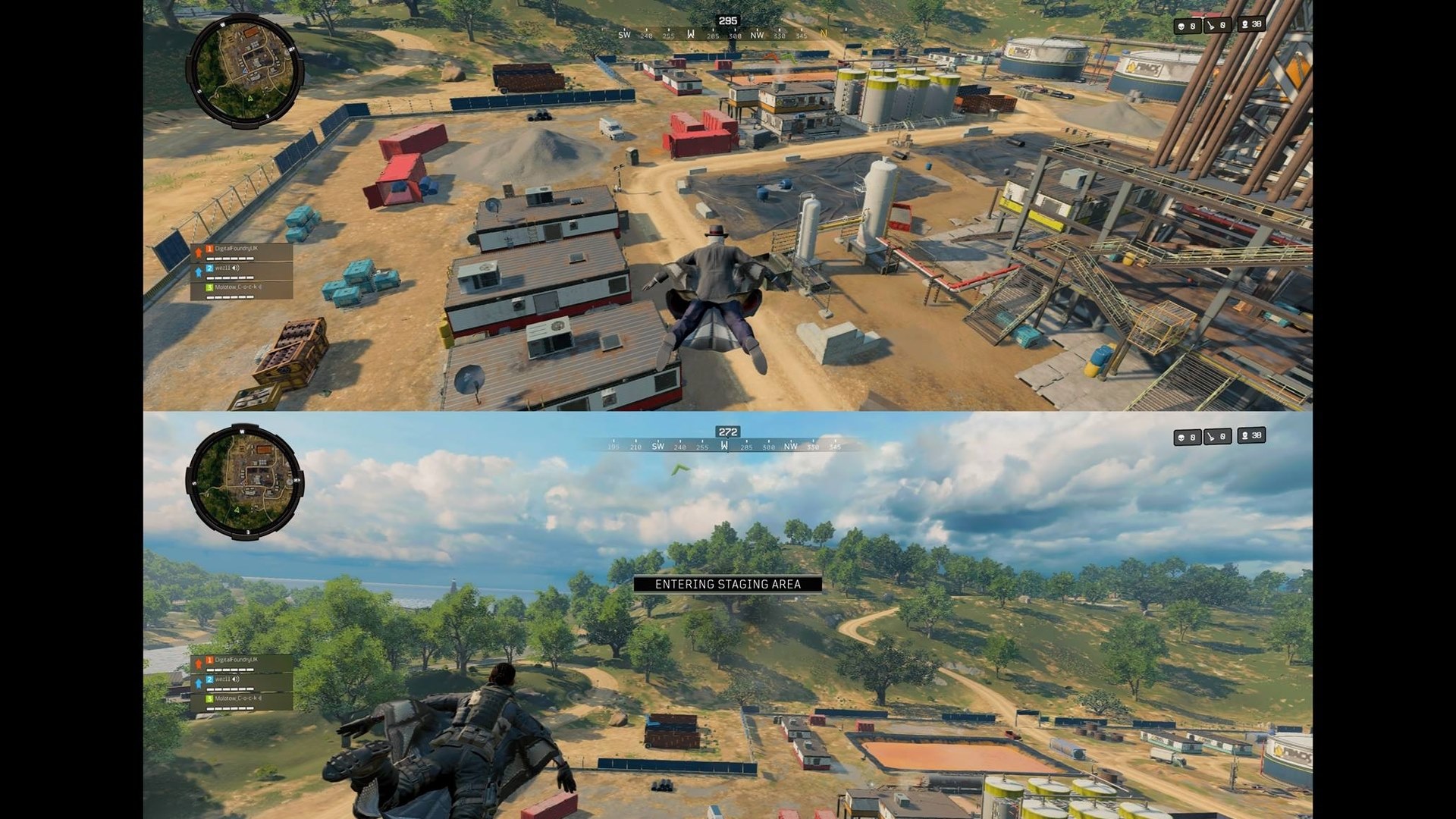
With two players, you can set in the options whether you want to split the screen horizontally or vertically. In competitive multiplayer, all players must be logged in with their own PSN account. At least one must have an active PS Plus subscription or a valid Xbox Live membership.
Blackout also has split-screen: Although split-screen also works in Call of Duty: Black Ops 4’s proprietary battle royale mode, performance in Blackout leaves much to be desired. The frame rate is noticeably lower, there are graphics issues at times, and the game feels generally very sluggish compared to the regular experience.
By the way: All important information about Blackout can be found here:
- The best weapons in CoD: Black Ops 4 Blackout – Which ones are worth it?
- With these 8 tips, you will succeed in getting started with CoD: Black Ops 4 Blackout
- Everything you need to know about leveling in CoD: Black Ops 4 Blackout
No split-screen for PC: To the surprise of some fans, this feature is missing on the platform that could probably handle the split-screen mode best – on PC. Why Treyarch has decided against split-screen on PC is unknown.
In Call of Duty: Black Ops 3, the split-screen feature was still available on PC and presented an important buying argument for many fans, as comments on Reddit testify. On PC, players could even split the multiplayer across two monitors.
How to enter split-screen mode in Black Ops 4
The split-screen mode in Black Ops 4 is very easy to start: When you are in the main menu of Black Ops 4, you will see an overview of the active players in the upper right corner.
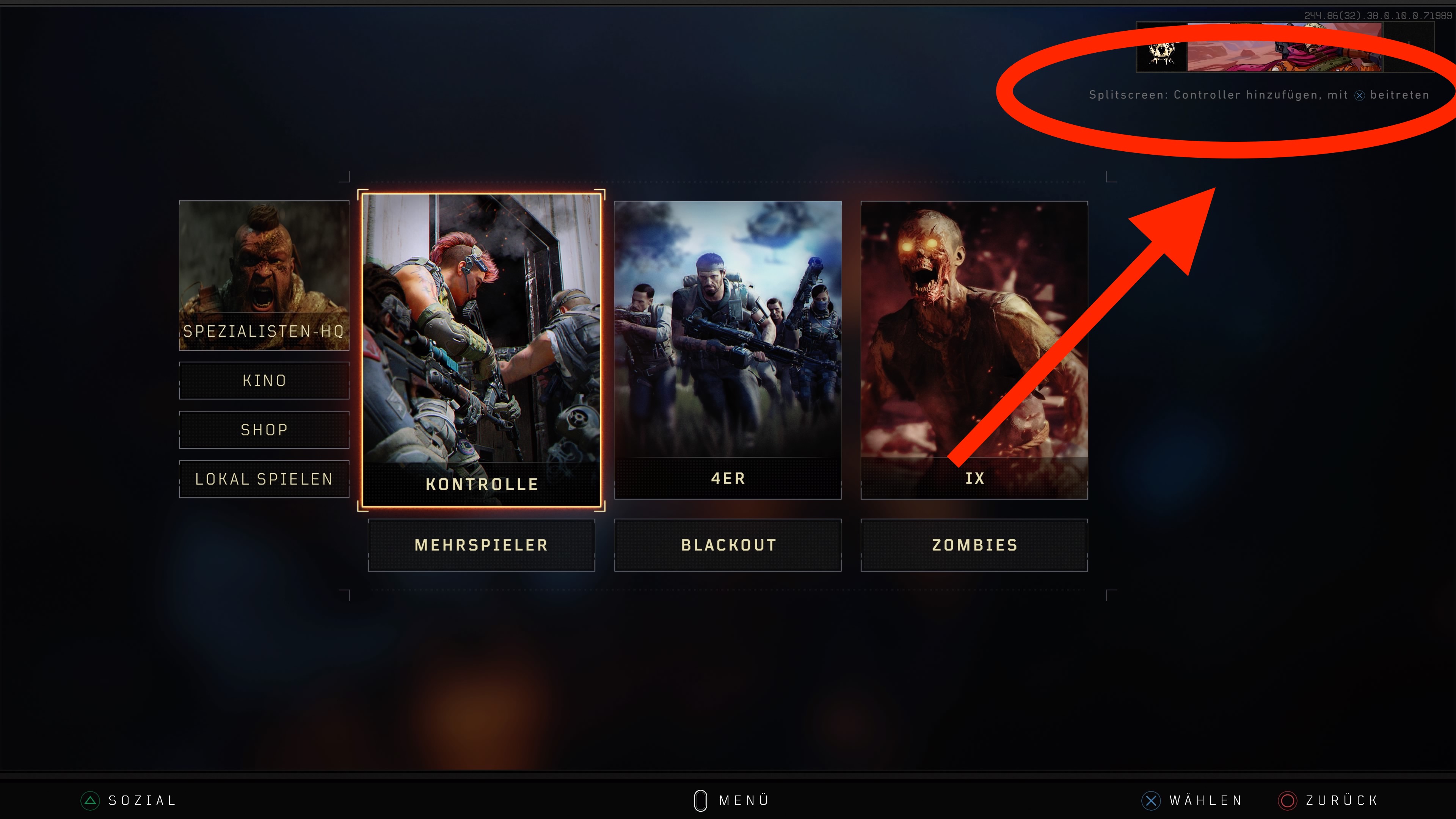
Press the indicated button with another controller (up to 4 depending on the mode) and log in with the appropriate profile. Then you automatically join the group. Depending on the number of players and mode, the screen will then be split automatically.


Your opinion is important to us!
Do you like the article? Then let us know!