

It is Black Friday and some of you may be considering whether to buy a second monitor for your setup. MeinMMO explains why a second monitor could be a worthwhile investment for gaming and home office.
In many offices, multiple monitors are often present at the desk, and it is no longer uncommon in the home either. Presumably, some of you have also thought about getting a second monitor.
But what do two monitors or a dual monitor setup actually bring me? MeinMMO presents the pros and cons and explains for whom and why a second monitor could be beneficial.
Two monitors increase productivity and save time
What’s the case for a second monitor? More screen space better mimics our natural field of vision. This generally feels more comfortable for the eyes. Curved monitors also replicate our visual field.
A setup with multiple monitors can be worthwhile for three reasons, especially when you want to not only game on your setup but also use it for work:
- You can open several workspaces side by side, saving time in the process. For example, you can type text on the right while viewing the email you want to reply to on the left. Searching for information across many windows and clicking back and forth is eliminated.
- You can keep an eye on your colleagues during a conversation while following a presentation on the other monitor.
- You have more organization on your desktop, as you can spread your content across multiple spaces.
Another advantage is that you can easily use a dual monitor setup with a laptop as well.
Some games offer advantages when you have a second monitor. For example, Battlefield 4 provides a battlescreen where you can see important information like a real-time strategy map while you move on the other monitor.
A second monitor is important if you want to start streaming
Here’s how a second monitor can help: If you want to start streaming, you need to do many things simultaneously. It becomes cumbersome as soon as you have to open and manage different windows on your monitor while constantly checking the chat between gaming sessions.
A second monitor simplifies the situation significantly:
- You can place a video or the chat on one screen while gaming on the other monitor.
- Or you can interact with your viewers while gaming or watching the mentioned video.
- Alternatively, you can also place important streaming tools on the second monitor. You will definitely save yourself frantic movements when things need to be done quickly.
If you are looking for more accessories for your streaming career alongside a second monitor, we have some additional tips for you on MeinMMO. In our overview, we present what equipment you need:
5 things you need for a good streaming room
A gaming monitor that currently ranks among the best devices in the Full HD range is the Asus TUF Gaming VG279QM:
What are the disadvantages of two monitors?
More space required: In principle, you should be aware that a second monitor requires space. If you already have a small desk and don’t have room to mount the monitors, a second monitor may be difficult for you.
Of course, to avoid the problem, you can also combine a large monitor with a smaller device.
More distraction: Also a downside can be the additional distraction. If you’re opening your feed on your second monitor or checking what your best friend had for breakfast this morning, this can distract you from really important tasks.
Moreover, you can and must process more information at once than if you are only looking at one screen.
Additional costs: For a dual monitor setup, you need to invest extra money. Depending on what kind of monitor you already have and whether you want to have the same model again, the costs vary.
In principle, you also need to consider that you will connect the second monitor to your computer at all. You may need a second cable or an adapter if you only have one HDMI port on your motherboard or laptop.
Ultrawide vs. dual monitor – An alternative?
What speaks for the ultrawide monitor: As an alternative to two small monitors, you could also use a large monitor.
While you often use two 16:9 screens in a dual-monitor setup, the ultrawide screen is just one device, without annoying interruptions in the middle.
The resolution is generally a bit lower than if you place two Full HD monitors next to each other, but you can see everything directly without having to constantly turn your head when you want to glance at something on your second monitor.
Additionally, a large monitor is more compactly arranged than two larger monitors. Another advantage is that you only need one HDMI or DisplayPort connection when you want to connect the monitor.
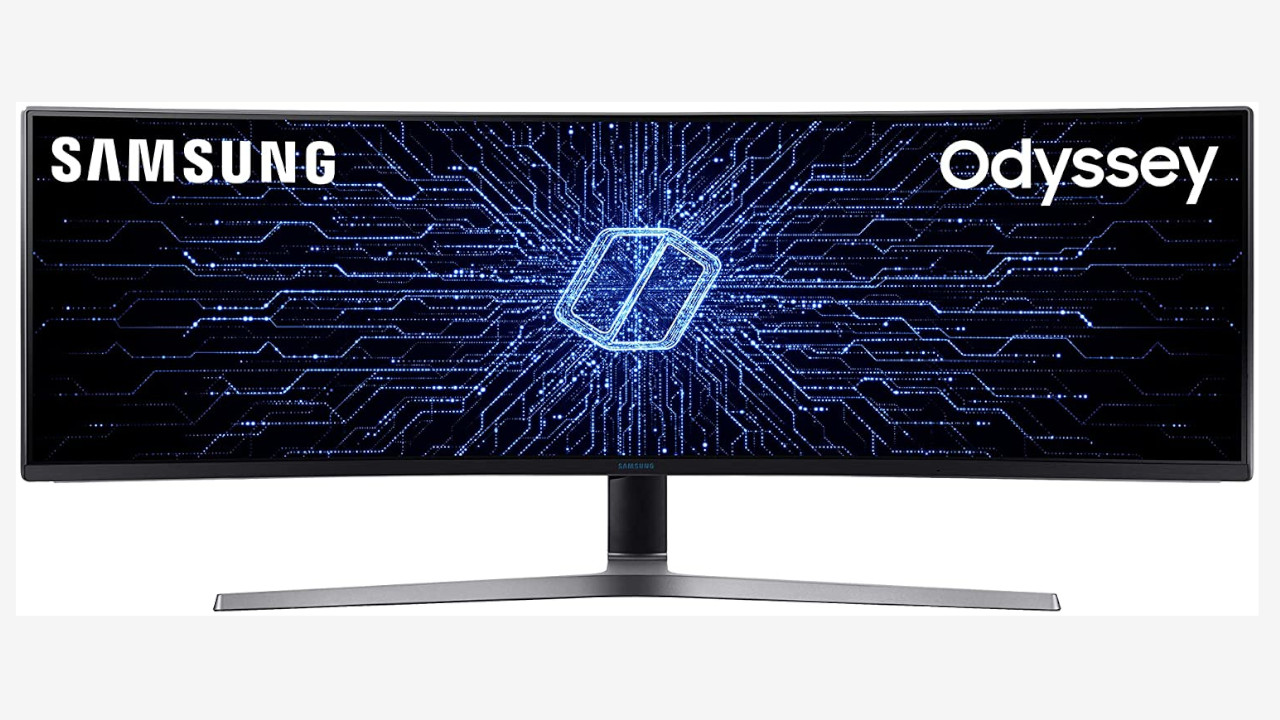
The Samsung C49HG90DMR from the Odyssey series is currently one of the best-known widescreen monitors and is already available in early Black Friday offers for around 800 euros.
According to the renowned online magazine rtings.com, one of the best ultrawide monitors for gamers is the LG 34GN850-B (via rtings.com). Here you get, according to the testers, an excellent response time on a 144 Hz panel and low input lag. However, the contrasts are not perfect, which is typical for an IPS panel.
What speaks against it: Two small screens are also more flexible to use. For example, you can rotate many monitors vertically and use them that way. This is helpful if you want to open and read documents or long chat histories. Theoretically, it is even possible to combine different sized monitors.
A point against ultrawide monitors is that you get ultrawide resolutions in the range of 21:9. However, many programs and websites are designed for 16:9. When gaming or doing other tasks, black borders are then left. An alternative would be to go directly for a 32:9 monitor. However, you currently pay at least 700 euros and more, as is the case for the Samsung C49HG90DMR, where the price is around 800 euros.
A large monitor is often significantly more expensive, especially if you do not want to forgo certain features or high refresh rates for gaming.
If you are now looking for the perfect gaming monitor for yourself, then best check out our buying guide here on MeinMMO. Here we present the best monitors for Full HD, WQHD, and 4K and also have a price tip for you:
The best gaming monitors 2021 for PC

Your opinion is important to us!
Do you like the article? Then let us know!