

If you are interested in the Xbox Game Pass (Ultimate), we will show you a method here that can save you a lot of money. Our editor Patrick Freese has saved over €200 now.
Update from February 22, 2023: This method still works and saves you a lot of money. We have tried it again now and can confirm that.
Let’s continue with the original article from September 2020.
This happened to me: I regularly renew my membership for the Xbox Game Pass. Since mine is expiring in a few days, an increase is due soon because the Game Pass is leaving the beta.
Just as I wanted to extend my membership and already had the taste of the sour €10 apple in my mouth (although it still seems fair for the great offer), the topic came up in our editorial office at MeinMMO about how to save money on this. I tried it out and was happy because I saved a few hundred euros.
The most important points at a glance:
- The Game Pass for PC costs €3.99 per month during the beta, but that will change in the coming days.
- Then €9.99 per month will be due – in the long run the price for the Xbox Game Pass on PC will increase significantly.
- I will explain how I will pay only €4.33 per month for the next 27 months instead of €9.99 per month.
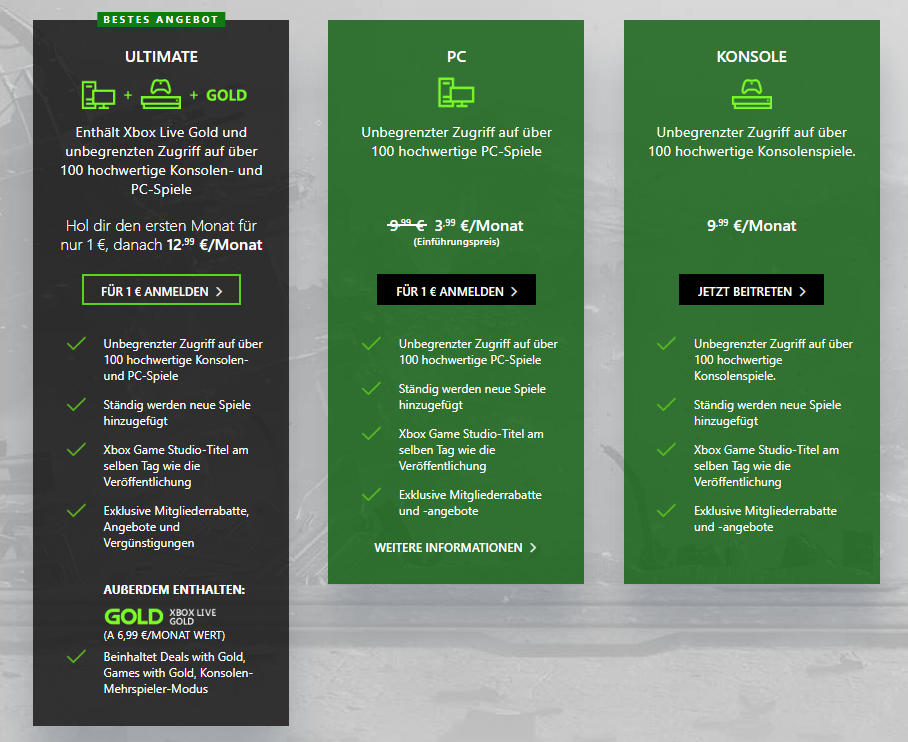
- And it’s not just about the Game Pass for PC, but about the Ultimate membership, which offers additional benefits and can be used for Xbox and PC (normally €12.99 per month).
- In addition, the streaming service xCloud (via GamePro), which even works on mobile devices, is also included.
- Overall, the Game Pass also becomes more attractive because EA Play is now part of the Pass and will include major EA titles like FIFA, Battlefield, or Star Wars in the future.
What kind of offer is this? The Game Pass is like a Netflix for gamers. You pay for a subscription and have a selection of major blockbuster games for which you only have to pay the subscription costs. You do not have to pay separately for new games like Flight Simulator 2020 or Crusader Kings III as a subscriber; you can simply download and play them.
More than a year ago, a method for getting Xbox Game Pass Ultimate cheaply circulated. We told you how to save €300 when you get 36 months of Xbox Game Pass Ultimate.
This method involves upgrading your existing Live Gold membership. So if you added 3 years of Xbox Live, you can upgrade to Xbox Game Pass Ultimate for just one euro 1:1. The catch: Xbox Live is available much cheaper and costs less than half depending on the length of the credit.
Is this still possible? Players, including myself, were unsure whether this method still works in September 2020. Because in June 2019, this was still considered a “loophole”.
We at MeinMMO have tried this for you and can confirm: Yes, it works. At least for now. How long it will still work is unclear.
Here we present you with a step-by-step guide to make the most of the offer.
Are you considering joining the Game Pass now? Here are 5 reasons why so many say the Xbox Game Pass is worth it.
How to take advantage of the Xbox Ultimate Deal and save big
You can get a maximum of 36 months, or 3 years, from the deal. Here’s the step-by-step guide:
- First, log into your Microsoft account and check how long your “Live Gold” or “Game Pass” membership is still valid.
- Additionally, you must not currently have an active membership in Xbox Game Pass Ultimate.
- Next, buy as much Xbox Live Gold as you can to get as close as possible to 36 months of membership. Because you can get up to 36 months for free. I personally bought the Pass twice for 12 months.
- We will link the Amazon offers here for you to buy Live Gold. Keep in mind that the memberships are also available in local supermarkets or on eBay, and they may be cheaper there.
- Now visit the Microsoft website redeem.microsoft.com.
- There you should enter your 25-digit code – you received it when you purchased the Xbox Live Gold.
- Now you will receive a confirmation. Keep the box checked for “Recurring payment” to receive another month for free (you will need to provide a payment method immediately). However, do not do this with 3 year cards, as you will exceed the 36 months (via GameStar.de).
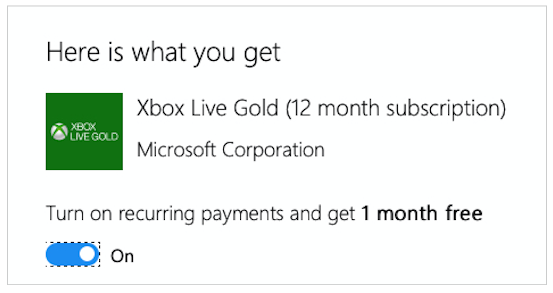
- Repeat the process until you have reached a maximum of 3 years with all your codes.
- After the confirmation, go back to your Microsoft account page (account.microsoft.com/services).
- In your subscriptions, you will now see the following picture:

- Select “Upgrade to Xbox Game Pass Ultimate” there
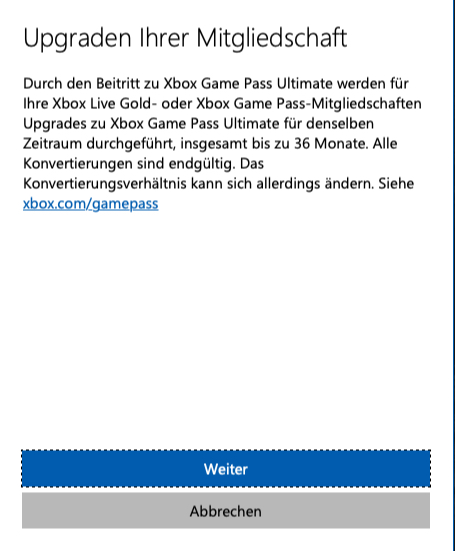
- A message will appear explaining what the upgrade means for you. Confirm this by clicking “Continue”.
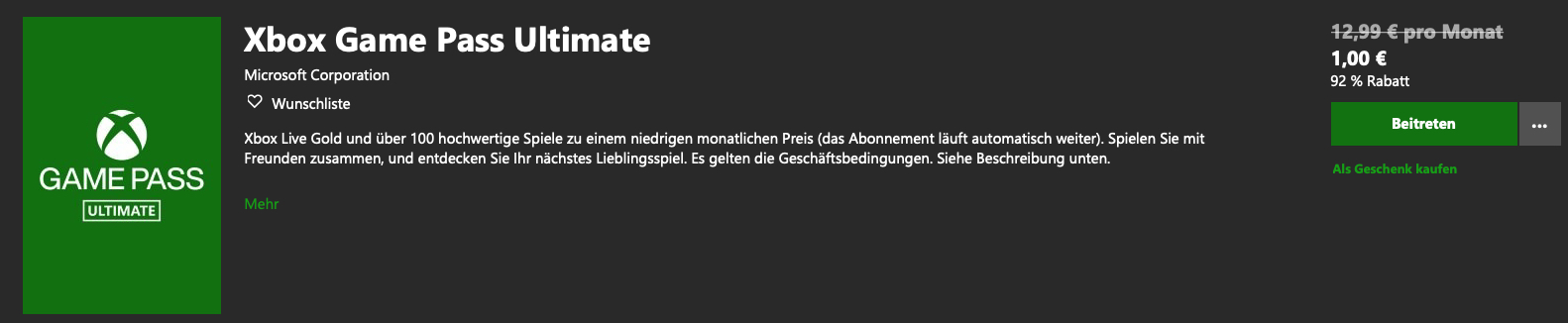
- This will lead you to the shop page where you can join the Xbox Game Pass Ultimate. It will only cost you €1, which is bearable since you also get another “free month” with it.
- Select “Join” then.
- After that, you will see a confirmation on your account page (account.microsoft.com/services) that your Xbox Game Pass Ultimate lasts as long as your topped up Xbox Live Gold – and all for the costs of Xbox Live Gold and the one-time payment for the Xbox Game Pass Ultimate.
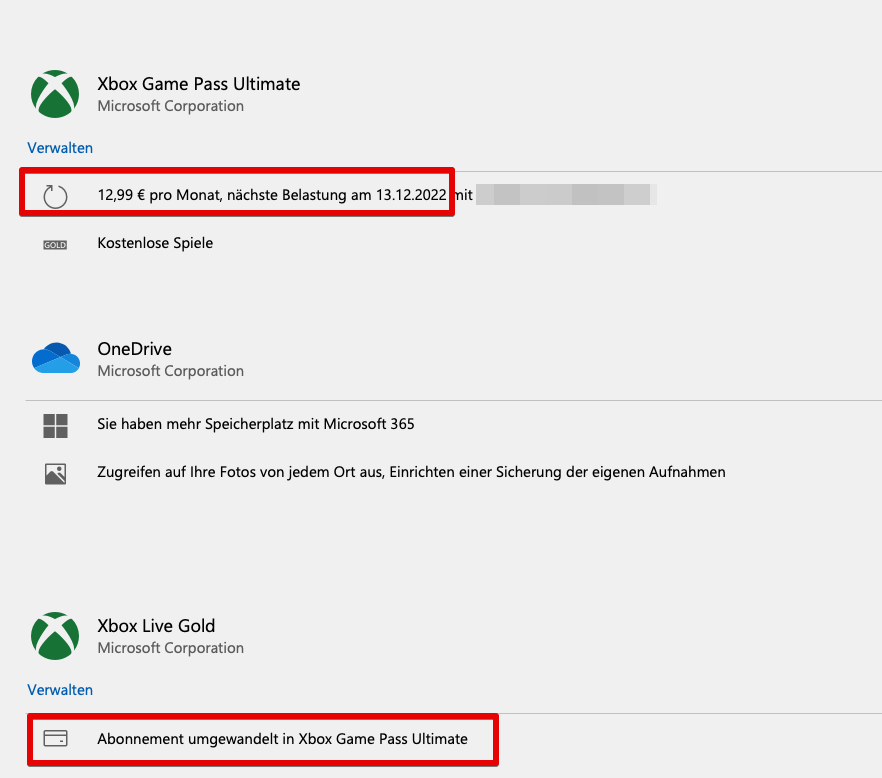
Tip: If a later date than September appears, that’s because you receive free months if you leave the “Recurring payment” active when topping up. Theoretically, you should get 3 extra months with a 36-month top-up. However, we cannot guarantee this, as Microsoft states that a maximum of 36 months of Xbox Live can be converted. The 3 additional months were received in our example with 2 booked years of Xbox Live Gold.
The calculation of our example in detail:
- 2×12 months Live Gold – each €58 (depending on offer on Amazon) = €116 (+2 extra months through recurring payment).
- 1x upgrade for Xbox Game Pass Ultimate €1 (+1 month free)
- Overall 27 months of Xbox Game Pass Ultimate for €117 – This results in a monthly price of about €4.33.
- Normally, the Xbox Game Pass Ultimate costs €12.99 per month.
- For 27 months, the Xbox Game Pass Ultimate would normally cost €350.73.
- For the “normal” Xbox Game Pass on PC, you would pay €9.99 per month. For 27 months, that would be €269.73.
- You don’t need the Game Pass for PC anymore.
Should I use the offer?
Who is this offer worthwhile for? First, you should ensure that you do not currently have an Ultimate membership. Alternatively, you will become a new member. If you also have a Game Pass for PC that is about to expire, switching is worthwhile. If your Game Pass for PC is still active for several months, it is not worthwhile right now, as you would otherwise be paying for two memberships.
If you are planning to use the Xbox Game Pass for PC anyway and also have an Xbox, then this method is perfect for the Game Pass Ultimate. But even without a console, the purchase is worthwhile if you play only on PC and perhaps even mobile.
Because here you save a lot of money and also have the Gold membership on the console. You need it for most multiplayer games if you want to play them online against others.
Moreover, starting September 15, cloud gaming will also be included in the Game Pass Ultimate. For you, this means that you can play more than 100 games from the cloud on your Android smartphone, Windows 10 PC, Xbox console, or Android tablet. All you need is an internet connection and a compatible controller.
To play Xbox games from the cloud, the following requirements must be met:
- Active membership in Xbox Game Pass Ultimate
- A Bluetooth-enabled Xbox controller or another supported controller
- An Android smartphone or tablet with version Android 6.0 or higher
- A WLAN/LTE data connection with a speed of at least 10 MBit/s
- The Xbox Game Pass Android app, available in the Samsung Galaxy Store and the Google Play App Store
A strong offer that is probably also interesting for our author Leya Jankowski. Because she was a PlayStation fan for years but is now going to switch to Xbox. And the Game Pass plays an important role in this.

Your opinion is important to us!
Do you like the article? Then let us know!