

Battlefield 6 kicks off with Season 2 and even offers you rewards that you can secure for free through Twitch Drops. Whether there are any available and how to get them, you can read here.
What are Twitch Drops? Twitch Drops are rewards that you can receive just by watching streams on the Twitch platform. These are usually exclusive in-game items that you can only obtain this way.
To receive them, you must watch specific streams for a set period of time. You don’t need to have the sound on, so you can let them run in the background. You only need an account on Twitch and an EA account.
We will show you which Twitch Drops are currently available for Battlefield 6 and how to get them.
All current Twitch Drops for Battlefield 6: Season 2
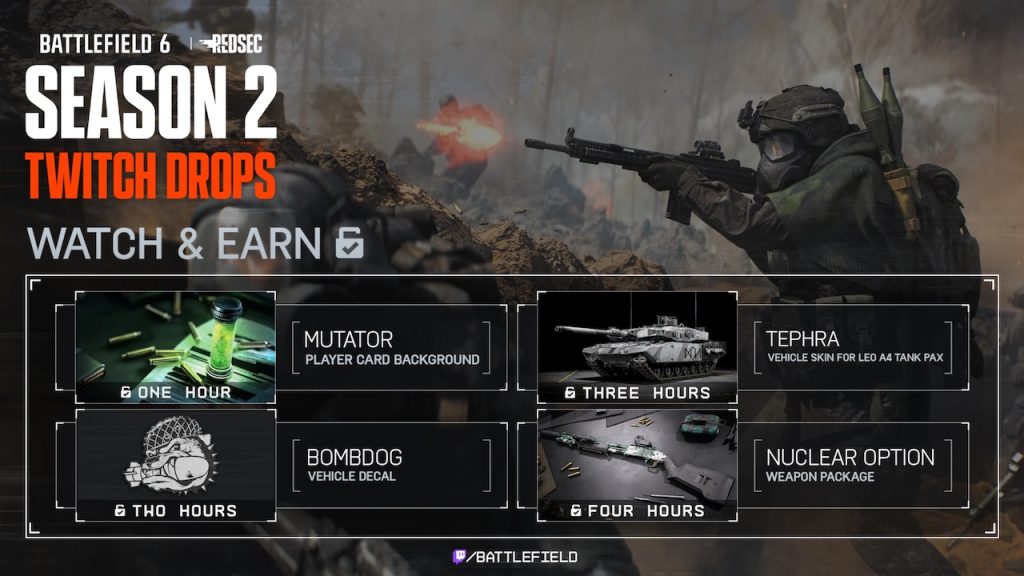
You can snag these exclusive items: If you watch Battlefield 6 streams in the category “Battlefield 6” from February 17 to February 25, 2026, you can receive the following items:
- 1 hour: Mutator Player Card Background
- 2 hours: Bombdog Vehicle Decal
- 3 hours: Tephra Vehicle Skin for LEO A4 Tank Pax
- 4 hours: Nuclear Option Weapon Package
Getting Twitch Drops and Redeeming Codes – Here’s How
To secure your Twitch Drops, you need to do the following:
- You first need an account on Twitch that you have linked to your EA account. This can be done on Twitch under Settings → Connections.
- Choose a stream that is focused on Battlefield 6 and is marked with the label “Drops Enabled”.
- Watch it for the required time.
- Your secured drops will then automatically appear in your inventory, collect them within 24 hours.
- Redeem the codes you received on the Battlefield 6 website.
If everything went well, you will automatically receive the items in-game and can use them.
If you want to start Battlefield 6 on PC, you may encounter a setting that gets in the way. This is related to the game’s anti-cheat and is a prerequisite for participation in the beta and later for the full release: If you want to play Battlefield 6 on PC, you must make an important setting, otherwise the game will not start


