


Your inventory is annoying in Baldur’s Gate 3? Are you always overloaded? We have three tips and tricks to help you reduce your burden.

In Baldur’s Gate 3, you face many problems. But it’s not just devils, mindflayers, and parasites in your head that can make your everyday life difficult; there’s also a much bigger monster: the inventory.
While it is theoretically infinitely large, the weight your character can carry is still limited. Therefore, we have some tips for you to reduce your character’s load and not be “overloaded” as often.
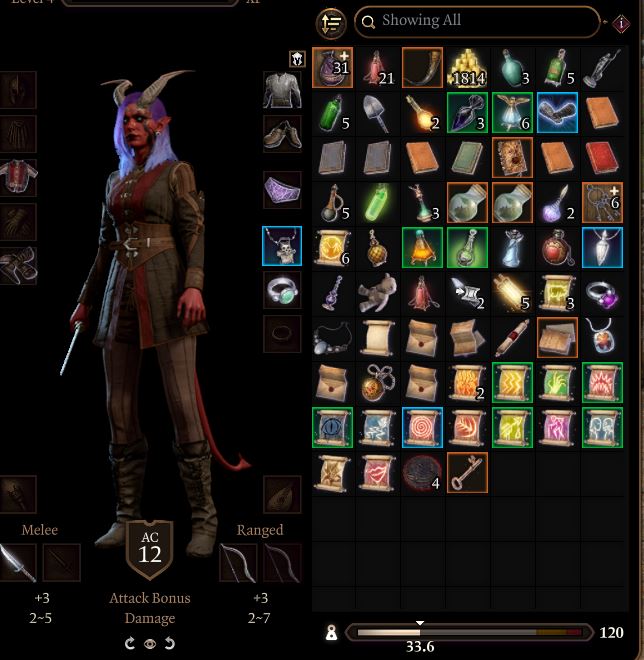
Why is a clean inventory so important? How much your character can carry in Baldur’s Gate 3 is limited. While you do have some leeway, once you reach a certain amount, your character becomes overloaded. He then moves slower and becomes less agile – which can really bring hefty disadvantages in combat. This is something you should definitely avoid.
1. Don’t pick up every junk item
Yes, as an RPG fan, it’s hard to resist picking up every item. We’ve been conditioned over decades in RPGs to collect all loot. But in Baldur’s Gate 3, you should let go of this thought. You don’t need to pick up every moldy apple, nor should you shove every worn goblin sword into your backpack. No, not even broken barrels that might be useful someday.
You can examine each item by right-clicking it before picking it up (“Examine”). Then you can see not only the weight of the item but also its value. Cooking pots that weigh 2.00 weight points but only have a value of 1 gold should be left behind. Conversely, a finely decorated goblet that weighs only 0.10 weight points but has a value of 40 gold can be well taken to sell.
Over time, you’ll get a feel for which items are valuable and recognize them just by their names.

2. Distribute loot to your strong characters
How much a character can carry depends on their attributes. You can check how high this limit is in the inventory of each character (i-key) or in the group screen (Tab key).
A wizard without strength will only be able to carry a little weight and will have a burden limit of around 80, while a barbarian with lots of strength can carry almost twice as much without being hindered in the slightest.
So, when distributing loot, make sure to give the heavy items to your strongest character. This can be done even while looting. When you open a chest with your “main character,” you can mark multiple items in the chest using CTRL+Left Click. Once you have marked all desired items, right-click on one of them and select the desired character from the menu – and the loot will land in their inventory.
Also, keep in mind that you can sort your items by weight in the top left corner of the inventory window. The heaviest objects will then be displayed first, and you’ll immediately see what is driving up your burden.



3. Send stuff to the storage
This option is especially suitable for magical or high-quality equipment that none of your currently active characters can carry. You don’t have to carry the heavy plate armor with the enchantment if no one can use it. By right-clicking on the item, you can simply select “Send to Storage” – and the item will land in your personal crate in the storage, without the need to travel there yourself.
With this “trick,” you can create more space in your inventory even during an adventure to carry more loot out of a dungeon.
But remember to regularly “clean out” your crate in the storage and throw away unnecessary stuff. Otherwise, one day it will be messy and completely overcrowded.
Do you have any further tips for keeping your inventory clean in Baldur’s Gate 3?
Our author Schuhmann was only convinced by Baldur’s Gate 3 on the third attempt.

Your opinion is important to us!
Do you like the article? Then let us know!