

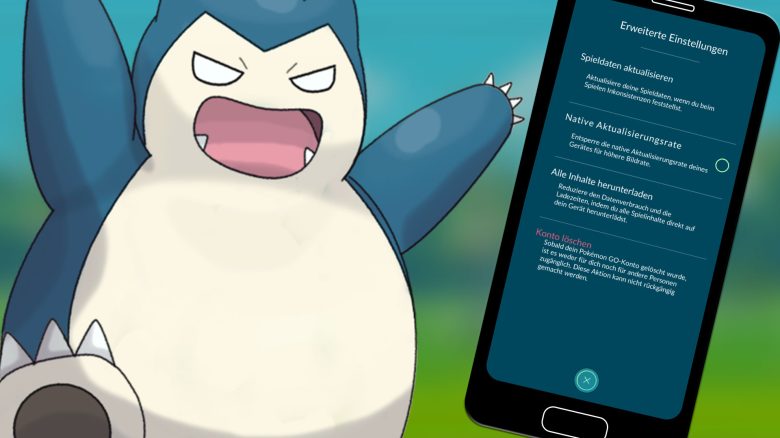
The developers of Pokémon GO have provided a new update for you, which can potentially cost you a lot of data volume. We at MeinMMO explain how big it is and what you can do to save your data volume.

What update is it about? As the developers of Pokémon GO announced on their Twitter account on the night of January 26, the new update 0.261 has been rolled out and is ready for download.
You can download it now from the respective app stores.
However, the download can cost you a lot of data volume. We have summarized how big it is and what you should pay attention to below.
What you should consider when downloading
How big is the update? The update for Pokémon GO itself is about 100 MB in your PlayStore or App Store. But that’s not all, as Niantic states, the game assets need to be reloaded – even if you have done that in the past.
And they really add up. In our team, the download of all game content ranged between 805 MB and 858 MB.
What should you consider? To use as little data volume as possible, take your time and perform the update and download of the content over Wi-Fi. The developers themselves also recommend this. Just be sure to allocate a bit of time for it.
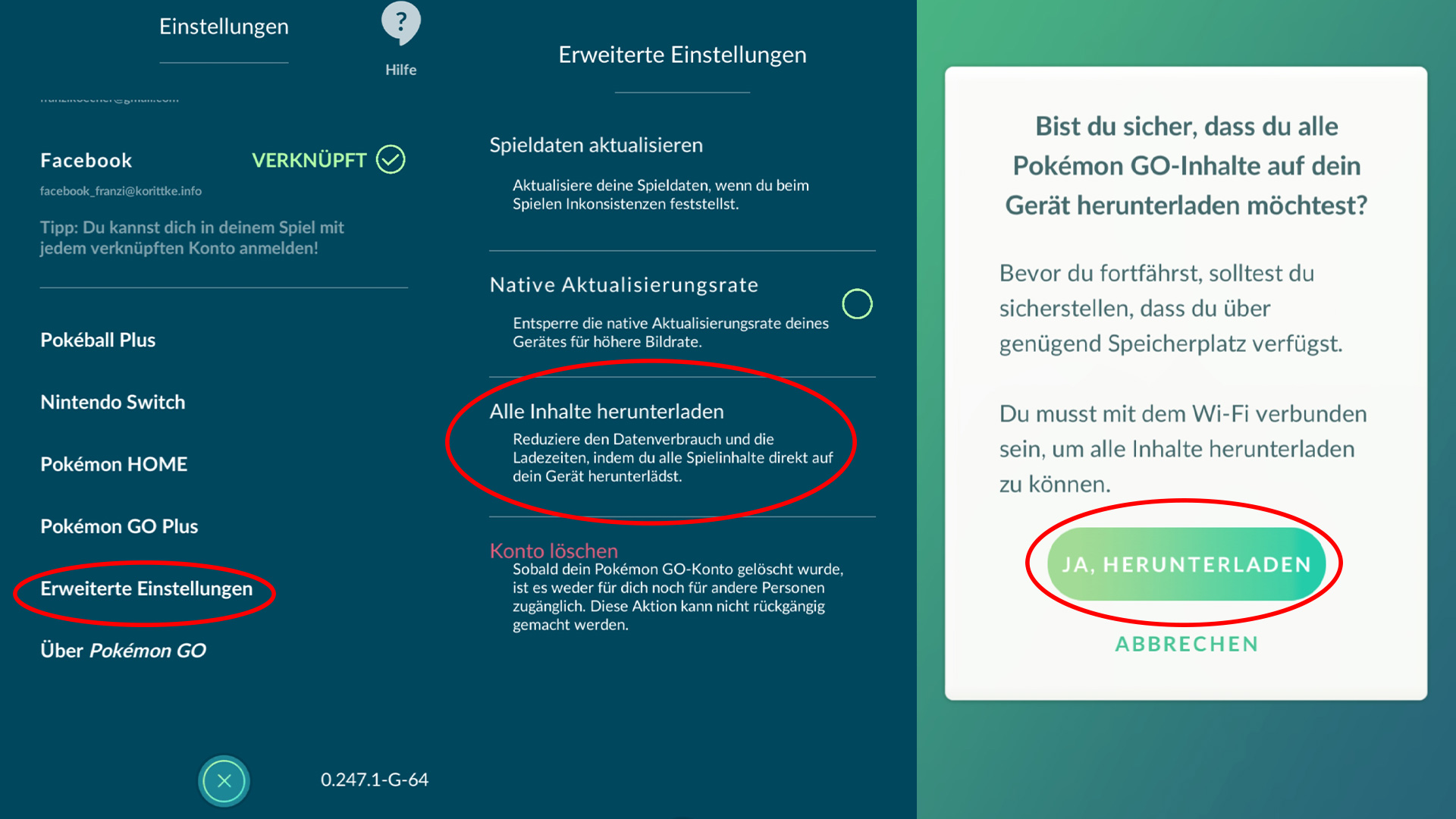
How can you load the assets all at once? To prevent the game from randomly loading the required assets from the server while you are in the game, you can take precautions and load all content at once using a feature. It’s easy to do through the settings:
- Open your menu and click on the menu item “Settings” in the upper right corner.
- Now scroll down and select the “Advanced Settings” option.
- A selection window will open, in which you click on “Download all content”.
- Now you will be asked if you really want to load all content. Confirm that with “Yes”, but make sure that you are actually connected to Wi-Fi and have enough storage space during this time.
- Afterwards, the progress of the download will be displayed. Once it is finished, you return to the menu by pressing the “Done” button.
Why do you have to do this? To have a smooth gaming experience, it is advisable to fully load the assets once. Otherwise, there may be loading problems with spawns during the game.
In the past, there have already been reports that instead of the Galar birds from the daily smoke, only light spheres were displayed. By the time the corresponding data was loaded on-site, the Galar bird was already gone, which was very frustrating for those affected.
Must this be repeated? Yes, also regardless of such larger updates, you should occasionally download the assets in your game to have as few loading problems as possible while on the go. Additionally, this function reduces your data consumption.
Have you already secured the new update? What is your opinion on the fact that all assets need to be reloaded now? Feel free to let us know here on MeinMMO in the comments and exchange thoughts with other trainers.
A trainer has an insane plan for a new PokéStop and receives criticism from the community. We explain why.

Your opinion is important to us!
Do you like the article? Then let us know!