

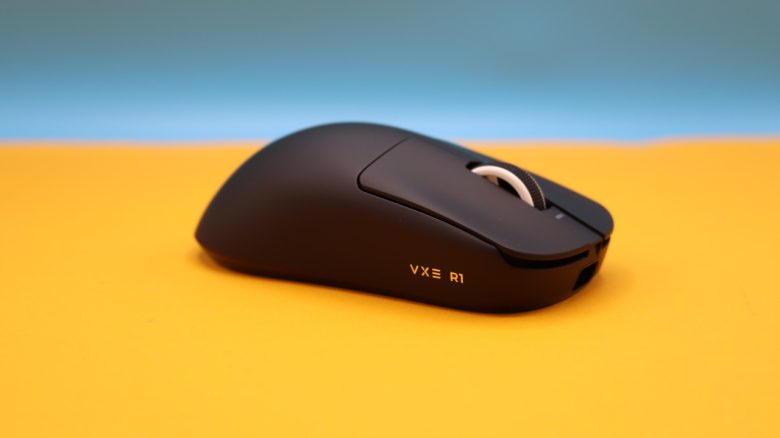
The VXE R1 Pro is considered a hidden gem among gamers. MeinMMO editor Benedikt Schlotmann wanted to find out why and purchased it. You can read his thoughts on the mouse on MeinMMO.
What device is it about? The VXE R1 series from ATK Gear is repeatedly recommended as a hidden gem: In relevant forums like on Reddit, the R1 series frequently appears among the best mice, and many mention it as a tip. It is rarely found in many purchasing guides, and the brand ATK Gear/VXE is little known in Germany.
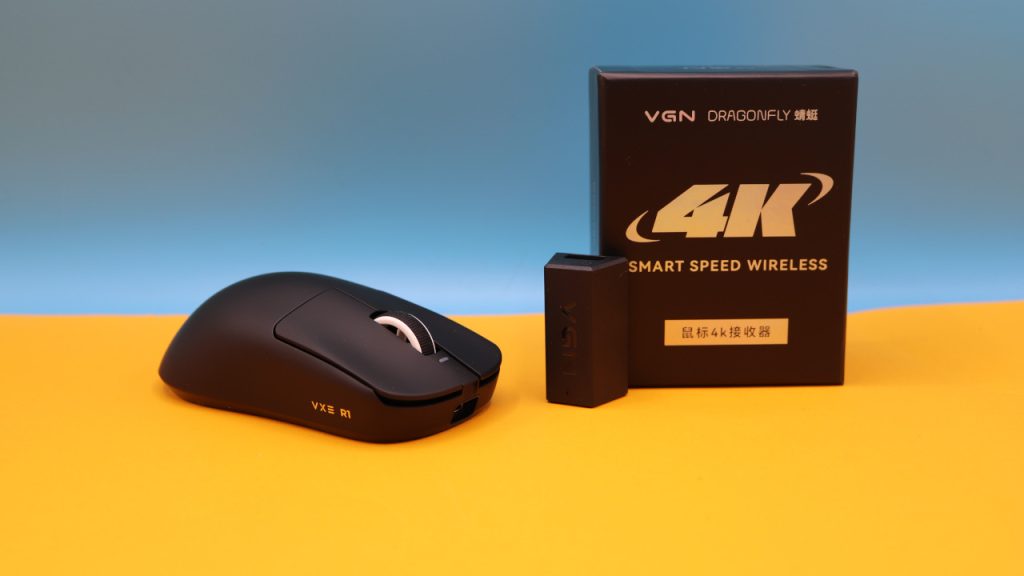
For this reason, I ordered the VXE R1 Pro directly from the manufacturer in China. Additionally, I purchased the 4K wireless adapter for 15 Euros. I paid around 60 Euros with shipping, the shipping directly from China took about 10 days.
The mouse has accompanied me for quite a few hours in everyday life since then. And by now, I can understand why it is often recommended as a hidden gem alongside the Mchose L7 Ultra. You can read my assessment in this article.
The test at a glance:
- Scope of delivery, design, and build quality
- Processing
- Software
- Weight, ergonomics, and battery life
- Mouse buttons, scroll wheel, and sensor
- Performance in everyday life/gaming
- Conclusion
Who tested it?
Benedikt has been testing hardware like mice, keyboards, and headsets for the readers of MeinMMO for many years. He not only plays on PC but also on PS5, Steam Deck, and Nintendo Switch.
The tested mouse was purchased directly from the manufacturer through its website by Benedikt.

Benedikt Schlotmann
Hardware Editor MeinMMO
Details
| Sensor | Pixart 3395 |
| Resolution | Up to 30,000 DPI in 50-step increments |
| Switches | Huano Ice Berry Pink Dot |
| Buttons | 5 buttons |
| Design | Various variants, including black and white |
| Glides | 2 |
| Cable | Removable 2.0 m USB-C cable |
| Weight | 49 grams |
| Price (RRP) | 44.99 USD + shipping costs (about 8 Euros to DE) Optional 4K dongle about 15 Euros |
Scope of delivery, design, and build quality
Pro: Lots of accessories, simple design, no RGB | Contra: 4K transmitter available for purchase, DPI button on the bottom
What does the scope of delivery include? In addition to the gaming mouse, there is a lot of accessory in the box:
- A USB-C cable for charging and connecting to the computer
- A wireless transmitter (1K)
- Additional mouse feet and griptape, which can be attached to the mouse
- A user manual and a leaflet in Chinese.
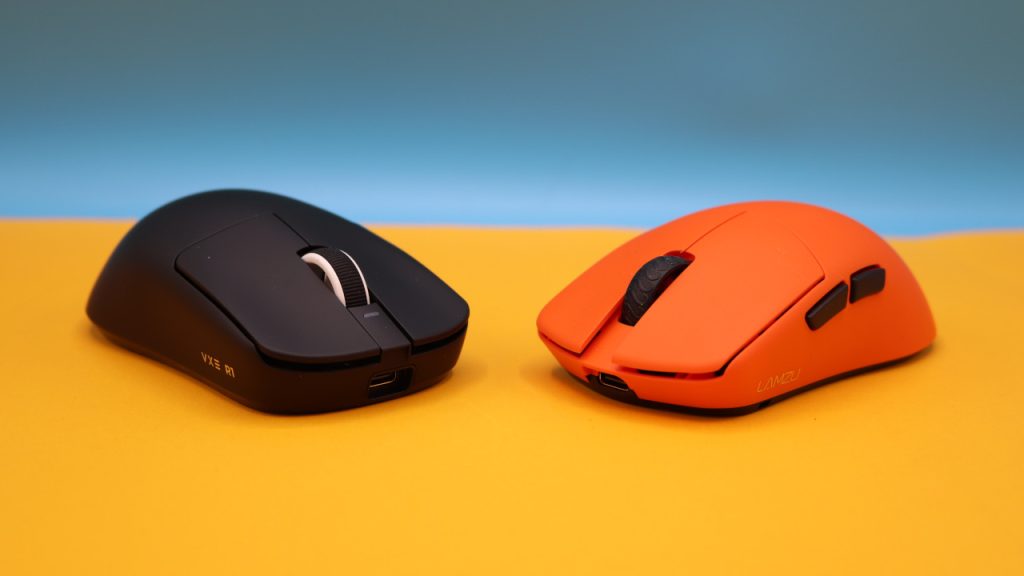
How is the mouse built? You can buy the mouse in various colors; I use the white model in the test.
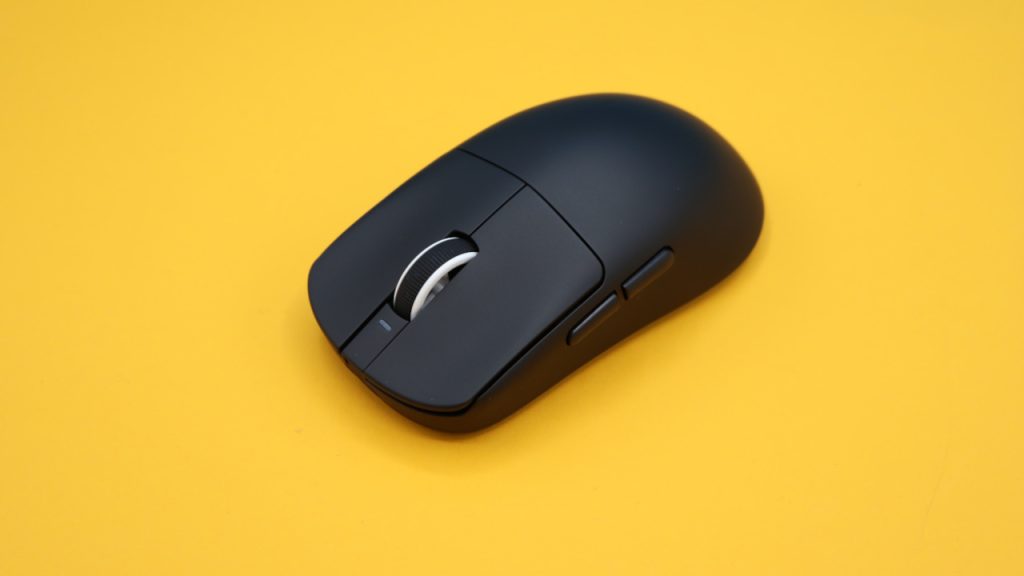
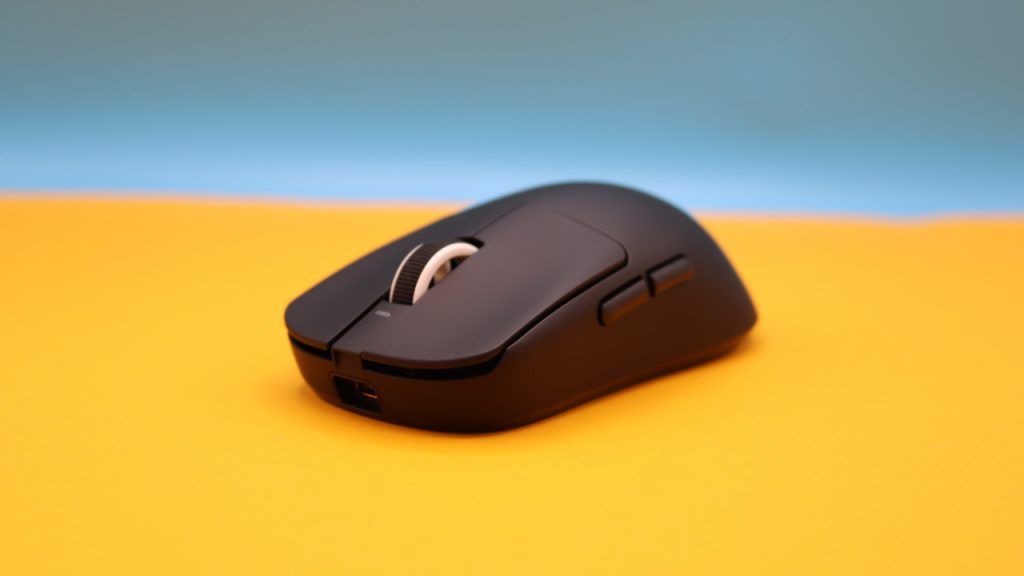
- On the top of the mouse are the main buttons and between them the scroll wheel. There are no other buttons on the top of the mouse
- On the bottom is a switch for DPI switching and a switch to turn the mouse on and off.
- Inside the mouse, you can also accommodate the wireless transmitter.
I chose the black, simple design of the mouse when purchasing. The mouse does not offer RGB lighting; there is only a glowing indicator at the front when the mouse is connected to the transmitter or when the battery level is very low.
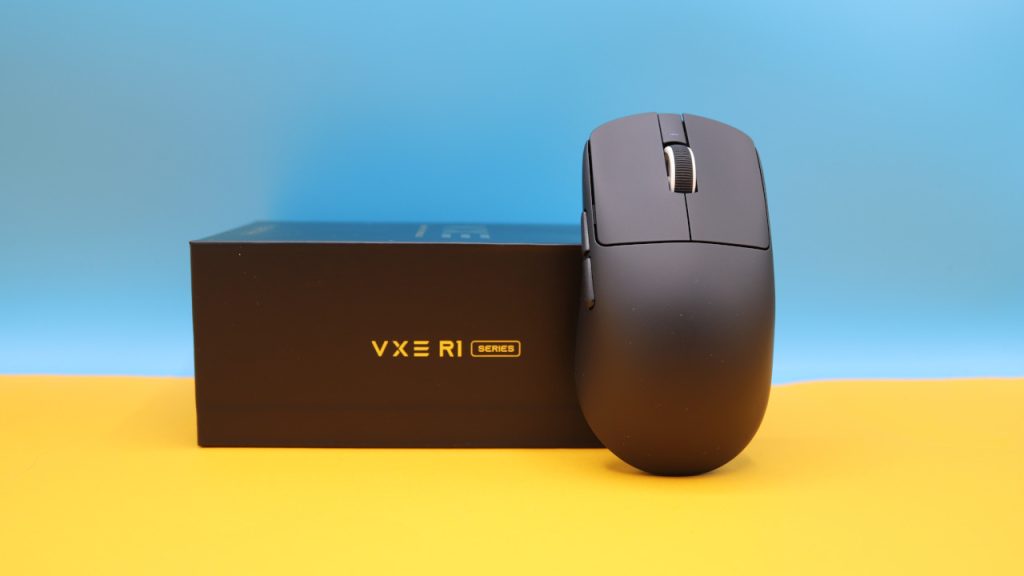
VXE R1 Pro vs R1 Pro MAX
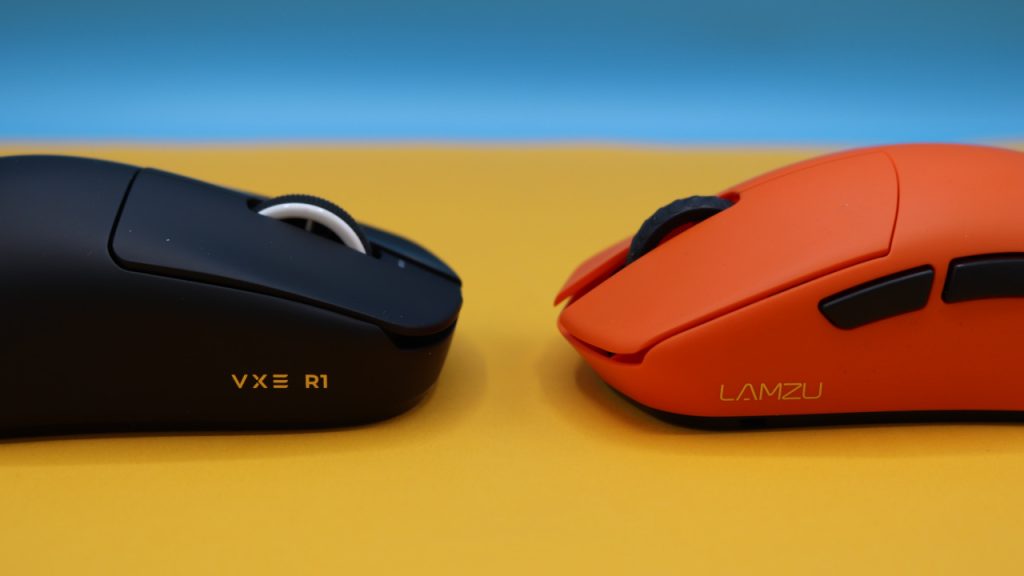
What are the similarities? Basically, you get the same mouse with the same size, the same coating, and the same sensor in both models. Therefore, it doesn’t matter which mouse you ultimately buy.
What are the differences? In the MAX version, the battery lasts longer because it is twice as large: The battery of the Pro version has 250mAh, while the battery of the MAX has 500mAh. If you want to charge less frequently, the additional costs of around 5 Euros can be worthwhile. However, the larger battery also comes with a drawback: The MAX is 6 grams heavier than the standard Pro version. The Pro version weighs 49 grams.
Another detail: The MAX version has different microswitches under the buttons, but you will hardly feel that in everyday life.
Processing
In the shake test, nothing rattles, and nothing creaks when I squeeze it. The scroll wheel has no free movement when I don’t hold it with my finger. For its light weight, the mouse feels very robust. Manufacturers often save on materials for the housing to reduce weight.
What unfortunately stands out significantly: fingerprints and grease marks remain clearly visible on the mouse. This does not look nice and is annoying, but it does not harm the processing of the mouse. I would have preferred a rougher coating.
Software
Pro: Installable or usable as a web app in the browser; clear and in English | Neutral: Web app dependent on the manufacturer’s server
The official software of the mouse is called ATK Gear and has a special advantage: It can not only be installed but also accessed conveniently through a web app in the browser. This eliminates the need for installation, and you can easily use the mouse under Linux. The only disadvantage: If the manufacturer shuts down the web app, you can no longer access it.
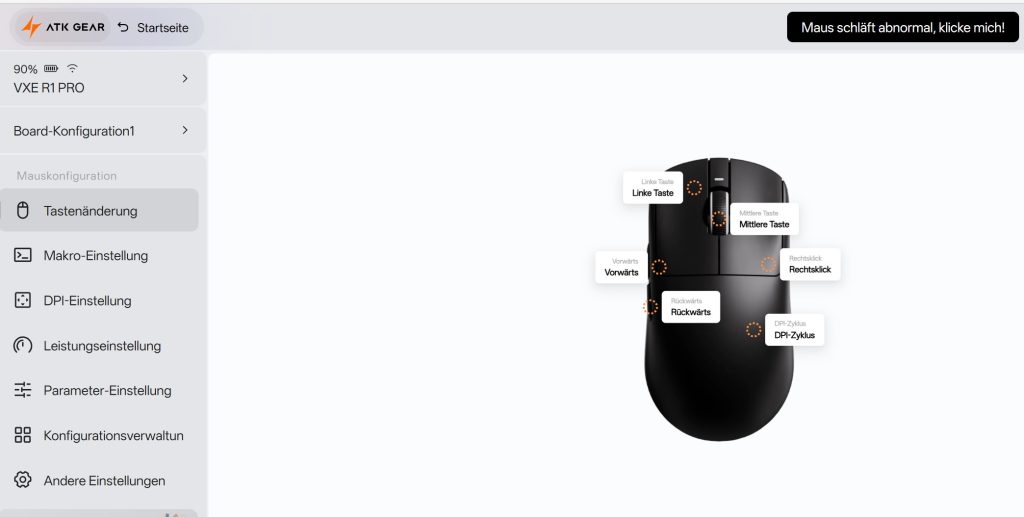
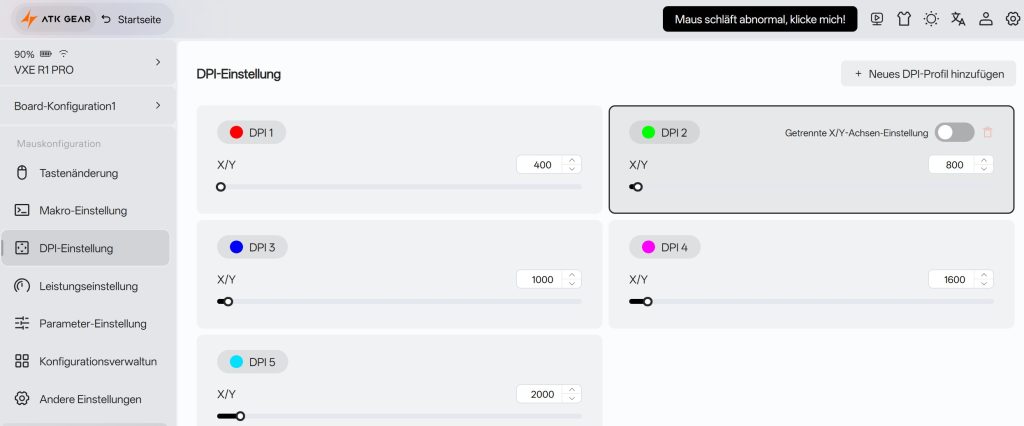
For the software of a Chinese manufacturer, I must positively highlight once: The translation is really decent. Apart from one button that leads me to a Chinese website that I cannot read, everything is well understandable and well-structured.
The setup of the mouse is also simple and is recognized directly and easily through the browser (Microsoft Edge).
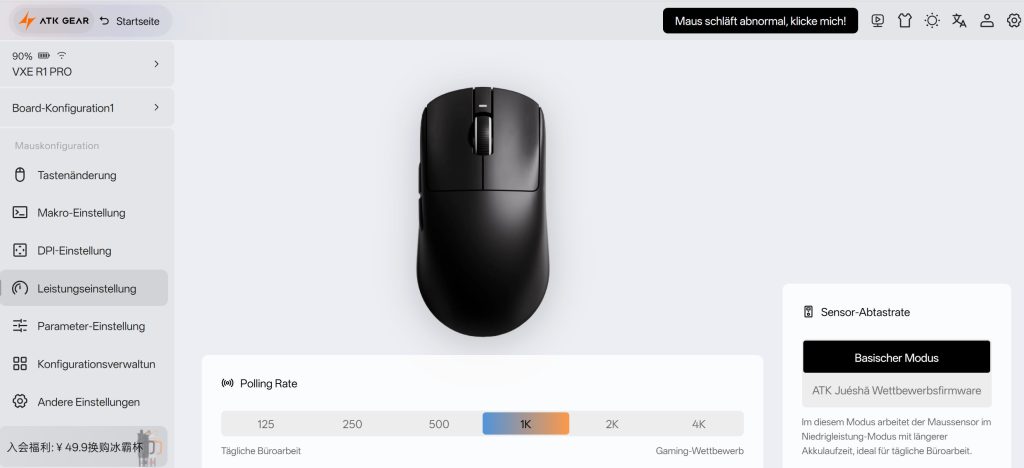
In the software, you can also switch the sample rate of the sensor from the standard mode to the “ATK Juésha competition firmware”. According to the manufacturer, the somewhat quirky name conceals a high-performance mode that is particularly suitable for gaming.
However, I haven’t yet experienced a real advantage compared to the standard mode or simply didn’t perceive it as such.
Weight, ergonomics, and battery life
Pro: Battery life (7-8 days); weight (49 grams) and ergonomics | Contra: –
The weight: With its 49 grams, the VXE R1 Pro belongs to the particularly lightweight representatives among shooter mice. For comparison:
- Turtle Beach Burst II Air: 47 grams
- Glorious Model O Eternal: 55 grams
- Razer Viper V2 Pro: 58 grams
- Logitech G Pro X Superlight 2: 62 grams
This means that in everyday life, you hardly feel the mouse. Therefore, I can play with very low DPI settings, move the mouse a lot, and no heavy weight burdens my wrist.
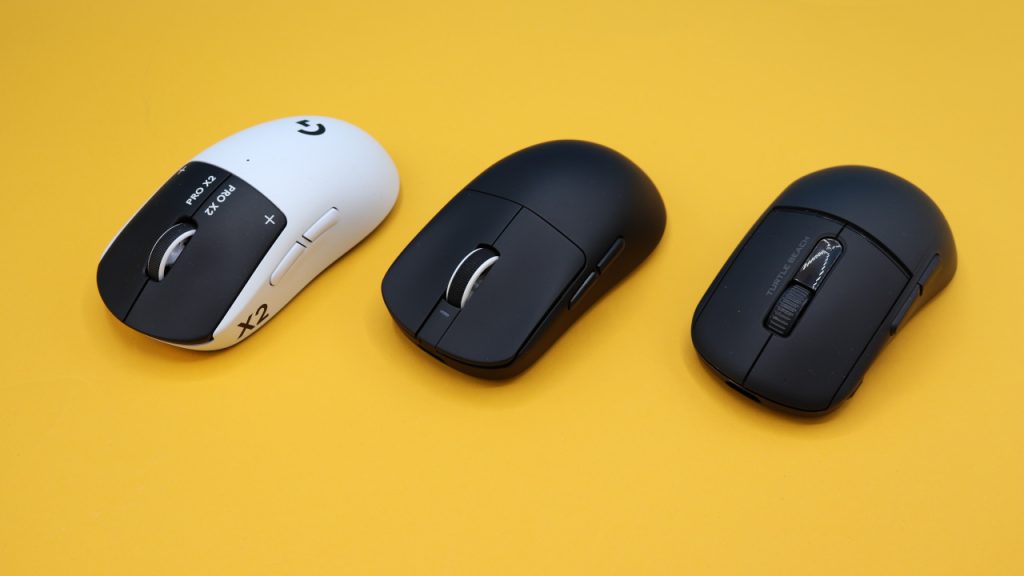
The ergonomics: I have very large hands with a size of 19 centimeters. In both palm and fingertip grip, the mouse sits very well in the hand. I noticed this immediately when unpacking: The mouse feels really good in the hand, and I didn’t need a familiarization period like with the Burst V2 Pro from TurtleBeach (for the test).
Battery life: The manufacturer does not specify a specific battery life; the battery installed in the mouse is 250 mAh. Battery life can only be tracked through the software. In my everyday life, the battery of the mouse lasts 7-8 days, after which it’s over and the mouse has to be connected to the cable.
The mouse buttons, scroll wheel, and sensor
Pro: Crisp mouse buttons, top sensor (Pixart 3395) | Contra: Squishy scroll wheel
The mouse buttons: Under the buttons are “Huano Ice Berry Pink Dot”, which are mechanical switches. The clicks are clearly audible; when clicking the button, you feel clear resistance underneath your fingers.
The scroll wheel: The scroll wheel could be overall a bit crisper and more accurate when scrolling. Especially with quick scrolling, you can tell that the scroll wheel doesn’t keep up. This is annoying, but it doesn’t bother me too much when gaming. However, it bothers me more when I want to navigate through very long websites in everyday life.
Sensor: The Pixart 3395 is inside the mouse; you can hardly get anything better in a gaming mouse right now, with perhaps slight variations up or down and a few more DPI. When it comes to pure precision, the mouse can easily hold its own against other representatives.
Performance in everyday life/gaming
How does it feel to play with it? The scroll wheel feels a bit squishy, but the clicks are full and crisp. When I click to hit an opponent, I feel the resistance under my fingers. I play in everyday life with low DPI settings, either 400 or 800 DPI. Therefore, I move the mouse a lot when I need to turn or react quickly in a shooter. The low weight of the mouse comes in handy here and supports my playstyle.
What I generally really like in everyday life is the ergonomics: The TurtleBeach V2 Pro has a larger, bulkier rear in comparison and is also a bit wider overall. Logitech’s new G Pro X2 Superstrike feels even a touch better but costs three times as much.
I claim: The differences between the 200 Euro mouse from Logitech and the 50 Euro mouse from ATK Gear are not as large as the price might suggest. The fingerprint-prone housing annoys me a bit in both mice.
The optional 4K wireless adapter is also a nice bonus, but not necessarily a must-have.
Conclusion: A real hidden gem for shooter players
For whom is the mouse suitable? With the VXE R1 Pro from ATK Gear, you get a real hidden gem if you don’t want to spend more than 50 Euros for a mouse but still want accuracy and precision.
Especially the successful ergonomics are a strong plus point, why I really like using the mouse in everyday life now.
What alternatives are there?
- The Logitech G Pro X2 Superstrike currently offers you the most modern technology under the buttons, but it also costs 200 Euros.
- The Turtle Beach Burst II Air costs around 100 Euros, also offers a powerful sensor and good performance. The ergonomics require familiarization.
- The Glorious Model O Eternal is my wired recommendation: For around 35 Euros, you get a powerful, lightweight mouse, although the software is outdated and only available as legacy.
More gaming mice on MeinMMO: If you are looking for more recommended gaming mice, then check out our buying guide on MeinMMO. Here you will find the best gaming mice that you can currently buy: The best gaming mice for shooters that you can currently buy

Your opinion is important to us!
Do you like the article? Then let us know!