

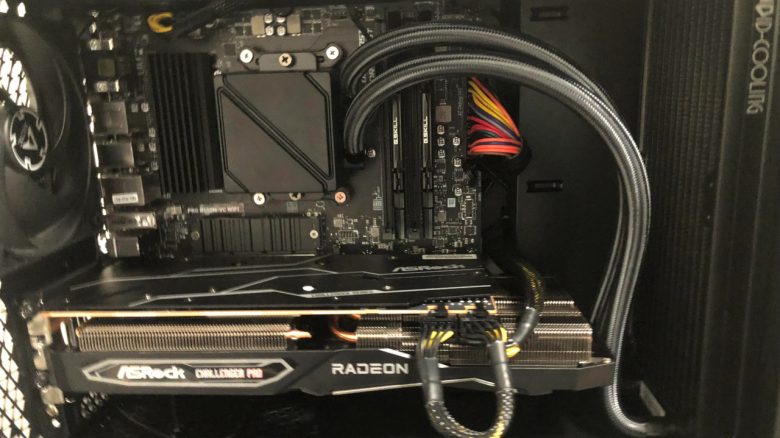
A gamer wanted to upgrade his system, but after the upgrade, his system wouldn’t start anymore. Desperately, he calls for help, making a very simple mistake.
A player wanted to equip his gaming system with a new water cooling system. But after the upgrade, nothing happened, and his computer wouldn’t start anymore. The solution is quite simple, as another user explains on reddit.
A look in the manual solves the problem
How does the problem resolve? As a user explains to him, he must have connected the parts of his new pump incorrectly. The player probably didn’t look at the manual and just mounted the components. If he had looked at the manual for his motherboard, he would have noticed the mistake sooner or later:
This is the manual for your motherboard. The pump header is in the wrong slot. Use the top right fan connector for the pump and the fans for the slot where the connection is. Then it should boot.
Here’s why you should take a look at the manual: In such cases, the solution is therefore quite simple. If you are building a PC and using new components, then definitely look in the manual.
Because every motherboard and individual components look different, and the manual can help quickly and easily avoid particularly simple mistakes. Many underestimate that the manual indeed contains important points:
- The number of connectors can vary between each motherboard, manufacturer, or chipset.
- Some manufacturers label their connectors differently or use proprietary connectors for adding expansion cards.
- For some coolers and fans, you need additional adapters or modules, for which you must adjust your motherboard, for instance, by replacing the plate on the back of the CPU with another one.
By then, when you have already connected several cables and mounted the processor, the motherboard can quickly become confusing, and some connectors are no longer visible. And wiring errors can happen even to professionals who regularly dismantle or upgrade PCs.
Where is the manual located? Normally, the manual is included in printed form with your hardware; in some cases, motherboards are also delivered with strange USB sticks, which can cause confusion.
Many manufacturers now also offer manuals for download in digital format. You can of course print them out if you prefer to have your materials on paper.


Take your time when building a PC
Why haste is not a good idea: If you want to upgrade your PC or install an upgrade, then take your time. Most errors happen in haste. If you have an important match with friends in 2 hours, it’s better to postpone the upgrade to a later time.
Because if something goes wrong, you suddenly find yourself under time pressure that you didn’t want:
- First, you have to find the error, which can take time. Depending on the situation, you might have to dismantle your entire system again.
- In the next step, you then have to either replace the faulty part or fix the error.
- In the most annoying case, a component is defective, so you have to reset your PC to its original state. All of this takes time, and you should factor that in.
When upgrading a gaming PC, time pressure quickly becomes the biggest enemy.
A few more tips to consider when building a PC can be found in the following article on MeinMMO
7 tips you should know before building a PC

Your opinion is important to us!
Do you like the article? Then let us know!