
For 129 €, there is the BenQ ScreenBar Plus, an LED desk lamp with an elegant design that attaches to the monitor. But who should buy a lamp for such a high price? We at MeinMMO examined the product in a long-term test over 6 months.
This is the idea of the ScreenBar Plus: The ScreenBar Plus is about 45 cm long and made of aluminum alloy, attached to the monitor via a clip – similar to a webcam. On an Acer Predator XB270HU monitor (69 cm), the ScreenBar Plus occupies two-thirds of the space above the monitor and does not look out of place at all, but rather looks quite stylish and bathes the area beneath it in either cool or warm light.
A cable runs from the ScreenBar, which splits into two further cables:
- A USB cable about 70 cm long connects to the computer, which serves as the power source
- The other cable connects to the control element of the device: The “Desktop Dial” is a round device that can be placed on the desk. This is used to turn the lamp on, adjust the warmth and brightness of the light, or leave the decision to an automatic sensor
The 3 advantages of the BenQ ScreenBar Plus compared to a regular lamp
The idea of the ScreenBar is to offer the user three advantages compared to a regular desk lamp:
- On one hand, the lamp takes no extra space on the desk and looks elegant and tidy
- The lamp also does not block the view of the screen, it cannot get in the way
- It does not create reflections on the screen that are perceived as annoying
The big promise of the lamp: Relief for the eyes
The essential promise of the BenQ ScreenBar Plus is to enable the best possible work at the monitor, excluding any impairment from suboptimal lighting.
The company advertises with the implicit promise: Actually, one should take regular breaks to protect the eyes while working. But top lighting also brings relief for the eyes.
Keine Produkte gefunden.
This is how the ScreenBar Plus performs for a gamer
This is how the device performed in our practical test: We tested the BenQ ScreenBar Plus for 6 months.
The setup and mounting of the lamp are really child’s play. No tools or any specific knowledge is required. The lamp simply clips onto the monitor. The only obstacle can be a webcam that needs to be adjusted if the lamp takes up the space previously occupied by the webcam.
No software needs to be installed.
During our practical test, we experienced issues with the lamp only twice in 6 months. The USB cable was a bit loose: reconnecting the lamp ended the blinking of the warning function on the Desktop Dial.
The lamp can be adjusted within two parameters via the Desktop Dial:
- The light temperature ranges from a warm 2700K to a cool, almost sterile 6500K.
- The brightness of the lamp can be regulated in 8 levels.

The operation of the Desktop Dial is a bit unusual at first. Because to turn the lamp on, you need quite a bit of pressure on the control dial: “Just turning it on” isn’t possible.
I need my index finger and middle finger and have to apply concentrated pressure in the center of the dial for the monitor to light up. Adjusting the temperature and brightness is effortless. However, most of the time I trust the light intensity and temperature to the auto-sensor. It provides a pleasant, medium-cool light that allows me to work or game well.
Especially in text-heavy games that invite playing until half-past two in the morning, the ScreenBar Plus was used.

Who needs such an expensive lamp? I asked myself that at first as well. Because anyone who works a lot on the computer probably types blind and does not need lighting to see which keys he hits on the keyboard.
Those who work or play in daylight will not need the lamp anyway.
But indeed, the “eye protection” effect should not be underestimated. When I pursue my hobby, gaming, in an otherwise dark room and the monitor is the only light source, after a few hours my eyes are strained, and I notice it when I game late into the night, that I am no longer 16 and can’t handle it as easily anymore.
If I have a night gaming session and activate the lamp, I feel noticeably more rested in the morning. This is an effect that is difficult to measure, but eye care is an important topic for people who spend a lot of time at the computer, whether they are gaming or working.
During the 6 months, I never found the lamp disturbing or foreign. After just a few seconds, you no longer notice that something is different from usual; instead, you find it completely normal that there is now light where you would usually sit in the dark, unless some light effect in the game itself was going off.
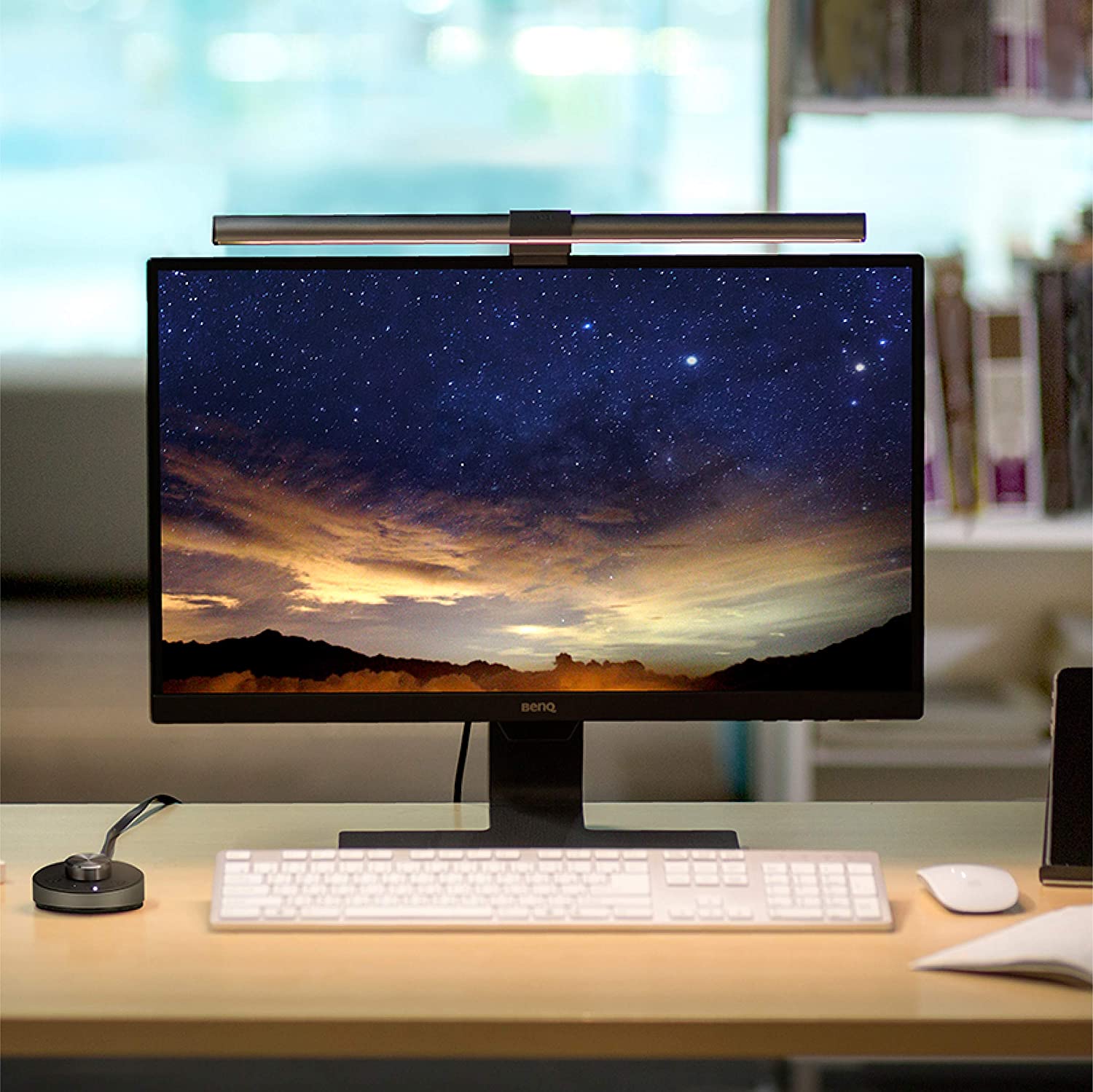
For people who use a desk lamp and find the light from the lamp distracting, the BenQ ScreenBar Plus could indeed be a useful addition.
If someone has played without a lamp at night in the dark and suffers from feeling like they have been hit by a truck the next morning, they might consider buying the lamp. However, they need to discipline themselves to actually turn on the lamp when it gets dark. Because this impulse “light on” needs to be trained when you are used to gaming in the dark for years.
Keine Produkte gefunden.
Ultimately, the lamp is a luxury item for gamers, just like a good keyboard, an ergonomic mouse, or a decadent gaming chair: But for the gamer who already has everything, it is an ideal gift. If necessary, also from oneself for oneself.
Is there a cheaper alternative to the ScreenBar Plus? Yes, there is. If you want a monitor lamp but do not want to spend 130 €, an E-reading lamp is a good choice.
MeinMMO author Benedikt Schlotmann has thoroughly tested the affordable alternative for the monitor lamp: For him, the bargain for 30 Euros is his most important gaming purchase in recent years.
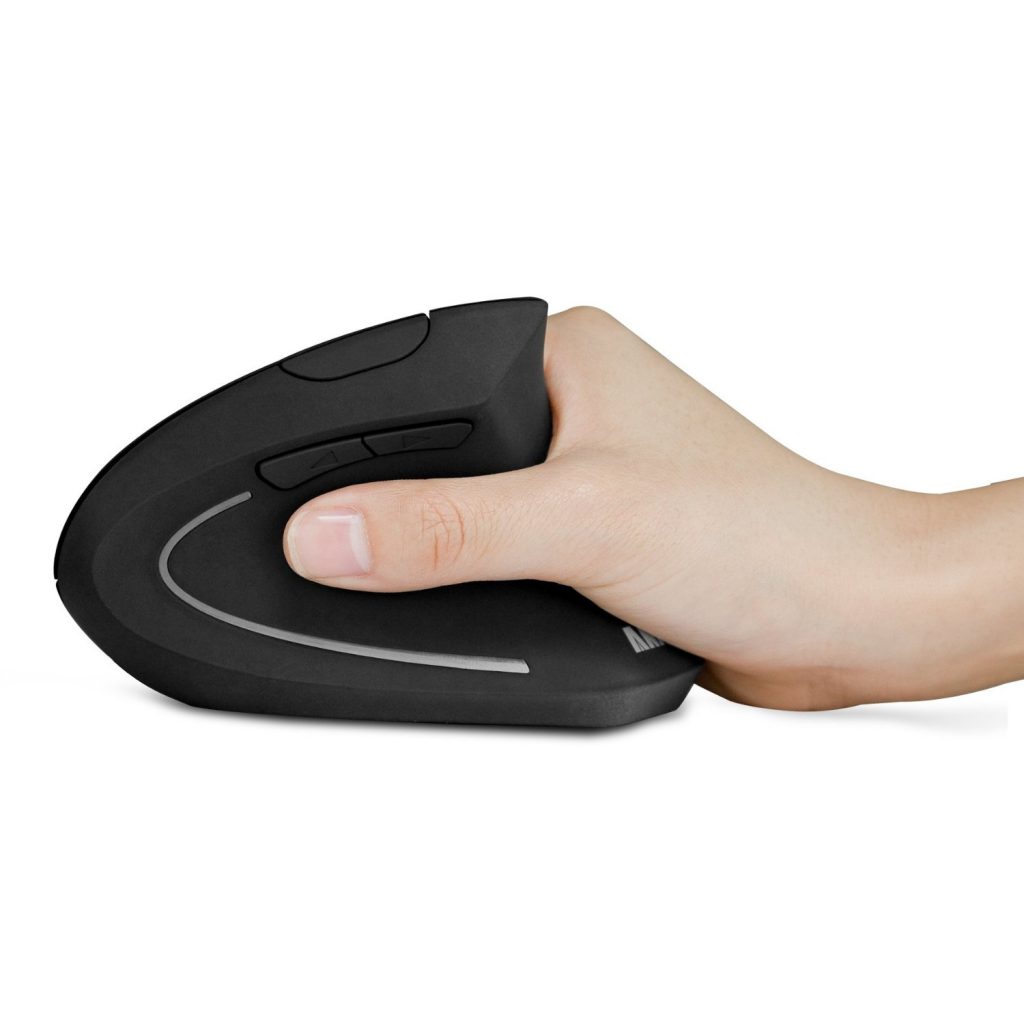
The ScreenBar Plus from BenQ contributes to more pleasant gaming, especially when doing long sessions in MMOs. There are other gimmicks that help prevent typical issues faced by gamers, such as a special mouse:
Why a vertical mouse for 20€ was my best gaming purchase
The ScreenBar Plus was provided to us by BenQ for testing.