Those who install League of Legends: Wild Rift on Android or iOS can immediately start with the first matches. However, it is worth checking the settings to see what can be enabled or disabled. Some options can even be crucial for victory in a match.
What settings are these? This article aims to improve your gaming experience in Wild Rift without the need for external input devices. Because even with small adjustments, a lot can be changed.
All settings can be easily made within the game itself, and they will help you improve control and performance. The goal is to deepen the gaming experience even further and give you an advantage over other players.
To make these adjustments, you sometimes need to be in the settings before a match, but sometimes also in a match. This can be a bit confusing. Use the practice mode for the options in a match.
1. High FPS instead of high graphics
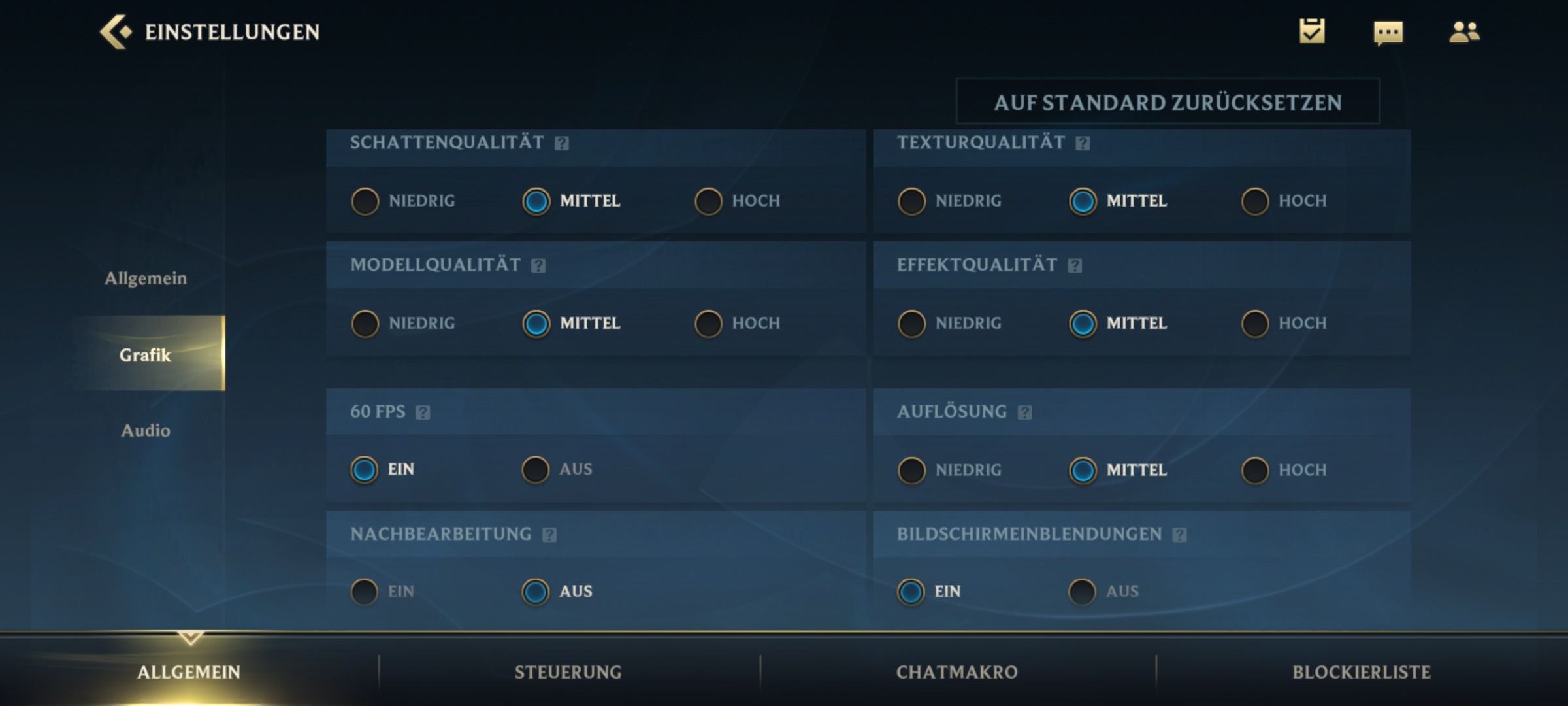
In the first step, you should disable the FPS (Frames per Second) cap. To do this, go to “General” in the options outside of a match, then to the “Graphics” section. By default, 60 FPS is disabled in the settings because it can significantly drain your battery. So you are only playing with 30 FPS.
In the same step, you should pay attention to how much power your smartphone has. It may sometimes be necessary to reduce the graphics a bit to achieve better FPS:
- Especially set shadows to medium or even low in case of problems
- The effect quality and model quality can also be set to medium without causing real losses in quality
- Post-processing and outlines are only for adjusted visuals and can easily be turned off
Why is this important? A higher FPS leads to a smoother gaming experience. You hit your skill shots more reliably. This is important, especially when it comes to ranked matches.
However, always watch the battery consumption and heat development. If your smartphone gets too hot, you should adjust the graphics performance as described above.
2. Portrait Lock
For this step, you need to switch to the control section in the options. There you will find the portrait lock as the first point. With this function, you can easily select an enemy and keep them as an image over your abilities.
This function is disabled by default and should definitely be used by you.
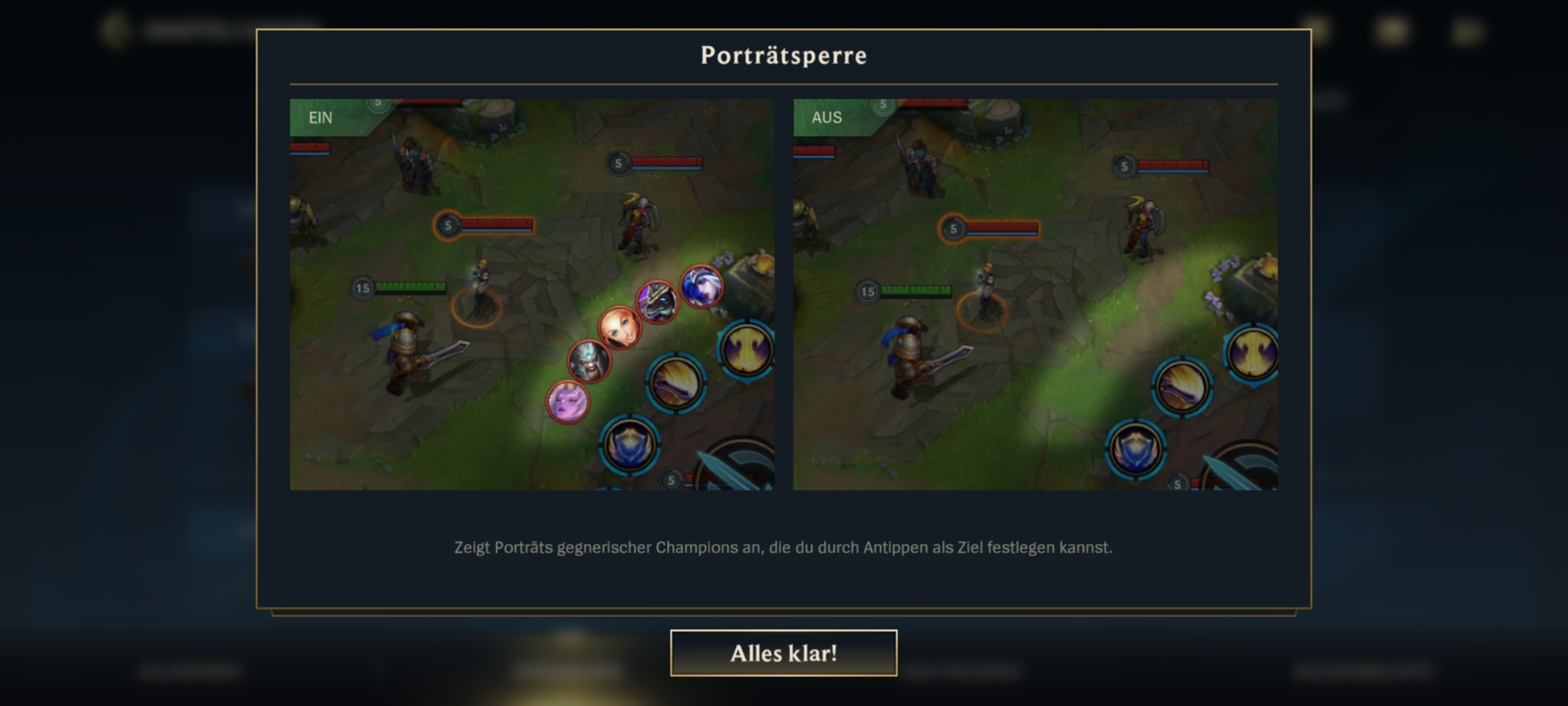
Why is this important? With a simple click, you can immediately re-target the enemy when necessary. Targeted enemies will be selected both by your auto-attack and your skill shots.
Especially in heated battles, you do not want to have to constantly select an enemy with the auto-attack. Speed matters here, and you get that with the portrait lock.
3. Shrink Scoreboard
Another helpful function is the “halving” of overlays like the scoreboard. On the scoreboard, you see the stats of all players in the match. By default, you see this over the entire screen.
However, if you activate the options ingame (the gear next to the minimap), you can restrict this display to half the screen.
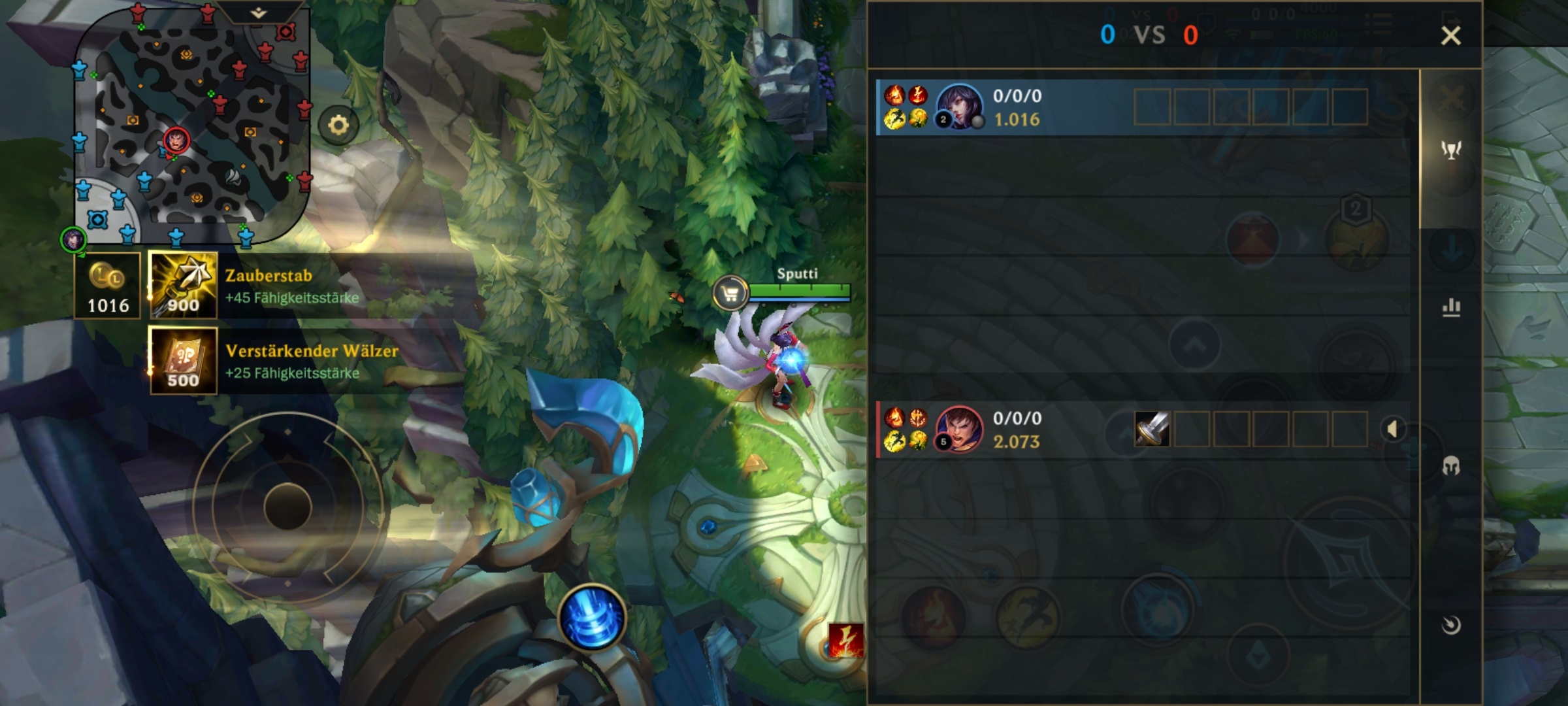
Why is this important? You can still see the stats as usual, but at the same time have more space on the screen and see what is happening around you. This is generally useful.
4. Disable Shake Effects
In the same options as with the scoreboard, you can also disable the “shake effects”. These cause the screen to shake.
Why is this important? The shaking distracts from the actual gameplay and can even be disadvantageous if you are prone to motion sickness. The option offers no advantages and should therefore be disabled.
5. Properly Cancel Actions
Wild Rift offers you two different methods to cancel abilities:
- In variant 1, you need to reach a certain spot on the screen with your finger (default)
- For variant 2, you just need to be far enough away from the ability, and it will be automatically canceled
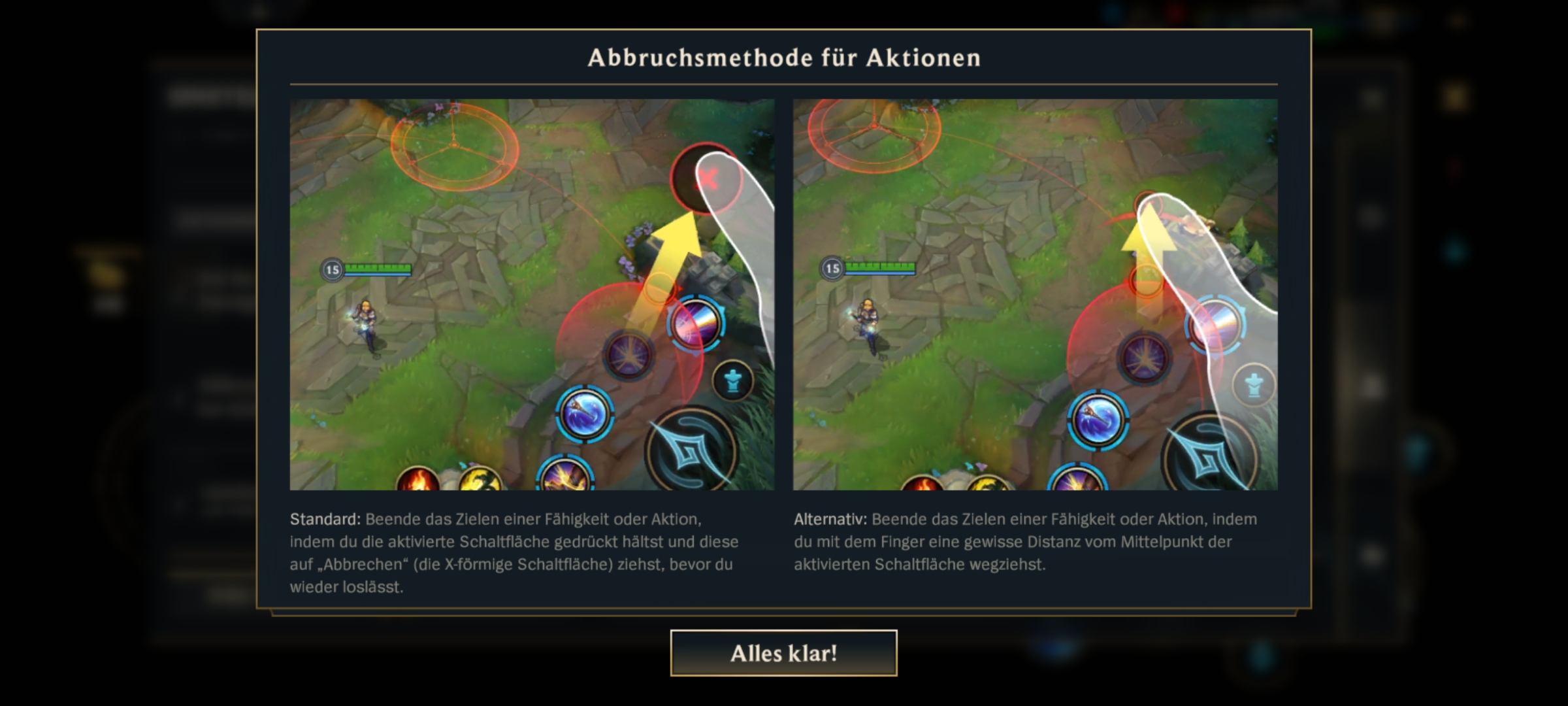
Why is this important? Over the course of a match, you will cancel abilities multiple times. Therefore, it is important to find your method for making this cancellation. Personally, I still work with the exact position, but I know players who prefer variant 2.
6. Customize the buttons to your needs
In this point, you have to be active yourself. Because Wild Rift allows you to change almost all content of the interface. In my preview report, I criticized that I have difficulty reaching the summoner spells, as they are positioned too far in the middle by default.
However, you can customize the entire interface according to your wishes under “Options -> Controls -> Customize Buttons”.
Many players, including myself, have placed the Summoner Spells closer to the skills. I have also pulled down the button to cancel skill shots a bit.
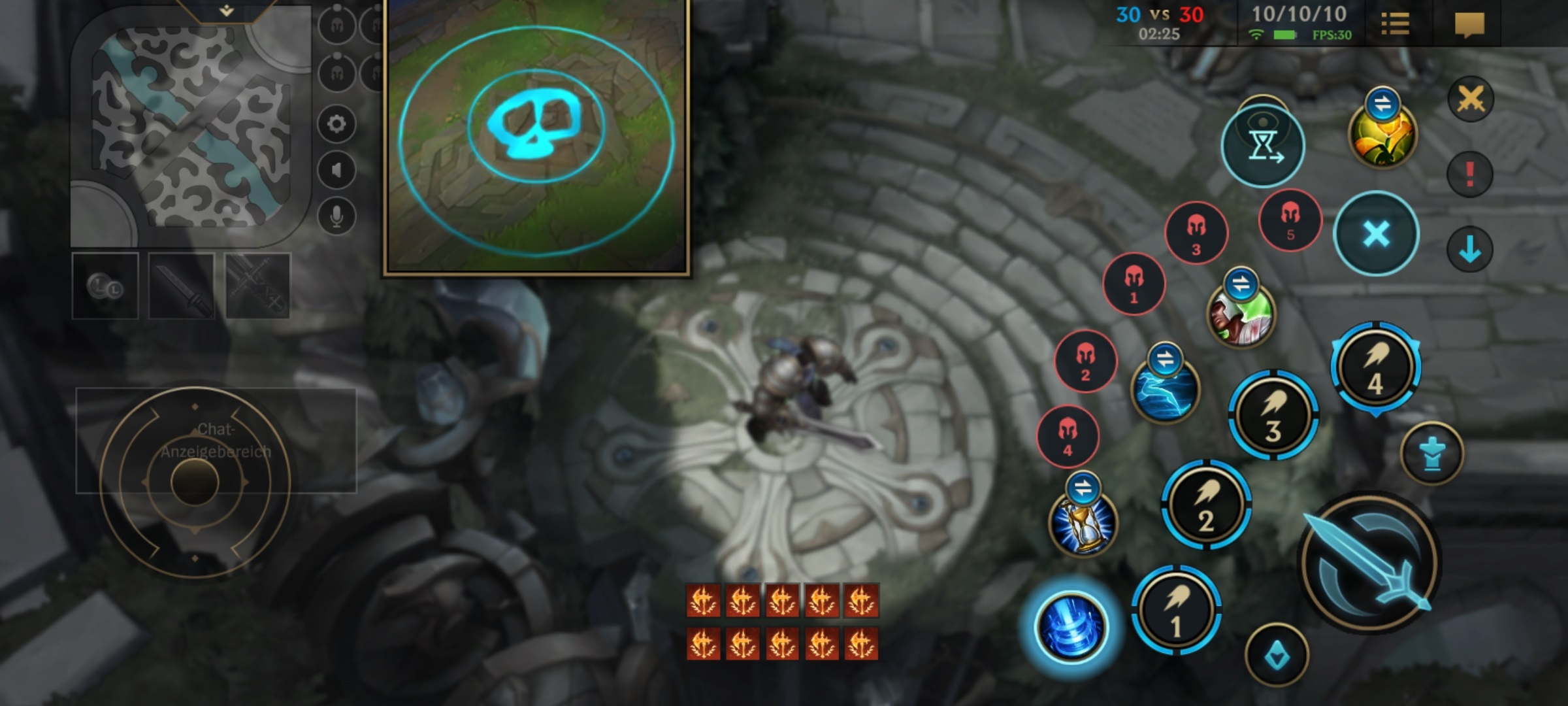
Why is this important? To become really good in Wild Rift, you need to be able to control your champion perfectly. This is important so that you can intuitively find, use, and cancel abilities.
So make sure to get acquainted with the buttons.
We have reached the end of the tips. Did they help you? And do you know any other useful settings? Feel free to let us know in the comments!
Wild Rift has just launched, but even now, the developers have given a glimpse of new content: