

You want to stream from home and are looking for the right equipment? MeinMMO presents you with gear that you should consider if you want to stream.
Whether for home office, streaming, or pure gaming, everyone needs the right equipment if they want to have a streaming room.
What do you actually need to build a good streaming room? We present to you five essential things that everyone should have if they want to stream.
We take you on a journey through the virtual streaming room of MeinMMO and show you what our streaming room looks like.
Camera
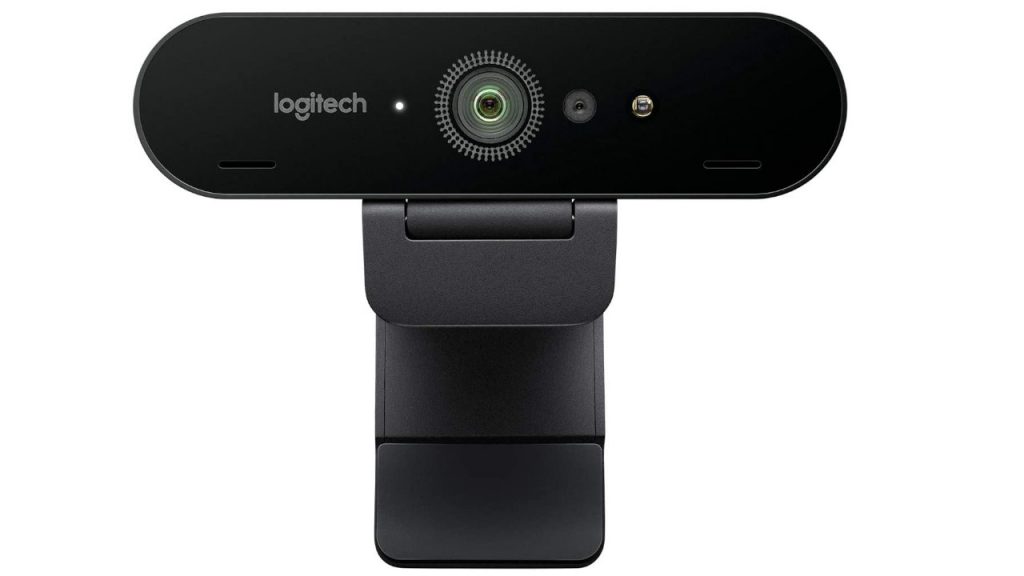
For this, you need the following accessories: Let’s start with the camera. You don’t just want to stream your game, but also communicate with your viewers, friends, or colleagues. But they should also be able to see you, right? A good camera is essential. We present you with three cameras from different price ranges.
Low Price Range: Dericam Webcam, 1080P Full HD Webcam with Microphone
The “Dericam Webcam” offers you Full HD resolution and can connect via USB to various devices. You can use the camera on Windows, your Mac, or Android. The viewing angle is 80 degrees and should be sufficient for most applications. It also has a built-in microphone, but we would recommend an external microphone.
Mid Price Range: Logitech C920 HD PRO Webcam
The C920 from Logitech is a good camera in the mid-price segment. The camera uses a fixed clamp mount and provides its own software to adjust resolution, color tone, and other settings. The image delivers good detail accuracy but struggles in low light conditions, resulting in strong noise in the image.
High Price Range: Logitech Brio ULTRA-HD PRO Webcam
A camera in the high price segment is the Logitech Brio ULTRA-HD PRO Webcam. This is used by many well-known streamers like Ninja or Tfue on Twitch (via Prosettings.com). The camera offers many extensive settings, is compatible with USB 2.0 and USB-C, and also includes a carrying case. Logitech’s Brio also supports HDR and features a 4K image sensor.
The camera costs over 200 euros, but Logitech’s Brio offers you an enormous range.
Microphone
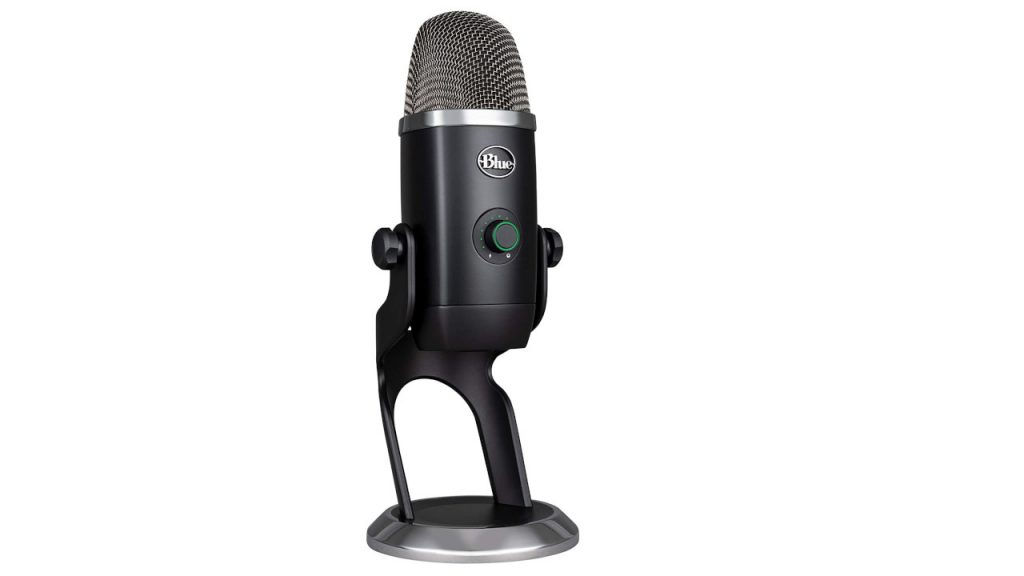
For this, you need the following accessories: We want our viewers to hear us while gaming, because speech is an important part of gaming. And for that, you need a good microphone. We present you with four microphones that you should consider.
Blue Yeti X World of Warcraft Edition Professional Streaming USB Microphone
This is a professional microphone in the WoW design. MeinMMO tested the microphone. The microphone offers excellent craftsmanship and good sound quality. If you are looking for a high-quality microphone for streams or gaming, you will find it in this microphone.
Blue Microphones Yeti X Professional USB Microphone for Gaming
If you are looking for a strong microphone but find World of Warcraft annoying, there is also a cheaper variant of the microphone without the WoW flair. If you just want a good microphone that impresses with clean craftsmanship and clear speech, you can also consider the cheaper variant of the Blue microphone.
Expensive Alternative: Elgato Wave:3
In a similar price range as the Blue Microphones Yeti X is the Elgato Wave: 3. This is a convincing microphone for streaming and podcasts. It offers many features and technical aids such as the low-cut filter that reduces low frequencies.
The Wave 3 is primarily aimed at streamers or users who talk a lot. Background noise is audible and can be perceived as disturbing. However, if you are looking for a good microphone with good sound quality and many features, you will find it here.
Best Budget Microphone: HyperX SoloCast
If you don’t want to spend too much money on a microphone but still don’t want to compromise on decent quality for your listeners, you can also opt for the HyperX SoloCast. This is an inexpensive microphone for under 100 euros that still offers decent sound quality. The stand is flexible, and you only need to connect the microphone to your PC – then you can start recording.
According to PCGamer, the microphone is considered one of the best microphones for streamers, thanks to its very good sound quality and ease of plug-and-play. However, the microphone offers significantly fewer features than the more expensive competition.
Microphone with XLR: Focusrite Scarlett 2i2 Studio 3rd Gen Audio Interface
If you prefer to use XLR instead of USB, Focusrite offers a comprehensive package. With a microphone, headphones, and cables, the Scarlett 2i2 Studio has everything you need to operate. The operation is also easy. Soundandrecording.de praises the very good price/performance ratio, especially due to the extensive equipment and good sound. Beginners who use an XLR microphone for the first time will find a comprehensive package for entry.
Keys to Control the Stream
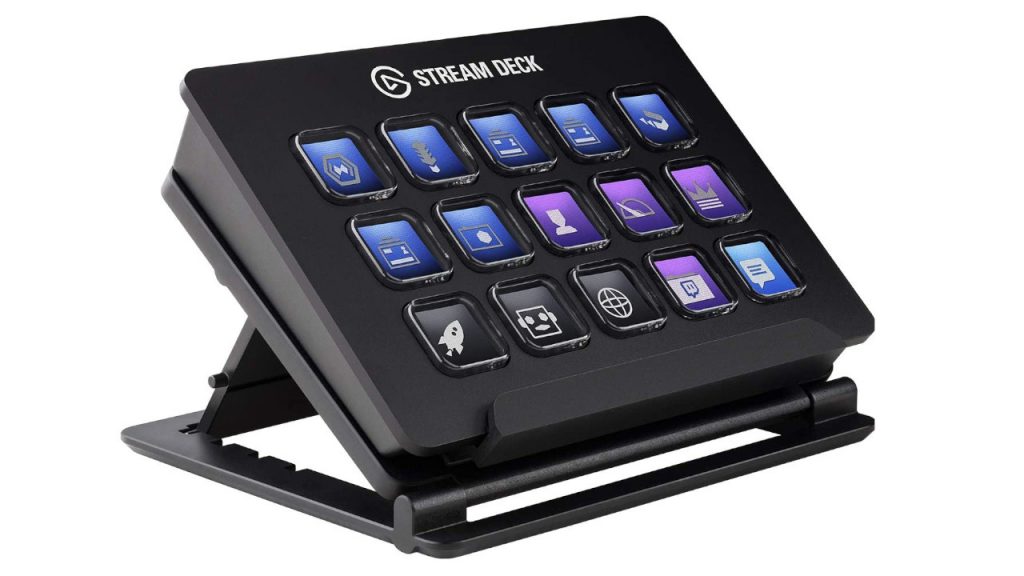
For this, you need the following accessories: You want to not only chat with your friends or viewers but also coordinate many things at the same time? This is where so-called “Stream Decks” come in. They make your life easier, and you can coordinate many things simultaneously during the stream. They are a real multitasking aid. We present you with two options.
LogiLink: Illuminated One-Hand Gaming Keyboard with Ergonomic Palm Rest
The device from LogiLink is more of an external mini-keyboard than a true stream deck. If you have never worked with external keyboards or decks, you can find a test device here for little money with which you can try out external, programmable devices. If you don’t like it, your expenses will be limited.
Elgato Stream Deck Live Content Creation Controller
The expensive and professional alternative is the “Stream Deck” from the manufacturer Elgato. They have found a niche for their devices. The device offers you extensive functionality and good craftsmanship for around 150 euros. You can control the light, switch camera angles, or start different programs using the buttons. Much of this can be configured even more precisely using the proprietary software. If you are looking for very comprehensive options for your streaming room, you should take a look at Elgato’s “Stream Deck”.
By the way, Elgato’s “Stream Deck” is available with 6, 15, and 32 keys.
In the next section, we will turn to another important area: Lighting.
Lighting
For this, you need the following accessories: Lighting also plays an important role in streaming. You want to see enough yourself, but your face should also stand out well in the stream. It’s unfortunate if your face is half-covered by shadows.
Elgato Key Light
With the Key Light, manufacturer Elgato offers a professional lighting option for your setup. The device is designed for desktop use and provides you with balanced light for your desk. You can also control the lighting via an app on PC or mobile device. If you own an Elgato “Stream Deck”, you can also control the lighting through it. The downside: The device costs around 200 euros.
Affordable Alternative: Neewer Dimmable Bi-Color LED
Are you looking for an affordable alternative that won’t cost you 200 euros? With the lamp from Neewer, you pay less than 100 euros and still get a good illumination that is completely sufficient for video recordings, streams or home office.
Capture Card for the Console
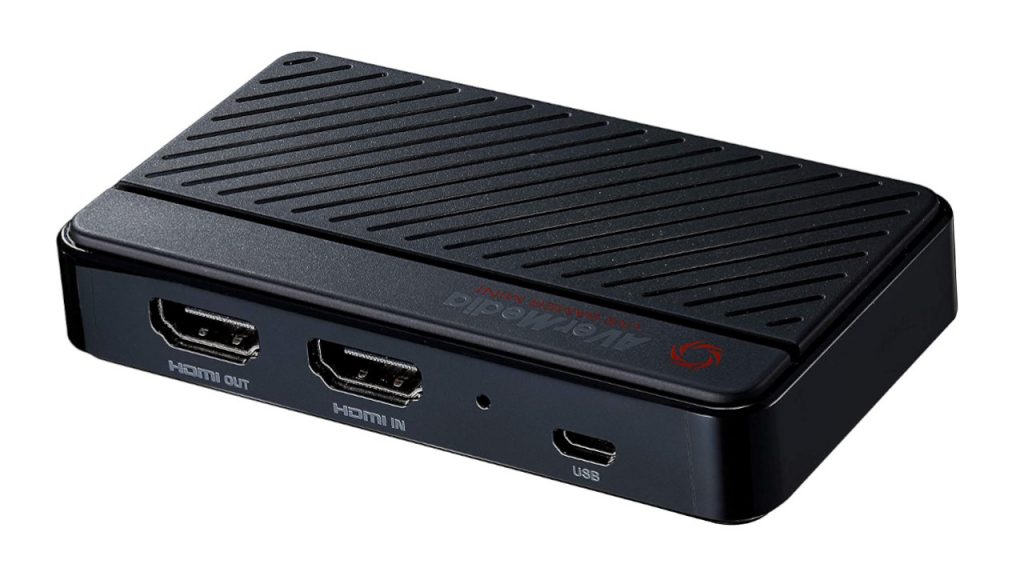
For this, you need the following accessories: If you don’t just game on PC but want to integrate material from your PlayStation 4 or Xbox One into your stream, you need a so-called “Capture Card”. These cards connect either externally via USB or internally via PCI-Express to your PC. The card transmits audio and video from your console directly to the computer via HDMI. We present you with two devices.
AVerMedia Live Gamer Mini 1080p60 Capture Card
The inexpensive “Capture Card” from AverMedia offers you Full HD resolution and can easily transfer videos from the console to the PC. The device works with plug and play and requires no additional power source. It is also compatible with all major services like YouTube, Twitch, or Facebook Gaming.
High-Priced Alternative: AVerMedia 4K Live Gamer
For those of you who find Full HD insufficient, you can also opt for the 4K solution from AVerMedia. This is a PCI-Express card that you need to install internally in your computer. Make sure you have enough space in your PC for this. The device is quite expensive at around 200 euros but offers you a very low latency time during transmission, 4K resolution, and the possibility of recordings at up to 240 FPS.
Now it’s your turn: What does your setup look like or what do you already own to make your life easier? Feel free to write it in the comments.

Your opinion is important to us!
Do you like the article? Then let us know!